Understanding Azure Policy Components
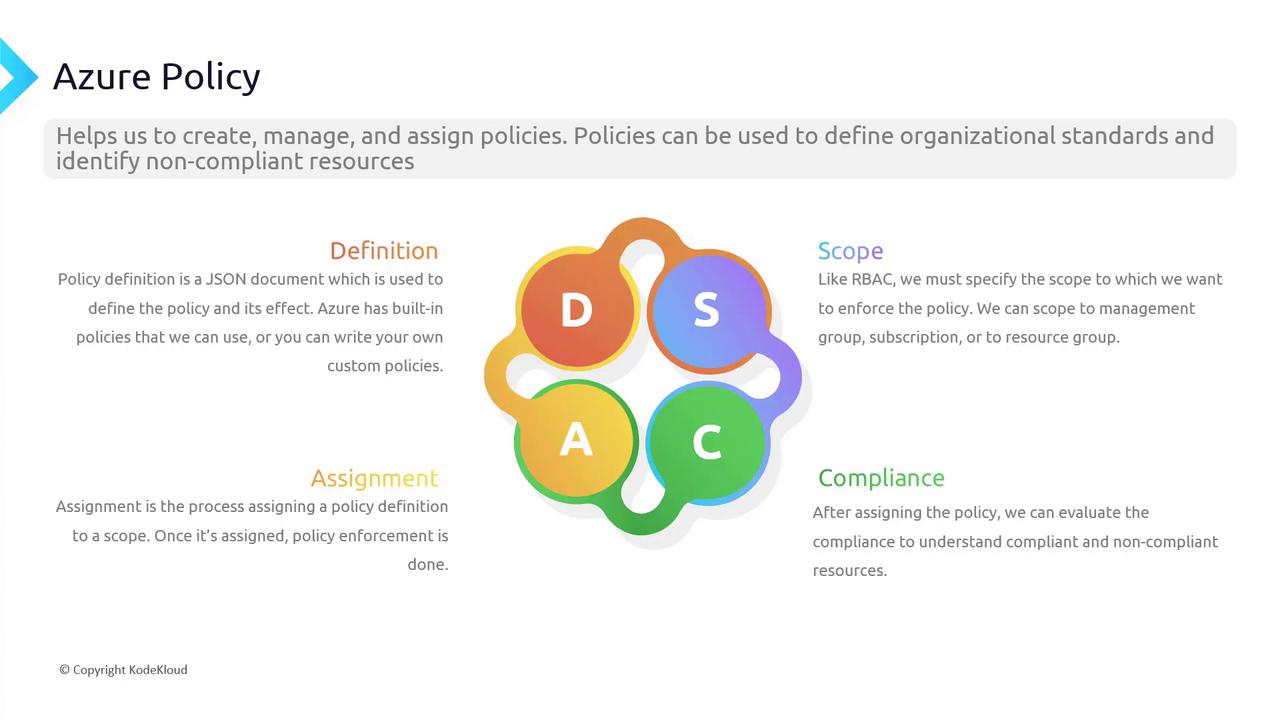
Azure Policy shares some similarities with Role-Based Access Control (RBAC) in terms of its key components. However, there are distinct differences. The main components of an Azure Policy include:- Definition A policy definition is a JSON document that outlines the rule and specifies the actions to take when a resource is non-compliant. For instance, a built-in policy might enforce HTTPS on all storage accounts. The JSON document details the conditions that determine compliance and the effect (like denying a deployment) when those conditions are not met. While Azure provides built-in policies, you also have the option to create custom definitions.
- Scope The scope determines where the policy will be applied. This scope can include a management group, subscription, or resource group. Note that you cannot apply a policy to a single resource. When you define a broad scope (such as the entire subscription), the policy’s rules effectively govern all resources within that perimeter.
- Assignment After creating a policy definition, you need to assign it to a particular scope. Unlike RBAC assignments, which are often user-specific, policy assignments have an organizational impact. For example, if you have a policy that restricts the creation of public IP addresses, assigning this policy at the resource group level will block any attempt to create such IP addresses within that group.
- Compliance Once the policy is assigned, Azure continuously evaluates resources for compliance. Policies do not modify existing resources; they only affect future changes. For example, if a new policy restricts resource deployment outside the United States, resources already deployed in other regions will be marked as non-compliant. Administrators can then use compliance reports and remediation tasks to bring these resources into alignment with organizational standards.
Common Use Cases for Azure Policy
Azure Policy can be applied in various scenarios. Here are some common use cases:-
Required Tags:
Tags function as metadata to organize resources and support billing processes. A required tags policy ensures that users add the necessary tags during resource deployment, preventing oversight. -
Inherited Tags:
By default, tags applied at the resource group or subscription level are not automatically inherited by underlying resources. A policy that enforces inherited tags ensures that all resources reflect the metadata from the higher-level scope. -
Allowed Locations:
To meet data residency and geopolitical requirements (e.g., GDPR), organizations can restrict deployments to specific regions. If a user attempts to deploy a resource outside the allowed locations, the policy will block the action. -
Allowed Virtual Machine SKUs:
This policy is useful in cost control scenarios by restricting high-cost virtual machine sizes in non-production environments, such as development or testing stages. -
Allowed Resource Group Location:
Although there is an allowed locations policy for resources, a similar policy can ensure that the resource group itself complies with location constraints. This is especially beneficial for managing metadata across regions. -
Allowed Resource Type:
To limit exposure to expensive services, organizations can restrict deployments to a pre-approved list of resource types (such as virtual machines, app services, databases, and virtual networks), preventing deployments of high-cost services like ExpressRoute.
Navigating Policies in the Azure Portal
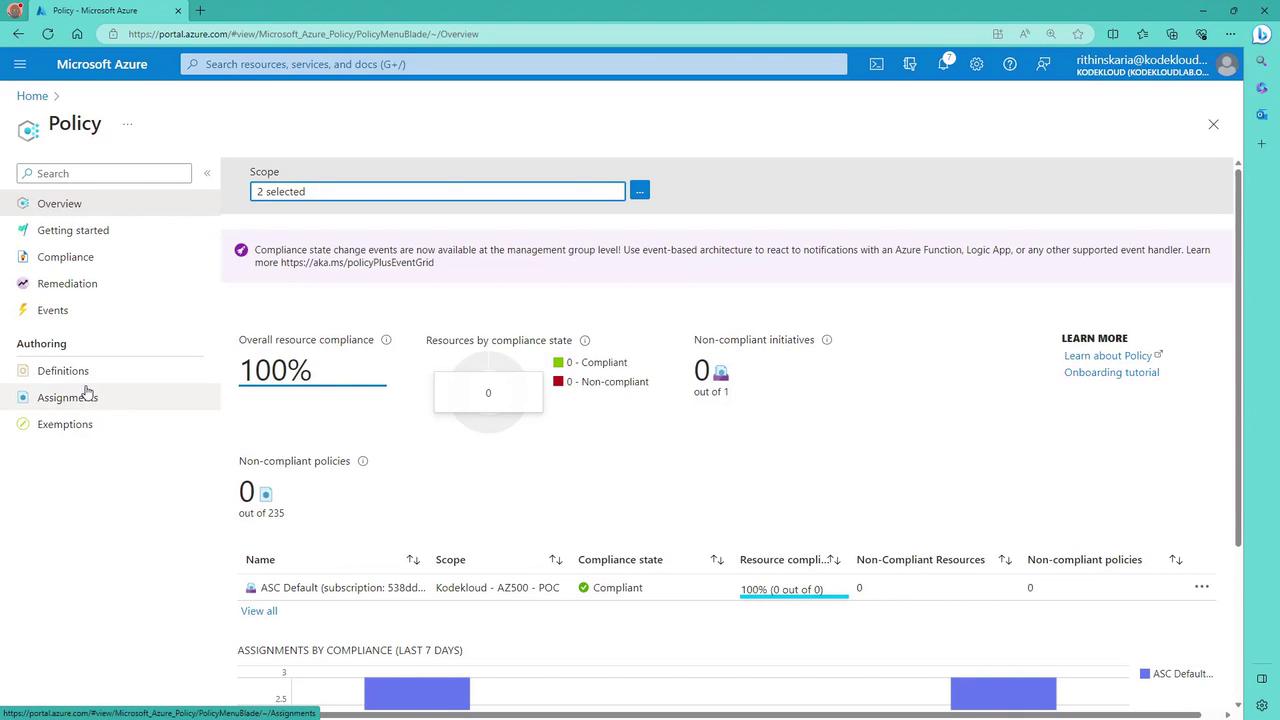
In this lesson, we explore how to interact with Azure Policies using the Azure portal.- Accessing Policies:
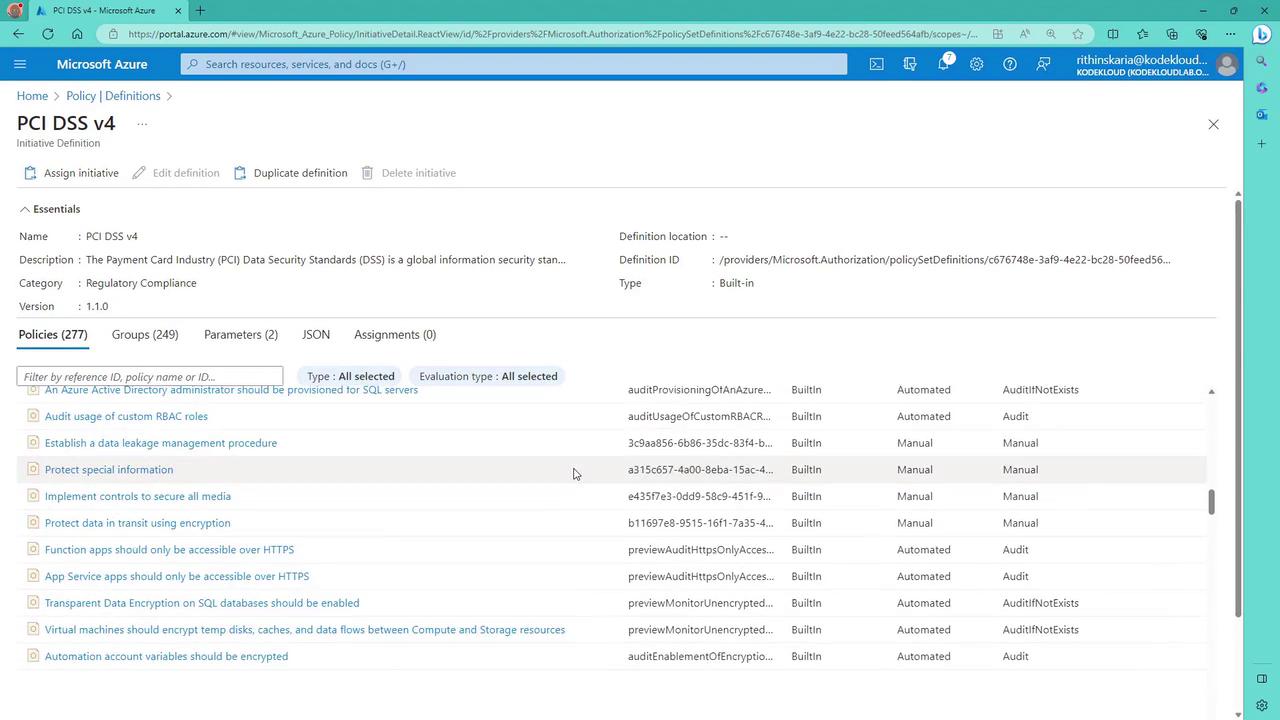
Launch the Azure portal and search for “Policy.” From here, you can view both built-in and custom policy definitions. You will also encounter the concept of an “initiative,” which allows grouping multiple policies together. Initiatives simplify management by providing a consolidated compliance score, especially useful for regulatory standards like PCI DSS or FedRAMP.
-
Working with a Policy (Allowed Locations Example):
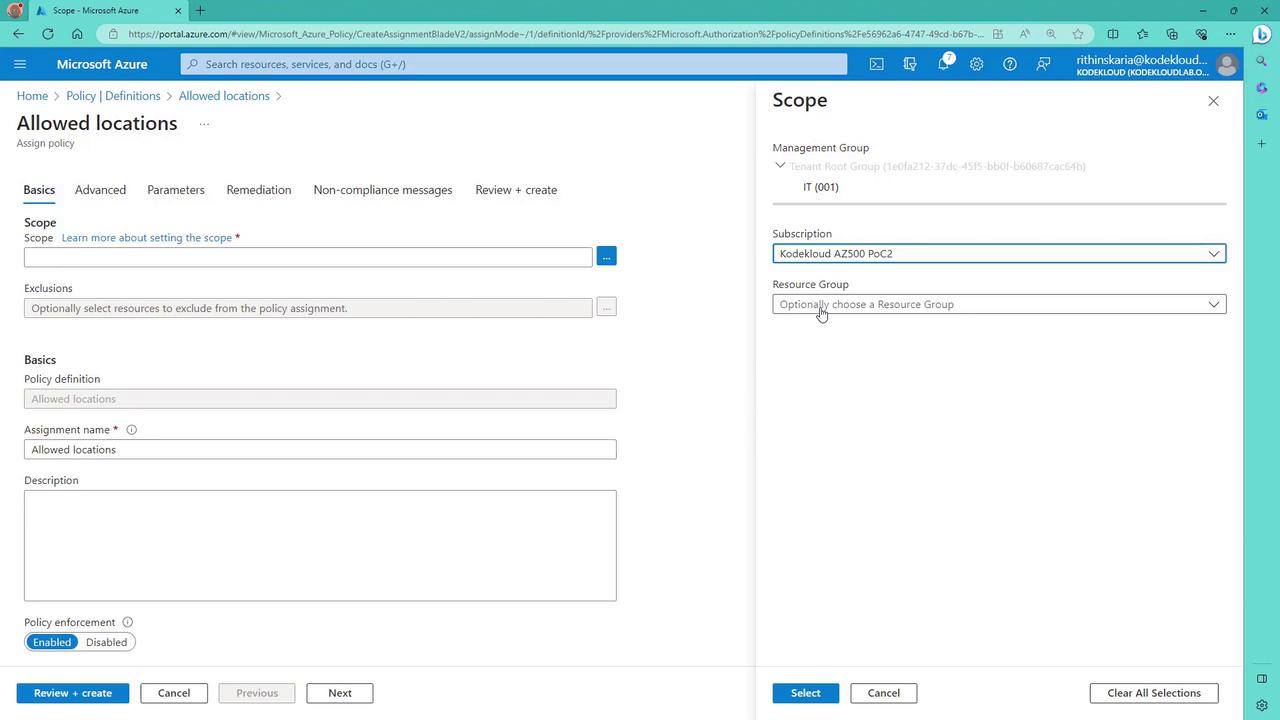
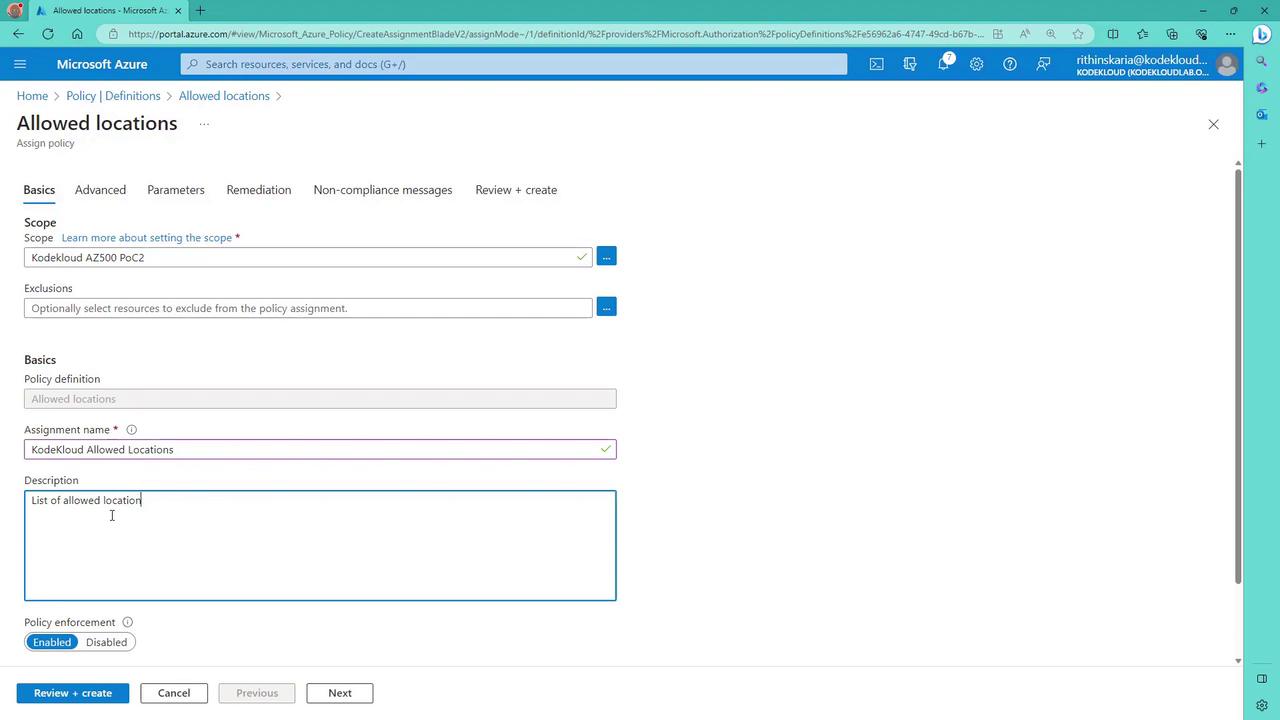
Consider an example where you configure an “Allowed Locations” policy. In this case, the policy definition requires that the location property for a resource must be within a predefined list of allowed regions (or be designated as a global resource). If the specified condition fails, the policy denies the deployment. The snippet below shows a portion of such an allowed locations policy definition:To assign this policy in the Azure portal, click on “Assign” and select the desired scope (e.g., a specific subscription or resource group). You can also specify exclusions if necessary.
- Configuring the Assignment:
In the policy assignment configuration, provide a custom name (for example, “Core Cloud Allowed Locations”) and a clear description (such as “List of allowed locations for deployment”). Ensure the policy is enabled (not in audit mode) so that it actively blocks non-compliant deployments. Next, configure the policy parameters by selecting “East US” and “West US” as the approved regions.
- Verifying Compliance:
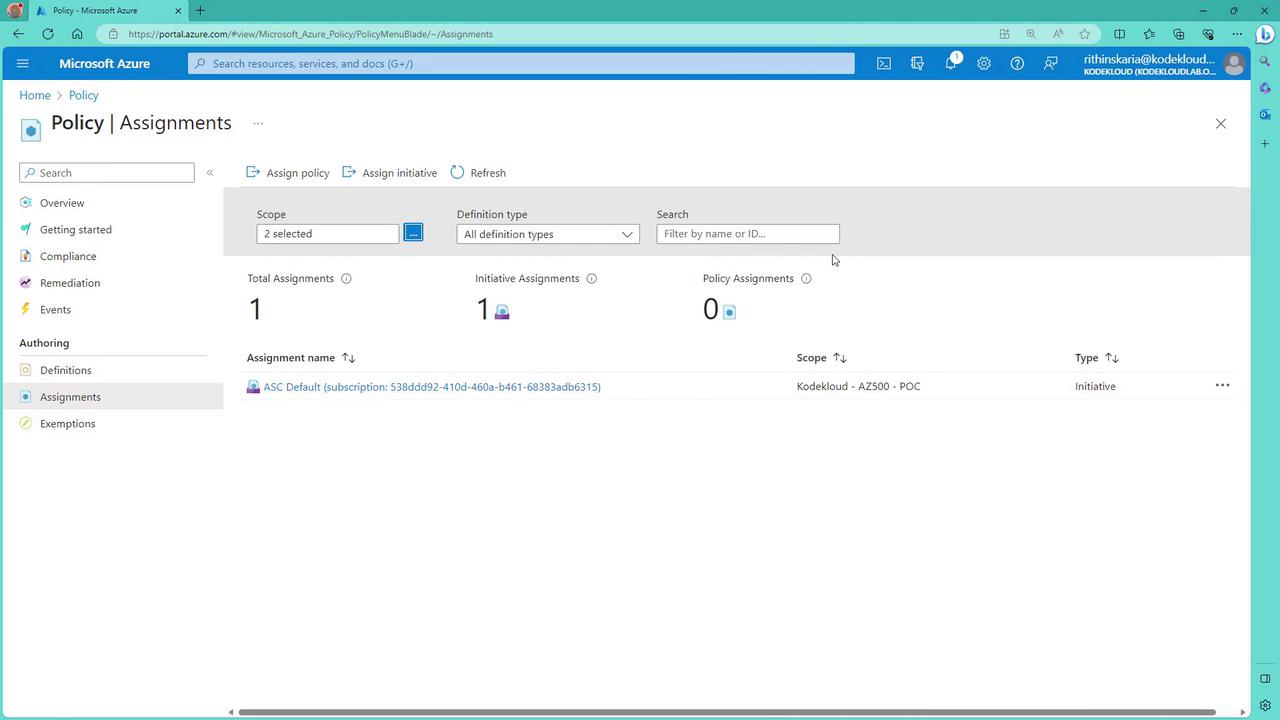
Once the policy is assigned, navigate to the policy assignments page and refresh it to view the compliance status. Initially, evaluation status may indicate that the policy has not yet been executed. As your resources (such as virtual networks) are evaluated, they will be marked as compliant or non-compliant based on the policy rules.
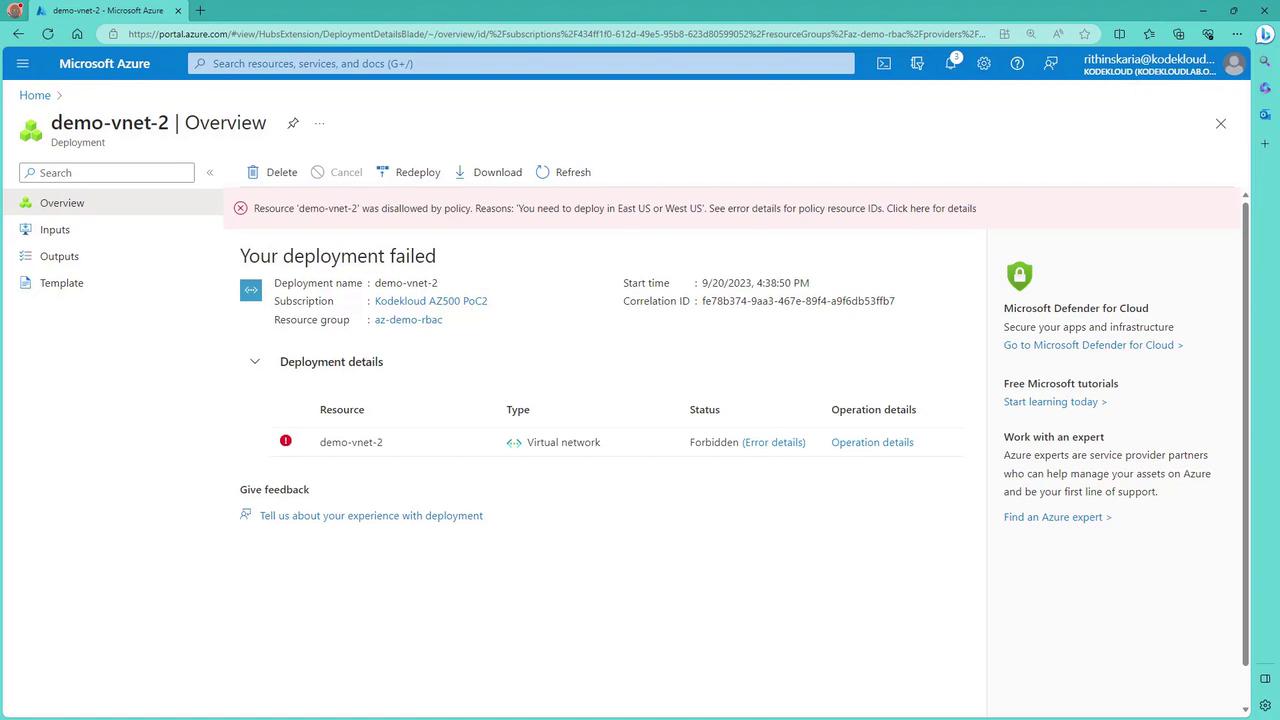
If you test the policy by attempting to create a resource (for example, a virtual network) in an unapproved region (like Central US), the policy enforcement will block the deployment. There might be a slight delay before the policy fully takes effect. When triggered, the portal will eventually display a “forbidden” error along with detailed information.
- Additional Testing: Storage Account Example
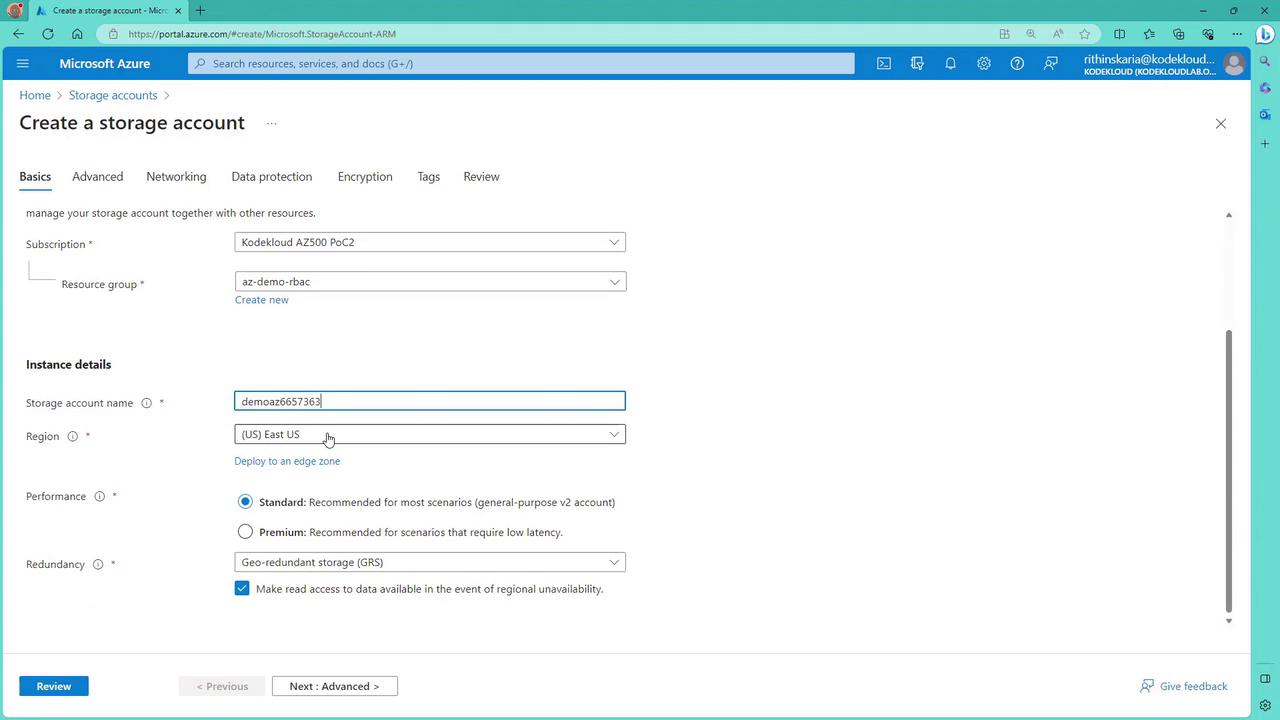
To further validate your policy, try creating a storage account in an unapproved region (for example, Central US). The deployment attempt will be blocked, and an error will indicate that the allowed locations requirement is not met.
Viewing Policy Definitions and Initiatives
Within the Azure portal, head over to the “Definitions” section to see all built-in and custom policies. Additionally, you will encounter the concept of initiatives—collections of policies that simplify assignment and compliance tracking. For example, regulatory standards like PCI DSS include initiatives containing numerous individual policies, making it easy to apply and manage compliance as a single cohesive unit.