

Establishing a Hardware Root of Trust
To build a secure digital workstation, establishing a hardware root of trust is essential. This concept revolves around designating a trusted workstation as the foundation of your supply chain security solution. Modern laptops equipped with key security technologies can effectively serve as the hardware root of trust. Here are the essential technologies that contribute to a secure hardware root of trust:-
Trusted Platform Module (TPM) 2.0
TPM 2.0 enables hardware-based security by securely generating cryptographic keys and providing robust identity and integrity checks. -
BitLocker Encryption
BitLocker offers full-volume encryption, protecting data even if the drive is removed, ensuring unauthorized users cannot access the data without the proper decryption key. -
UEFI Secure Boot
This feature verifies that only trusted software from the manufacturer is loaded during boot, effectively reducing risks from boot kits and rootkits. -
Drivers and Firmware via Windows Update
Distributing drivers and firmware through Windows Update ensures systems receive timely security patches, mitigating vulnerabilities. -
Virtualization and Hypervisor-Protected Code Integrity (HVCI)
Enabling virtualization and HVCI allows the system to run code in a secure, isolated environment, which is crucial for defending against malware and other malicious software. -
HVCI-Ready Drivers and Apps
Ensuring that hardware and software are HVCI ready facilitates smooth virtualization and maintains secure system performance. -
Windows Hello
Integrated with Azure AD Join for Devices, Windows Hello provides a secure, password-free sign-in experience using biometric verification or a PIN, enhancing authentication. -
DMA I/O Protection
This feature protects against unauthorized memory access, shielding the system from potential Direct Memory Access (DMA) attacks. -
System Guard
By leveraging both hardware and software security features, System Guard maintains robust runtime system integrity for safe operations. -
Modern Standby
Modern Standby improves system performance and responsiveness while ensuring that the device is always secure and ready to respond quickly.
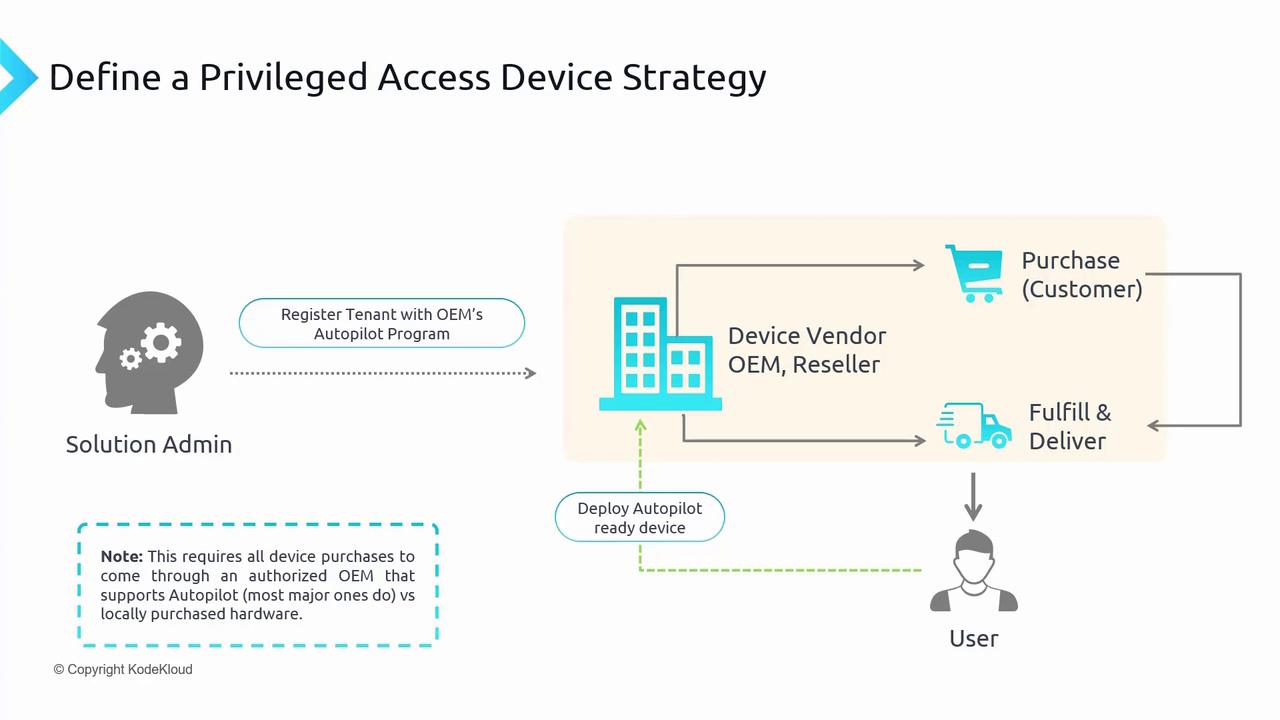
Privileged access workstations refer to specialized, vendor-purchased hardware devices. Although virtual machines can be configured for privileged access, they do not offer the same level of hardware control and may impose certain restrictions. Even though TPM-enabled virtual machines (TPM VMs) in Azure provide enhanced functionality, using dedicated privileged access devices remains the recommended security practice.