Why Use Repository-Level Secrets?
Storing sensitive data—like API keys, passwords, or tokens—directly in your workflow files exposes them to anyone with repository access. GitHub’s repository-level secrets provide a secure way to inject credentials into your CI/CD pipelines without risking leaks.Never commit secrets or passwords in your YAML files or source code. Always use GitHub’s built-in secret management.
Insecure Workflow Example
Below is an example that hardcodes a Docker password in plain text. This approach is vulnerable and not recommended:GitHub Secrets & Variables: Scope Comparison
| Scope | Purpose | Example |
|---|---|---|
| Organization | Shared across multiple repositories | ORGANIZATION_API_TOKEN |
| Repository | Specific to a single repository | DOCKER_PASSWORD, APP_KEY |
| Environment | Tied to a deployment environment (e.g., staging, production) | PROD_DB_CONNECTION |
| Workflow-level | Defined in your YAML file (non-sensitive) | env: IMAGE_VERSION: 1.2.3 |
Running the Docker Container Locally
To verify your image builds correctly before pushing to a registry:Adding a Repository-Level Secret
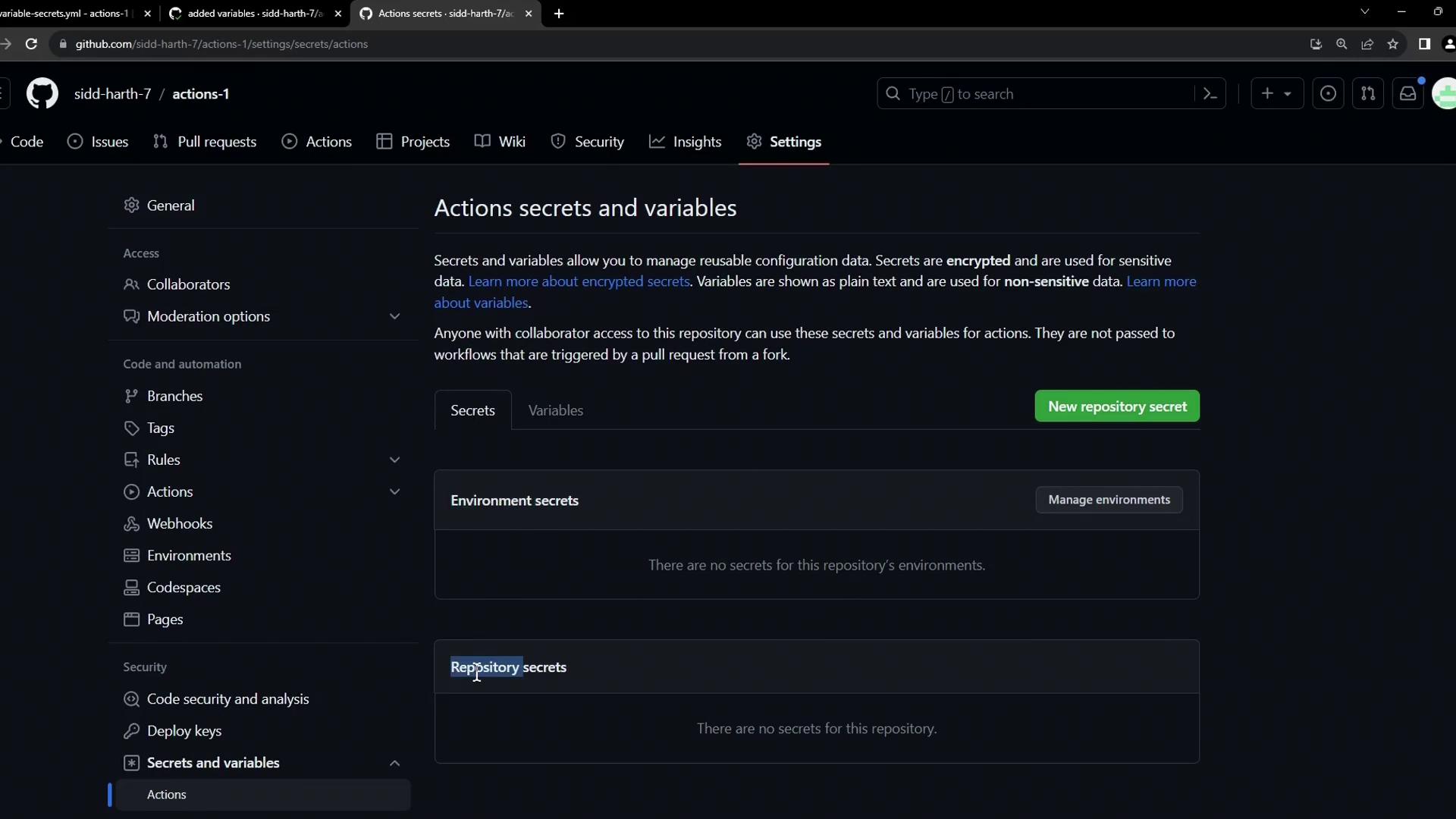
- Go to your repository’s Settings.
- In the sidebar, select Secrets and variables > Actions.
- Click New repository secret to add a new secret.
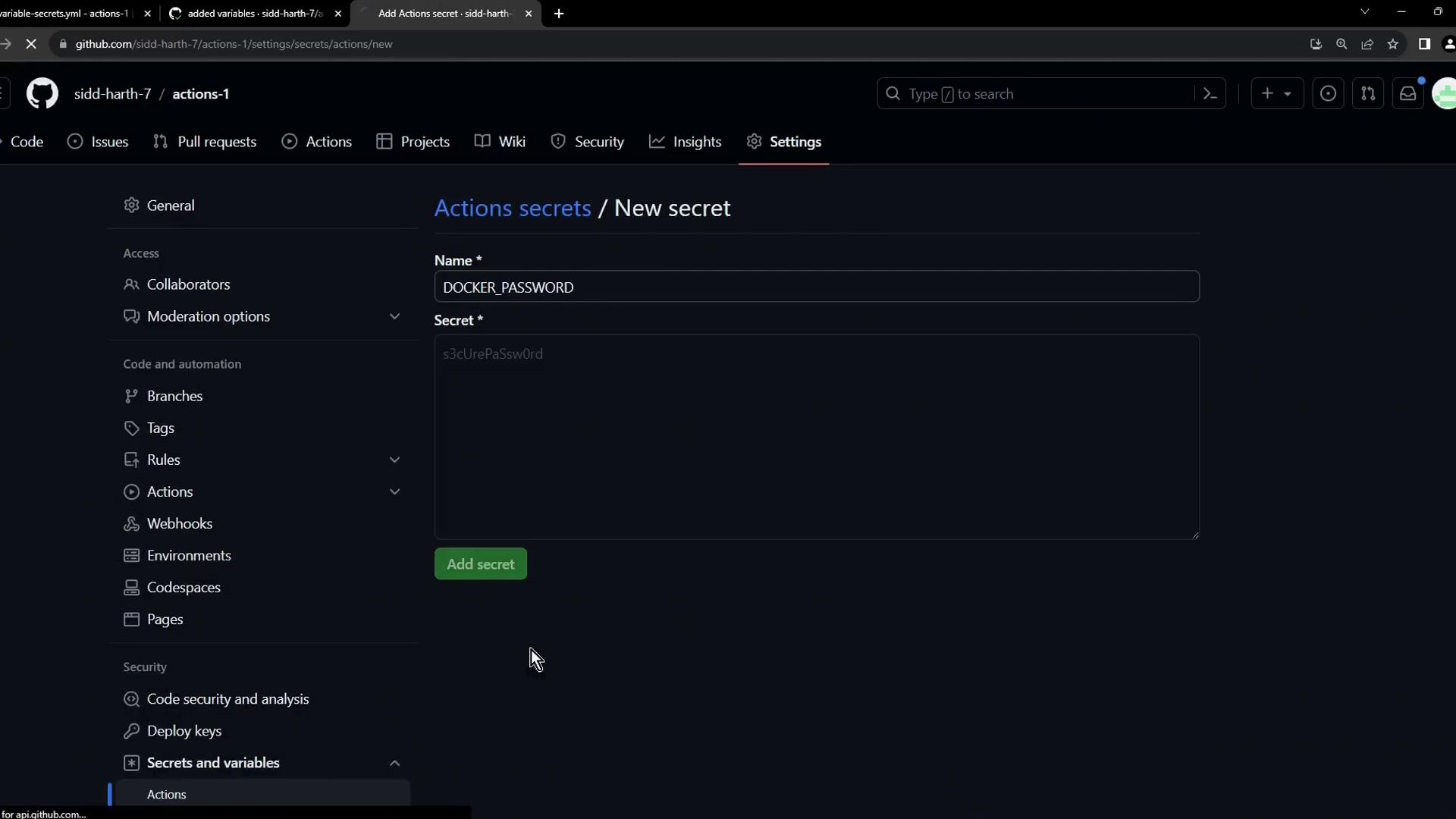
- Enter Name:
DOCKER_PASSWORD
Value: your Docker registry password - Click Add secret.
Adding a Repository-Level Variable
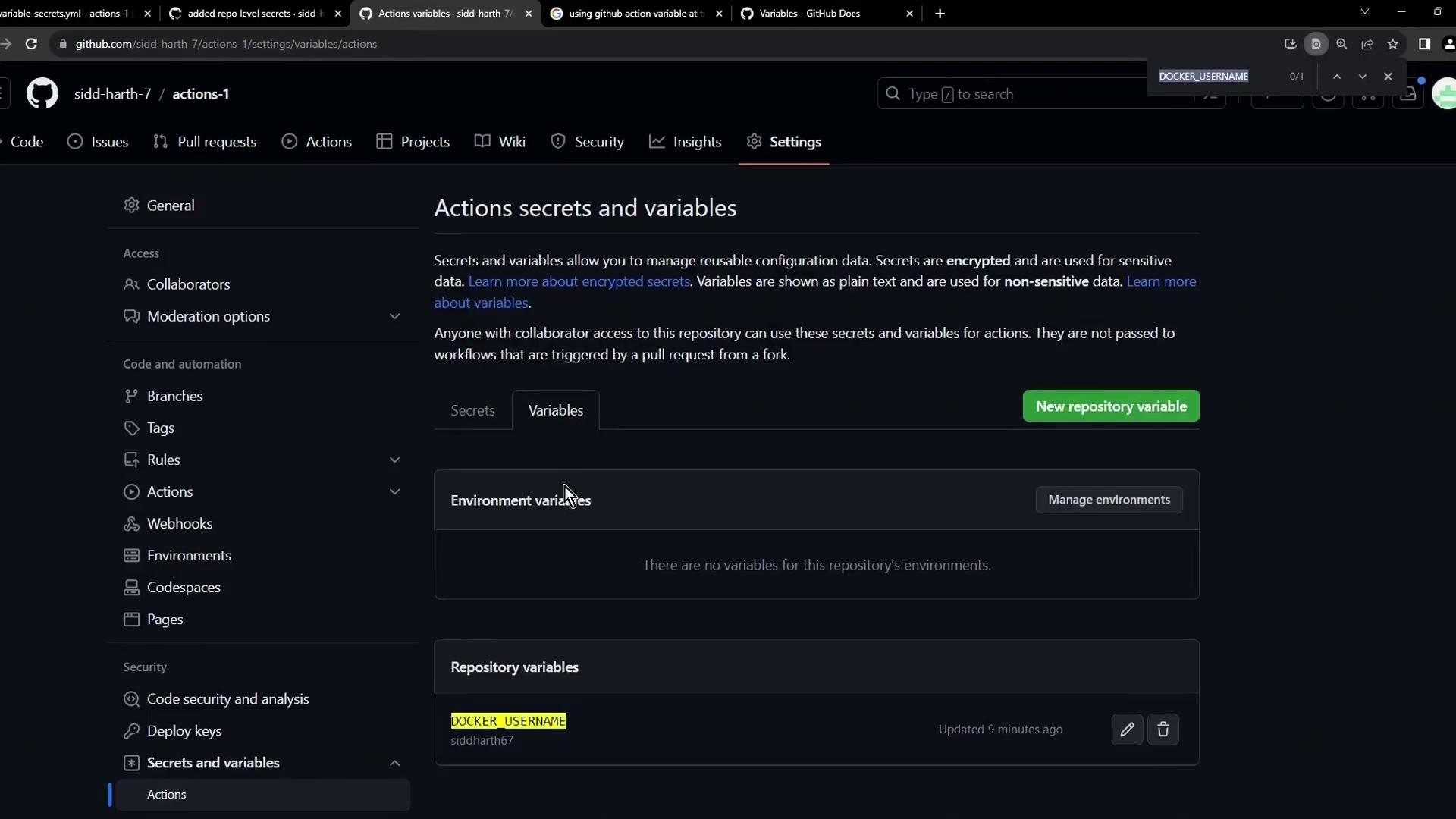
Non-sensitive data (like usernames or image names) can be stored as repository variables:- Under Secrets and variables > Actions, click New repository variable.
- Name it DOCKER_USERNAME, then set its value.
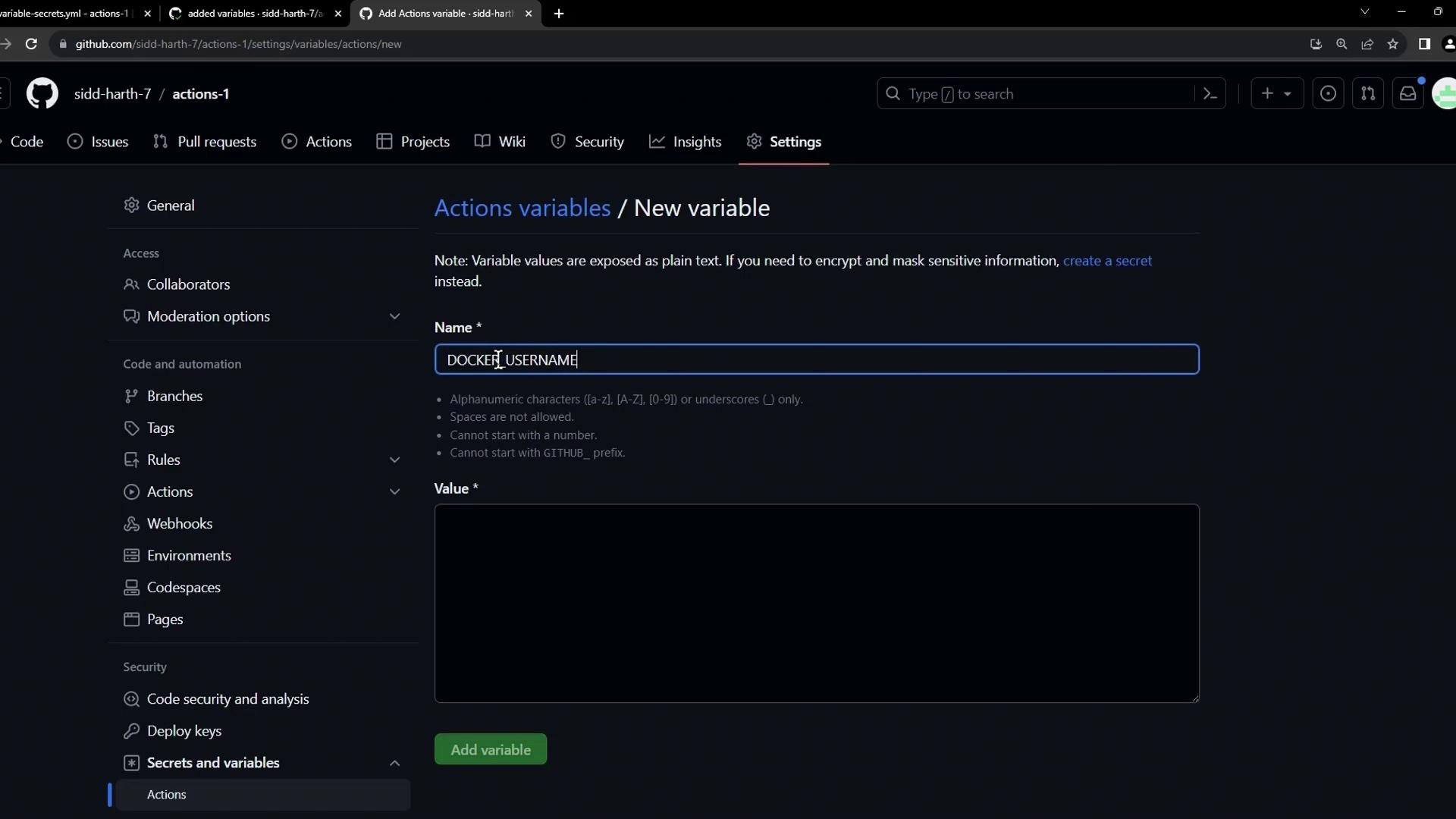
Variables are visible in the repository UI but are kept separate from secrets.
Referencing Secrets and Variables in Workflows
Update your workflow to use the newly created secrets and variables:Reference Syntax
${{ secrets.SECRET_NAME }}for secrets${{ vars.VAR_NAME }}for repo-level variables${{ env.ENV_VAR }}for workflow-level environment variables
Verifying the Workflow Run
After committing your changes, navigate to Actions in GitHub and select the latest workflow. You should see a successful run: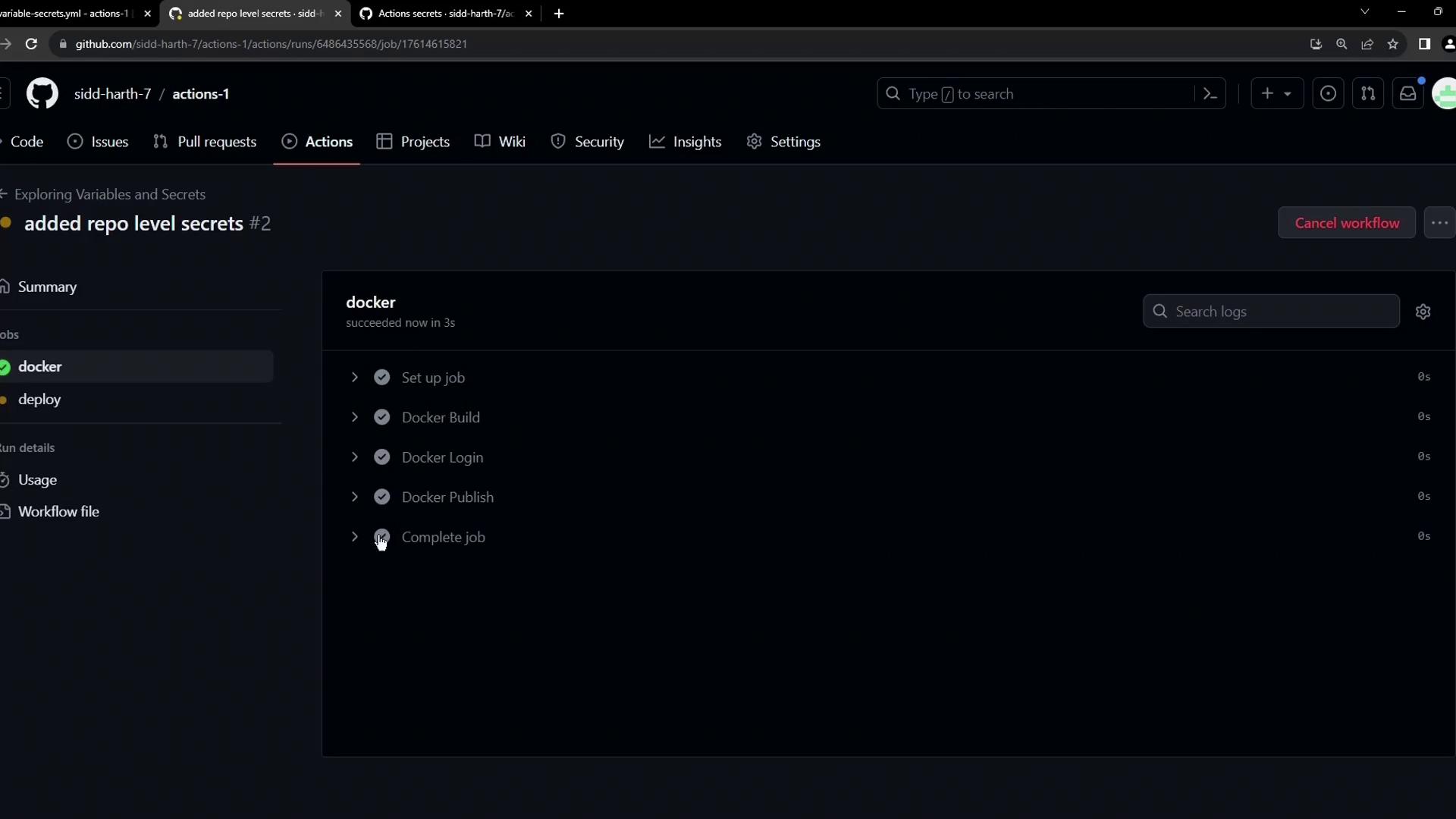
- The password is masked.
- The
DOCKER_USERNAMEis retrieved from the repository variable.