

- How to skip workflows using commit-message directives
- How to cancel an in-progress workflow from the GitHub UI
Skipping Workflow Runs via Commit Messages
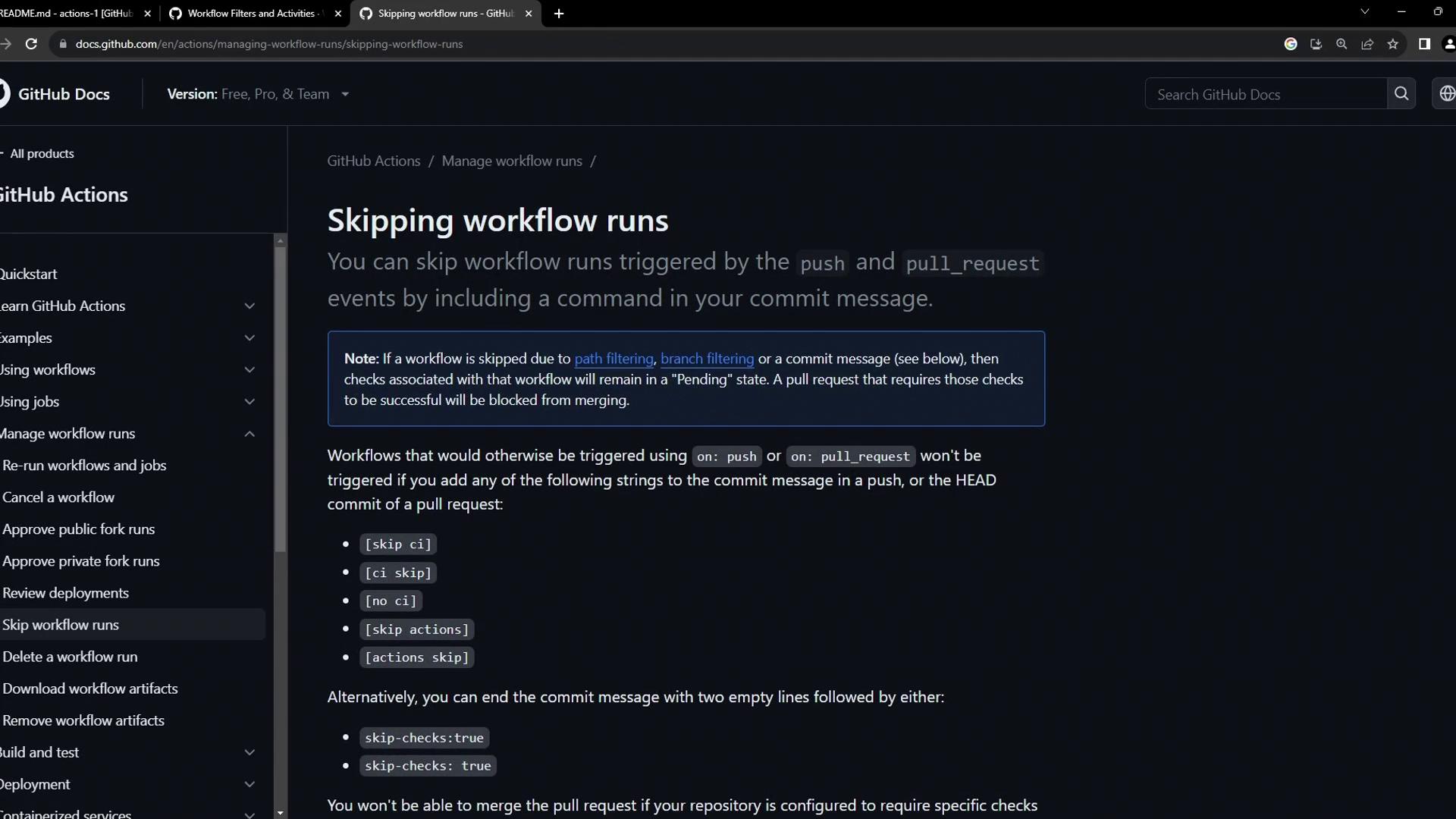
By including specific keywords in your commit messages, you can tell GitHub Actions to bypass workflow triggers forpush and pull_request events. This is particularly useful when making non-code changes like documentation updates.
The directives below are case-insensitive and must appear anywhere in your commit message.
| Directive | Behavior |
|---|---|
skip ci | Skip all workflow runs for this commit |
ci skip | Alias for skip ci |
no ci | Skip all workflow runs for this commit |
skip-checks: true | Add after two blank lines at end of commit message |
Skipping CI can hide build failures. Use these directives only for trivial changes (e.g., spelling fixes, docs).
Example: Skipping Workflows for Documentation Changes
When you update files likeREADME.md, you often don’t need to rebuild or redeploy your application. Here’s how to skip CI for pure documentation commits:

- Edit your documentation file:
- Push the commit:
- Confirm no workflows ran by checking the Actions tab in your repository.
Cancelling an In-Progress Workflow
If you realize a running workflow is no longer needed—perhaps it was triggered by mistake or contains a broken job—you can cancel it in just a few clicks:- Go to the Actions tab in your GitHub repository.
- Click the workflow run that’s currently in progress.
- Hit Cancel workflow in the upper-right corner of the run details page.