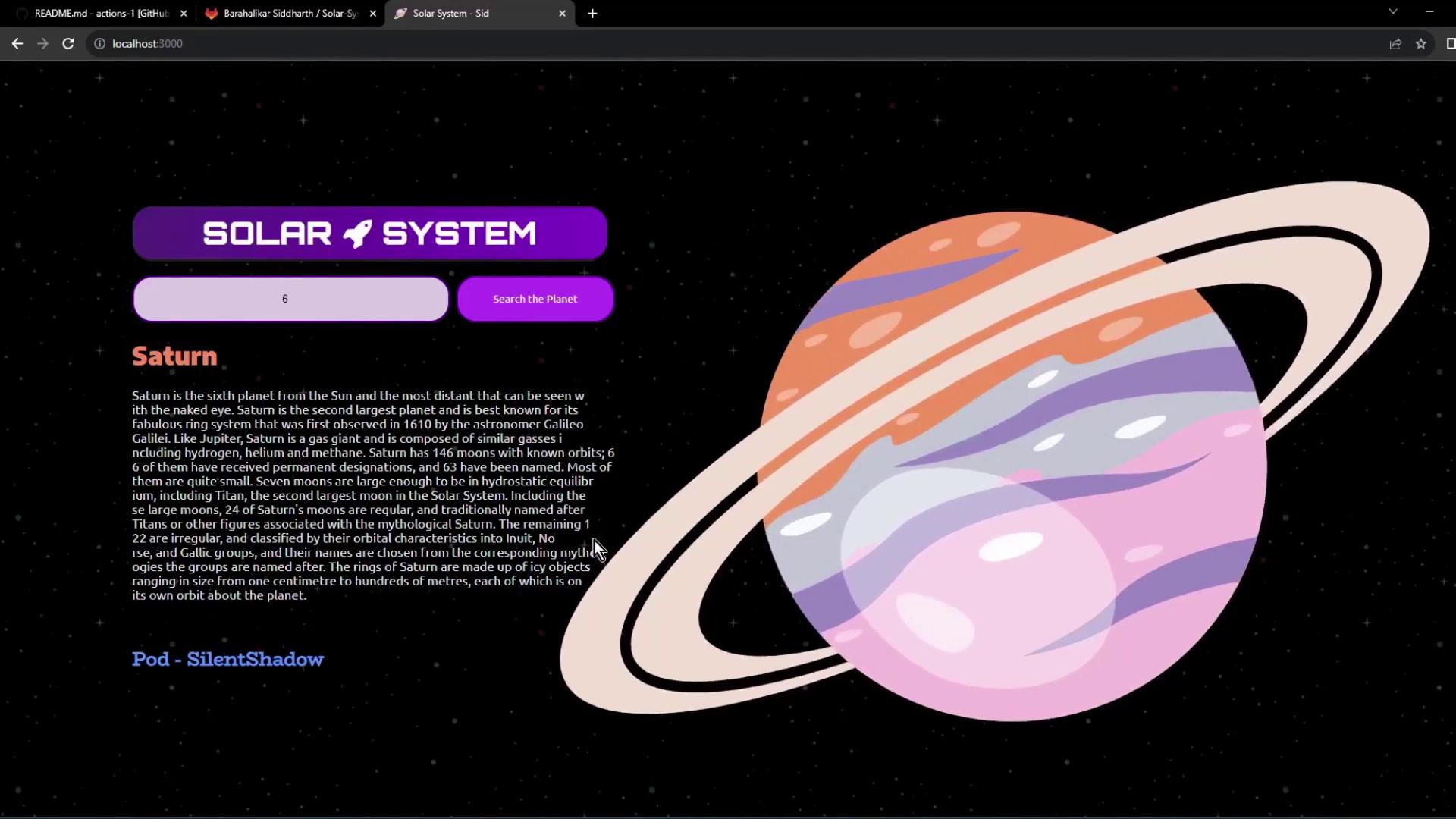
In this guide, you’ll clone a Node.js application, install dependencies, run tests with coverage enforcement, and start the server locally. These steps form the foundation for automating your CI/CD pipeline with GitHub Actions.
Prerequisites Make sure you have the following installed:
Node.js (v14+)npm (bundled with Node.js)
On Debian/Ubuntu, you can install them with:
sudo apt update sudo apt install nodejs npm
Clone the Repository Fetch the project source and switch into its directory:
git clone https://gitlab.com/sidd-harth/solar-system.git cd solar-system
Project Structure File/Folder Description package.json Project metadata, dependencies & npm scripts app.js Express server logic and MongoDB connection app-test.js Mocha & Chai test suite index.html Simple frontend HTML client.js Frontend JavaScript controller Dockerfile Instructions to build a Docker image k8s/ Kubernetes manifest files
package.json Your package.json defines scripts, dependencies, and code coverage settings:
{ "name" : "Solar System" , "version" : "6.7.6" , "author" : "Siddharth Barahalikar <[email protected] >" , "license" : "MIT" , "scripts" : { "start" : "node app.js" , "test" : "mocha app-test.js --timeout 10000 --reporter mocha-junit-reporter --exit" , "coverage" : "nyc --reporter cobertura --reporter lcov --reporter text --reporter json-summary mocha app-test" }, "nyc" : { "check-coverage" : true , "lines" : 90 }, "dependencies" : { "cors" : "2.8.5" , "express" : "^4.18.2" , "mongoose" : "^6.0.0" }, "devDependencies" : { "chai" : "^4.3.6" , "chai-http" : "^4.3.0" , "mocha" : "^10.0.0" , "mocha-junit-reporter" : "^2.0.0" , "nyc" : "^15.0.0" } }
Available npm Scripts Script Command Description start npm start Launches the Express server test npm test Runs Mocha tests with JUnit reporting coverage npm run coverage Generates code coverage reports using nyc
Application Code (app.js) const express = require ( "express" ); const bodyParser = require ( "body-parser" ); const cors = require ( "cors" ); const mongoose = require ( "mongoose" ); const path = require ( "path" ); const app = express (); app . use ( bodyParser . json ()); app . use ( express . static ( path . join ( __dirname , "/" ))); app . use ( cors ()); mongoose . connect ( process . env . MONGO_URI , { user: process . env . MONGO_USERNAME , pass: process . env . MONGO_PASSWORD , useNewUrlParser: true , useUnifiedTopology: true , }, function ( err ) { if ( err ) { console . log ( "error!! " + err ); } else { const PORT = process . env . PORT || 3000 ; app . listen ( PORT , () => { console . log ( `Server successfully running on port - ${ PORT } ` ); }); } } ); // Define your REST API endpoints here // e.g., app.get("/planets/:id", ...) module . exports = app ;
Test Suite (app-test.js) const mongoose = require ( "mongoose" ); const server = require ( "./app" ); const chai = require ( "chai" ); const chaiHttp = require ( "chai-http" ); chai . should (); chai . use ( chaiHttp ); describe ( 'Planets API Suite' , () => { describe ( 'Fetching Planet Details' , () => { it ( 'should fetch a planet named Mercury' , ( done ) => { chai . request ( server ) . get ( '/planets/1' ) . end (( err , res ) => { res . should . have . status ( 200 ); res . body . name . should . equal ( 'Mercury' ); done (); }); }); // Additional tests for Venus, Earth, etc. }); });
Frontend Controller (client.js) console . log ( 'We are inside client.js' ); /* on page Load */ window . onload = function () { const planet_id = document . getElementById ( 'planetID' ). value ; console . log ( 'onLoad - Request Planet ID - ' + planet_id ); fetch ( "/planets" ) . then (( res ) => { if ( res . ok ) return res . json (); throw new Error ( 'Request failed' ); }) . then (( data ) => { // Populate HTML with planet data }) . catch (( error ) => { console . error ( error ); }); };
Dockerfile FROM node:18-alpine3.17 WORKDIR /usr/app COPY package*.json ./ RUN npm install COPY . . ENV MONGO_URI=uriPlaceholder ENV MONGO_USERNAME=usernamePlaceholder ENV MONGO_PASSWORD=passwordPlaceholder EXPOSE 3000 CMD [ "npm" , "start" ]
Kubernetes Service Manifest apiVersion : v1 kind : Service metadata : name : solar-system namespace : { _NAMESPACE_ } labels : app : solar-system spec : type : NodePort selector : app : solar-system ports : - port : 3000 targetPort : 3000 protocol : TCP
Install Dependencies Install all Node.js dependencies:
This creates the node_modules/ directory.
Run Tests Your tests require MongoDB credentials set via environment variables:
If credentials are not provided, you may see an error like:
MongooseError : The `uri` parameter to `openUri()` must be a string , got "undefined" .
Be sure to export MONGO_URI, MONGO_USERNAME, and MONGO_PASSWORD before running tests.
Hard-code Credentials (for Demo) If you want to bypass environment variables during a demo, update app.js :
mongoose . connect ( 'mongodb+srv://supercluster.d83jj.mongodb.net/superData' , { user: 'superuser' , pass: 'SuperPassword' , useNewUrlParser: true , useUnifiedTopology: true , }, function ( err ) { … } );
Then re-run:
Expected output indicating the server started and tests passed:
> Solar [email protected] test > mocha app-test.js --timeout 10000 --reporter mocha-junit-reporter --exit Server successfully running on port - 3000
Verify exit code:
A test_results.xml file is generated for CI.
Run Coverage Generate coverage reports with:
Sample failure output if coverage is below threshold:
ERROR: Coverage for lines (88.88%) does not meet global threshold (90%)
Verify exit code:
Reports are available in the coverage/ directory (cobertura XML, lcov, JSON summary).
Start the Application Launch your server locally:
By default, the server listens on port 3000. Open your browser at:
http://localhost:3000 Use the search bar to look up planet details by ID. Data is served from a MongoDB Atlas cluster and displayed in the UI.
Links and References