Expanding a basic CI/CD pipeline into dedicated build, test, and deploy jobs improves clarity and parallelism in your GitHub Actions workflow.

Single-Job Workflow (Reference)

For comparison, here’s a simple workflow that runs an ASCII script in one job:
on:
  push:

jobs:
  ascii-job:
    runs-on: ubuntu-latest
    steps:
      - name: Checkout Repo
        uses: actions/checkout@v2
      - name: Execute Shell Script
        run: |
          chmod +x ascii-script.sh
          ./ascii-script.sh

Multi-Job Workflow: Build, Test, and Deploy

Below is the enhanced workflow defining three independent jobs: build_job_1, test_job_2, and deploy_job_3.
name: Generate ASCII Artwork

on:
  push:

jobs:
  build_job_1:
    runs-on: ubuntu-latest
    steps:
      - name: Install Cowsay Program
        run: sudo apt-get install cowsay -y
      - name: Execute Cowsay Command
        run: cowsay -f dragon "Run for cover, I am a DRAGON... RAWR" >> dragon.txt
      - name: Sleep for 30 seconds
        run: sleep 30

  test_job_2:
    runs-on: ubuntu-latest
    steps:
      - name: Sleep for 10 seconds
        run: sleep 10
      - name: Test File Exists
        run: grep -i "dragon" dragon.txt

  deploy_job_3:
    runs-on: ubuntu-latest
    steps:
      - name: Read File
        run: cat dragon.txt
      - name: Deploy
        run: echo "Deploying..."
By default, each job executes on a clean runner and does not share files. Use artifact actions or define dependencies to pass data between jobs.

Job Overview

Job NamePurposeKey Steps
build_job_1Build & Generate ArtifactsInstall cowsay, create dragon.txt, sleep
test_job_2Validate Build OutputWait 10 s, verify dragon.txt
deploy_job_3Deployment SimulationDisplay file, simulate deployment

Understanding Each Job

build_job_1

  • Runner: Ubuntu latest
  • Actions:
    1. Installs the cowsay utility
    2. Generates ASCII art into dragon.txt
    3. Simulates build time with sleep 30

test_job_2

  • Runner: Ubuntu latest
  • Actions:
    1. Waits 10 seconds
    2. Uses grep to ensure dragon.txt contains “dragon”
    3. Fails if the file is missing or the content isn’t found

deploy_job_3

  • Runner: Ubuntu latest
  • Actions:
    1. Outputs the content of dragon.txt
    2. Simulates deployment via echo "Deploying..."

Execution Behavior and Common Pitfalls

When you commit and push this workflow (e.g., git commit -m "Add multi-job workflow"), GitHub Actions triggers all jobs in parallel:
Each job runs in isolation on its own VM. Without artifacts or explicit job dependencies, files like dragon.txt won’t persist across jobs.
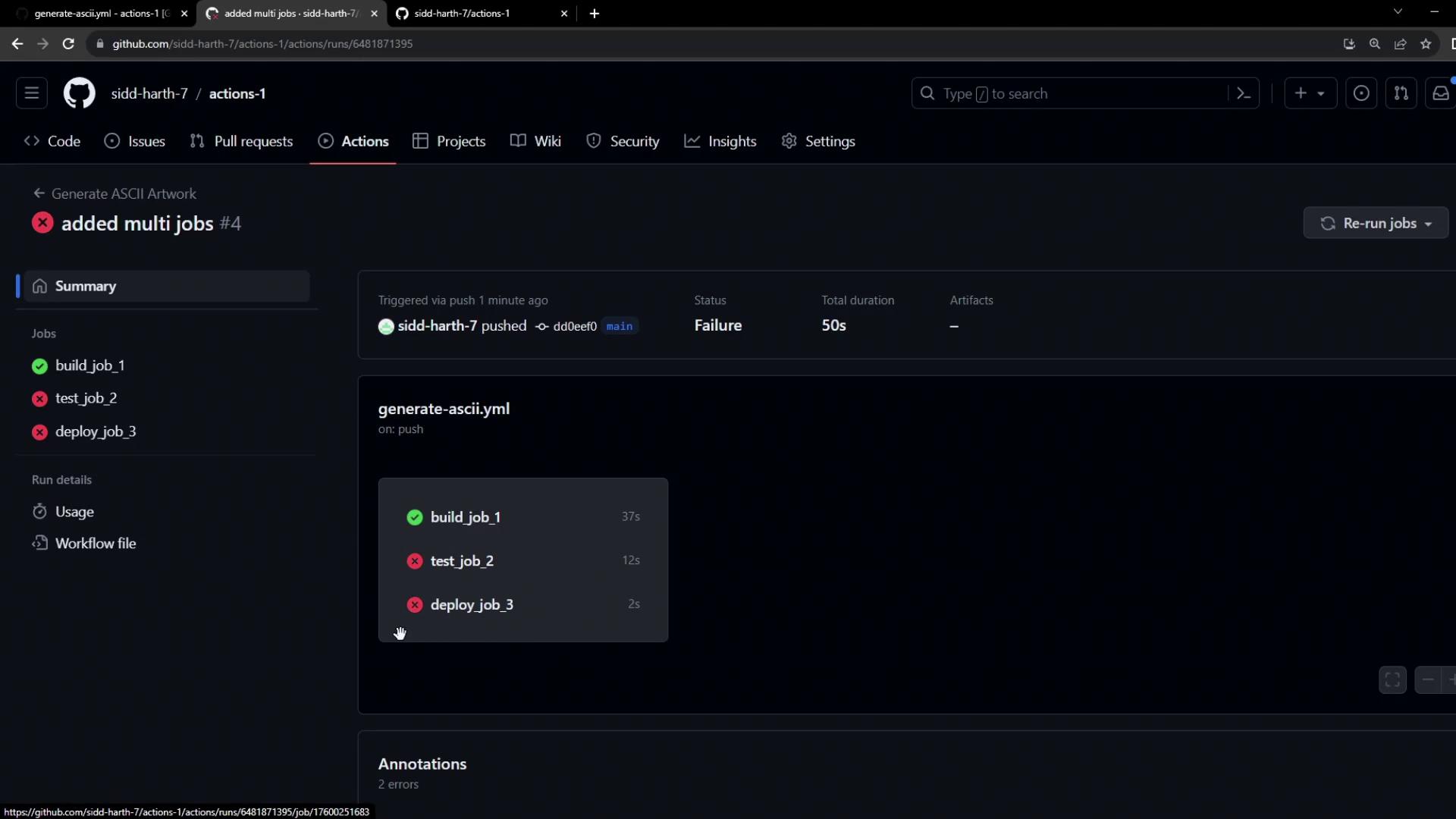
The image shows a GitHub Actions workflow summary with three jobs: "build_job_1" succeeded, while "test_job_2" and "deploy_job_3" failed, resulting in an overall failure status.
Since test_job_2 may start before build_job_1 finishes, any attempt to read dragon.txt will trigger a file-not-found error.
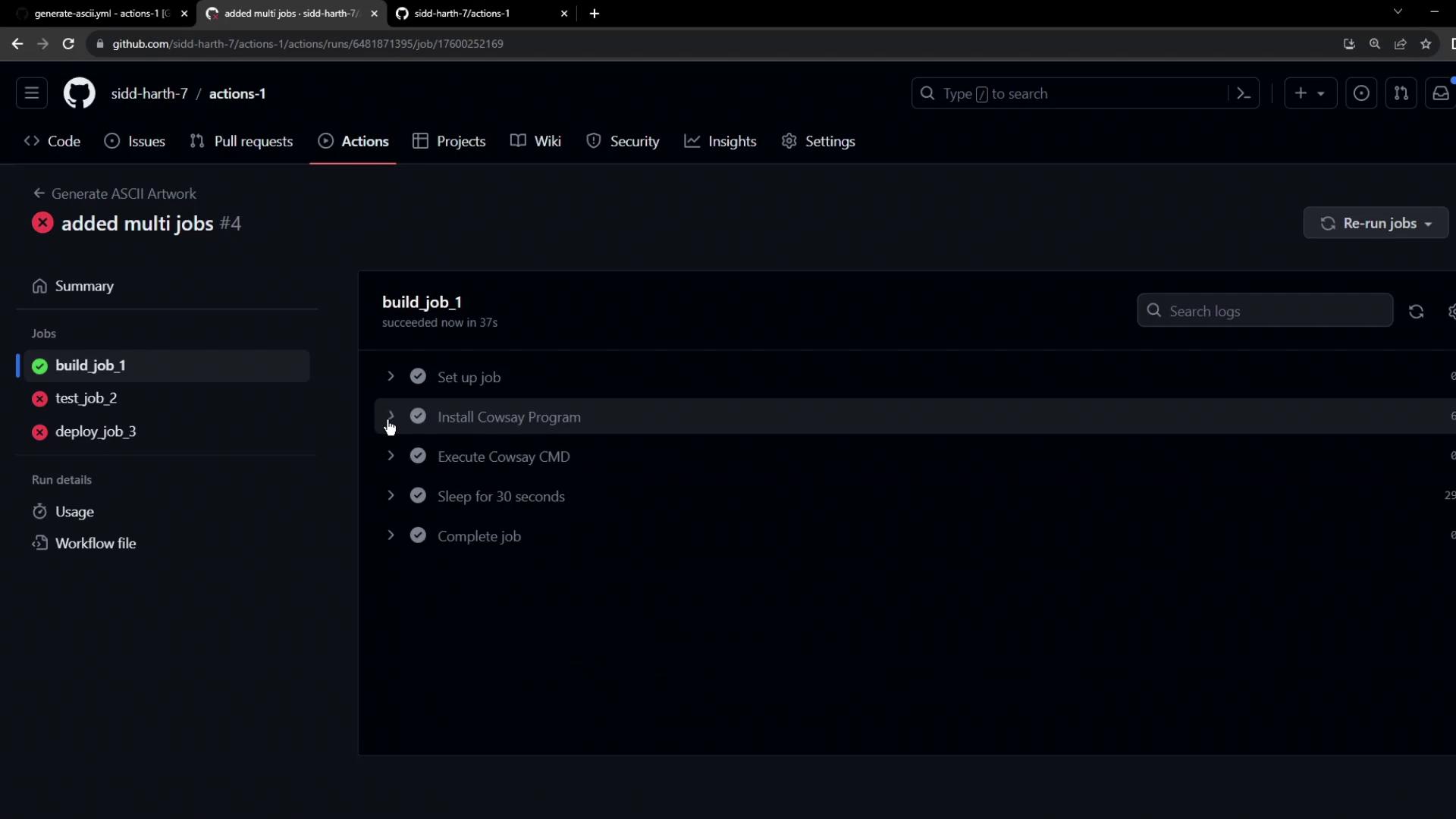
The image shows a GitHub Actions interface with a workflow run summary. It displays the status of multiple jobs, including "build_job_1" which succeeded, and "test_job_2" and "deploy_job_3" which failed.
Example error from test_job_2:
grep -i "dragon" dragon.txt
# shell: /usr/bin/bash -e {0}
# grep: dragon.txt: No such file or directory
# Error: Process completed with exit code 2.
And from deploy_job_3:
cat dragon.txt: No such file or directory
Error: Process completed with exit code 1

Summary of Issues

  1. Parallel execution without defined dependencies
  2. Isolated environments prevent file sharing
We will address these issues by defining job dependencies and sharing artifacts between jobs.