

1. Configure the Development Environment
- Navigate to your repository’s Settings.
- Select Environments in the sidebar.
- Click New environment, then enter
developmentas the name.
1.1 Define Deployment Protection Rules
Enforce a 60-second pause before deployments and allow administrators to bypass the delay.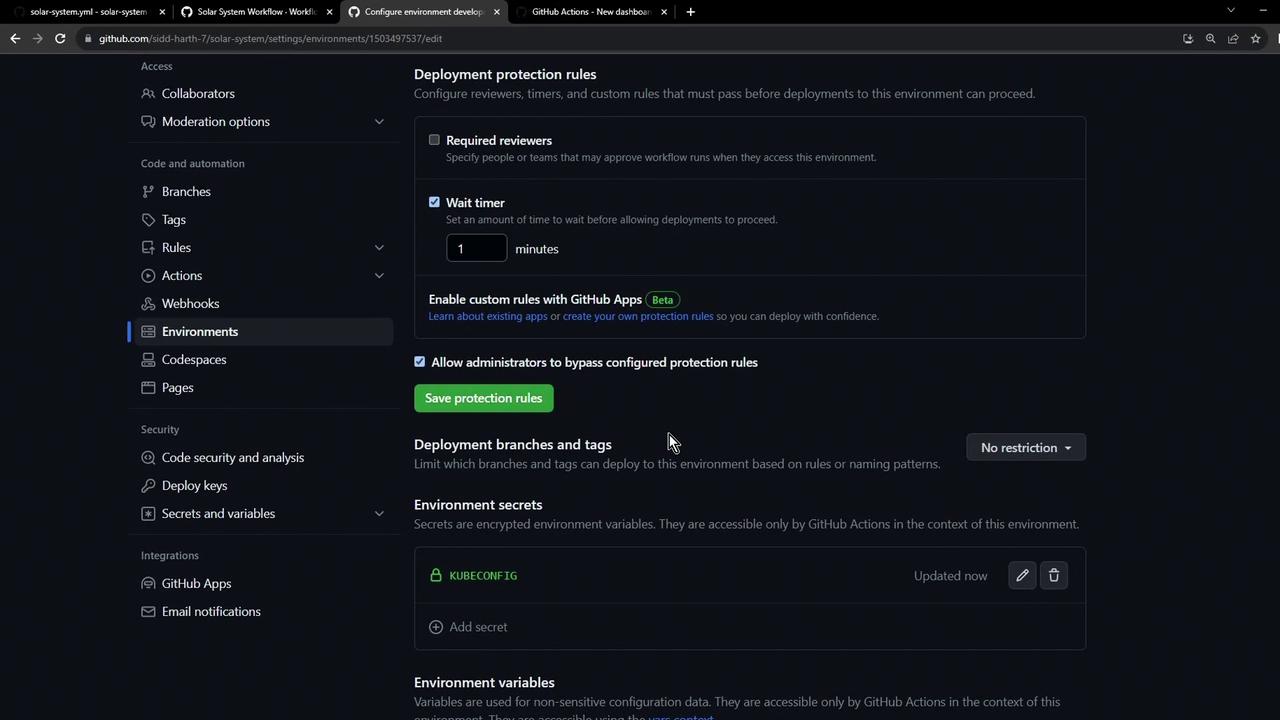
- Set Wait timer to 60 seconds
- Enable Allow administrators to bypass this rule
- Leave branch and tag restrictions at No restrictions
- Click Save protection rules
You can also require specific reviewers or restrict deployments to certain branches or tags for tighter control.
1.2 Verify the Environment Overview
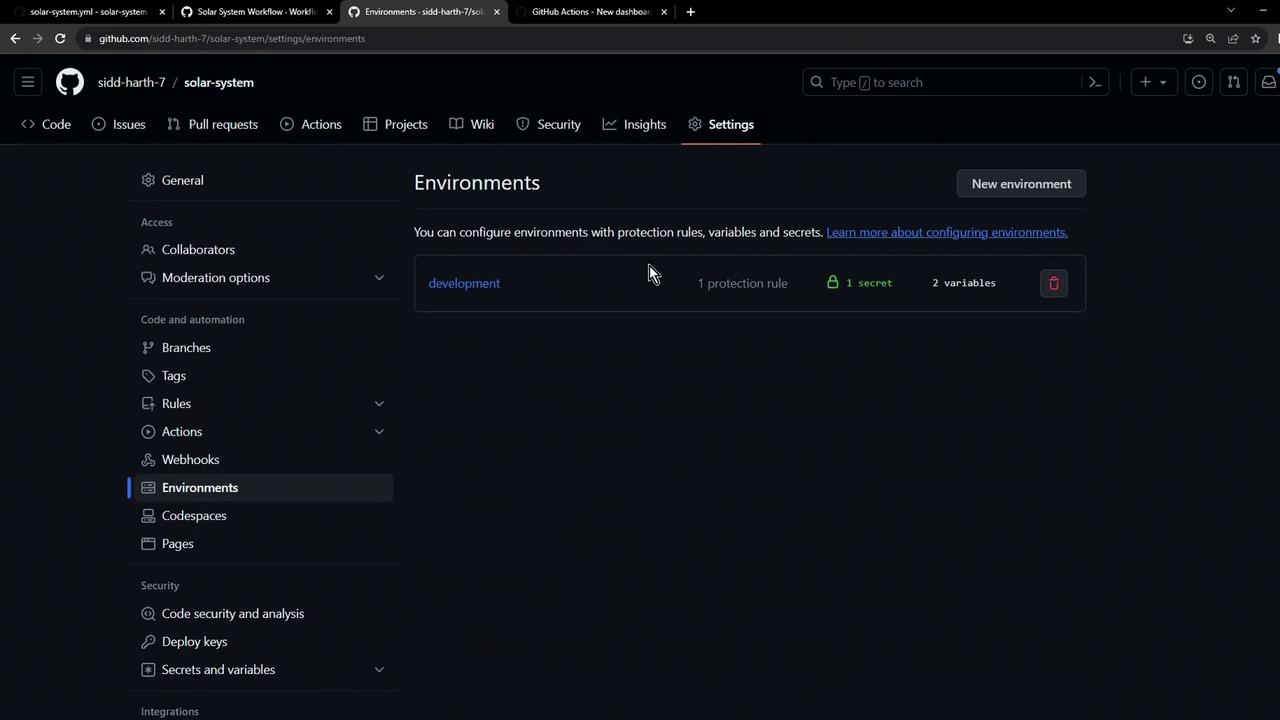
After saving, confirm that thedevelopment environment appears with the configured protection rule.
2. Add Environment Secrets and Variables
GitHub Actions lets you scope secrets and variables to specific environments for improved security and flexibility.2.1 Add a Kubeconfig Secret
- Under the Secrets and variables section of the
developmentenvironment, click Add secret. - Name it
Kubeconfig. - Paste your kubeconfig content and click Save secret.
2.2 Define Environment Variables
Create key/value pairs that your workflows can consume: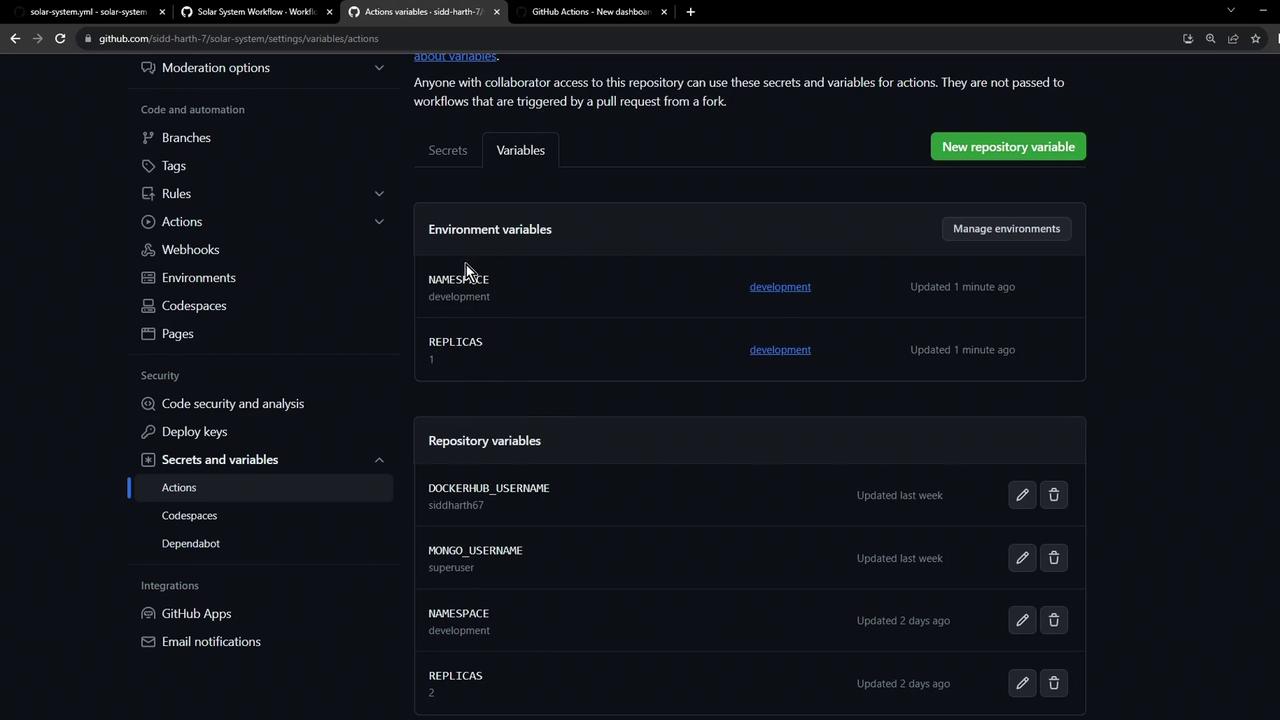
| Variable | Value | Description |
|---|---|---|
NAMESPACE | development | Target Kubernetes namespace |
REPLICAS | 1 | Desired number of pod replicas |
Environment-level secrets and variables override any repository-level entries with the same name.