

1. Overview
- Incident: Production MongoDB became unresponsive while running CI workflows.
- Impact: All services depending on the database experienced latency or downtime.
- Goal: Redirect test and coverage jobs to an isolated database instance using GitHub service containers.
2. Issue Summary
After completing the first four tasks, Alice was called into an emergency meeting. Investigation of the workflow YAML revealed that both the unit testing and code coverage jobs were pointing to the live production database: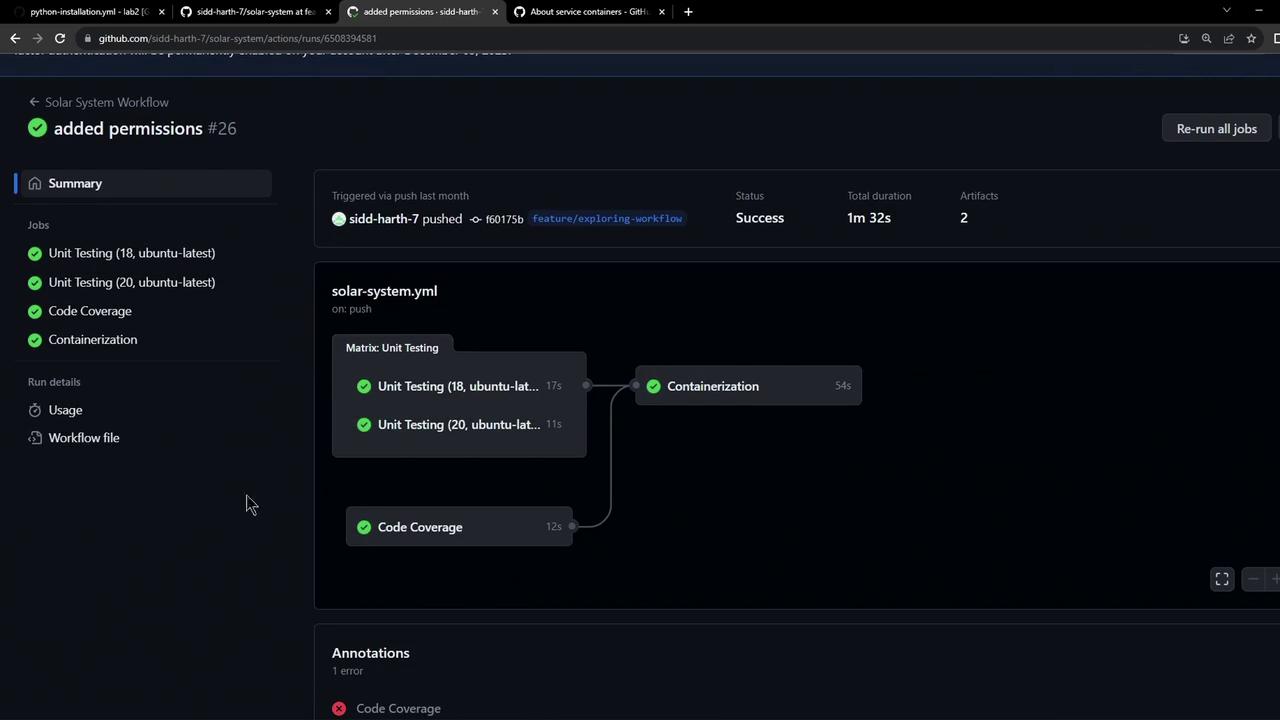
Running tests and coverage jobs against a production database can lead to data corruption, unexpected downtime, and security risks. Always isolate your CI environment.
3. Root Cause
The workflow’s global environment variables were configured to use the productionMONGO_URI:
4. Recommended Solution
To prevent future outages, we recommend leveraging GitHub Actions service containers. By attaching a MongoDB container to each job, tests and coverage reports will run against an ephemeral database instance:- Define a MongoDB service under each job.
- Override
MONGO_URIto point tomongodb://localhost:27017/testdb. - Isolate credentials and avoid global production variables.
Service containers spin up alongside your job and provide an isolated database at
localhost. No changes to production credentials are needed.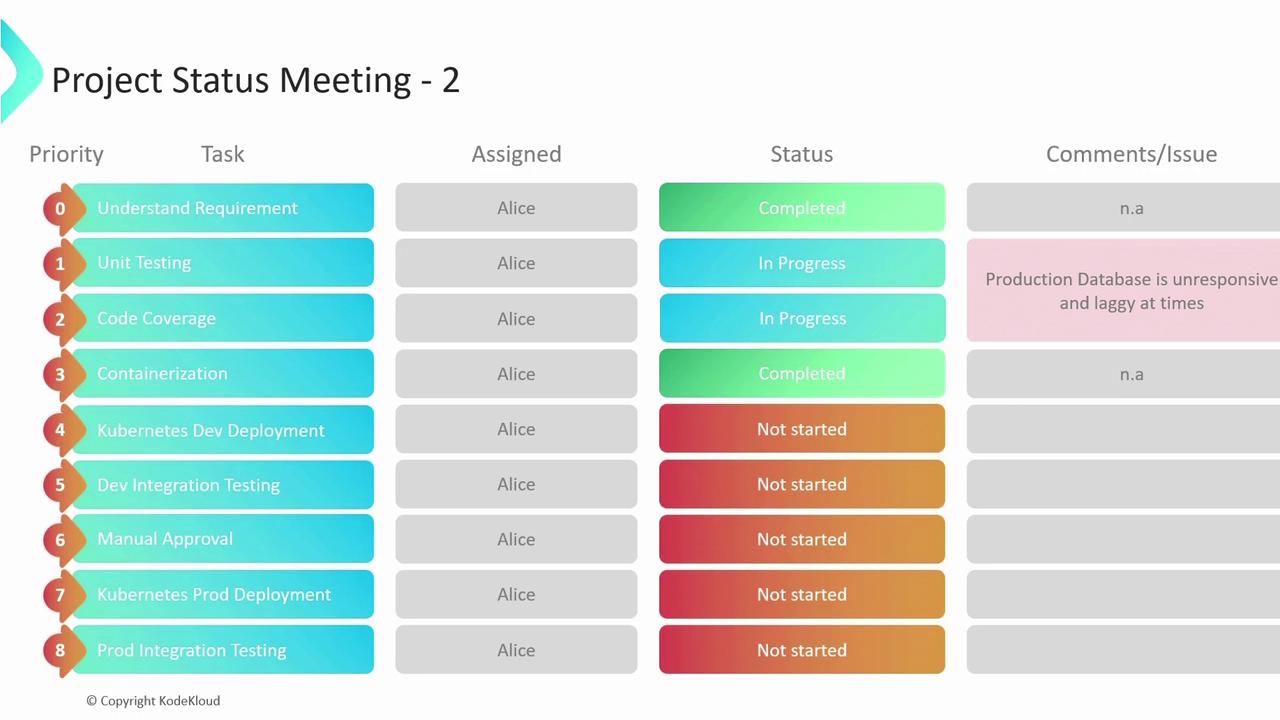
5. Next Steps
| Step | Action | Reference |
|---|---|---|
| 1. Update Workflow | Add services: mongodb and override MONGO_URI in CI jobs | https://docs.github.com/actions/using-containerized-services/about-service-containers |
| 2. Validate in Staging | Run full test suite against the service container before merging into main | — |
| 3. Monitor Post-Deployment | Use alerts and logs to ensure no test traffic reaches production | https://docs.github.com/actions/managing-workflow-runs/managing-and-viewing-workflow-runs |
| 4. Clean Up Environment Variables | Remove global MONGO_URI from workflow-level env block to prevent accidental overrides | — |