This article explains how to implement the update functionality for posts using the HTTP PUT method in a FastAPI application.
In this lesson, we complete the CRUD operations by implementing the update functionality using the HTTP PUT method. Building on the DELETE operation structure, this guide explains how to update a post by sending a complete payload that follows the defined schema.
Begin by creating a new request in Postman using the same URL structure as for deleting a post (e.g., /posts/{id}). When updating a post, your request body must include all data fields defined in the post schema: title, content, a published flag, and an optional rating.For instance, sending only a title like the example below will not work with the PUT method because it expects data for every field:
Copy
Ask AI
{ "title": ""}
Instead, when updating the title, the complete request body should look like:
Copy
Ask AI
{ "title": "updated title", "content": "content of post 1", "published": true, "rating": null}
The following snippet shows a basic FastAPI application that defines a Post model and stores posts in a list. Notice the helper functions used to locate posts by their ID.
Copy
Ask AI
from typing import Optionalfrom fastapi import FastAPI, Response, status, HTTPExceptionfrom pydantic import BaseModelfrom random import randrangeapp = FastAPI()class Post(BaseModel): title: str content: str published: bool = True rating: Optional[int] = Nonemy_posts = [ {"title": "title of post 1", "content": "content of post 1", "id": 1}, {"title": "favorite foods", "content": "I like pizza", "id": 2}]def find_post(id: int): for post in my_posts: if post['id'] == id: return postdef find_index_post(id: int): for index, post in enumerate(my_posts): if post['id'] == id: return index return -1
Ensure that the Postman request body is set as raw JSON. The initial test might just update a single field, but remember to include all required fields for a successful update.
Below is the DELETE endpoint implementation that removes a post based on its ID:
Copy
Ask AI
@app.delete("/posts/{id}", status_code=status.HTTP_204_NO_CONTENT)def delete_post(id: int): index = find_index_post(id) if index == -1: raise HTTPException( status_code=status.HTTP_404_NOT_FOUND, detail=f"Post with id: {id} does not exist" ) my_posts.pop(index) return Response(status_code=status.HTTP_204_NO_CONTENT)
The new PUT operation checks whether the post exists using the find_index_post helper function. If the post is not found, it raises a 404 error; otherwise, it updates the post by replacing the old values with the new data while preserving the original ID.
Copy
Ask AI
@app.put("/posts/{id}")def update_post(id: int, post: Post): index = find_index_post(id) if index == -1: raise HTTPException( status_code=status.HTTP_404_NOT_FOUND, detail=f"Post with id: {id} does not exist" ) post_dict = post.dict() post_dict['id'] = id my_posts[index] = post_dict return {"data": post_dict}
When you run the application, your terminal will log information similar to the following, confirming that the update operation is working:
Copy
Ask AI
INFO: title='updated title' content='content of post 1' published=True rating=NoneINFO: 127.0.0.1:64051 - "PUT /posts/1 HTTP/1.1" 200 OK
After updating a post (for example, changing the title to “updated title” and content to “This is the new content”), you should receive a response like:
Copy
Ask AI
{ "data": { "title": "updated title", "content": "This is the new content", "published": true, "rating": null, "id": 1 }}
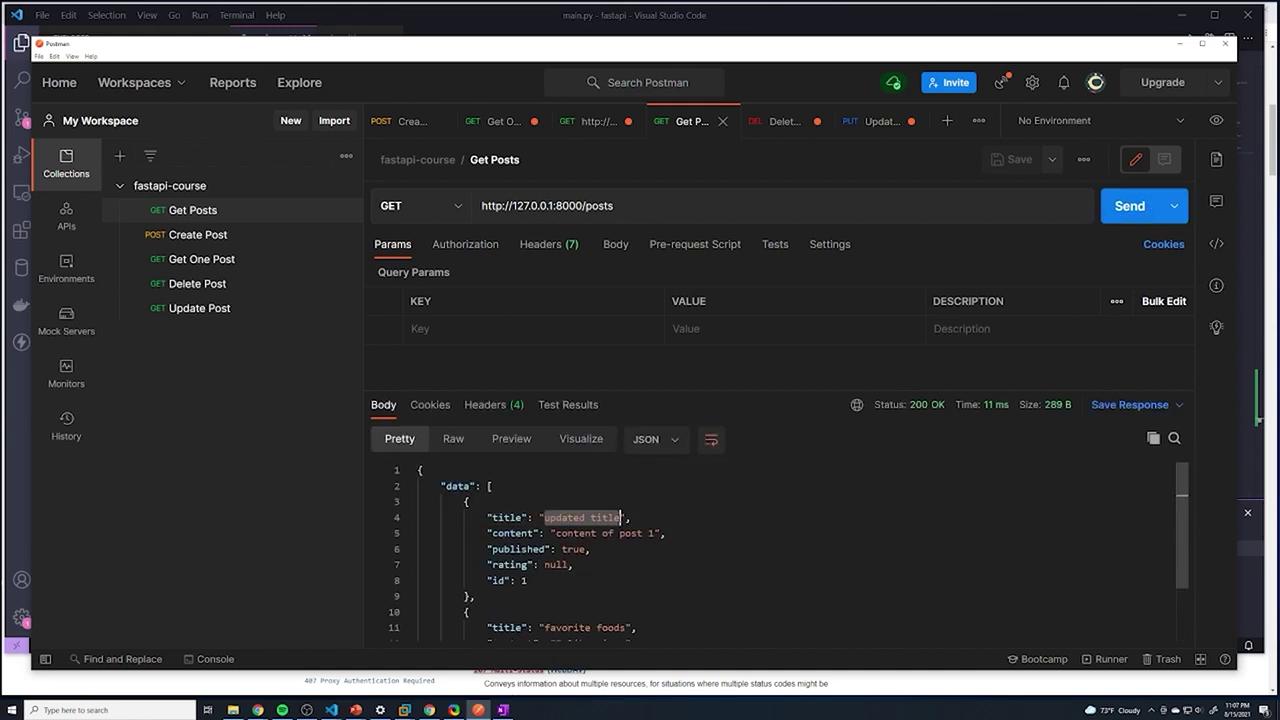
To confirm, perform a GET request on /posts. The updated list of posts should display the modified data:
Copy
Ask AI
{ "data": [ { "title": "updated title", "content": "This is the new content", "published": true, "rating": null, "id": 1 }, { "title": "favorite foods", "content": "I like pizza", "id": 2 } ]}
Review the JSON response in Postman to ensure every post object includes all the expected fields. This helps verify that the data is persisted correctly.
After confirming the update operation, all CRUD operations have been successfully implemented in the FastAPI application. In the next lesson, we will refactor the code for enhanced readability and maintainability before integrating a PostgreSQL database to persist the data.Transcribed by https://otter.ai