This guide explains how to finalize a database schema using Alembic, including creating tables, adding columns, and managing migrations.
In this guide, we will walk through how to complete your database schema using Alembic. We add user functionality by creating a users table, link posts to users using a foreign key, and then add additional columns along with a votes table via Alembic’s auto-generation feature.
After successfully creating the posts table, the next step is implementing user functionality by creating a users table. This table will allow users to register and log in.
Before proceeding, ensure that your existing posts table is functioning correctly.
First, we add a new column to the posts table by executing the following migration:
Copy
Ask AI
# revision identifiers, used by Alembic.revision = '01b254928a5'down_revision = 'cfcc4fd02d18'branch_labels = Nonedepends_on = Nonedef upgrade(): op.add_column('posts', sa.Column('content', sa.String(), nullable=False))
The corresponding console output for upgrading and downgrading is:
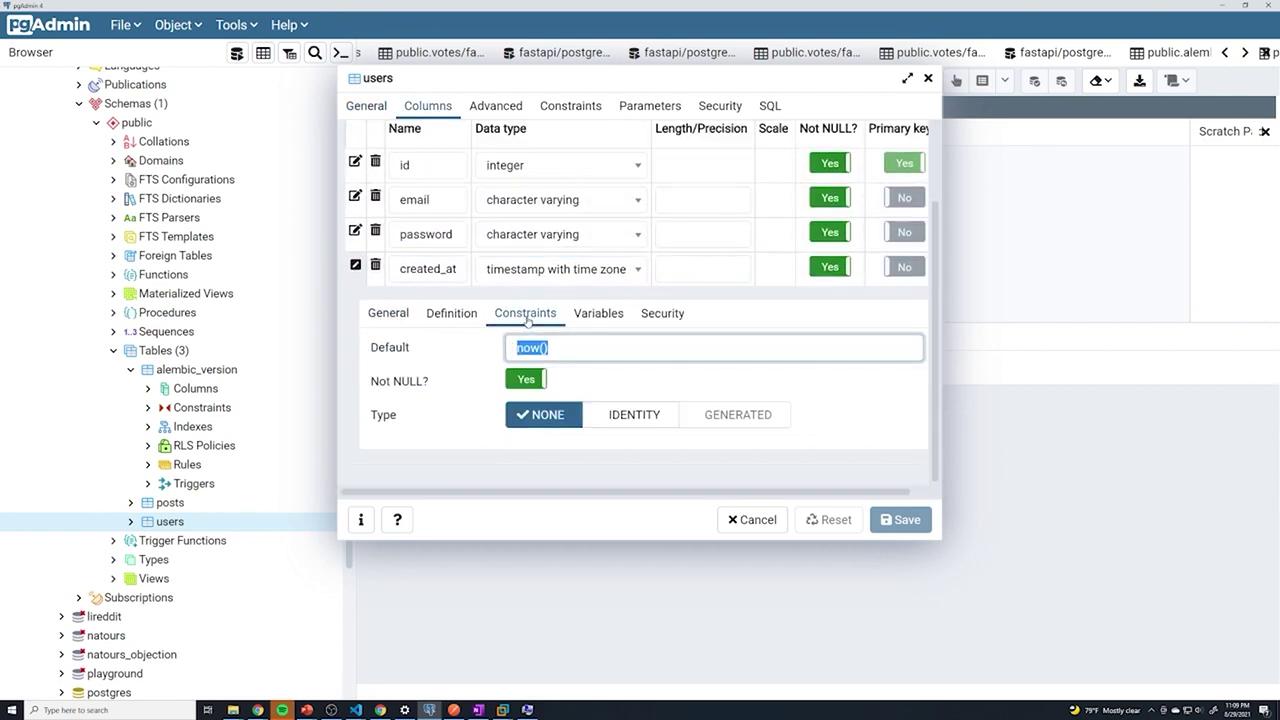
The id column is defined as an integer and set as non-nullable. A primary key is established using either primary_key=True or a separate sa.PrimaryKeyConstraint('id').
The email column has a unique constraint to prevent duplicate entries.
The created_at column is defined with TIMESTAMP and timezone support. Its default value is set to now() using server_default=sa.text('now()').
This configuration is reflected in your SQLAlchemy models:
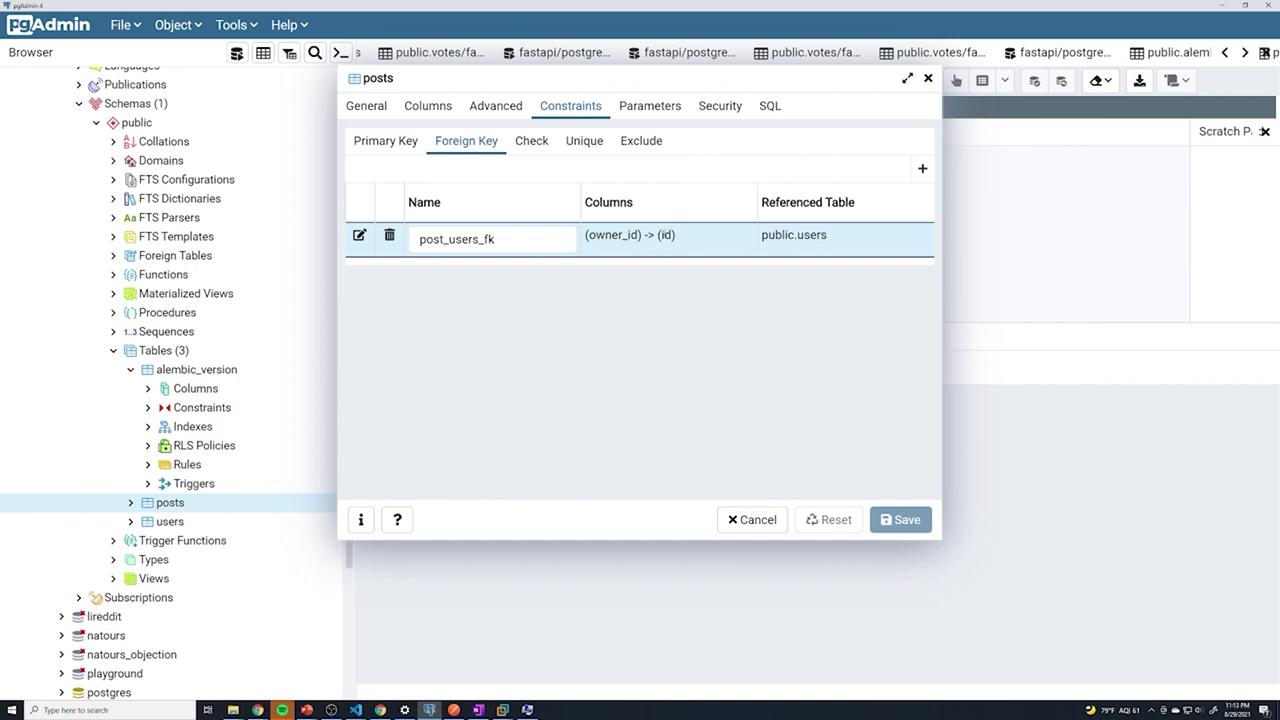
Next, establish a relationship between the posts and users tables by adding a foreign key to the posts table. To link the two tables, add a new column owner_id to the posts table.Start by introducing the column without the constraint:
Copy
Ask AI
import sqlalchemy as sa# revision identifiers, used by Alembic.revision = 'af786b740296'down_revision = '8c82b1632f52'branch_labels = Nonedepends_on = Nonedef upgrade(): op.add_column('posts', sa.Column('owner_id', sa.Integer(), nullable=False))
Then, update the migration to set up the foreign key that connects posts.owner_id to users.id with cascading delete behavior:
Your application may require extra functionality that necessitates new columns. In this case, we add a boolean published column and a created_at timestamp column to the posts table.The following migration achieves this:
Alembic provides the flexibility to rollback and upgrade revisions as needed. For instance, to roll back to the revision corresponding to the user table, use the following migration:
With the posts and users tables in place, the next step is creating a votes table. Instead of writing the migration manually, leverage Alembic’s auto-generation feature. Alembic compares your SQLAlchemy models with the existing schema and creates the necessary migration.Below is the SQLAlchemy model for the Post, which includes all required columns:
Copy
Ask AI
from .database import Baseclass Post(Base): __tablename__ = "posts" id = Column(Integer, primary_key=True, nullable=False) title = Column(String, nullable=False) content = Column(String, nullable=False) published = Column(Boolean, server_default='TRUE', nullable=False) created_at = Column(TIMESTAMP(timezone=True), nullable=False, server_default=text('now()')) owner_id = Column(Integer, ForeignKey("users.id", ondelete="CASCADE"), nullable=False) owner = relationship("User")
After ensuring your models are imported in Alembic’s configuration, run the following command:
Removing models.Base.metadata.create_all from main.py
As Alembic now manages your database schema, you can remove the direct table creation command from your main application file. Although keeping it might be useful during early development, it is redundant once migrations are in place.Below is a sample main.py file with the table creation commented out:
By following these steps, you can efficiently manage your evolving database schema with Alembic. This process minimizes manual migration work and ensures that your database stays in sync with your SQLAlchemy models as your application grows.For further reading on Alembic and database migrations, consider exploring Alembic’s official documentation.