This article explains how to customize HTTP status codes in FastAPI for better clarity in API responses.
In this lesson, we explore how to customize HTTP status codes in FastAPI for GET and POST operations. By default, retrieving a non-existent post returns a 200 OK status, even if the item does not exist. This can be confusing for front-end applications since it fails to clearly differentiate between an absent resource and other types of errors.Below is our basic setup for creating and retrieving posts:
When testing with Postman, if you try to retrieve a post with a non-existent ID (for example, using an ID of 5 while available posts include only IDs 1 and 2), you may receive a response like this:
Copy
Ask AI
{ "post_detail": null}
Even though the response body indicates the post is not found, the 200 OK status does not provide enough information for the client to understand whether the issue is due to a missing resource or another error.A similar approach is taken by GitHub. When you enter a URL for a non-existent repository, GitHub responds with a 404 Not Found error. This is illustrated in the following diagram:
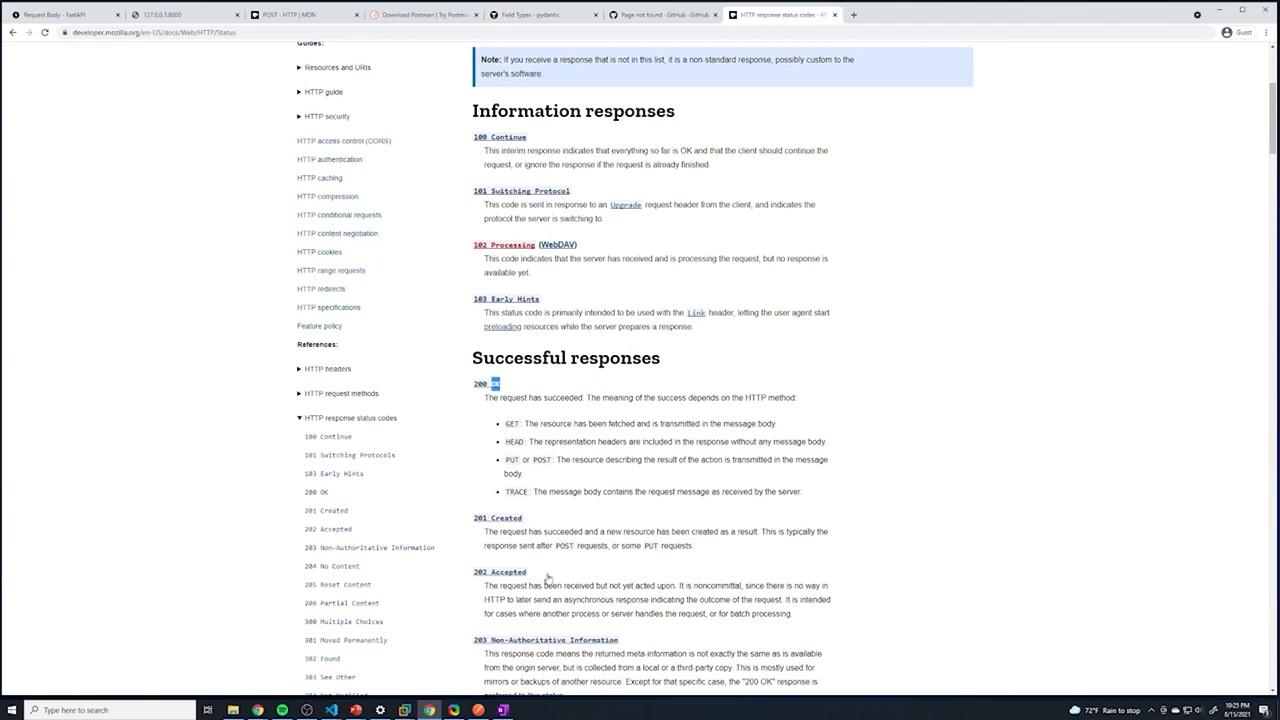
HTTP status codes play a crucial role in communicating the outcome of an operation. For example, when creating an entity via a POST request, the conventional response should be 201 Created rather than the default 200 OK. The diagram below shows a listing of commonly used HTTP status codes:
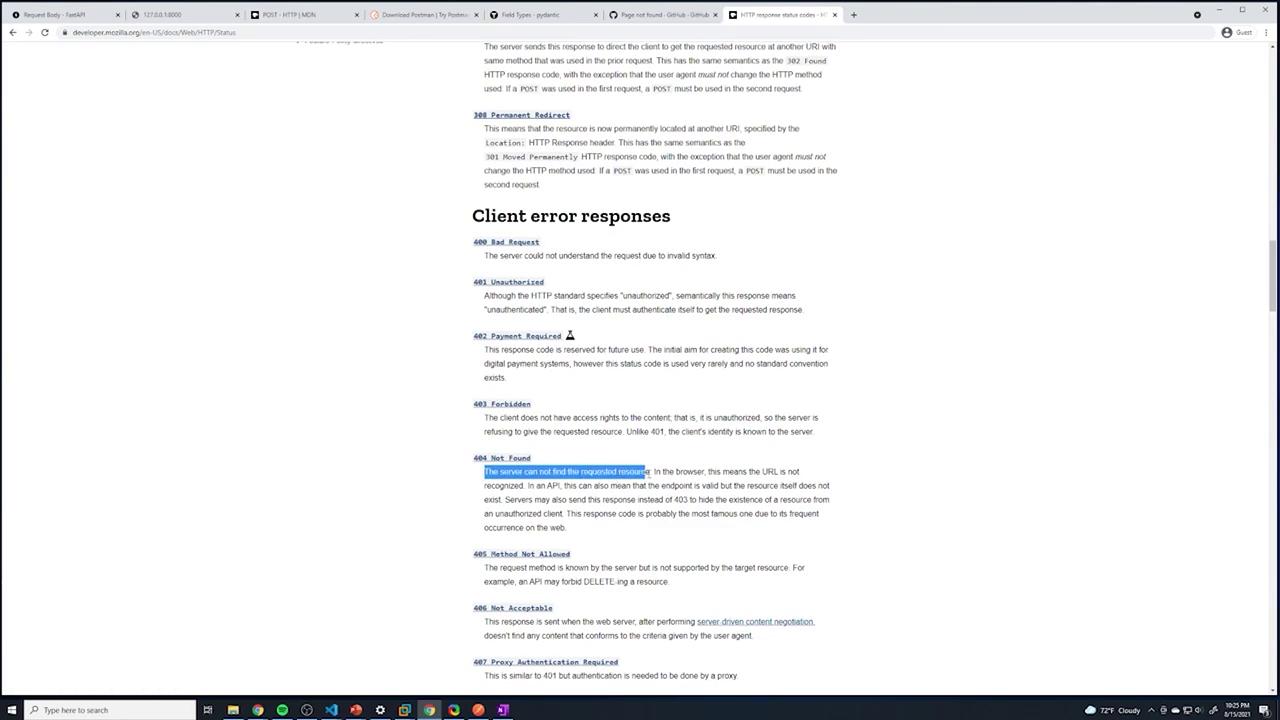
For error responses, the 400 series indicate client-side issues such as a bad request (400) or a missing resource (404), while the 500 series represents server-side errors. The diagram below focuses on the 404 Not Found response:
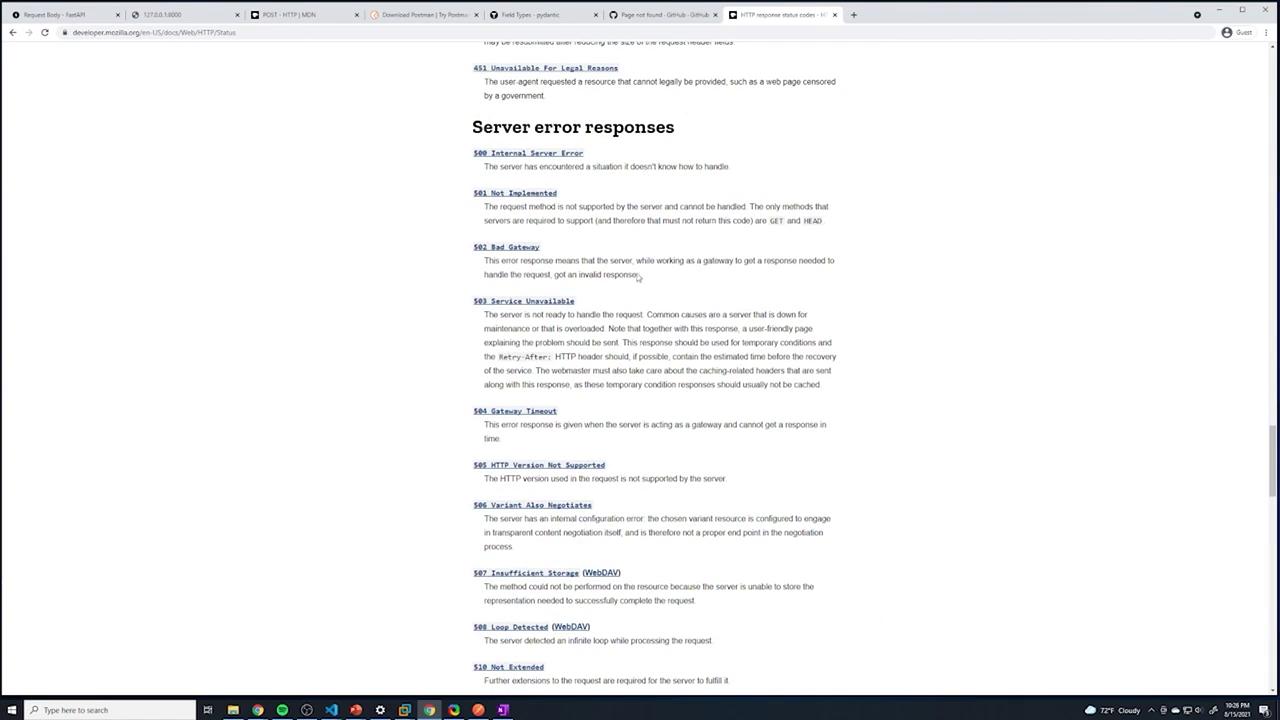
And here is a diagram illustrating various 500-series server error responses:
By default, our GET operation returns a 200 status code even when the post is not found. To give clearer feedback to the front end, adjust the response using FastAPI’s Response object.First, import Response from FastAPI. Then, modify your GET endpoint as follows:
Copy
Ask AI
@app.get("/posts/{id}")def get_post(id: int, response: Response): post = find_post(id) if not post: response.status_code = 404 return {"post_detail": post}
Now, when a non-existent post is requested, the endpoint returns a 404 status code, even though the response body remains {"post_detail": null}.
Returning a null value might not provide enough clarity. Instead, consider returning a meaningful error message when the post is missing:
Copy
Ask AI
@app.get("/posts/{id}")def get_post(id: int, response: Response): post = find_post(id) if not post: response.status_code = status.HTTP_404_NOT_FOUND return {"message": f"Post with id: {id} was not found"} return {"post_detail": post}
Using clear and descriptive error messages improves the quality of API responses and the overall developer experience.
A more streamlined method is to use FastAPI’s built-in HTTPException. This approach automatically sends the designated HTTP status code along with the error message. First, import HTTPException from FastAPI:
Copy
Ask AI
from fastapi import FastAPI, Response, status, HTTPException
Update your GET endpoint to raise an exception if the post is not found:
Copy
Ask AI
@app.get("/posts/{id}")def get_post(id: int): post = find_post(id) if not post: raise HTTPException( status_code=status.HTTP_404_NOT_FOUND, detail=f"Post with id: {id} was not found" ) return {"post_detail": post}
Using HTTPException not only simplifies the code by eliminating the need for manual status code adjustments, but it also standardizes error handling across the application.
Changing the Default Status Code on Entity Creation
When creating a new post, the HTTP specification recommends returning a 201 Created status instead of the default 200 OK. To achieve this, simply specify the status_code parameter in the POST route decorator:
After making this modification, creating a new post will result in a response with the 201 status code. For example, if you send the following JSON data:
In this article, we learned how to adjust HTTP status codes in FastAPI by:
Manually changing the response status code using the Response object.
Returning a custom error message when a resource is not found.
Utilizing HTTPException for cleaner, more consistent error handling.
Specifying the default status code for a path operation (e.g., returning 201 Created on POST requests).
Implementing these techniques enhances the clarity and robustness of your API responses, ensuring that front-end applications receive accurate and contextual feedback for each request.
For further reading, consider exploring these resources: