This article explains Cross-Origin Resource Sharing (CORS) and its importance in API development, including how to configure it in FastAPI applications.
In this lesson, we explore Cross-Origin Resource Sharing (CORS) and its significance in modern API development. CORS is a crucial mechanism that allows applications to overcome the restrictions imposed by web browsers when requesting resources from a different domain than the one serving the web page. Throughout this lesson, we use Postman—a robust API testing tool—to demonstrate API interactions. It’s important to understand that while Postman sends requests directly from your computer, your API may also receive requests from other sources such as servers, mobile devices, or web browsers.For instance, if you test your API using Postman, it might return a response such as:
Similar requests could be made using tools such as cURL or from mobile devices. However, when a request is made via a web browser using JavaScript’s Fetch API, the behavior differs. Consider the following JSON payload sent from the browser:
If you run this snippet while on a website like google.com, you might encounter an error similar to:
Copy
Ask AI
Access to fetch at 'http://localhost:8000/' from origin 'https://www.google.com' has been blocked by CORS policy.
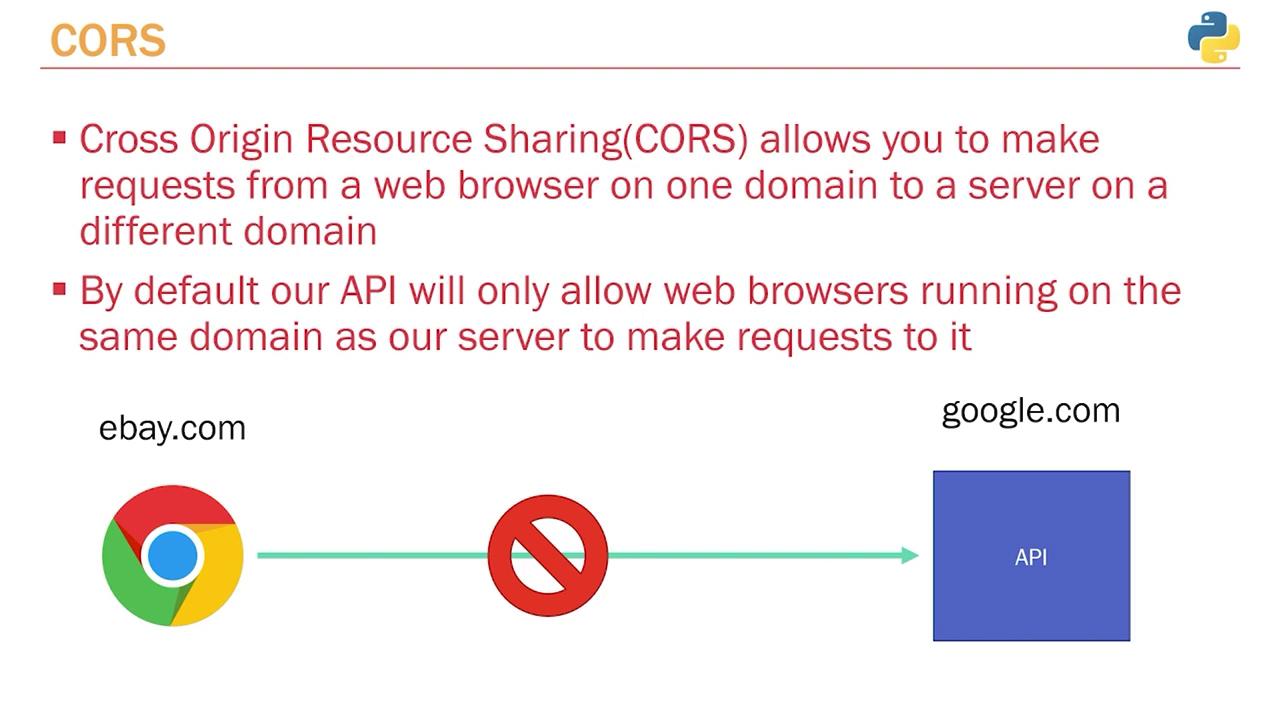
This error indicates that your browser is preventing the request because your API only accepts requests from the same origin. If your API is hosted on google.com, a request from ebay.com will be blocked.
When accessing your API directly on its domain (for example, by navigating to http://localhost:8000 in your browser), the API responds successfully:
Copy
Ask AI
{"message": "Hello World"}
This confirms that accessing your API from the same domain bypasses CORS restrictions.Below is an example of a simple FastAPI application without CORS handling:
CORS (Cross-Origin Resource Sharing) enables web browsers to request resources from a server on a different domain, which is not allowed by default. Most web frameworks, including FastAPI, accept requests only from the same domain hosting the API.Imagine your API is hosted on google.com while your web application is on ebay.com. In this scenario, ebay.com would be prevented from communicating with the API on google.com unless CORS is properly configured. Conversely, when both the website and the API are hosted on the same domain, communication happens seamlessly.
When testing on localhost:8000—the same domain used by your web browser—the API logs a proper response in the developer tools console.
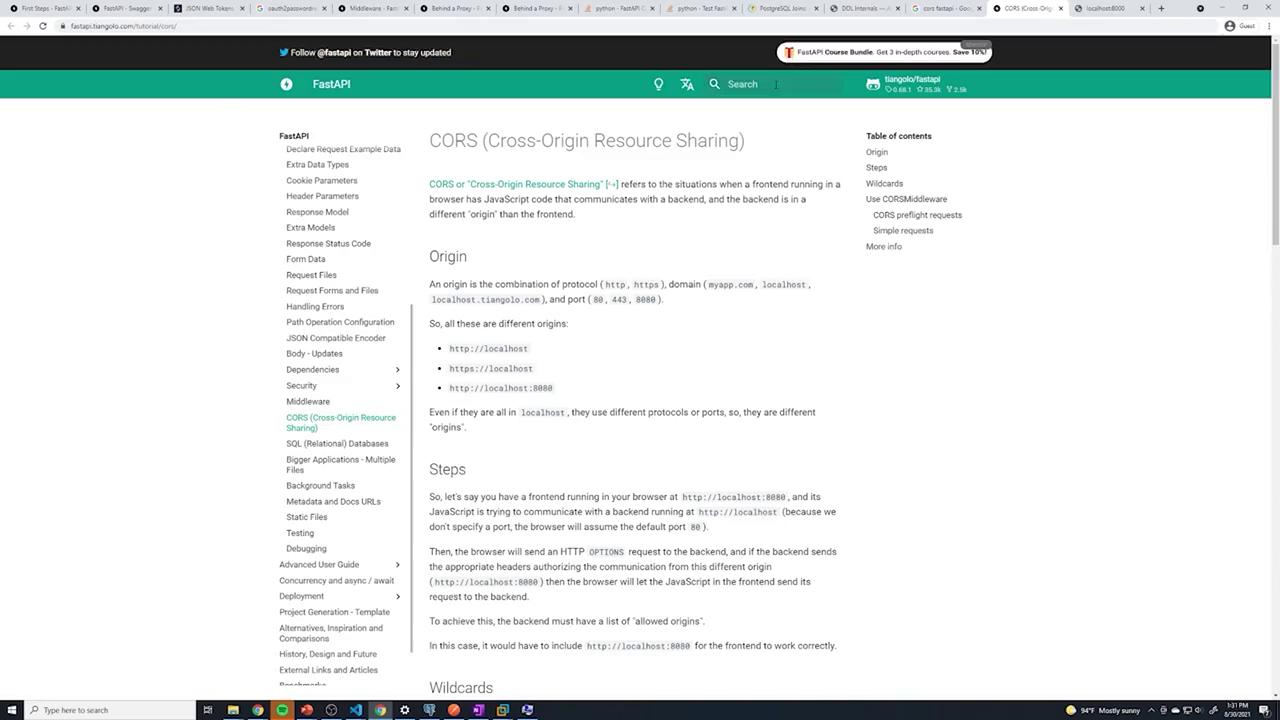
To handle requests from different origins, you can enable CORS in your FastAPI application using its middleware. The FastAPI documentation provides clear guidance on configuring CORS. Below is an example of setting up CORS middleware:
In this setup, the middleware allows requests from a pre-defined list of origins. This middleware function intercepts each request, ensuring that only the specified origins are permitted.If your API includes multiple routers, you can integrate CORS middleware like this:
Copy
Ask AI
from fastapi import FastAPIfrom fastapi.middleware.cors import CORSMiddlewarefrom routers import post, user, auth, vote # assuming these are defined in your projectapp = FastAPI()origins = [] # Initially empty; later populate it with allowed domainsapp.add_middleware( CORSMiddleware, allow_origins=origins, allow_credentials=True, allow_methods=["*"], allow_headers=["*"],)app.include_router(post.router)app.include_router(user.router)app.include_router(auth.router)app.include_router(vote.router)
You can modify the list of allowed origins based on your application’s requirements. For instance, to restrict access only to Google:
Copy
Ask AI
from fastapi import FastAPIfrom fastapi.middleware.cors import CORSMiddlewarefrom routers import post, userapp = FastAPI()origins = ["https://www.google.com"]app.add_middleware( CORSMiddleware, allow_origins=origins, allow_credentials=True, allow_methods=["*"], allow_headers=["*"],)app.include_router(post.router)app.include_router(user.router)
If a request is made from a domain not specified in the allowed origins list (like youtube.com), the browser will block the request and log a CORS error in the console:
Copy
Ask AI
fetch('http://localhost:8000/') .then(res => res.json()) .then(console.log);Access to fetch at 'http://localhost:8000/' from origin 'https://www.youtube.com' has been blocked by CORS policy: No 'Access-Control-Allow-Origin' header is present on the requested resource.
For public APIs where unrestricted access is desired, you can use a wildcard (”*”) to allow requests from any domain:
Although using a wildcard (”*”) makes your API accessible from all domains, it is advisable to restrict origins to specific domains when deploying to production to ensure enhanced security.
Below is an example of a complete FastAPI setup using the wildcard configuration:
Copy
Ask AI
from fastapi import FastAPIfrom fastapi.middleware.cors import CORSMiddlewarefrom routers import post, user, auth, vote # adjust import paths as necessaryapp = FastAPI()origins = ["*"]app.add_middleware( CORSMiddleware, allow_origins=origins, allow_credentials=True, allow_methods=["*"], allow_headers=["*"])app.include_router(post.router)app.include_router(user.router)app.include_router(auth.router)app.include_router(vote.router)
When running your application with Uvicorn, you might see console output similar to:
Copy
Ask AI
INFO: Started server process [30400]INFO: Waiting for application startup.INFO: Application startup complete.INFO: Uvicorn running on http://127.0.0.1:5167 (Press CTRL+C to quit)INFO: 127.0.0.1:51038 - "GET / HTTP/1.1" 200 OK
This configuration simplifies testing by permitting requests from any domain. However, when deploying your API, ensure that you update the allowed origins to maintain a secure environment.In summary, CORS is essential for controlling which domains are permitted to access your API. By configuring CORS middleware in FastAPI, you can balance accessibility and security for both development and production environments.