This lesson explains Kubernetes namespaces, their importance in resource management, and how to use them effectively in a cluster environment.
Welcome to this lesson on Kubernetes namespaces. Understanding namespaces is essential for managing resources and policies within a single Kubernetes cluster, especially in production environments. In this article, we use an everyday analogy to clarify the role and importance of namespaces.Imagine two boys named Mark. Within their own households, family members use only first names. However, outsiders refer to them by their full names (e.g., Mark Smith and Mark Williams) to avoid confusion. Similarly, in Kubernetes, each namespace acts like a separate household with its own rules and resources.
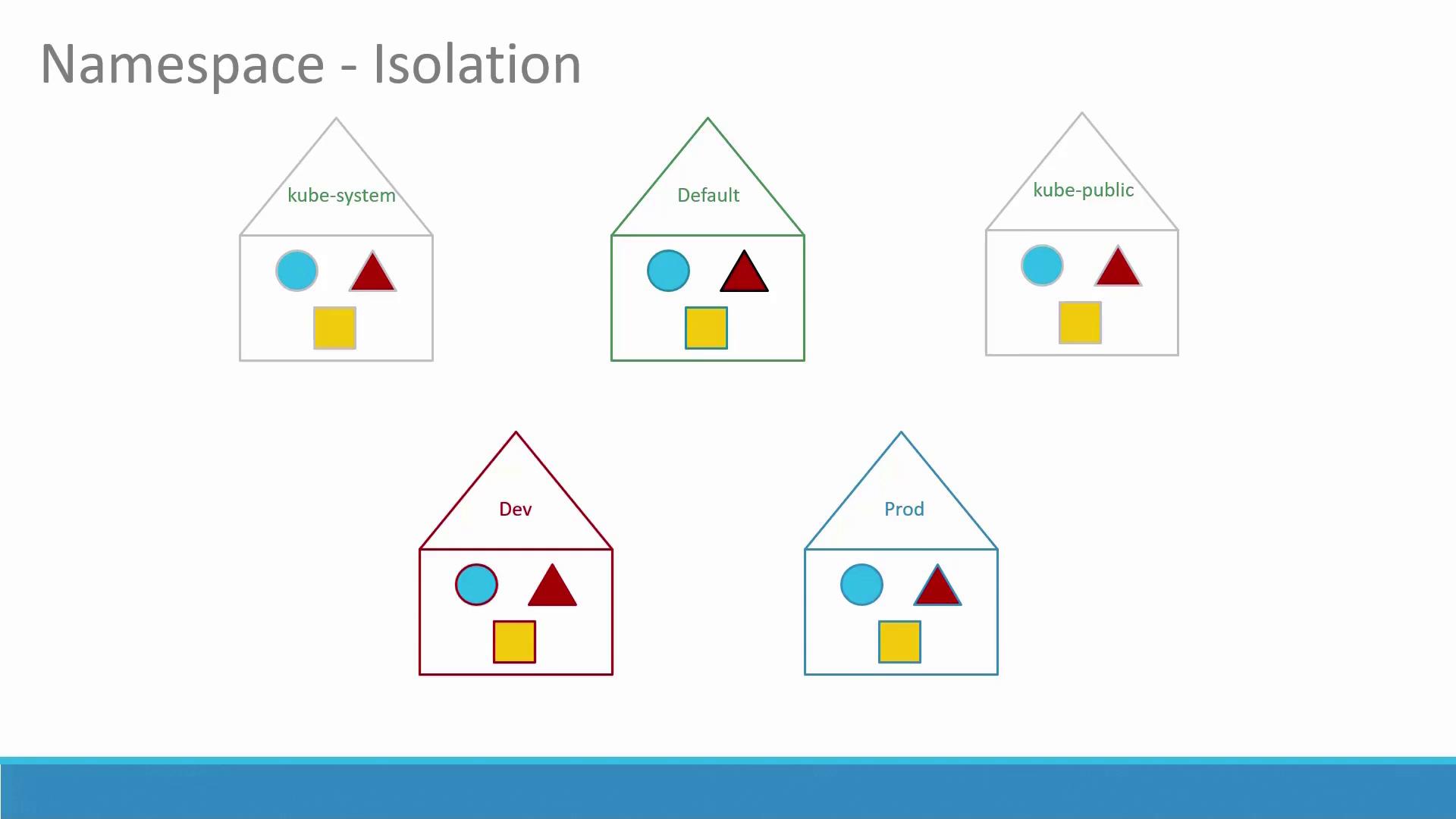
So far, you have been creating objects like Pods, Deployments, and Services in a single namespace—the default namespace, which is automatically created when the cluster is set up. In addition, Kubernetes creates several other namespaces at startup:
kube-system: Contains critical Pods and Services (such as networking solutions and DNS) that are isolated from the user to prevent accidental modifications.
kube-public: Contains resources that should be accessible to all users.
For smaller or learning environments, you might continue working in the default namespace. However, in enterprise or production setups, namespaces become crucial. For instance, if you have both development and production environments sharing the same cluster, isolating resources via separate namespaces can prevent accidental interference.Below is a diagram that illustrates how different namespaces provide isolation:
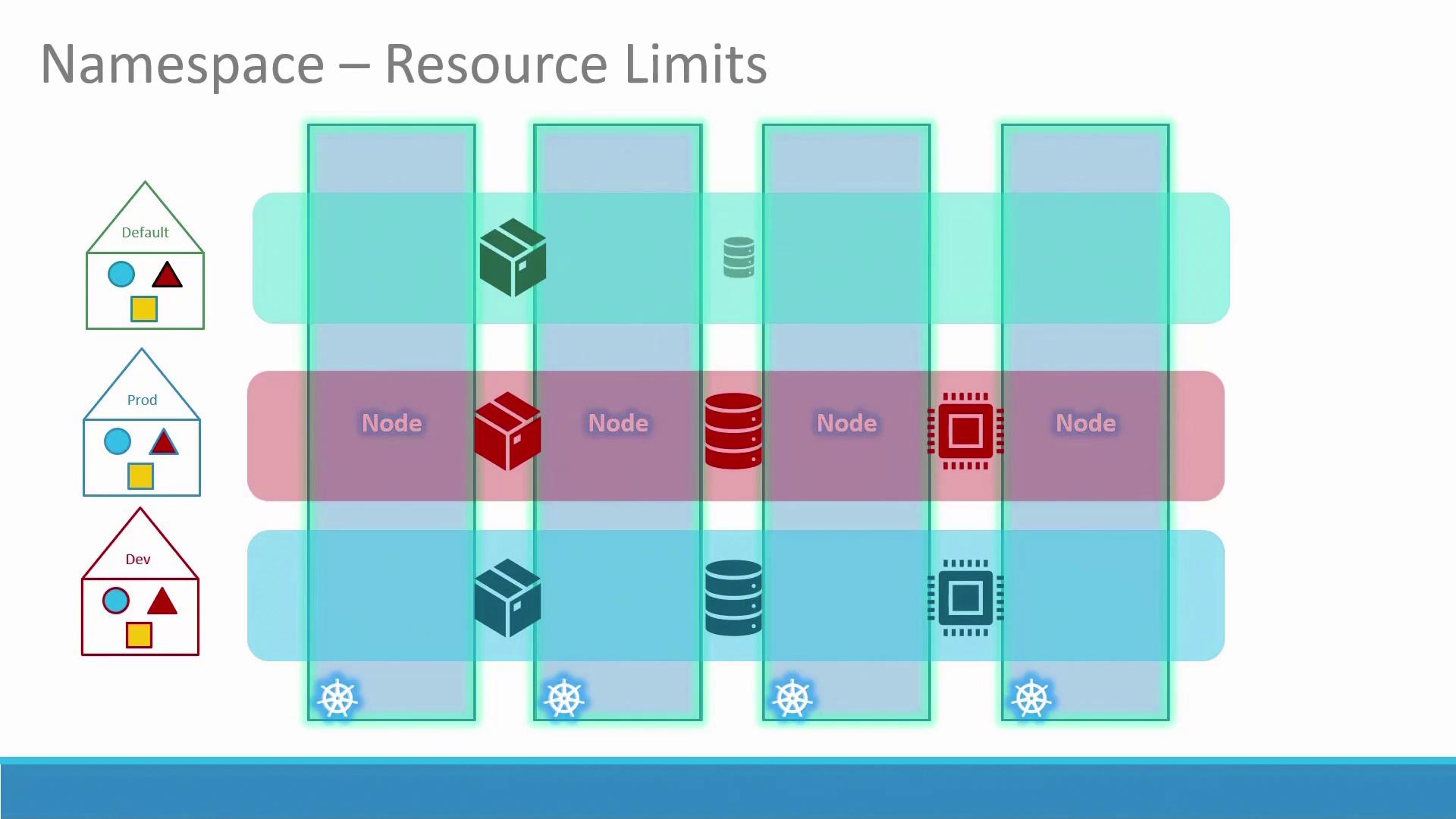
Each namespace can enforce its own set of policies and resource quotas. The following diagram demonstrates how various environments (Default, Prod, Dev) are allocated resources such as nodes and containers:
Within a namespace, Pods and Services can address each other directly by name. For example, if a web application Pod needs to connect to a database service in the same namespace, it can simply use the service’s name. If the service is in a different namespace, the fully qualified DNS name must be used. For example, if a web Pod in the default namespace connects to a DB service in the dev namespace, the DNS name would be: DB-service.dev.svc.cluster.localIn this DNS name:
“cluster.local” is the default domain of the Kubernetes cluster.
By default, the command kubectl get pods lists Pods in the default namespace. To view Pods in a different namespace (e.g., kube-system), append the --namespace option:
Copy
Ask AI
kubectl get pods
Output:
Copy
Ask AI
NAME READY STATUS RESTARTS AGEPod-1 1/1 Running 0 3dPod-2 1/1 Running 0 3d
When you create a Pod using a definition file, it will be created in the default namespace unless specified otherwise.To create a Pod using the definition file in the default namespace:
Copy
Ask AI
kubectl create -f pod-definition.yml
Output:
Copy
Ask AI
pod/myapp-pod created
To create a Pod in a different namespace (e.g., dev), specify the namespace on the command line:
By default, all kubectl commands operate in the default namespace. To permanently switch to a different namespace (e.g., dev) in your current context, run:
Resource quotas help limit the resources available within a namespace. The following YAML file sets quotas for the dev namespace by specifying limits on Pods, CPU, and memory:
Namespaces in Kubernetes are a powerful tool to isolate resources, manage policies, and efficiently organize your cluster environment—whether for development, testing, or production. By leveraging namespaces, you can deploy applications securely and prevent accidental cross-environment interference.For more information on Kubernetes concepts, visit the following resources: