

Introduction to Docker and Containers
If you are already familiar with Docker, feel free to skip ahead. However, I’d like to share an experience that highlights why Docker became vital in modern application development. In one project, I faced the challenge of establishing an end-to-end application stack comprising multiple components: a Node.js web server, a MongoDB database, a Redis messaging system, and an orchestration tool such as Ansible. We encountered several compatibility issues:- Services required specific operating system versions. Sometimes, mismatched versions meant that one service would work on an OS that another could not.
- Services depended on different library versions, making it difficult to find a single environment that satisfied all dependencies.
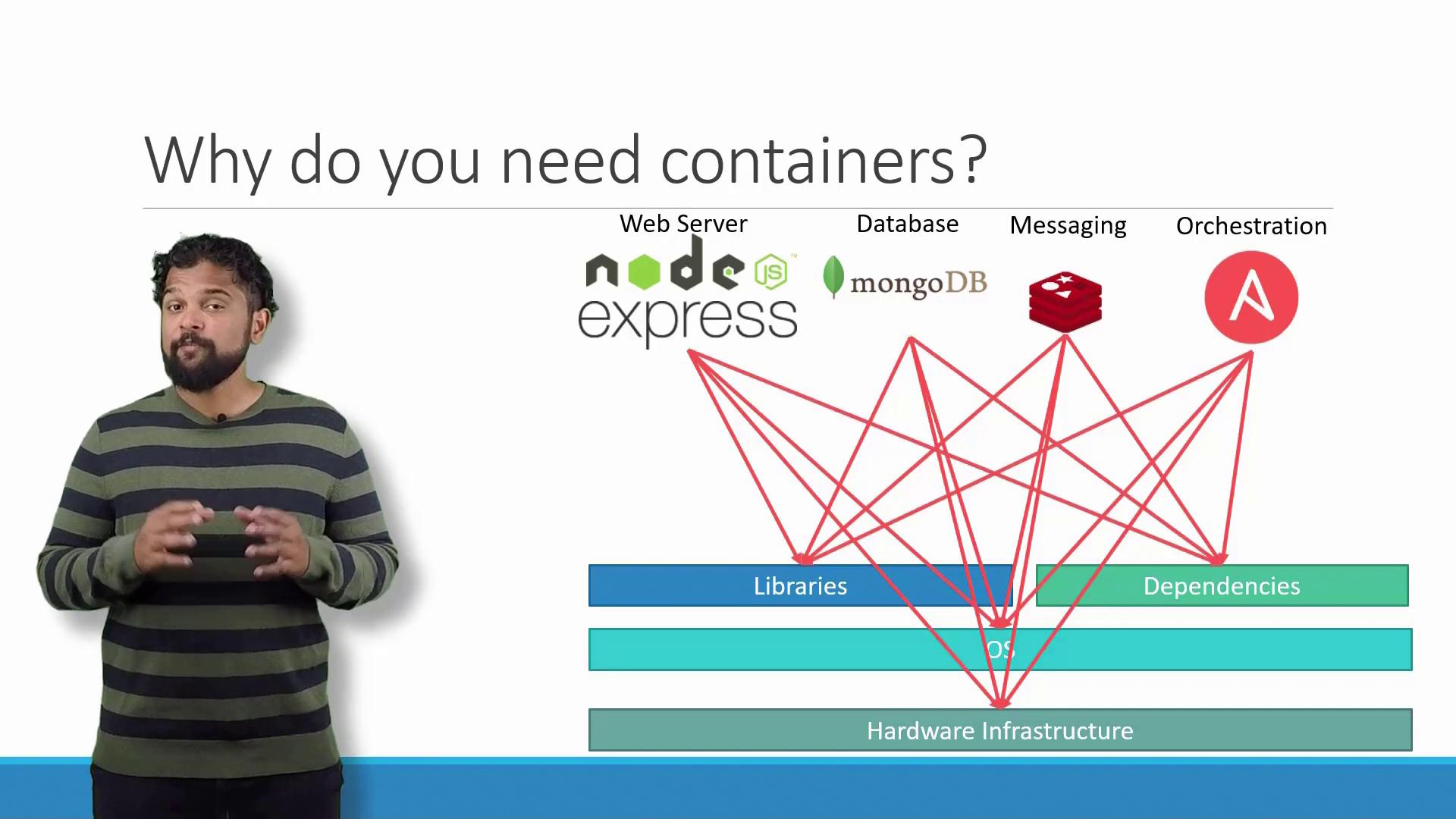
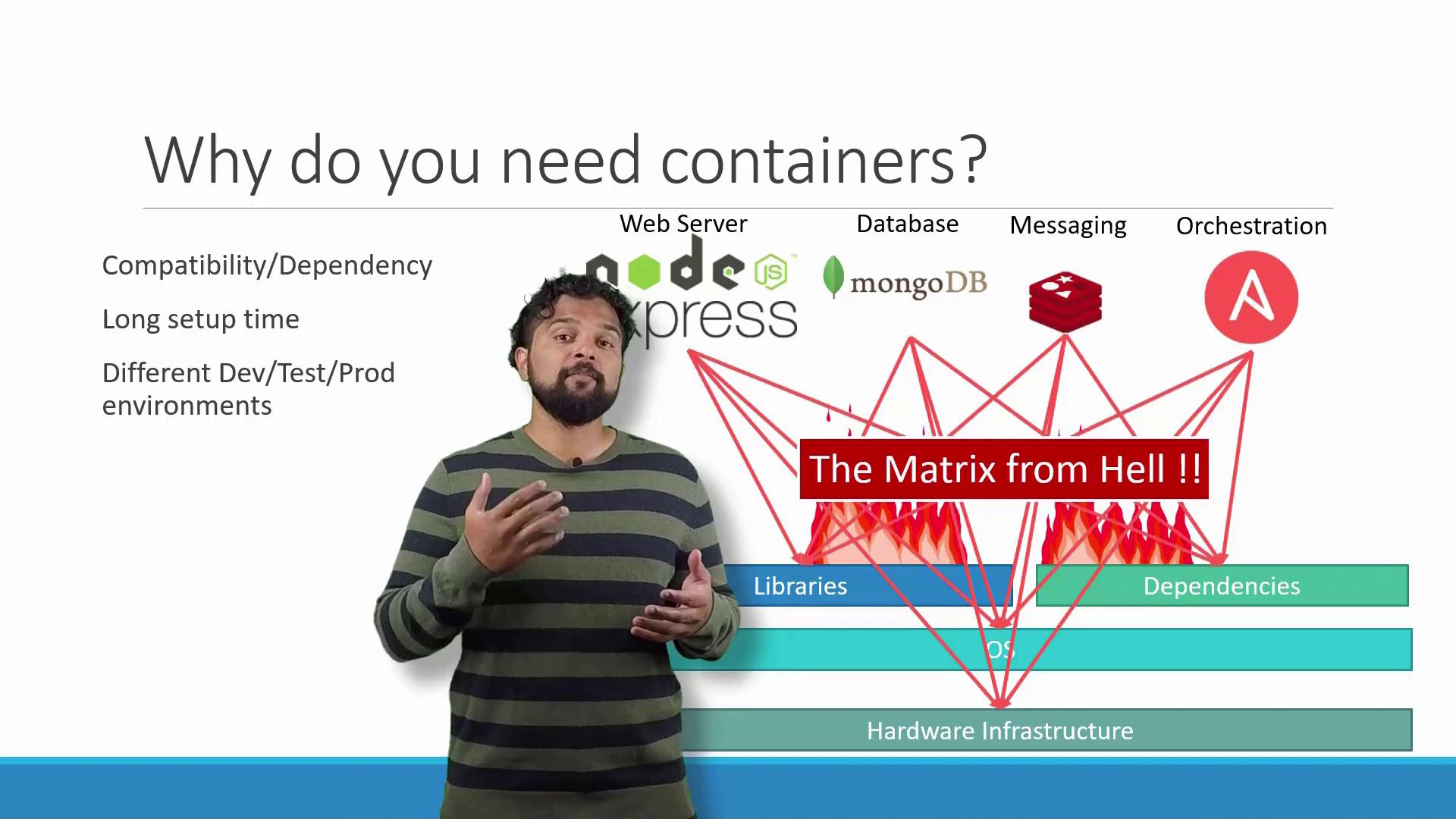
Docker solved these challenges by encapsulating each application component in its own isolated container. This isolation bundled libraries, dependencies, and a lightweight file system within each container—enabling seamless environment replication across development, testing, and production.
What Are Containers?
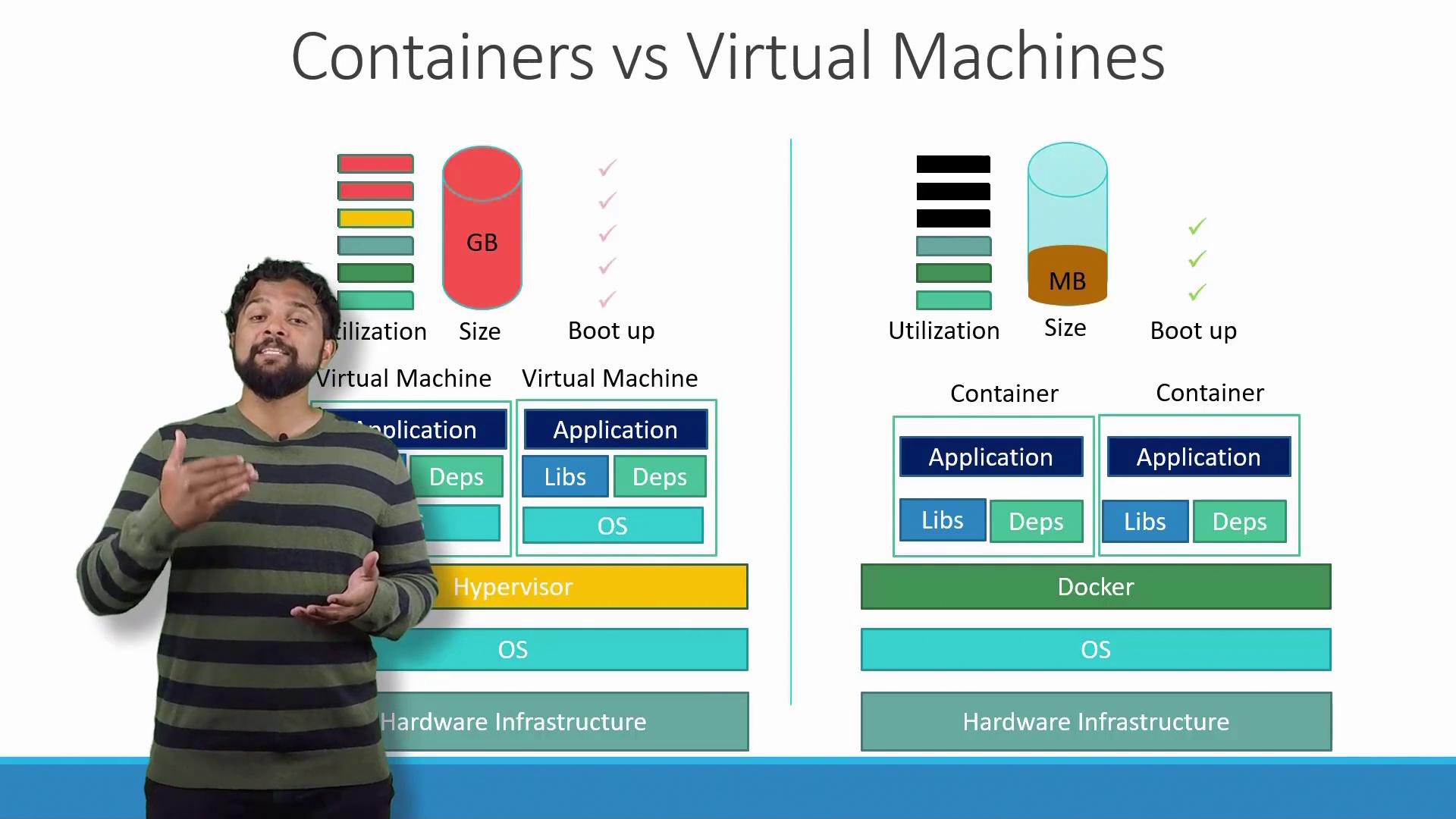
Containers provide isolated environments that run processes, services, network interfaces, and file system mounts—similar to virtual machines (VMs). However, unlike VMs, containers share the host’s operating system kernel.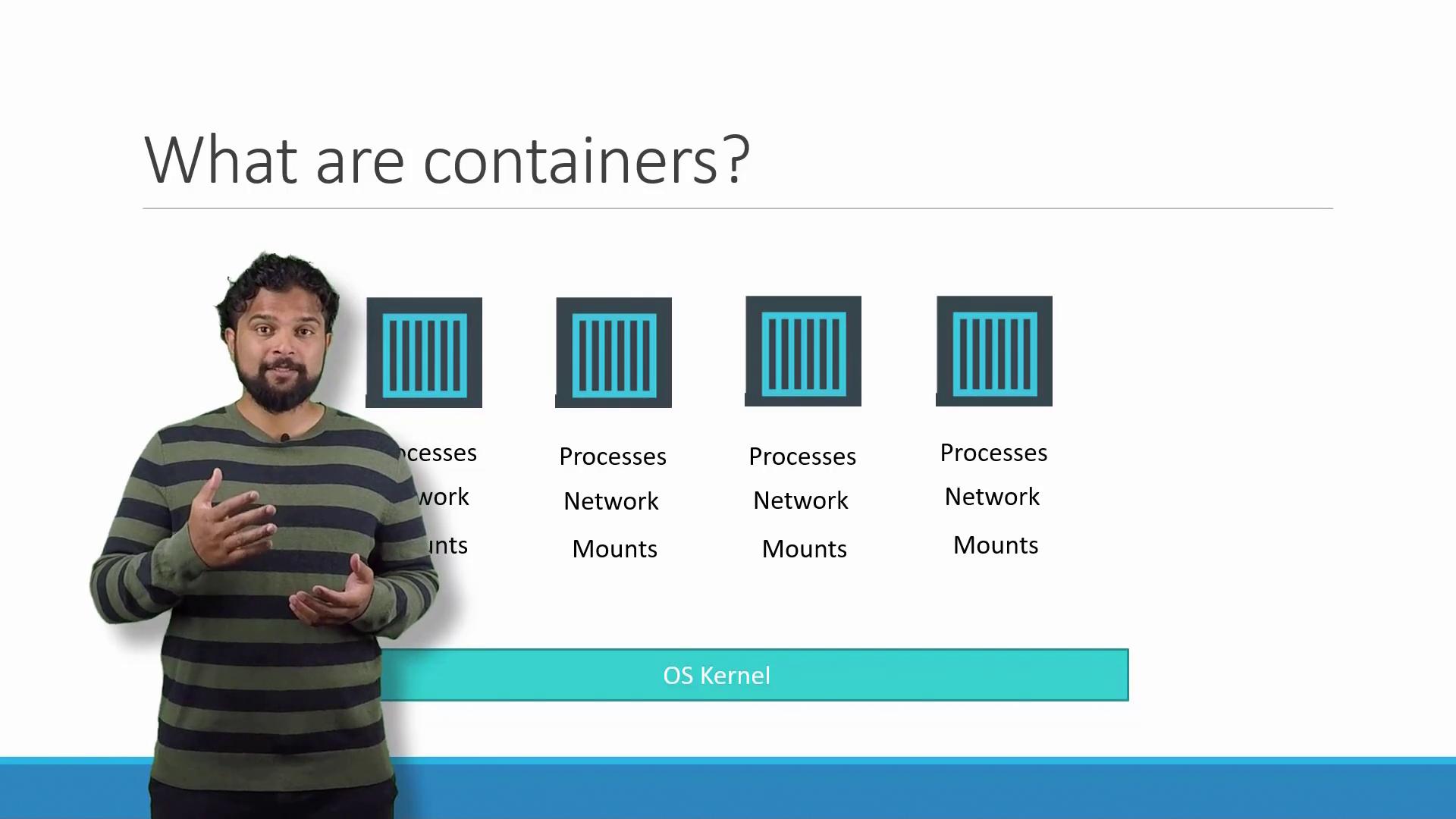
The Role of the OS Kernel
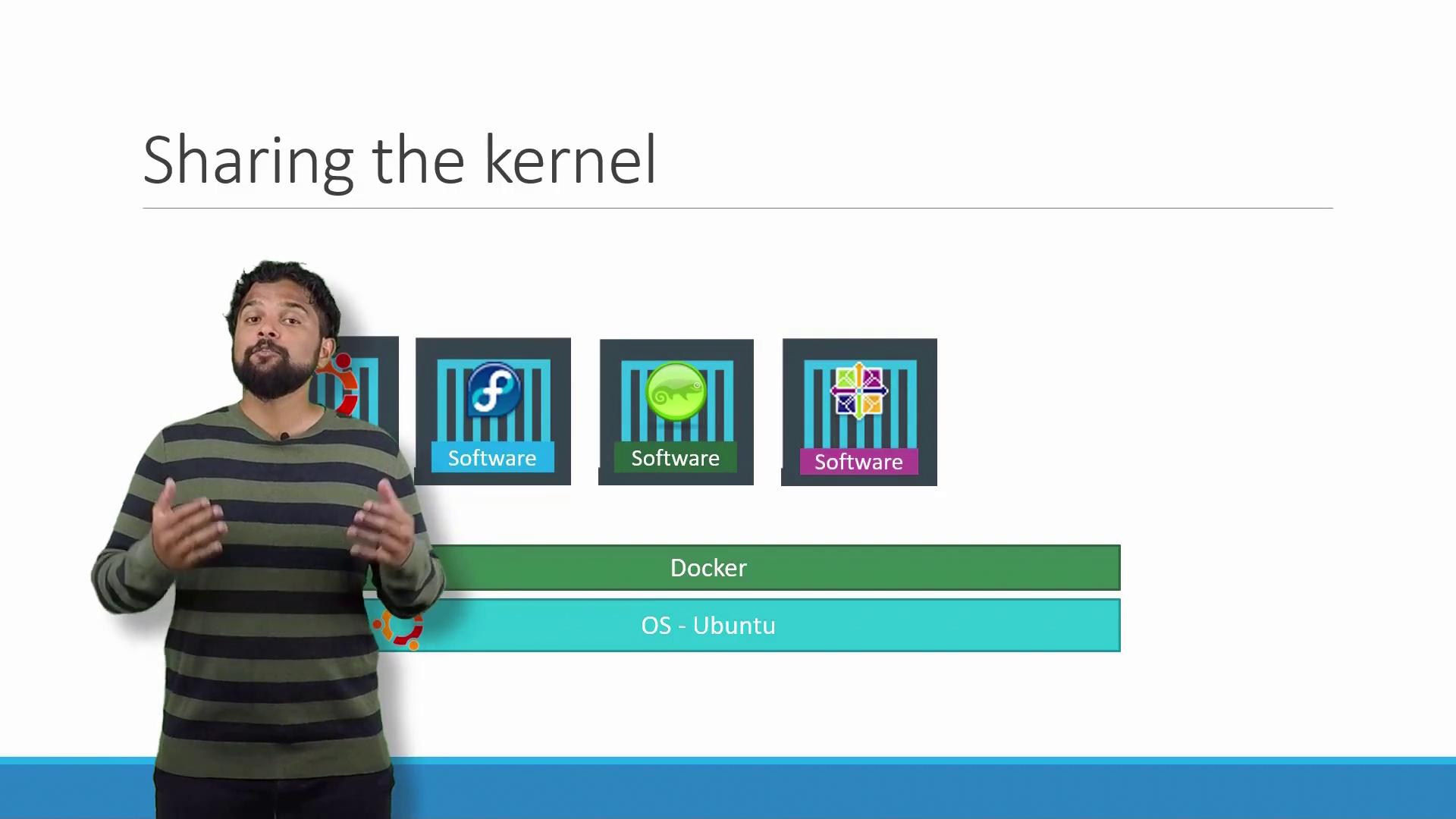
Understanding Docker’s power starts with the operating system. Consider popular Linux distributions like Ubuntu, Fedora, SUSE, or CentOS. Each consists of:- The OS Kernel: Interacting directly with hardware.
- A set of software packages: These define the user interface, drivers, compilers, file managers, and developer tools.
Containers vs. Virtual Machines
Understanding the distinction between containers and virtual machines (VMs) is crucial. Below is a comparison that highlights key differences:| Component | Docker Container | Virtual Machine |
|---|---|---|
| Base Architecture | Host OS + Docker daemon | Host OS + Hypervisor + Guest OS |
| Resource Consumption | Lightweight (measured in megabytes) | Typically larger (measured in gigabytes) |
| Boot Time | Seconds | Minutes |
| Isolation Level | Shares host kernel | Full OS isolation |
Running Containerized Applications
Many organizations today leverage containerized applications available on public registries like Docker Hub or Docker Store. These registries offer a vast range of images—from operating systems to databases and development tools. Once you have the necessary Docker images and Docker is installed, deploying an application stack can be as simple as executing a series of commands. For example, you might launch services with these commands:Understanding Images and Containers
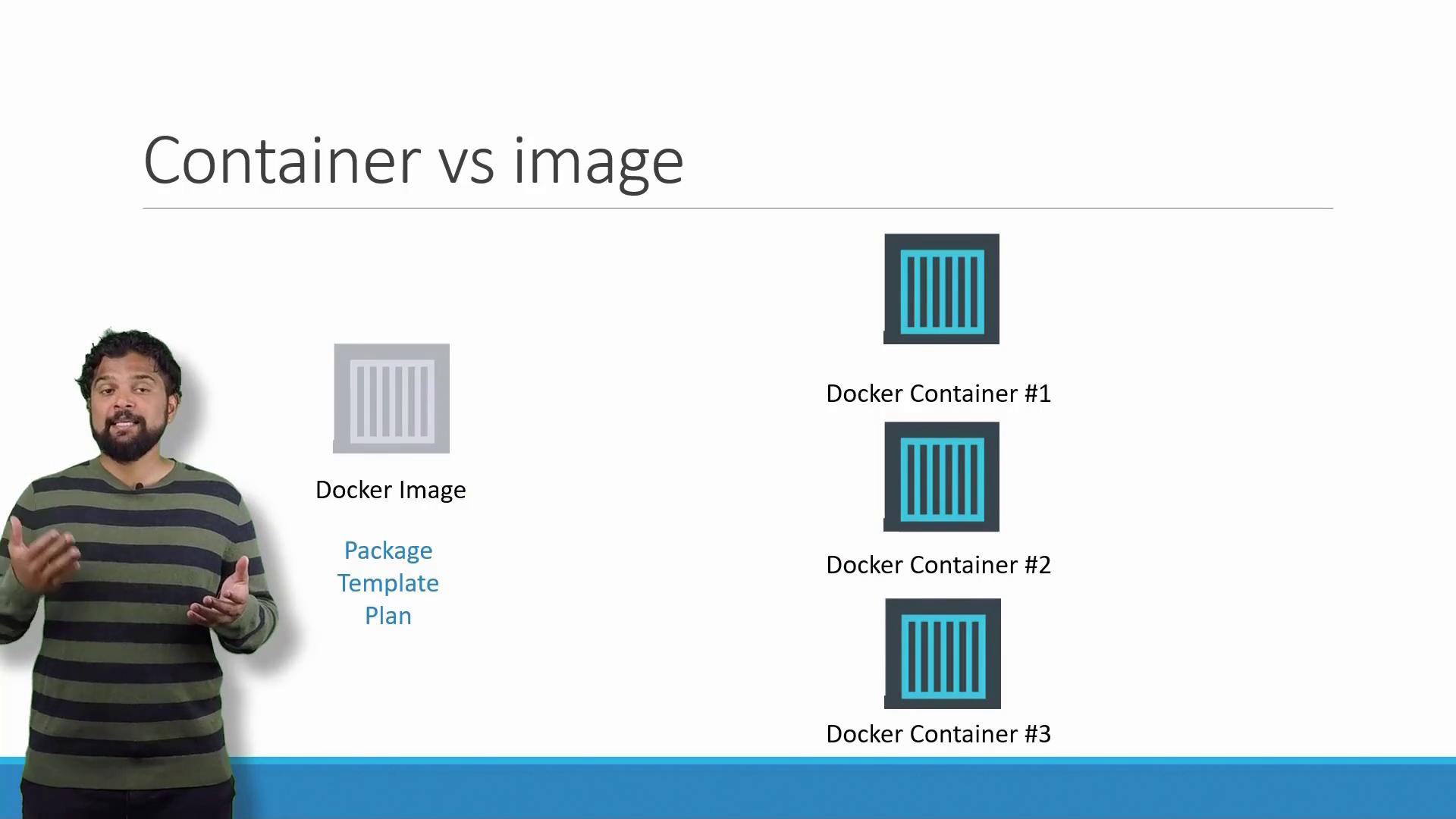
It is important to differentiate between Docker images and containers:- A Docker image is a template containing instructions to create a container—similar to a VM template.
- A Docker container is a running instance of that image, providing an isolated environment with its own processes and resources.
Shifting Responsibilities: Developers and Operations
Traditionally, developers built applications and handed them off to the operations team for deployment. The operations team then configured the host environment, installed prerequisites, and managed dependencies. This handoff often led to miscommunications and troubleshooting difficulties. Docker transforms this dynamic. Developers now define the application environment within a Dockerfile. Once the Docker image is built and tested, it behaves consistently across all platforms, simplifying the deployment process for operations teams.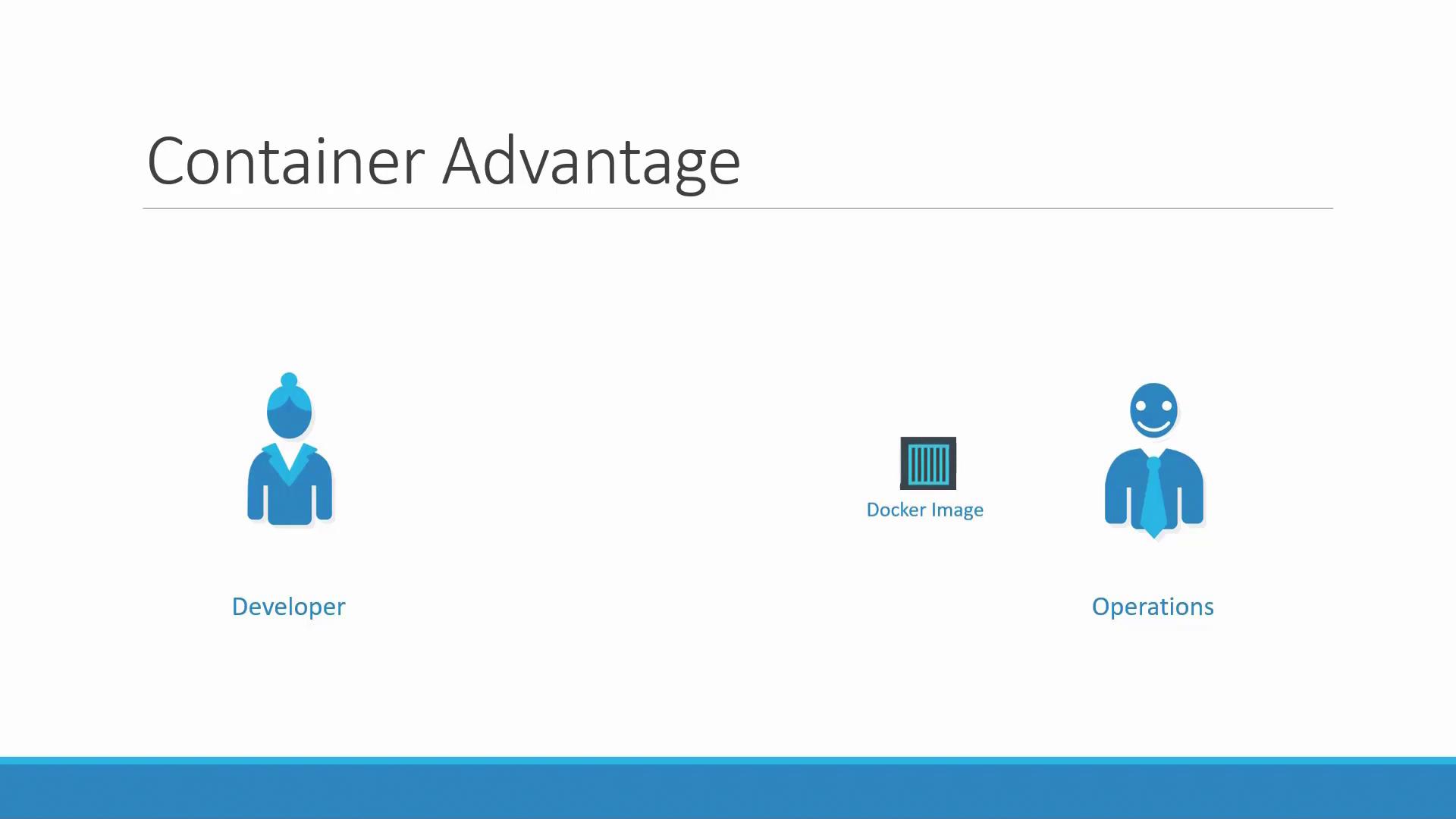
By encapsulating the application environment in a Docker image, you eliminate the “works on my machine” problem. The image, once verified in development, guarantees consistent production behavior.