This article provides a comprehensive guide on Kubernetes service accounts, their security roles, management, and token handling.
Welcome to this comprehensive guide on Kubernetes service accounts. In this article, we will explore how service accounts work in Kubernetes, their role in security, and how to manage tokens. This guide is especially useful for exam preparation and practical usage. For more advanced security concepts, refer to the CKA Certification Course - Certified Kubernetes Administrator.Kubernetes supports two main account types:
User Account: Used by humans, such as administrators and developers.
Service Account: Intended for machine-to-machine interactions; for example, monitoring tools like Prometheus or build tools like Jenkins use service accounts to interact with the Kubernetes API.
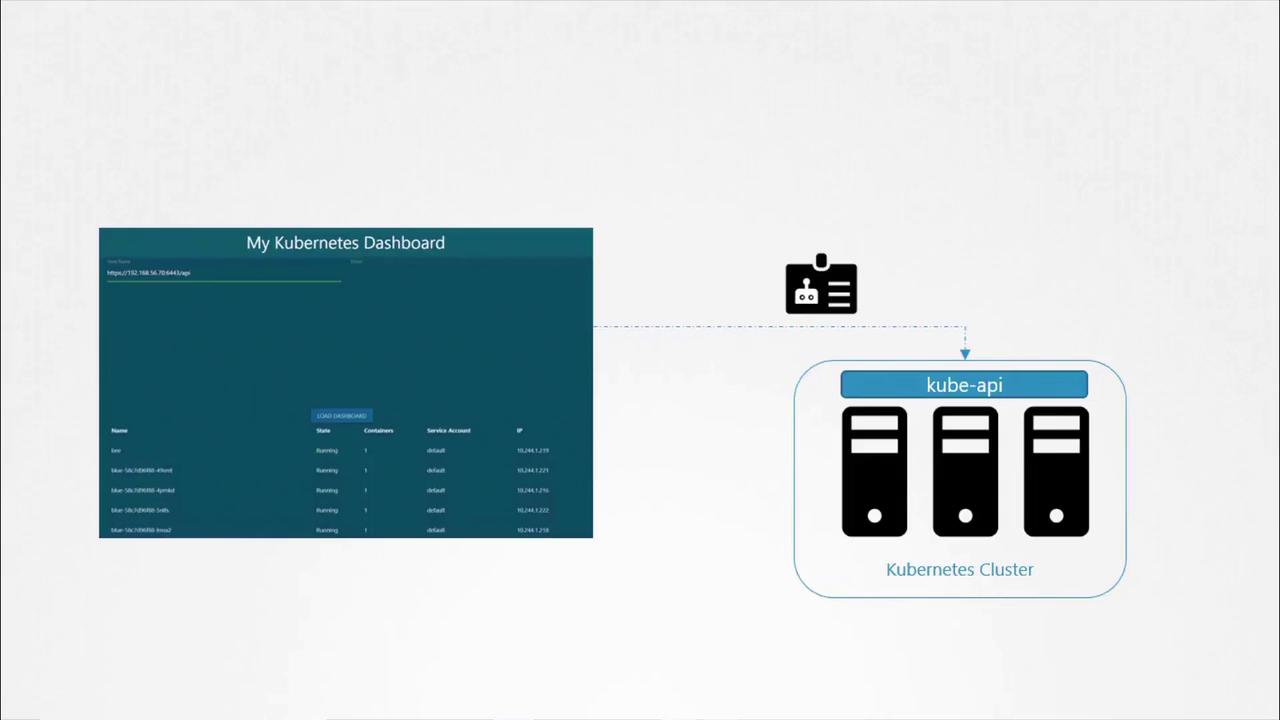
Imagine you have developed a simple Python dashboard application that retrieves a list of pods from your Kubernetes cluster and displays them on a web page. In order for your application to query the Kubernetes API securely, it must authenticate using a service account.To create a service account named dashboard-sa, run the following command. This command not only creates the account but also automatically generates a token for API authentication:
Copy
Ask AI
kubectl create serviceaccount dashboard-sa# Expected output:# serviceaccount "dashboard-sa" created
You can verify the newly created service account with:
Copy
Ask AI
kubectl get serviceaccounts
Example output:
Copy
Ask AI
NAME SECRETS AGEdefault 1 218ddashboard-sa 1 4d
Describing the service account confirms that a token has been automatically created and stored in a secret object:
When your application (such as a custom dashboard or Prometheus) is hosted on the Kubernetes cluster, the service account token can be automatically mounted into the pod as a volume. This removes the need to manually manage the token. Every namespace includes a default service account that is automatically used if no other account is specified.Consider the following simple pod definition that uses your custom Kubernetes dashboard image. Although the pod specification does not explicitly mount the token, Kubernetes automatically mounts the default service account token:
The default service account is designed with restricted permissions for basic API queries. To use the custom service account (dashboard-sa), modify the pod specification to include the serviceAccountName field. Note that you cannot change the service account for an existing pod; it must be deleted and recreated. In deployments, updating the pod definition will trigger a new rollout.Example pod definition using the dashboard-sa service account:
After recreating the pod, verify that the new service account is in use:
Copy
Ask AI
kubectl describe pod my-kubernetes-dashboard
You should see the volume associated with dashboard-sa-token-[...].If you wish to disable automatic mounting of the service account token, set automountServiceAccountToken to false in your pod specification:
Once a pod is created, you cannot change its service account. To apply changes, delete and recreate the pod or update the deployment to trigger a rollout.
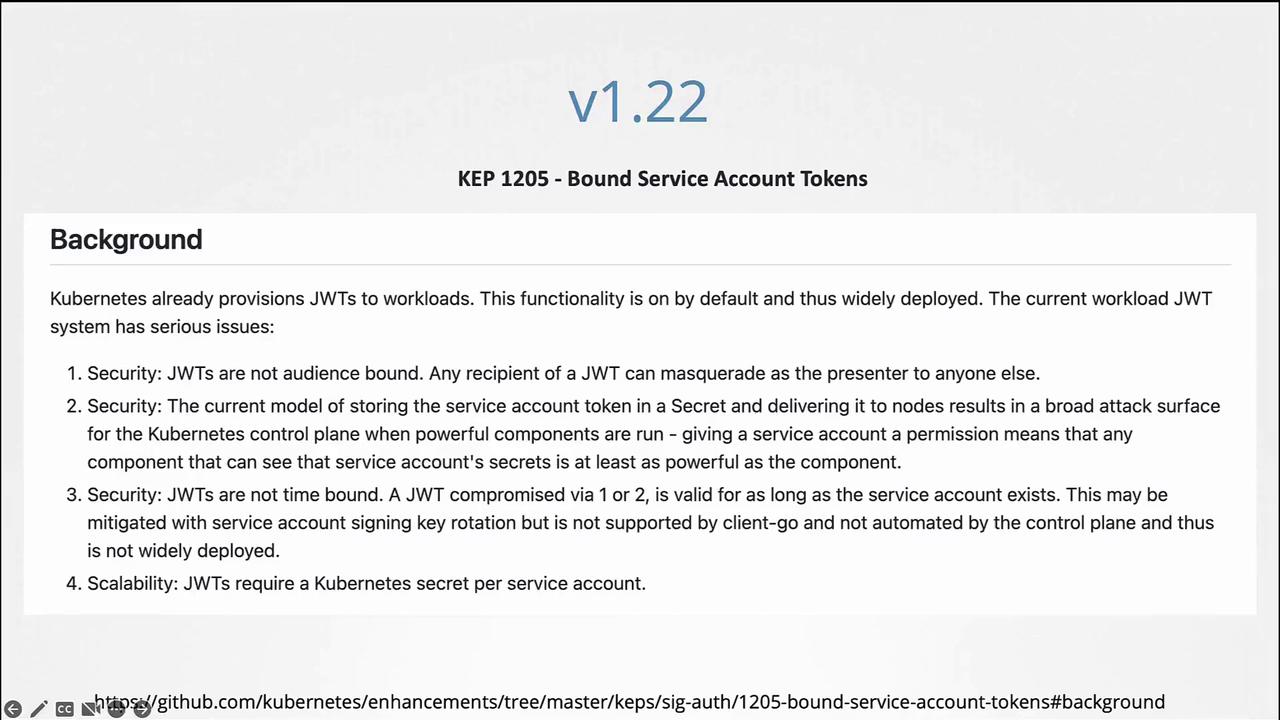
Before Kubernetes 1.22, every service account was automatically associated with a secret that contained a non-expiring token. This token was mounted into pods at /var/run/secrets/kubernetes.io/serviceaccount. For example:
Copy
Ask AI
kubectl get serviceaccount
Copy
Ask AI
NAME SECRETS AGEdefault 1 218d
Inspecting a pod shows the static token being used:
Copy
Ask AI
kubectl describe pod my-kubernetes-dashboard
Copy
Ask AI
Name: my-kubernetes-dashboardNamespace: defaultStatus: RunningIP: 10.244.0.15Containers: nginx: Image: my-kubernetes-dashboardMounts: /var/run/secrets/kubernetes.io/serviceaccount from default-token-j4hkv (ro)Volumes: default-token-j4hkv: Type: Secret (a volume populated by a Secret) SecretName: default-token-j4hkv Optional: false
These tokens, being static and non-expiring, posed scalability and security challenges.
Kubernetes 1.22 – Introduction of the Token Request API
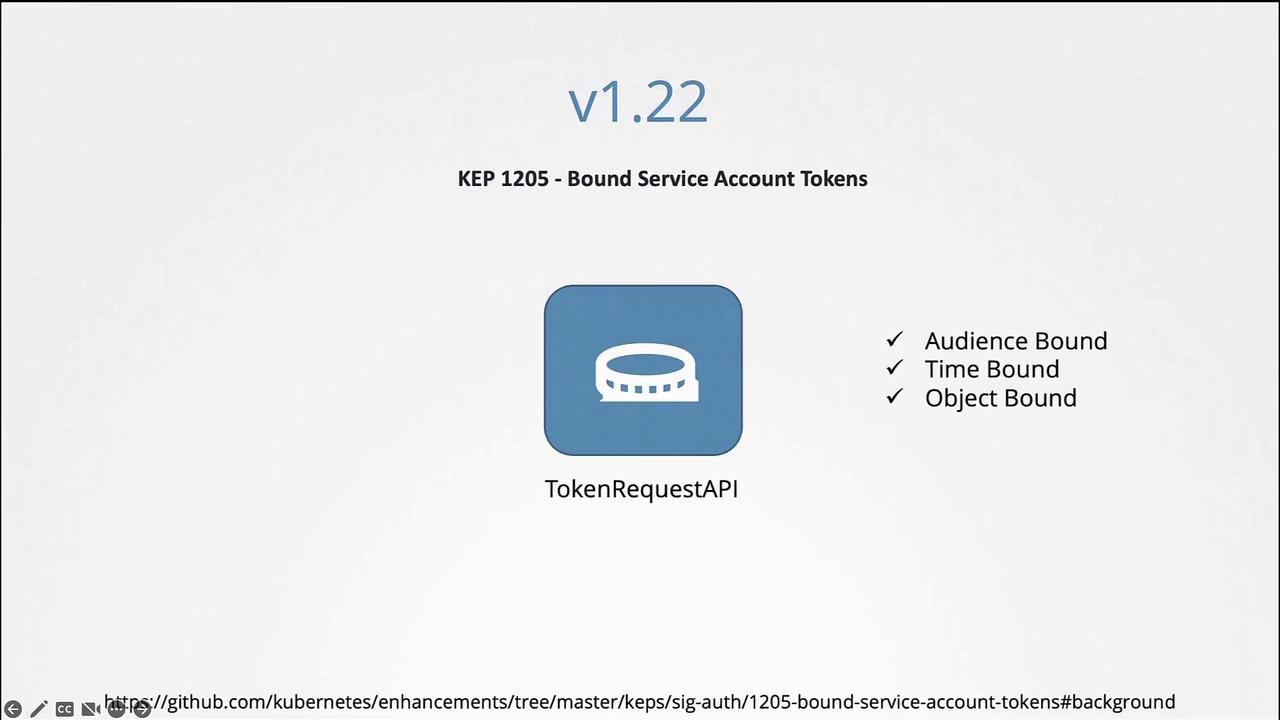
In Kubernetes 1.22, the Token Request API was introduced (KEP 1205). This API generates service account tokens that are audience bound, time bound, and object bound, making them more secure. With this change, a pod created in Kubernetes mounts a token generated by the Token Request API as a projected volume.Example pod specification using a projected volume token:
With Kubernetes 1.24, further improvements (KEP 2799) were made to reduce reliance on secret-based service account tokens. In this version, a service account no longer automatically creates a non-expiring secret token. To generate a token for a service account, run:
Copy
Ask AI
kubectl create token dashboard-sa
This command produces a token with an expiry (typically one hour). You can decode the token using tools like jwt.io or with commands such as:
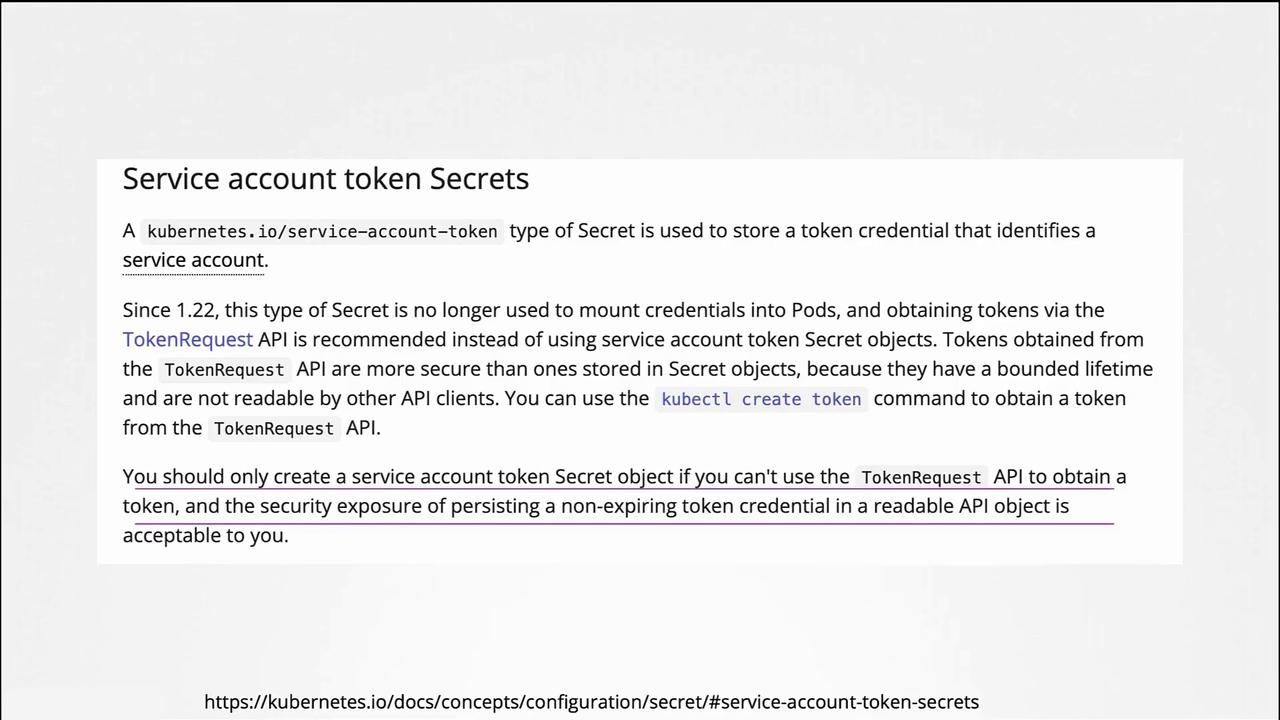
If you prefer the older non-expiring token method, you can manually create a secret object by specifying the type as kubernetes.io/service-account-token and annotating it with the service account name:
Ensure the service account exists before creating the secret. According to Kubernetes documentation, the Token Request API is the recommended approach due to its improved security features.
Decoding this token (for example, on jwt.io) will reveal the expiry date in the payload.If you still need non-expiring tokens via secret objects, you can create them manually:
Avoid using non-expiring tokens unless absolutely necessary. The Token Request API provides a more secure, time-bound alternative.
This concludes our discussion on Kubernetes service accounts and the evolution of their token management. By understanding these concepts, you can better secure your cluster and manage authentication effectively.