This article explains the organization of Kubernetes API groups and their role in cluster interactions and resource management.
Before diving into Kubernetes authorization, it is essential to understand how API groups are organized. The Kubernetes API forms the backbone of all cluster interactions. Whether you are using the kubectl utility or directly accessing the API via REST, every operation communicates with the Kubernetes API server.For example, to check the cluster version, you can send a request to the master node on the default port 6443 using:
Copy
Ask AI
curl https://kube-master:6443/version
The response will include version details similar to the example below:
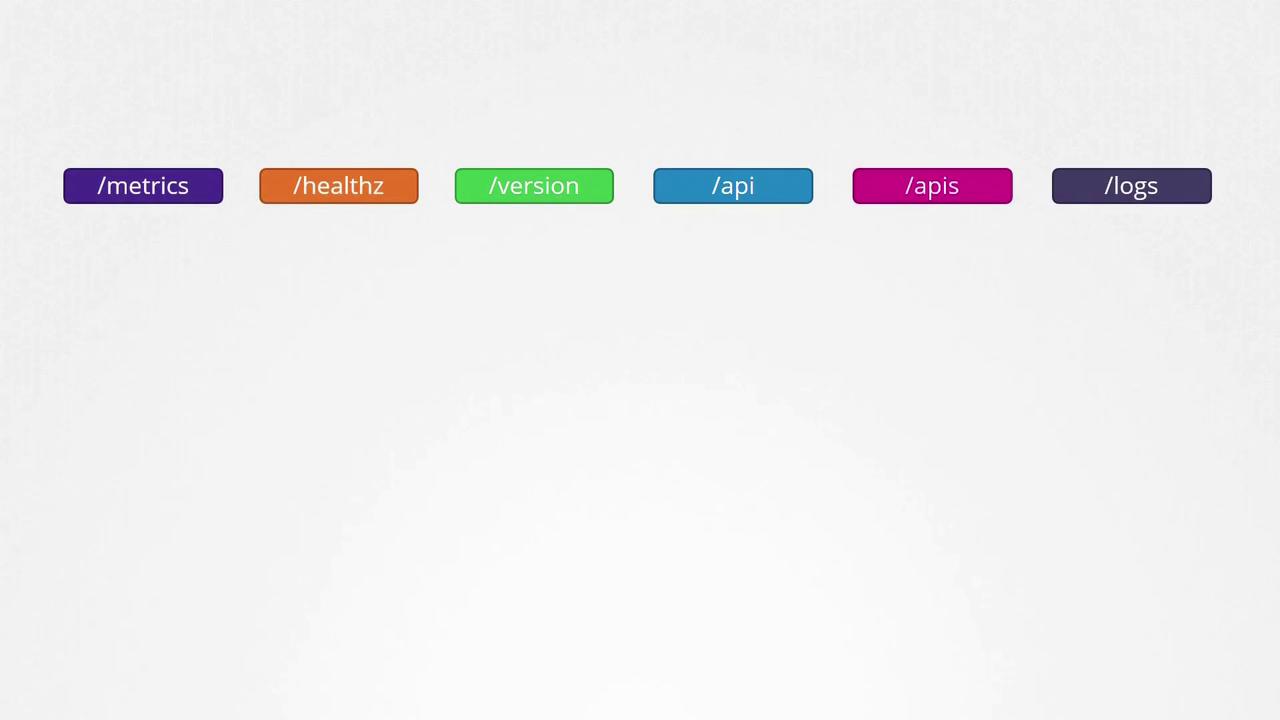
Kubernetes organizes its API into multiple groups based on functionality. There are separate groups for metrics, health, version, logging, and more. The diagram below illustrates several of these endpoints:
The version API provides essential cluster version details, while the metrics and health APIs are used for monitoring cluster health. Additionally, the logs API integrates with third-party logging systems.In this lesson, our focus is on the APIs that drive core cluster functionality, divided into two major categories:
Core API Group
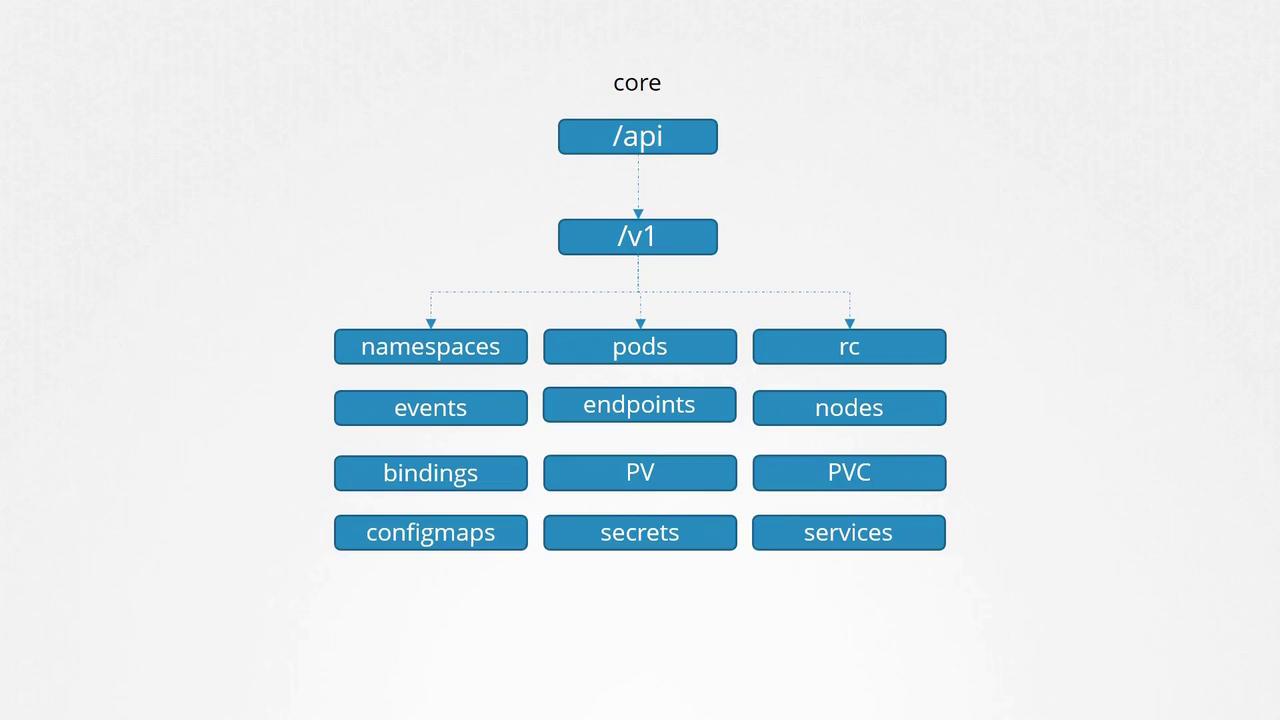
This group includes essential resources such as:
Namespaces
Pods
Replication Controllers
Events
Endpoints
Nodes
Bindings
Persistent Volumes
Persistent Volume Claims
Config Maps
Secrets
Services
Named API Groups
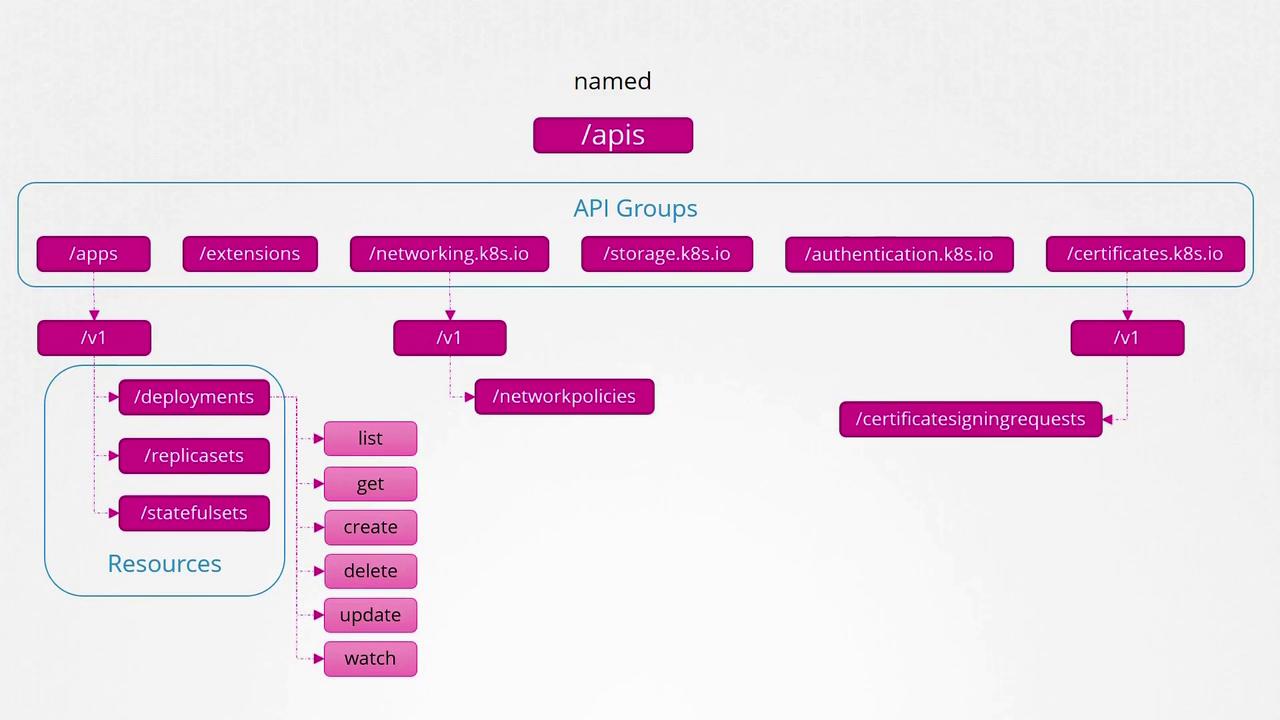
These groups organize newer features and resources, such as:
Apps (for Deployments, ReplicaSets, StatefulSets)
Extensions
Networking (for Network Policies)
Storage
Authentication
Authorization
And others (including certificate signing requests)
Below is a hierarchical view of core Kubernetes API resources, including namespaces, pods, nodes, and services:
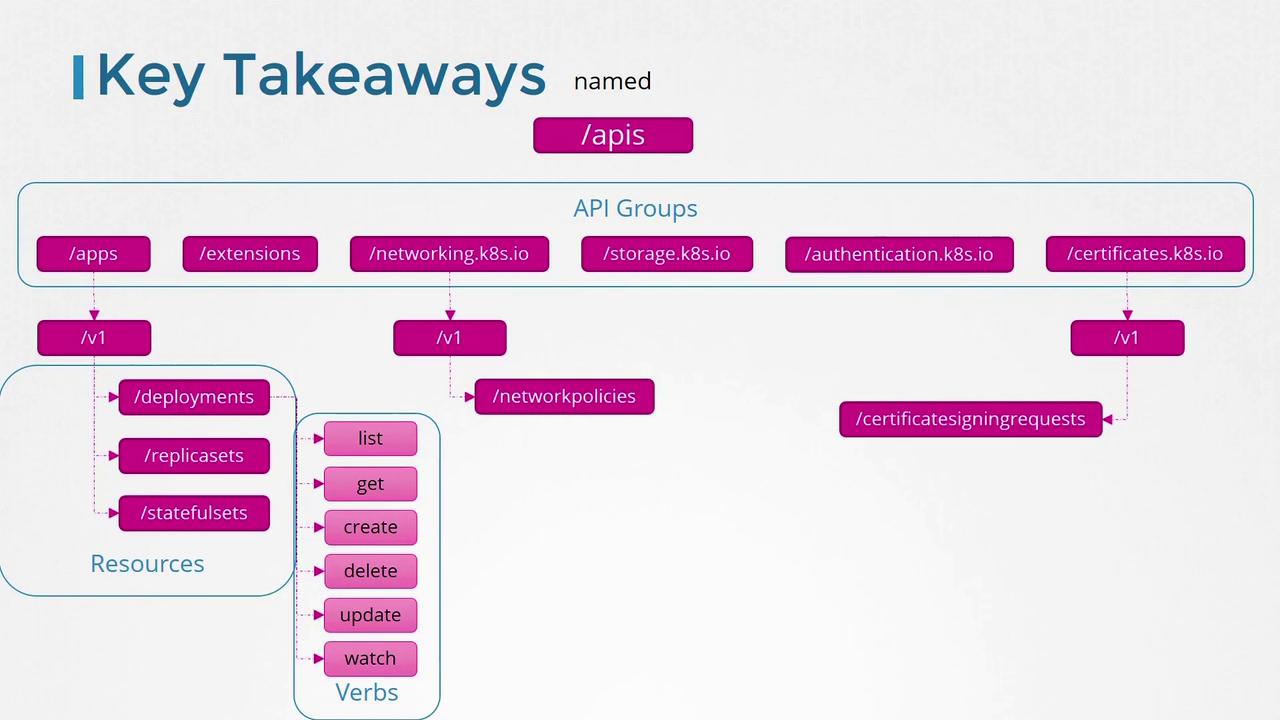
Within the named API groups, resources are further organized by category. For example, the “apps” group contains deployments, replica sets, and stateful sets. Similarly, the “networking” group includes network policies, and additional groups manage certificate signing requests and other resources.Each Kubernetes resource supports a set of operations, known as verbs, which include actions such as listing, retrieving, creating, deleting, updating, and watching resources. The diagram below provides an overview of Kubernetes API groups, resources, and available actions:
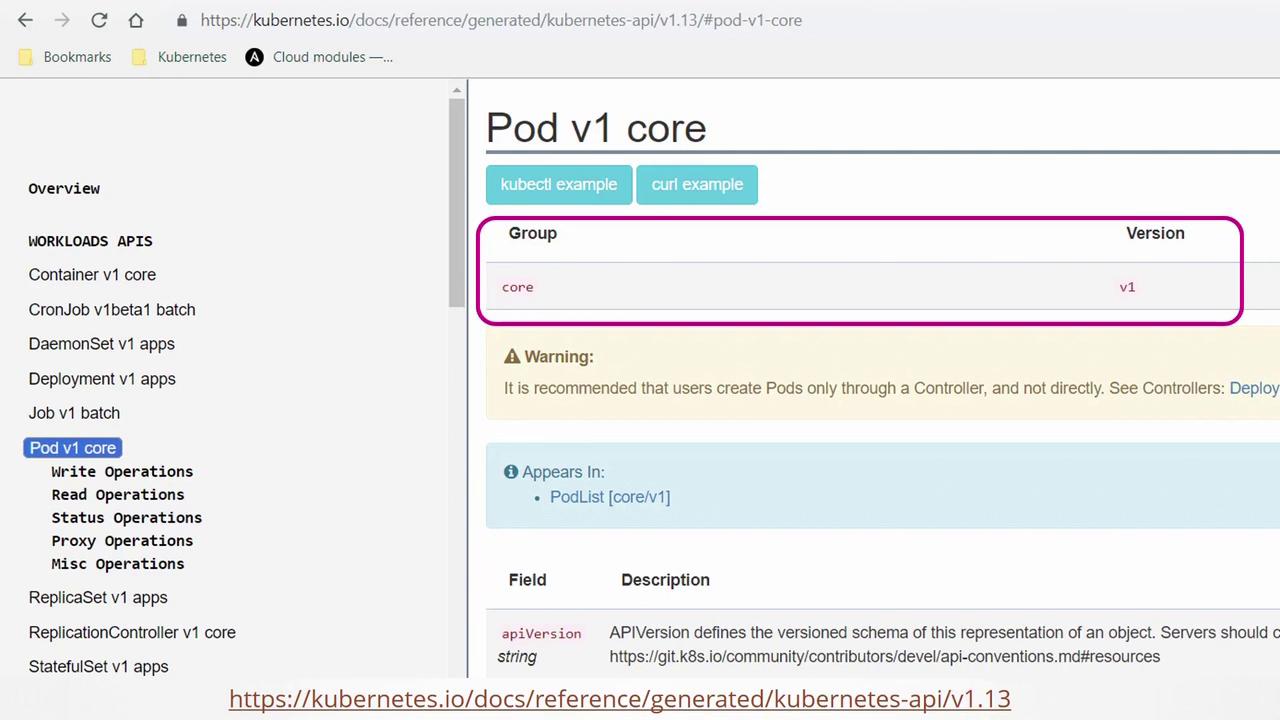
For detailed information about each API group and resource, refer to the Kubernetes API reference page. Selecting an object on this page provides group-specific details. For example, the “Pod v1 core” documentation highlights that core APIs are part of the v1 group:
You can also view API group information directly from your Kubernetes cluster. Simply accessing the API server at port 6443 without specifying a path will list all available API groups. For instance, running the command:
To authenticate, you can pass certificate files via the command line, or alternatively, use the kubectl proxy.The kubectl proxy command launches a local HTTP proxy on port 8001 that uses the credentials and certificates from your kubeconfig file. This approach avoids the need to manually specify authentication parameters with curl. Once the proxy is running, you can access the API server by executing:
Remember that kube-proxy and kubectl proxy are distinct components. The kube-proxy facilitates network communication between pods and services across cluster nodes, whereas the kubectl proxy is an HTTP proxy that forwards your requests to the Kubernetes API server using your kubeconfig credentials.
In summary, Kubernetes organizes its resources into different API groups:
Core API Group: Contains fundamental resources such as namespaces, pods, nodes, and services.
Named API Groups: Organize additional and newer functionalities such as deployments, networking, storage, and more.
Each resource within these groups supports a set of verbs (list, get, create, delete, update, watch) defining the operations you can perform.The diagram below outlines the overall structure and hierarchy of Kubernetes API groups, resources, and verbs:
This concludes our discussion on Kubernetes API groups. In the next lesson, we will continue exploring further aspects of cluster operations.