

DNS resolution in Kubernetes enables seamless communication between components using service names rather than IP addresses, promoting scalability and easier management.
Example Scenario: Pods and Service Communication
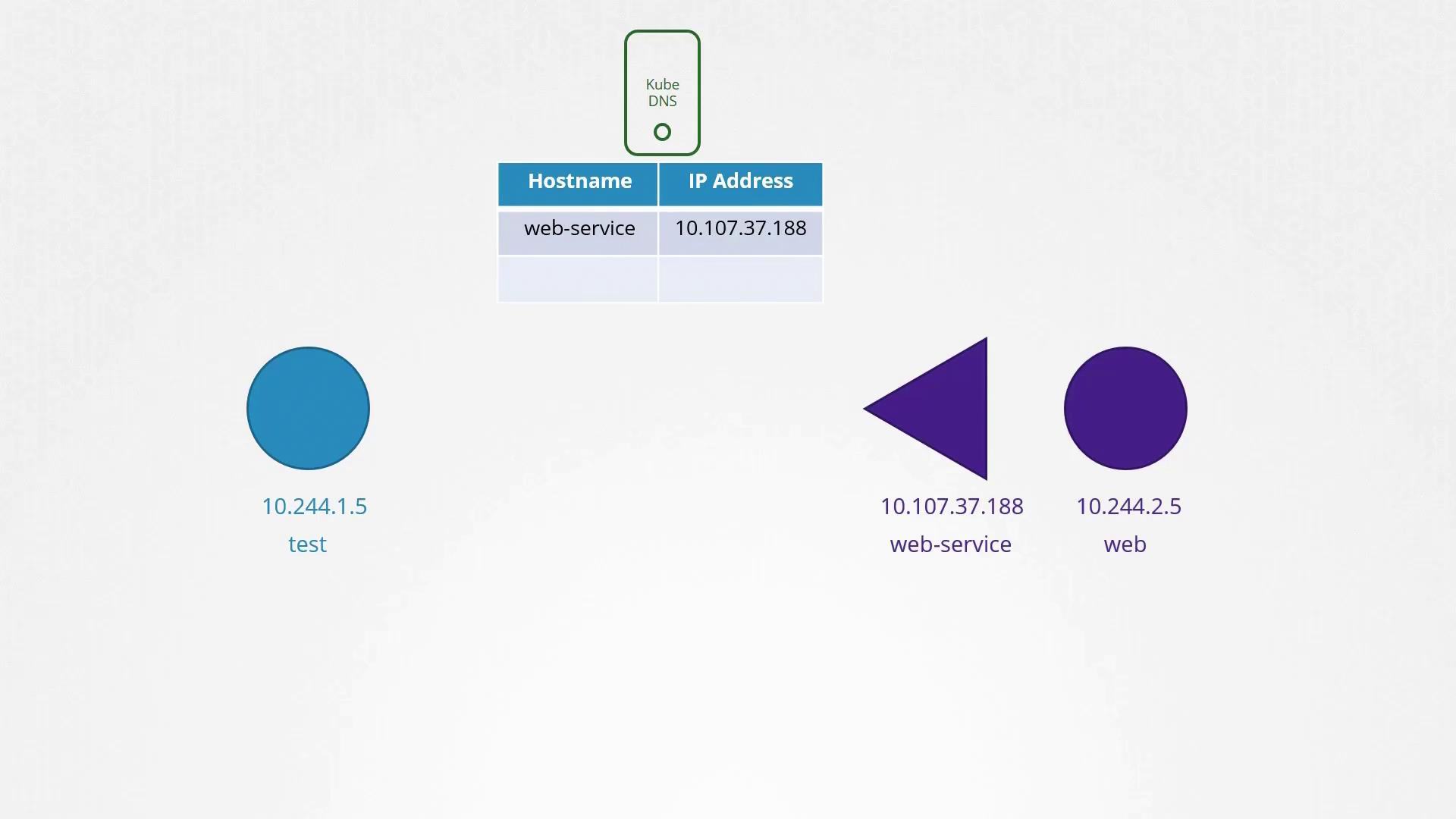
Imagine a simple scenario with two pods and one service:- A test pod with IP address: 10.44.1.5
- A web pod with IP address: 10.44.2.5
Service Creation and DNS Mapping
To allow the test pod to access the web pod, a service named web-service is created with its own IP address (e.g., 10.107.37.188). When this service is instantiated, the Kubernetes DNS server automatically generates a DNS record mapping the service name to its IP address. This DNS mapping allows any pod within the same namespace to address the service using its simple name. For instance, if both pods are in the default namespace, the test pod can reach the web service by simply using:Within a namespace, pods and services can reference each other using their short names. To access a service from a different namespace, ensure to use its fully qualified domain name.
Understanding the DNS Hierarchy in Kubernetes
For every namespace, the DNS server establishes a subdomain that aggregates all of its pods and services. Moreover, all services are further organized under a subdomain named svc. This hierarchical structure allows you to refer to an application service using the syntax:cluster.local. Hence, the fully qualified domain name (FQDN) of a service appears as:
Verification within a Pod
You can verify DNS resolutions by executing the following commands from inside a pod:DNS Records for Pods
By default, Kubernetes does not create DNS records for individual pods. However, this functionality can be enabled. When activated, Kubernetes generates DNS records for pods based on their IP addresses, where dots are replaced with dashes. The record includes the original namespace, is categorized as a Pod type, and hascluster.local as the root domain.
For example, a pod with IP address 10.244.2.5 in the default namespace would receive a DNS record as follows:
Summary Table
| Component | Access Method | Example Command |
|---|---|---|
| Pod (Default DNS) | Direct IP-based DNS record | curl http://10-244-2-5.apps.pod.cluster.local |
| Service (Same NS) | Service name only | curl http://web-service |
| Service (Cross NS) | Service name with namespace | curl http://web-service.apps |
| Service (Fully Qualified) | Full DNS hierarchy including root domain | curl http://web-service.apps.svc.cluster.local |