

Health Check Basics
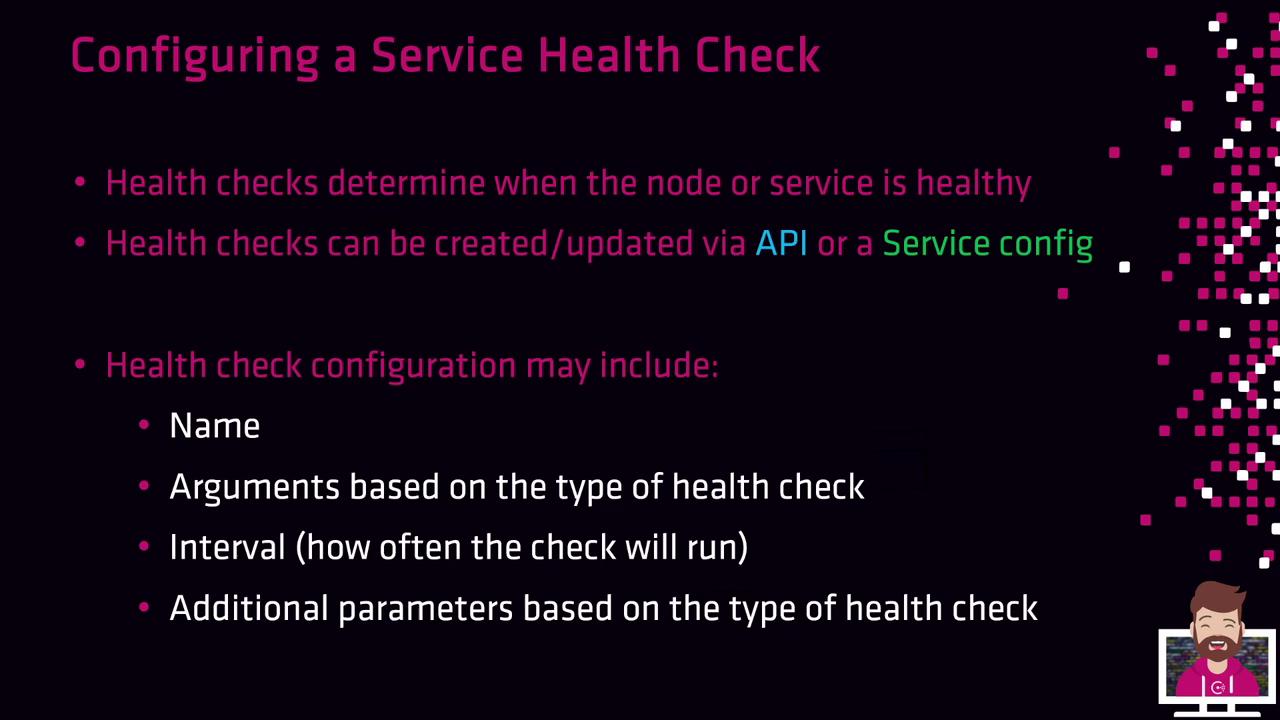
When defining a health check, you specify a set of core fields:- id or name: A unique identifier for the check.
- type-specific fields (args, http, tcp, ttl, etc.) to control check behavior.
- interval: Frequency of executions (e.g.,
10s,30s,1m). - timeout: Maximum wait before marking the check as failed.
- additional parameters: HTTP headers, request bodies, TLS settings, or script arguments.
- Application-level checks: Probe service endpoints, such as HTTP ports or custom scripts.
- System-level (host) checks: Monitor node health (CPU, memory, disk, etc.).
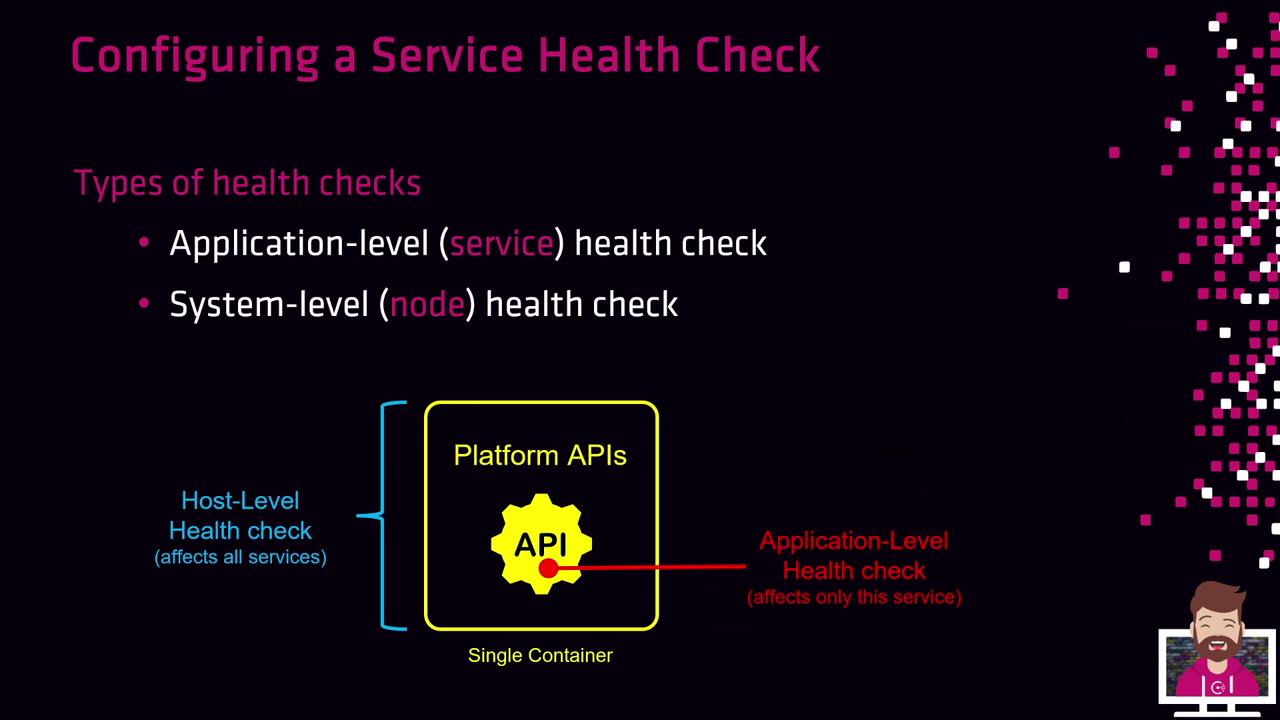
A failing host-level check removes all services on that node from Consul queries, even if their individual checks pass. Application-level failures only impact the specific service.
Health Check Lifecycle
Every newly registered health check starts in the Critical state. Consul will keep the service out of rotation until the check passes: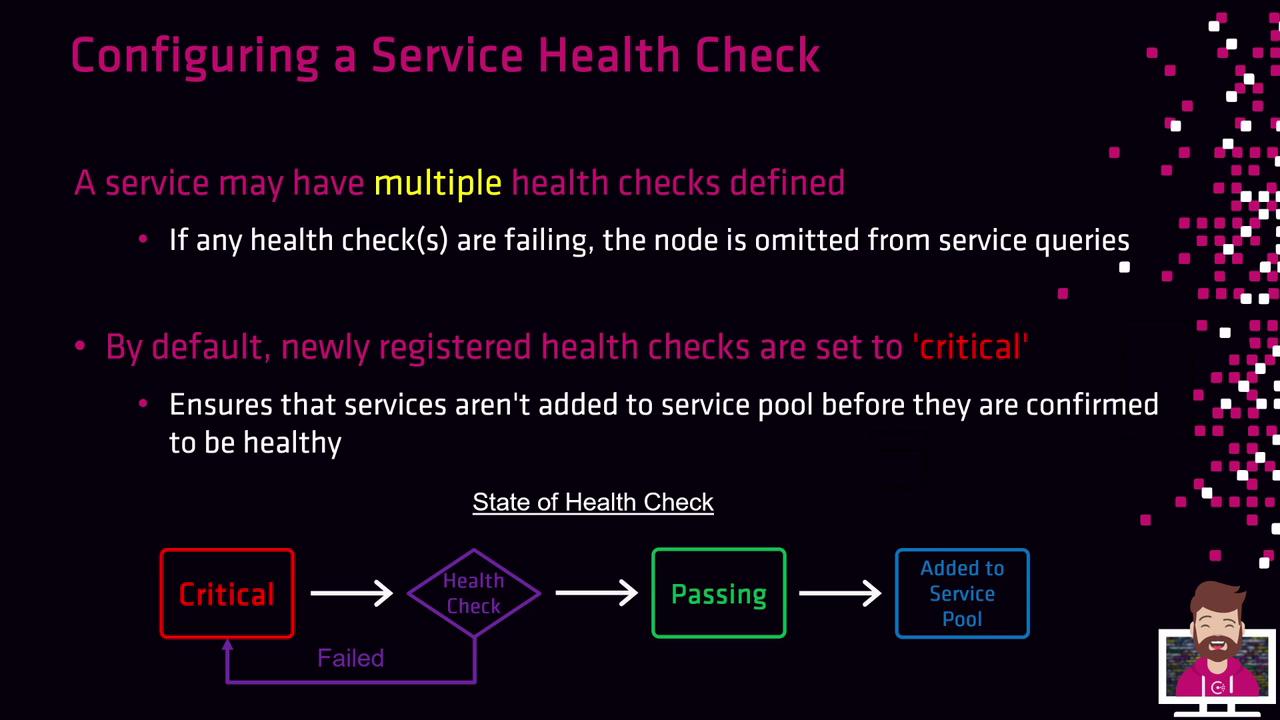
- Critical: Default state on registration.
- Health Check Run: Consul executes the check.
- Passing: Service enters the healthy pool upon success.
- Critical: On failure, the check returns to Critical until it succeeds.
Available Health Check Types
Consul provides several built-in health check types:| Type | Description |
|---|---|
| Script | Execute a local script; exit code 0 = passing. |
| HTTP | Send an HTTP(S) request; expect a 2xx response. |
| TCP | Establish a TCP connection to host:port. |
| TTL | External agent must report status via API. |
| Docker | Run a check inside a Docker container. |
| gRPC | Probe a gRPC health endpoint. |
| Alias | Mirror the status of another Consul service. |

Example: Script Health Check
/opt/check_mem.py -limit 256MB. A zero exit code marks the check as passing; any non-zero code marks it failing.
Example: HTTP Health Check
Example: TCP Health Check
Example: Docker Health Check
All health checks are defined alongside service registration so that Consul can continuously monitor and only return healthy services to clients.