

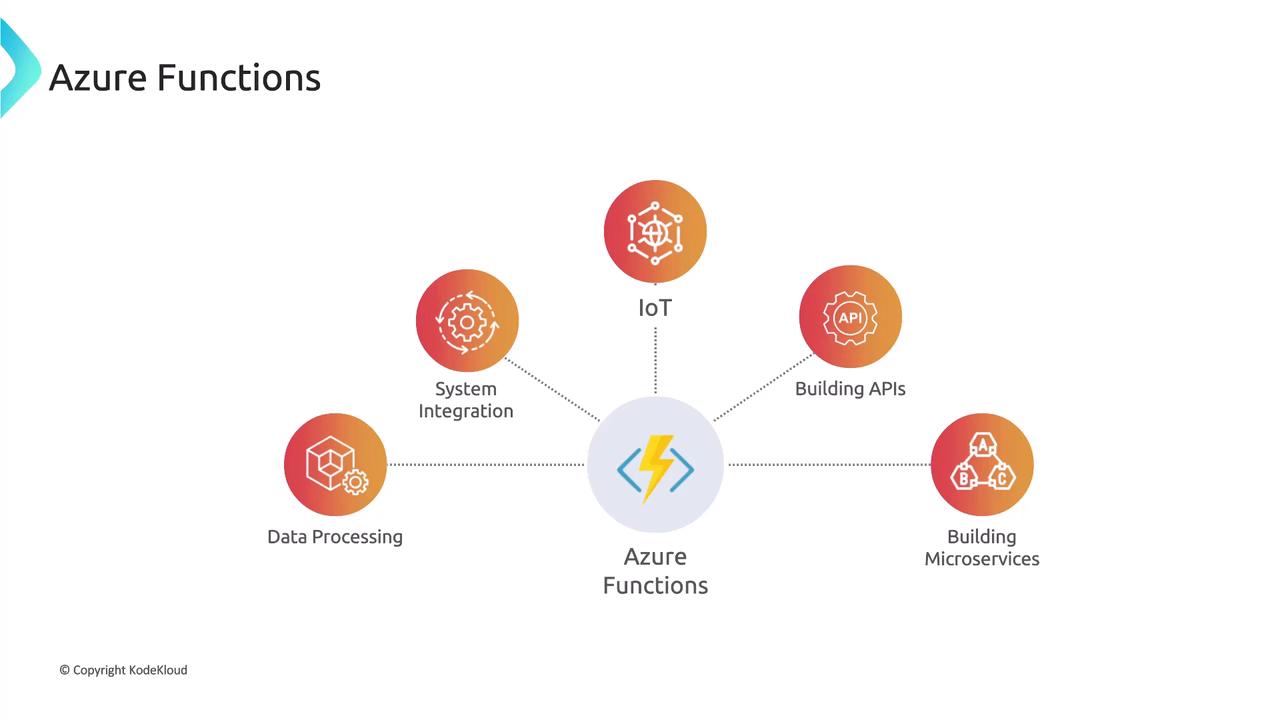
Azure Functions is ideal for tasks triggered by specific events such as HTTP requests, updates in Azure Blob Storage, or messages arriving in a queue. Its built-in integration with various Azure services simplifies designing event-based systems.
Triggers
Triggers are events that cause a function to execute. For instance, an HTTP trigger runs a function upon receiving an HTTP request, while a timer trigger runs a function according to a scheduled interval.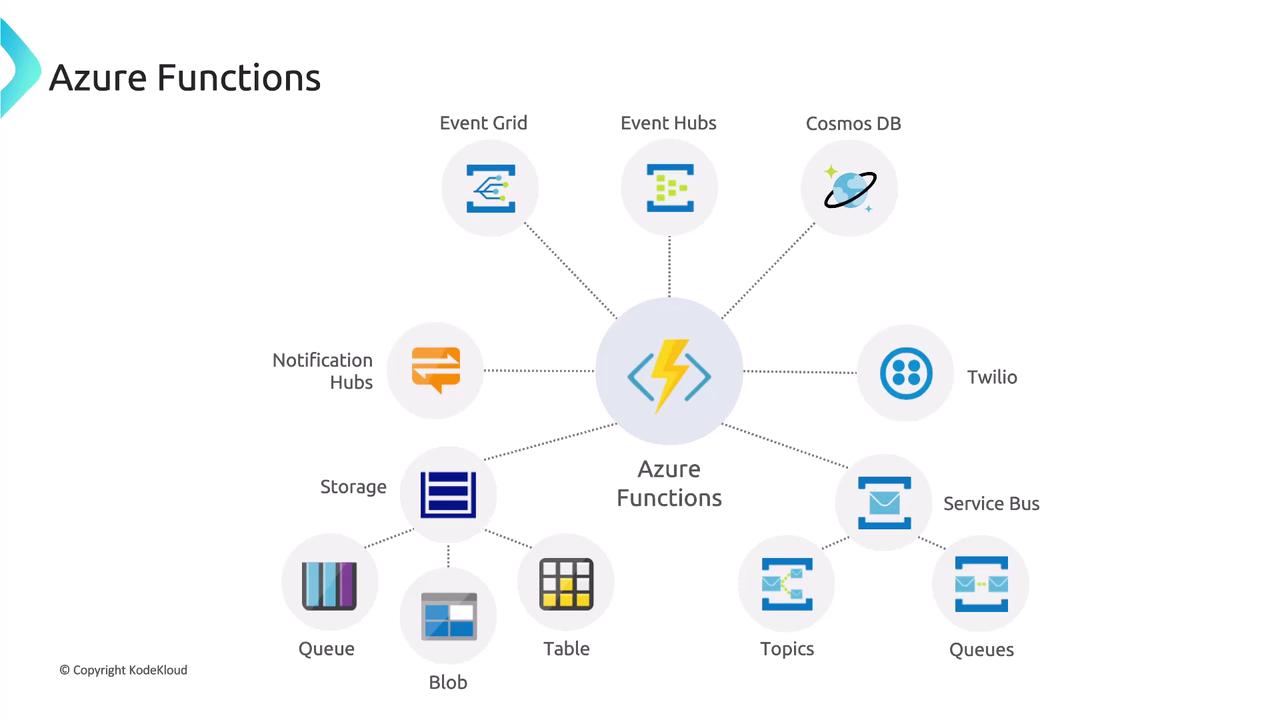
Bindings
Bindings simplify your code by providing a declarative approach to manage input and output data. If your function processes a message from a queue and stores the result in a database, bindings handle these interactions automatically. This allows you to focus on writing business logic rather than managing infrastructure code.Integrations
Azure Functions integrates seamlessly with many Azure services such as Event Grid, Service Bus, Azure Cosmos DB, Notification Hubs, Azure Blob Storage, Queues, and Tables. This tight integration makes it easy to build complex workflows that scale efficiently—whether you’re processing orders, managing real-time notifications, or executing scheduled maintenance tasks, Azure Functions provides a flexible and scalable solution without the overhead of manual server provisioning. Other services, like Logic Apps or WebJobs, can perform similar tasks. The following sections explore the differences between Azure Functions and these alternatives.Comparing Azure Functions and Logic Apps
This section contrasts Azure Functions and Logic Apps, highlighting how each service is tailored to different development needs on Azure.Development
Azure Functions adopts a code-first approach where you write and deploy code to complete tasks. In contrast, Logic Apps provides a designer-first, visual interface that allows you to orchestrate workflows with minimal or no code.Connectivity
| Aspect | Azure Functions | Logic Apps |
|---|---|---|
| Connectivity | Offers various connectors and supports custom bindings for external services. | Comes with an extensive library of pre-built connectors for services like Outlook, Teams, Exchange, and SharePoint. Custom connectors can also be created. |
Actions
In Azure Functions, all actions are defined by code. Logic Apps, however, offers a wide range of out-of-the-box actions that can be added using a drag-and-drop interface. This includes actions triggered by events like incoming emails or updates to a SharePoint list.Monitoring
Azure Functions integrates with Azure Application Insights for detailed monitoring of function executions. Logic Apps primarily leverage Azure Monitor Logs and the Azure Portal for comprehensive workflow tracking.Management
Both services can be managed via REST APIs and the Azure Portal. Logic Apps offers a GUI-centric approach that is user-friendly for managing workflows visually, whereas Azure Functions can also be managed using Visual Studio and PowerShell.Execution Context
Developers can run Azure Functions locally or in the cloud, offering flexibility during development and testing. Although Logic Apps are designed for various environments, their deployment is more optimized for orchestrated workflows.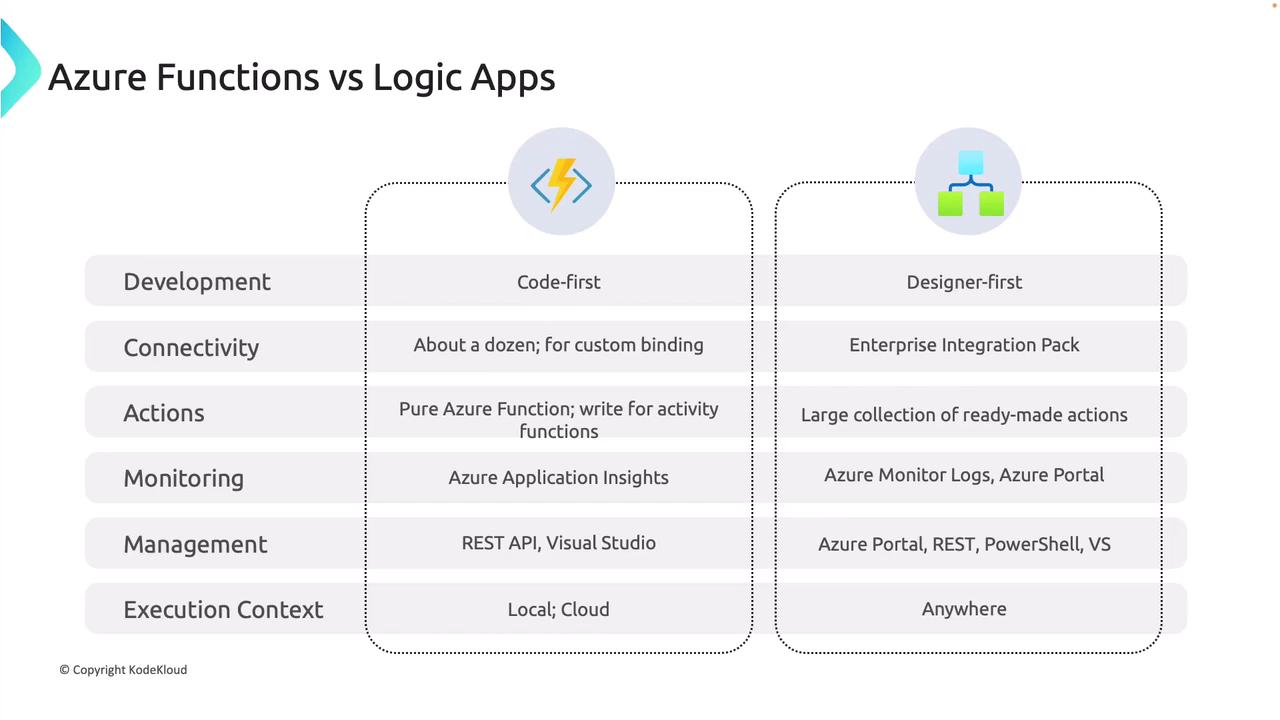
Comparing Azure Functions and WebJobs
This section examines the key differences between Azure Functions and WebJobs, both of which can run background tasks in Azure but differ in scalability and development approach.Serverless App Model and Scaling
Azure Functions is a true serverless service that automatically scales based on demand, with costs incurred only for actual execution time. In contrast, WebJobs run within an App Service plan, meaning that scaling is limited by the plan’s configuration and is not inherently serverless.Development and Testing Experience
Azure Functions supports both online development and testing within the Azure Portal, and it facilitates local development as well. WebJobs, however, lack portal-based testing capabilities and typically require local development before manual deployment to Azure.Pricing Model
Azure Functions follows a pay-per-use pricing model, making it cost-effective for sporadic, on-demand tasks. WebJobs are billed as part of an App Service plan, which might be less economical for workloads that do not run continuously.Integration with Logic Apps
Azure Functions integrates effortlessly with Logic Apps to create powerful workflows triggered by events. While WebJobs can also be linked to workflows, they generally require more manual configuration to achieve the same integration.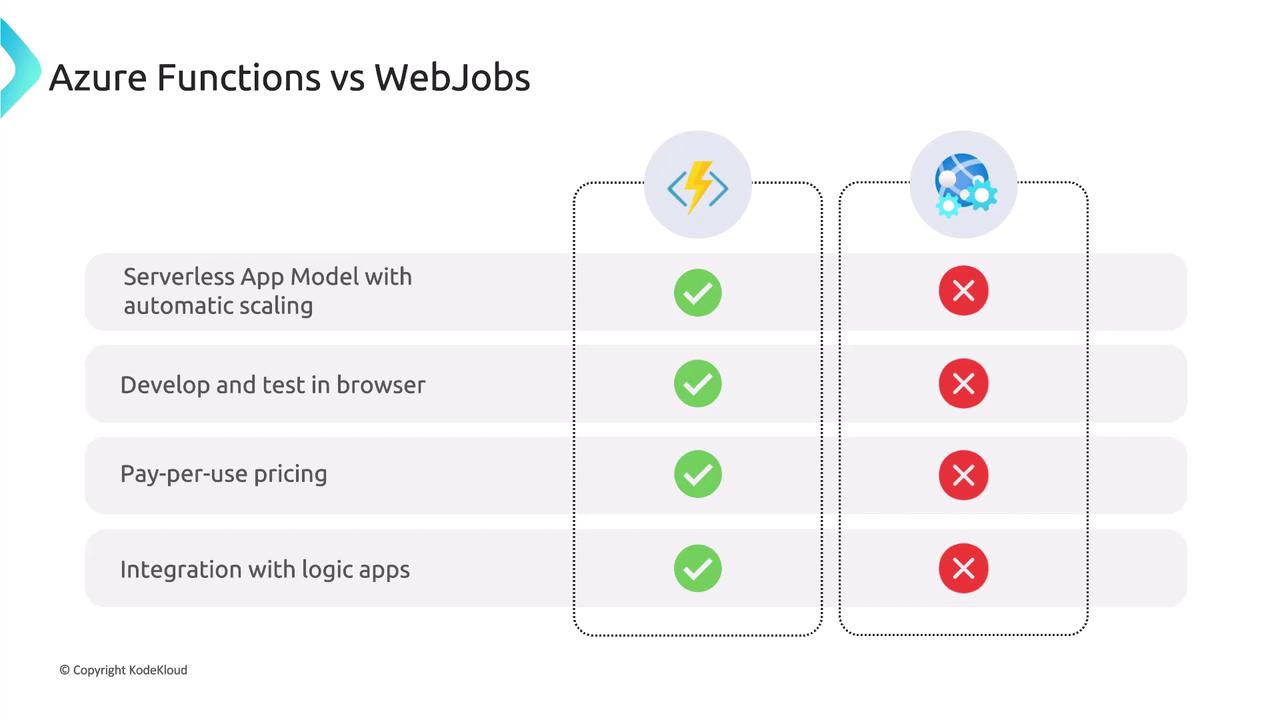
Key Benefits of Azure Functions
- Multiple Programming Languages: Supports a wide array of languages including C#, JavaScript, Python, Java, and PowerShell, offering developers the freedom to work in their preferred environments. WebJobs are predominantly associated with .NET languages.
- Enhanced Development Environment: Offers a rich development experience with online development, testing, and debugging capabilities directly within the Azure Portal or using Visual Studio Code. WebJobs typically rely on a local development workflow.
- Seamless Azure Service Integration: Built-in triggers and bindings enable easy integration with services like Cosmos DB, Event Hubs, and Service Bus, minimizing the need for boilerplate code. WebJobs may require additional configuration.
- Cost Efficiency: The pay-per-use model ensures you only pay for execution time, making it ideal for applications with variable or sporadic workloads. In contrast, WebJobs tied to an App Service plan may incur higher costs for less frequent executions.
So far, we’ve explored how Azure Functions offers a flexible, cost-efficient platform for serverless computing, and highlighted its key differences from Logic Apps and WebJobs. Additionally, Azure Functions provides various hosting options beyond the standard pay-per-use model. In the following sections, we will dive deeper into these hosting options. For further details on Azure services and serverless computing, check out the following resources: