

Subscription Key Scopes
Azure API Management allows you to apply subscription keys at different scopes to suit your access control needs:-
All APIs Scope:
The subscription key provides access to every API available through the gateway. This simplifies management when you want a single key to cover your entire API portfolio. -
Single API Scope:
The subscription key is limited to a specific API and all its endpoints. This approach is ideal for restricting access to selected APIs. -
Product Scope:
A product is a grouping of APIs with shared access rules, usage quotas, and terms of use. Subscription keys at the product level are particularly useful for managing bundled service offerings.
API Management also supports additional security mechanisms such as OAuth 2.0, client certificates, and IP allow listings, providing multiple layers of protection.

Managing Subscription Keys in the API Management Portal
When you make a request to a secured API, the subscription key must be included for authentication. Without it, attempts to access protected resources (for example, using Postman to retrieve flight logs) will fail. You can regenerate subscription keys at any time from the Azure portal. Regular key regeneration is a best practice to maintain security, especially if a key is compromised.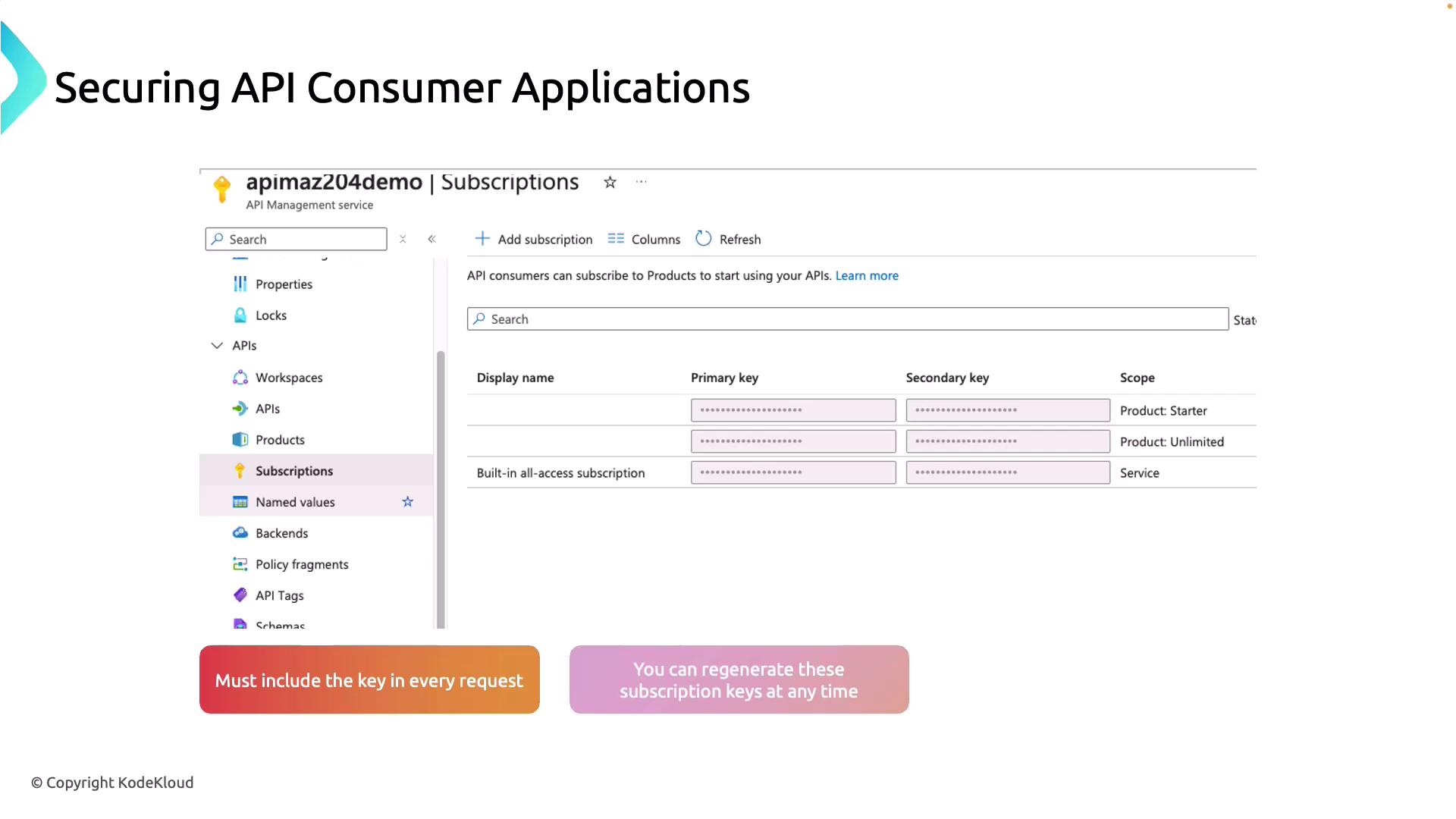
Authenticating API Requests with Subscription Keys
To authenticate API requests, include the subscription key as either a request header or a query string parameter. By default, Azure API Management expects the key to be passed in the header namedOCP-Apim-Subscription-Key.
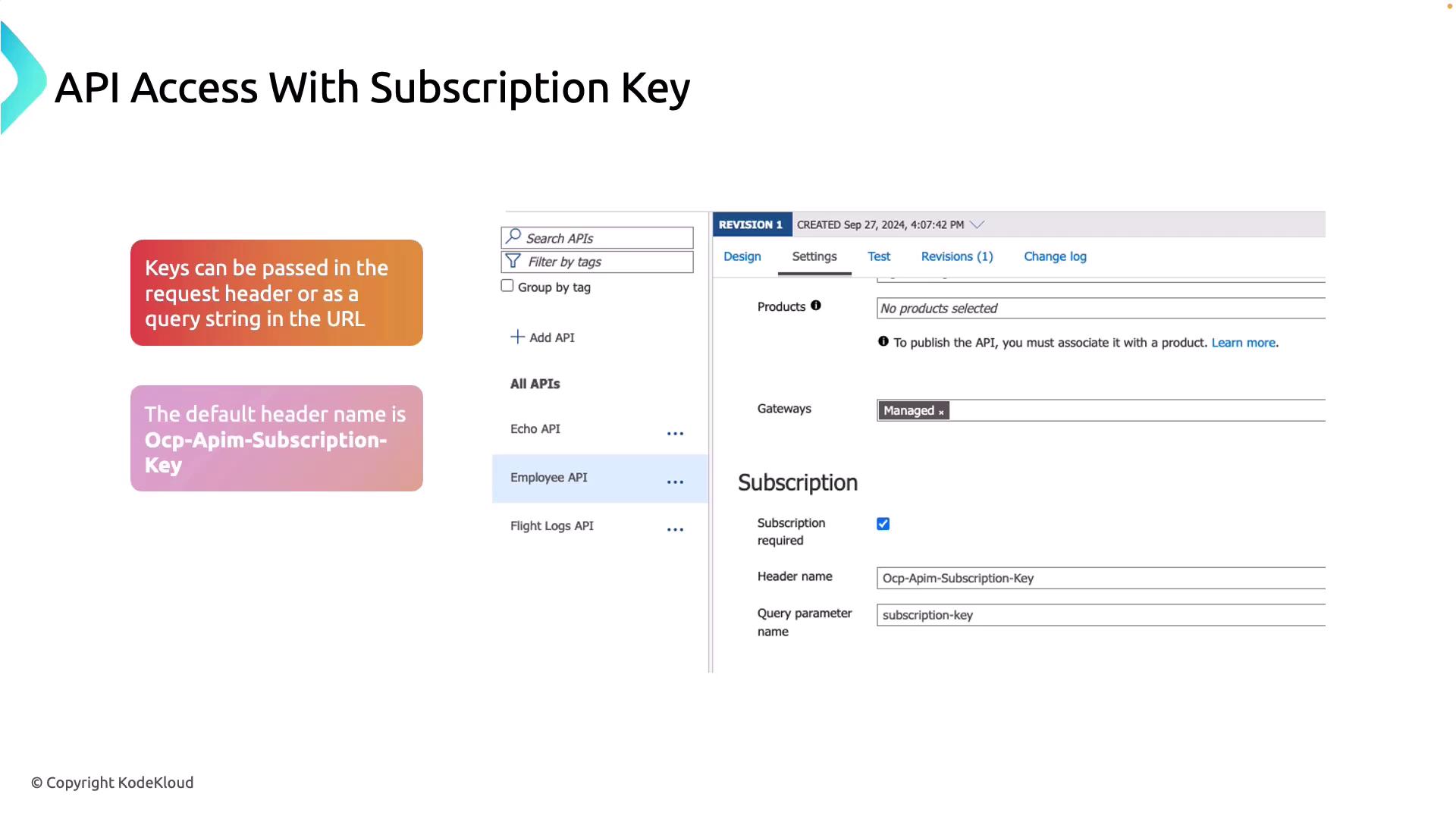
Demonstration in the Azure Portal
To manage subscription keys in the Azure portal:- Navigate to your API Management instance.
- Select the “Subscriptions” section to view both product-level keys and service-level keys that grant access to all APIs.
- Click “Add Subscription” to create a new subscription. Provide a name (for example, “Flight API”) and select the appropriate scope.
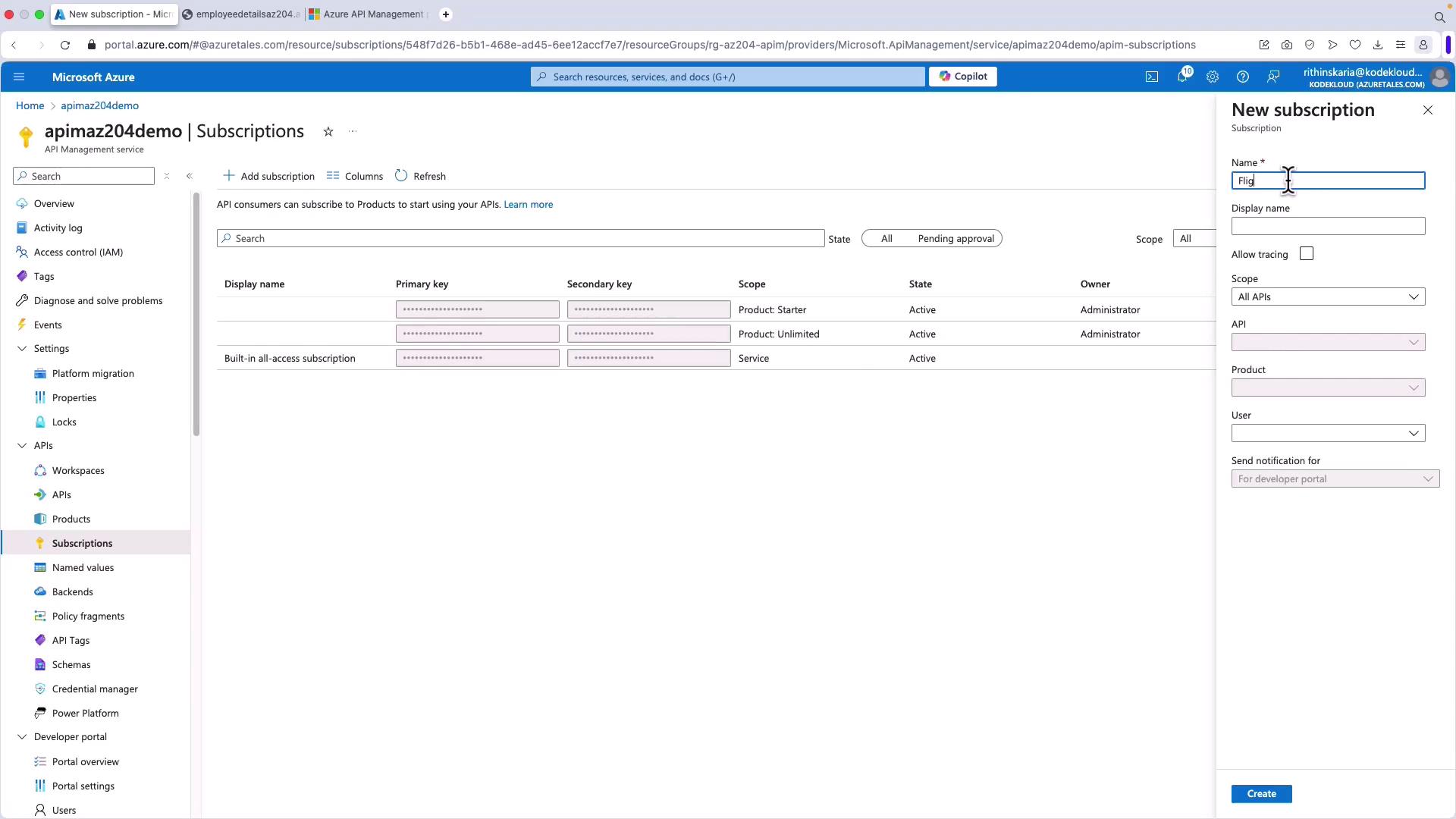
OCP-Apim-Subscription-Key or as a query string parameter.
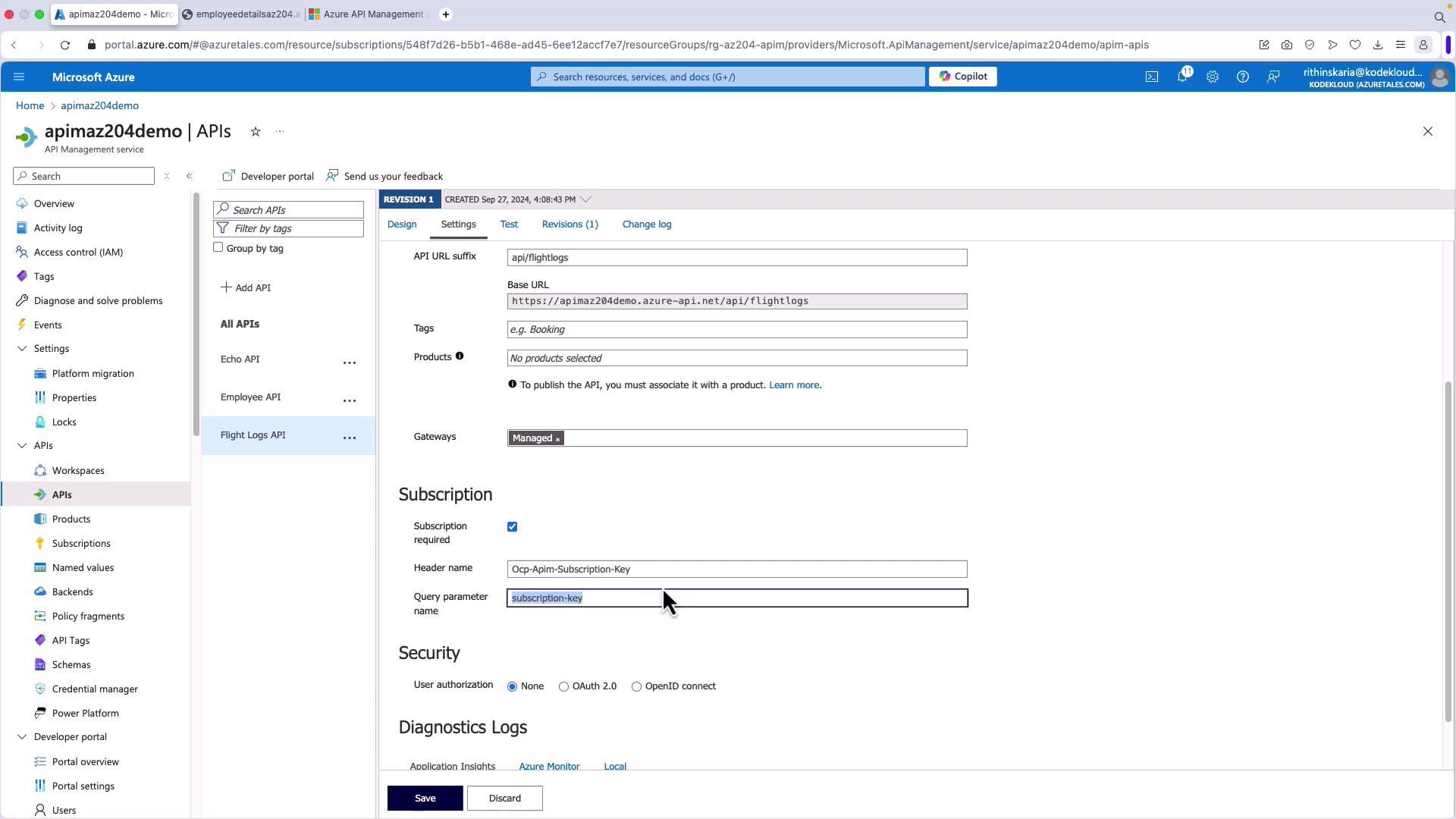
Testing API Calls with Postman
When testing your API using tools like Postman, be sure to include the subscription key. A valid request returns a response similar to the following JSON:Always include the subscription key in your API requests. Omitting it will result in rejected calls and a failure to retrieve data.