Overview of the Resource Model
At the top of the hierarchy is the account. This global entry point is tied to a specific subscription and can span multiple regions to ensure high availability and low latency. When you create an account through the Azure Portal, you’re provided with a resource URI (commonly referred to as an endpoint) along with keys—both read-write and read-only—similar to what you see with an Azure Storage account. Within an account, you create databases. In Azure Cosmos DB, a database acts much like a traditional relational database but is inherently distributed. It serves as a logical container for various collections or tables, depending on the API you choose. Inside each database, you further organize your resources into containers. Containers are fundamental to Cosmos DB; they store multiple items and are partitioned to facilitate horizontal scaling. The throughput provisioned automatically manages the scalability and performance of each container. Depending on the Cosmos DB API, these containers may be realized as collections, tables, graphs, or alternative data structures. Within a container, the primary data elements are items, which are analogous to rows in a relational database. Each item is stored as a JSON document, making it well-suited for unstructured or semi-structured data.Azure Cosmos DB supports powerful server-side functionalities including stored procedures, triggers, user-defined functions (UDFs), and conflict resolution policies.
Additional Functionalities
- Stored Procedures: Written in JavaScript, these allow complex operations to execute directly within the database.
- Triggers: Automatically executed upon data changes, ensuring business rules are enforced and data integrity is maintained.
- User-Defined Functions (UDFs): Custom functions that can be embedded within SQL queries to apply advanced business logic.
Resource Hierarchy Diagram
The diagram below provides a visual representation of the Cosmos DB resource hierarchy, beginning at the account level and progressing through databases, containers, items, and server-side functionalities such as stored procedures, triggers, and UDFs.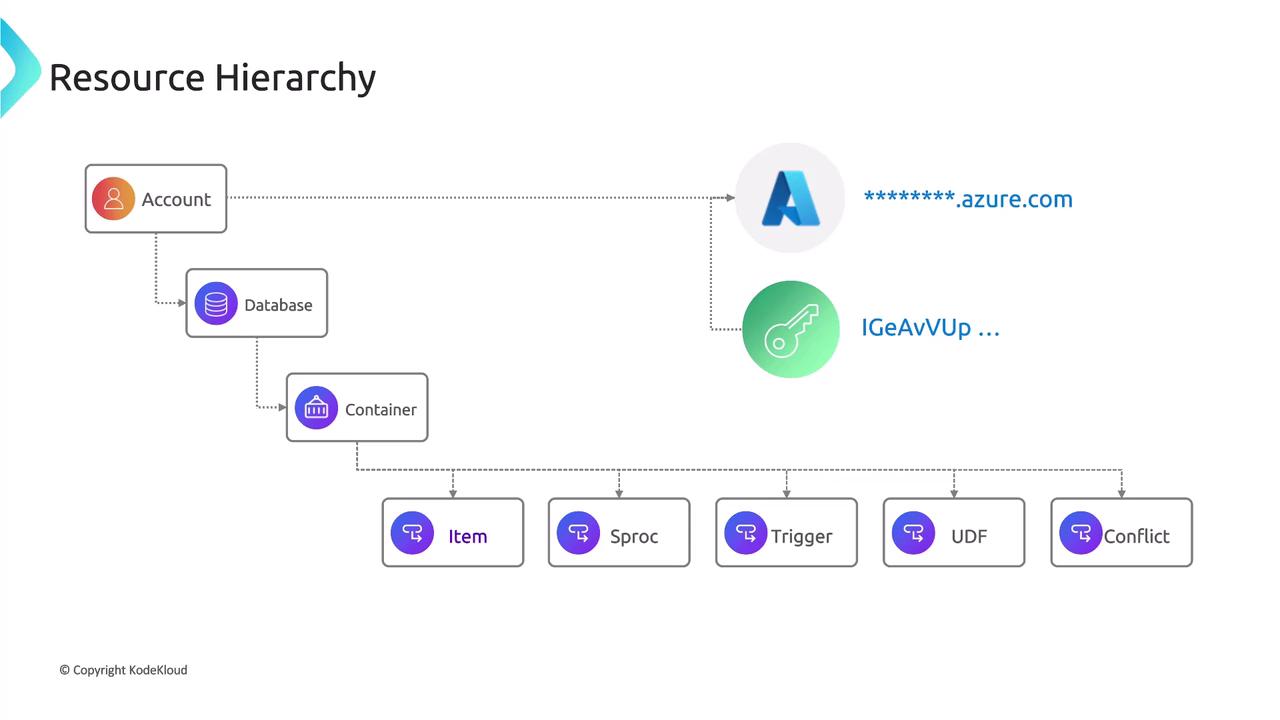
JSON Document Handling in Azure Cosmos DB
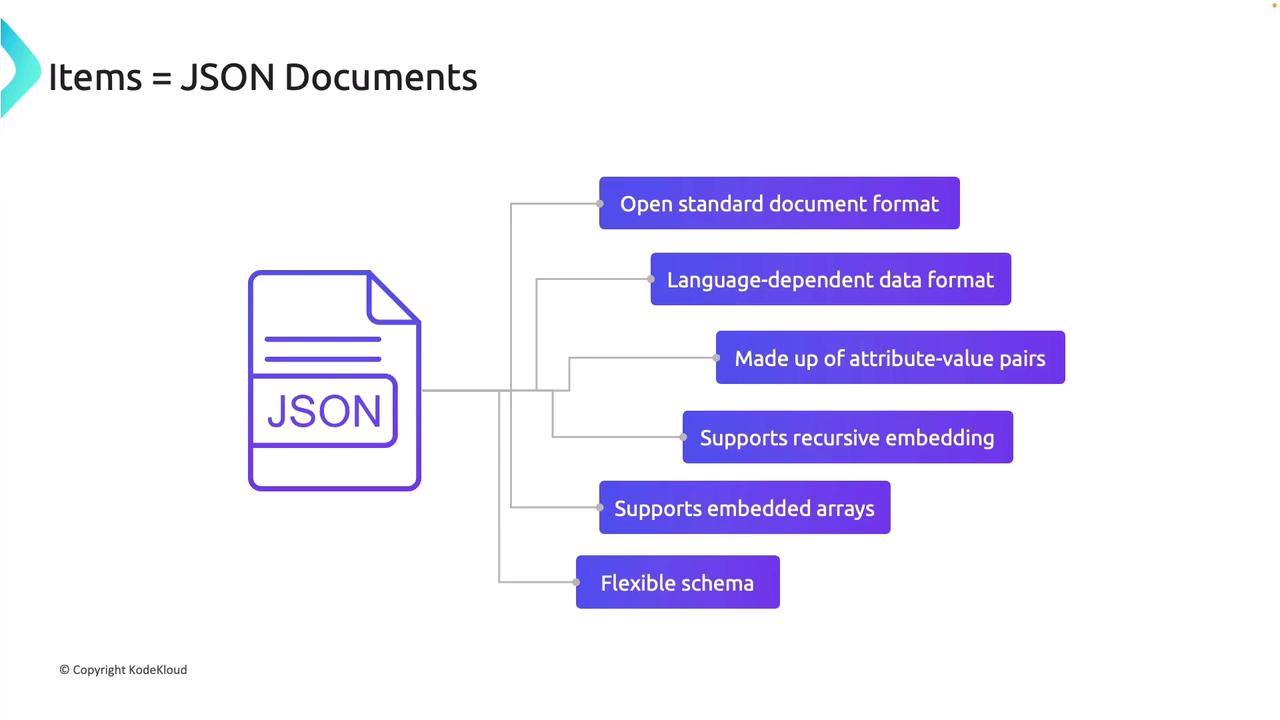
Depending on the Cosmos DB API, an item can be represented as a document, row, node, or edge. Azure Cosmos DB stores items as JSON documents—ideal for supporting flexible schemas, attribute-value pairs, recursive embedding, and embedded arrays. For example, the NoSQL API supports JSON documents up to 2 megabytes, while the MongoDB API supports documents up to 16 megabytes. The diagram below highlights the key features of JSON documents utilized by Cosmos DB: