This article demonstrates building a lightweight key-value store database with persistent storage and a network interface for client-server communication.
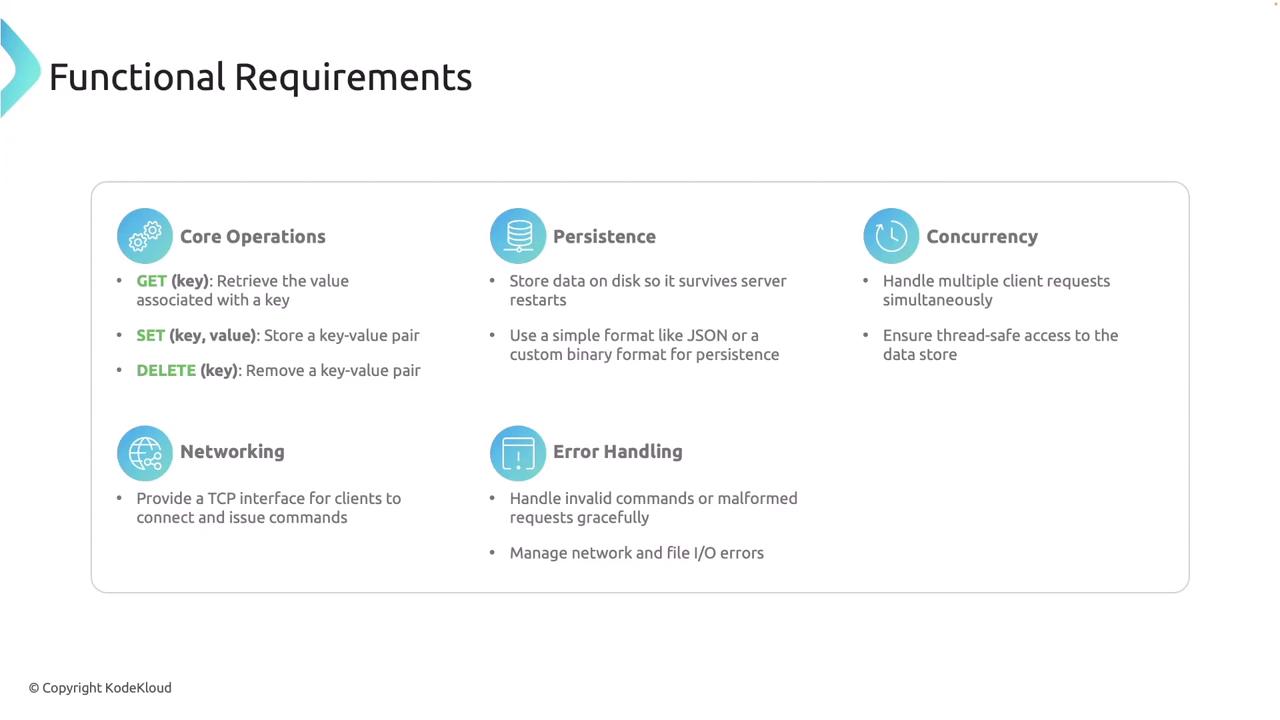
In this article, we demonstrate how to build a lightweight key-value store database with persistent storage and a network interface for client-server communication. This server supports three core operations—GET, SET, and DELETE—while processing multiple client requests concurrently and ensuring that data is not lost during server restarts by persisting it to disk.
GET: Retrieve the value associated with a specified key.
SET: Store or update a key-value pair.
DELETE: Remove a key-value pair.
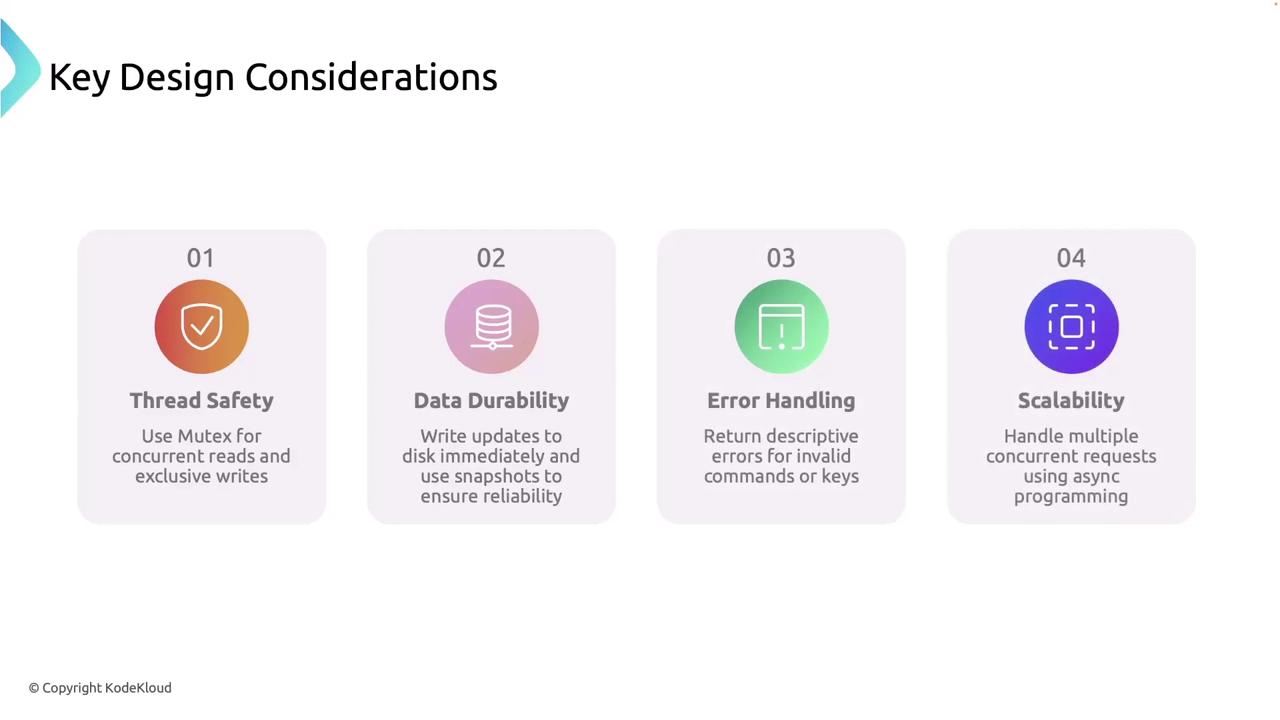
Data persistence is achieved by writing to disk (using formats like JSON or a custom binary format), ensuring survival through server restarts. The server supports concurrent client connections, robust error handling for invalid commands, malformed requests, and I/O errors, and is designed with extensibility in mind.
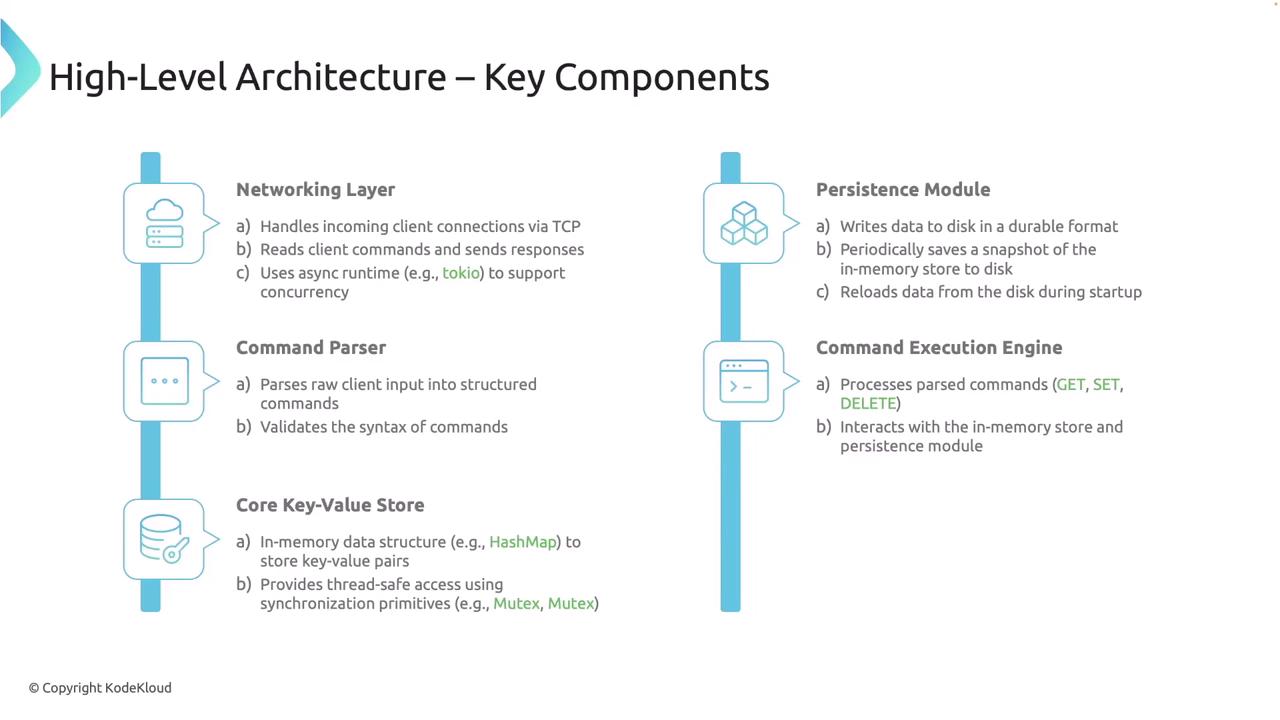
The networking layer handles incoming TCP connections concurrently. The code below shows the main server logic along with the client-handling function.
async fn handle_client(socket: TcpStream, store: Arc<KeyValueStore>) -> Result<()> { let (reader, mut writer) = socket.into_split(); let mut reader = BufReader::new(reader); let mut line = String::new(); loop { line.clear(); let bytes_read = reader.read_line(&mut line).await?; if bytes_read == 0 { // Connection closed break; } println!("Received: {}", line.trim()); let command = Command::parse(&line); match command { Command::Get(key) => { if let Some(value) = store.get(&key).await { writer.write_all(format!("VALUE {}\n", value).as_bytes()).await?; } else { writer.write_all(b"ERROR Key not found\n").await?; } } Command::Set(key, value) => { store.set(key, value).await?; writer.write_all(b"OK\n").await?; } Command::Delete(key) => match store.delete(&key).await { Ok(true) => writer.write_all(b"OK\n").await?, Ok(false) => writer.write_all(b"ERROR Key not found\n").await?, Err(e) => writer.write_all(format!("ERROR {}\n", e).as_bytes()).await?, }, Command::Unknown => { writer.write_all(b"ERROR Unknown Command\n").await?; } } } Ok(())}
In this implementation, each accepted TCP connection is processed asynchronously by spawning a new task. The server reads incoming data line by line using a buffered reader, parses the commands, executes them against the key-value store, and sends back the response.
The command parser converts raw string inputs into structured commands for the system to process. Create a file named command.rs with the following content:
The in-memory key-value store is implemented using Rust’s asynchronous mutex for safe concurrency. Create a file named store.rs with the following code:
Copy
Ask AI
use std::collections::HashMap;use tokio::sync::Mutex;use anyhow::Result;#[derive(Debug, Default)]pub struct KeyValueStore { // The map is wrapped in a Mutex to allow safe concurrent access. pub map: Mutex<HashMap<String, String>>,}impl KeyValueStore { pub fn new() -> Self { Self { map: Mutex::new(HashMap::new()), } } pub async fn get(&self, key: &str) -> Option<String> { let map = self.map.lock().await; map.get(key).cloned() } // The set method takes ownership of both key and value. // It uses a separate scope to release the lock before saving the updated state. pub async fn set(&self, key: String, value: String) -> Result<()> { { let mut map = self.map.lock().await; map.insert(key, value); } self.save("data.json").await?; Ok(()) } // The delete method performs removal and saves the state if the key existed. pub async fn delete(&self, key: &str) -> Result<bool> { let removed = { let mut map = self.map.lock().await; map.remove(key).is_some() }; if removed { self.save("data.json").await?; } Ok(removed) } // The load and save methods are extended in the persistence module.}
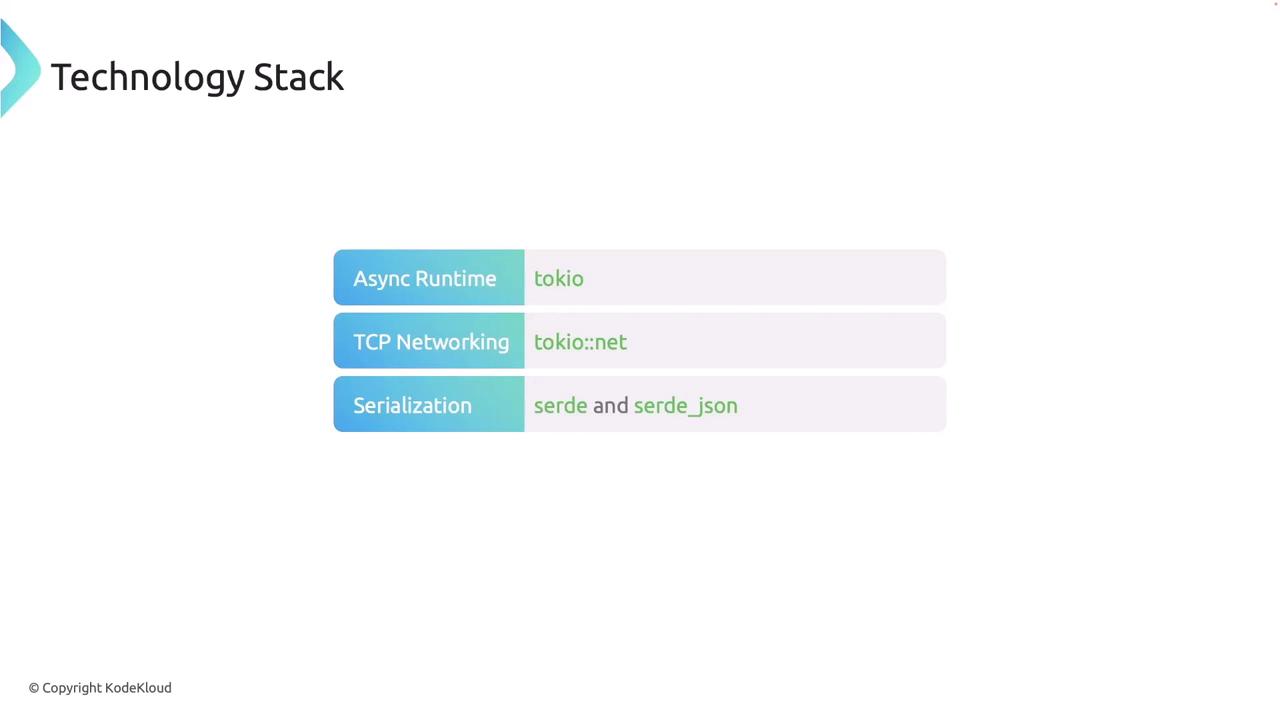
To ensure data durability between server restarts, create a file named persistence.rs. This module extends KeyValueStore with methods to load from and save data to disk using JSON serialization with asynchronous file I/O provided by Tokio.
Copy
Ask AI
use crate::store::KeyValueStore;use serde::{Deserialize, Serialize};use tokio::fs;use std::path::Path;use anyhow::Result;#[derive(Serialize, Deserialize)]struct PersistentData { data: Vec<(String, String)>,}impl KeyValueStore { pub async fn load(&self, path: &str) -> Result<()> { if Path::new(path).exists() { let content = fs::read_to_string(path).await?; let persistent_data: PersistentData = serde_json::from_str(&content)?; let mut map = self.map.lock().await; map.extend(persistent_data.data); } Ok(()) } pub async fn save(&self, path: &str) -> Result<()> { // Create a snapshot without holding the lock across await points. let data = { let map = self.map.lock().await; PersistentData { data: map.iter().map(|(k, v)| (k.clone(), v.clone())).collect(), } }; let content = serde_json::to_string(&data)?; fs::write(path, content).await?; Ok(()) }}
The load method checks if the target file exists. If it does, the file is read and the JSON content is parsed to populate the in-memory store. In contrast, the save method creates a snapshot of the current state and writes it to disk without holding any locks across asynchronous calls.
For an unknown command like FOO, the server replies with ERROR Unknown Command
Data persistence is verified by checking that a data.json file is created and properly populated. Restarting the server will reload the stored keys automatically.Example content of data.json after some operations:
Copy
Ask AI
{"data":[["y","500"],["x","900"]]}
A sample Telnet session might look like this:
Copy
Ask AI
Connected to localhost.Escape character is '^]'.GET yVALUE 500GET xVALUE 900DELETE zERROR Key not foundDELETE xOKDELETE y
When you terminate the program with Ctrl+C, the server saves the current state to disk, allowing for a seamless restart.
Congratulations! You have successfully implemented a robust key-value store with comprehensive networking, command parsing, thread-safe in-memory storage, and persistence. This project demonstrates key Rust programming principles and asynchronous programming using Tokio.