- Vault Open Source HA behavior
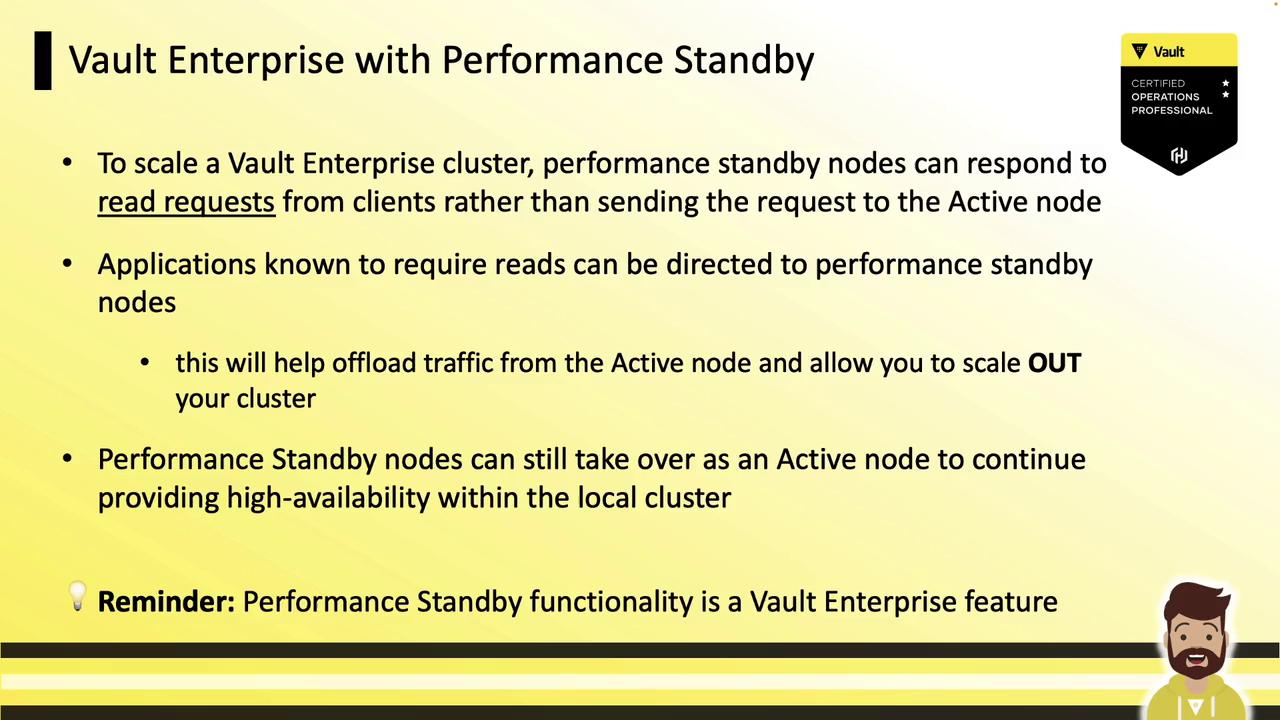
- Vault Enterprise Performance Standby features
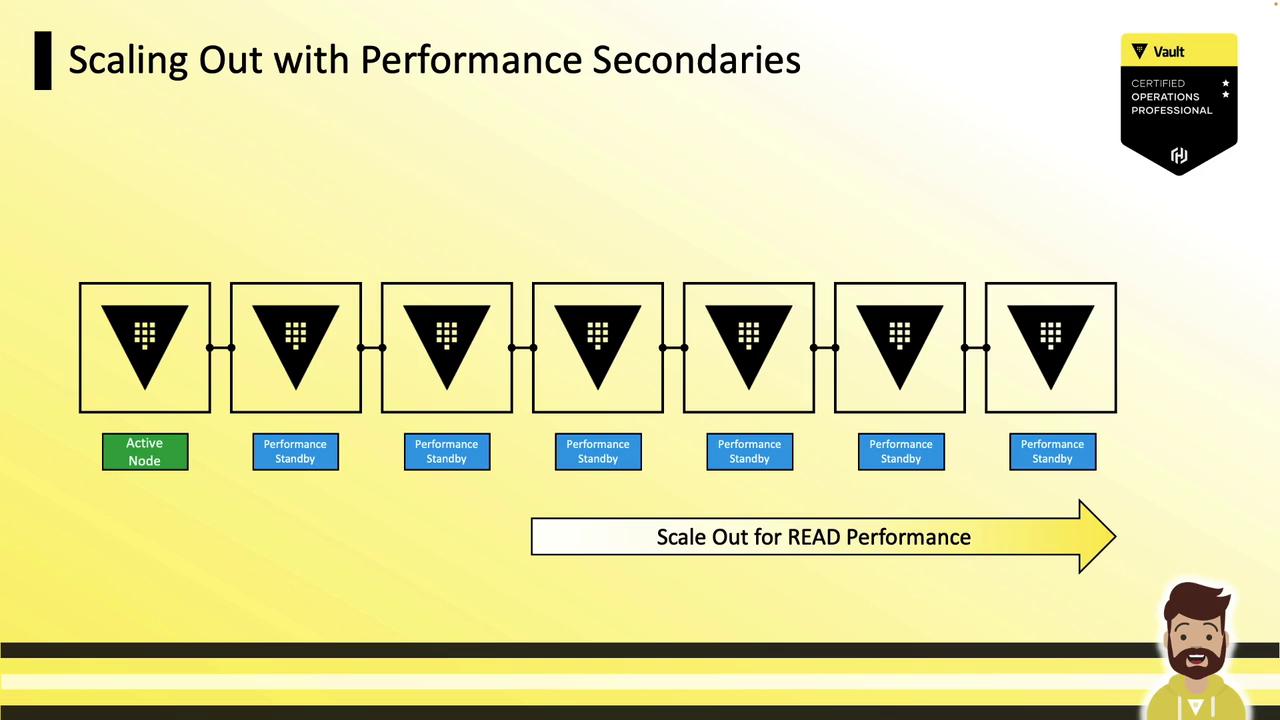
- Scaling out read performance
- Consistency and replication
- Health checks and routing
- Enabling/disabling performance standby
You need to describe what performance standby nodes are and why they’re used. Configuration commands aren’t required for the HashiCorp exam.
Vault Open Source HA Cluster
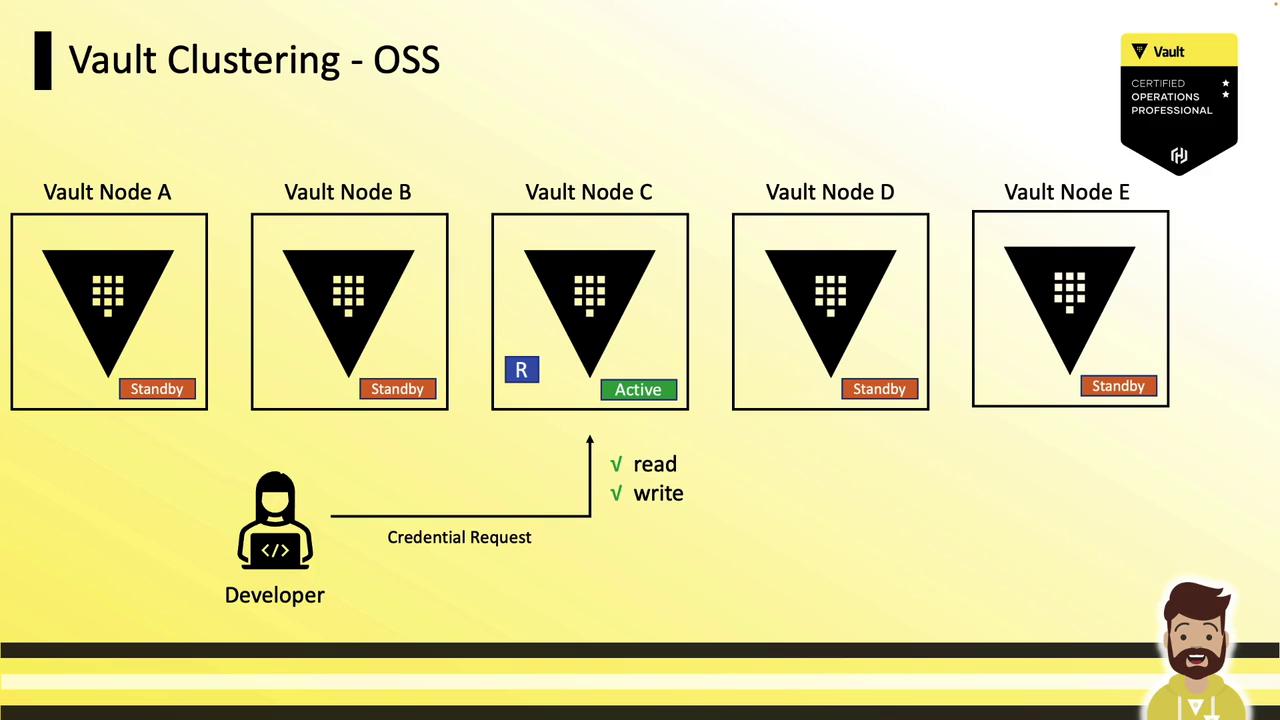
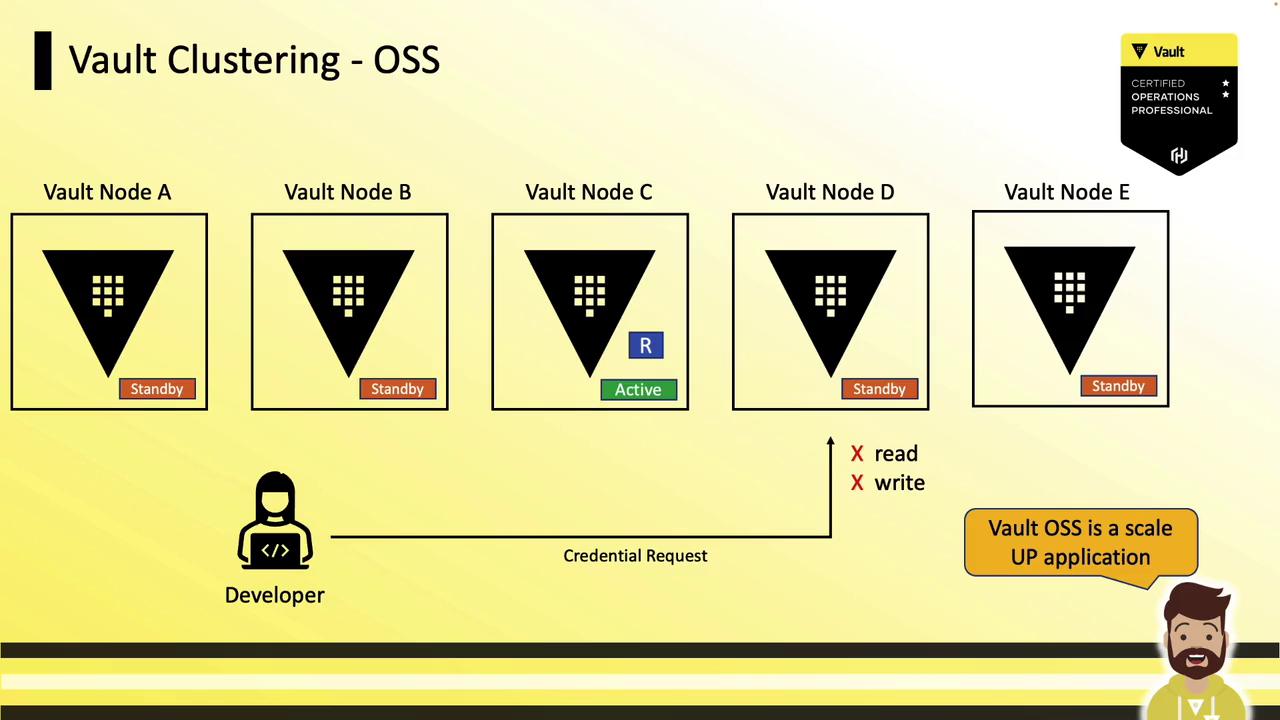
In Vault Open Source, an HA cluster contains:- 1 active node (handles all reads and writes)
- Multiple standby nodes (forward requests to active, monitor health)
| Feature | Vault Open Source | Vault Enterprise |
|---|---|---|
| Active writes | Yes | Yes |
| Standby reads | No | Yes (performance standby) |
| Scaling method | Scale-up | Scale-out |
| Licensing requirement | None | Enterprise license |
Vault Enterprise with Performance Standby Nodes
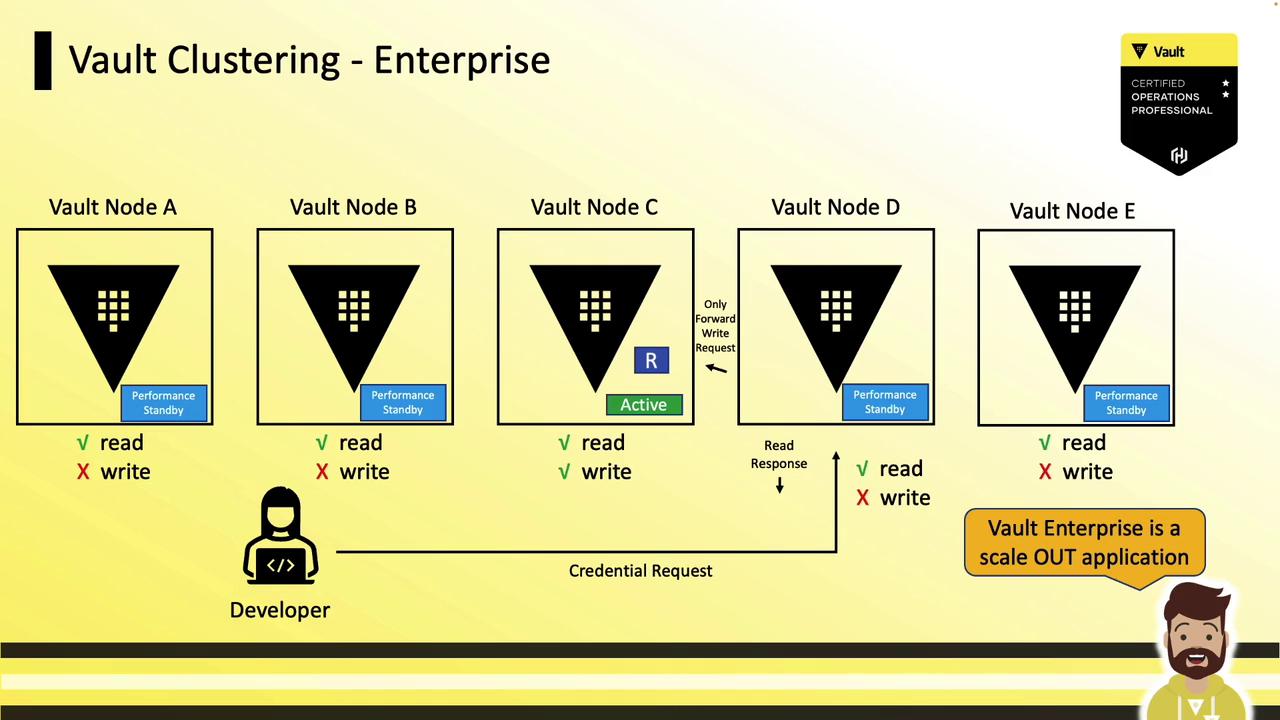
Vault Enterprise introduces Performance Standby nodes that:- Serve read requests locally
- Forward write requests to the active node
- Scale out read capacity by adding more performance standby nodes
Scaling Out Read Performance
To scale read performance in Vault Enterprise:- Add performance standby nodes to your cluster.
- Configure your load balancer or DNS to route read-only traffic to performance standby nodes.
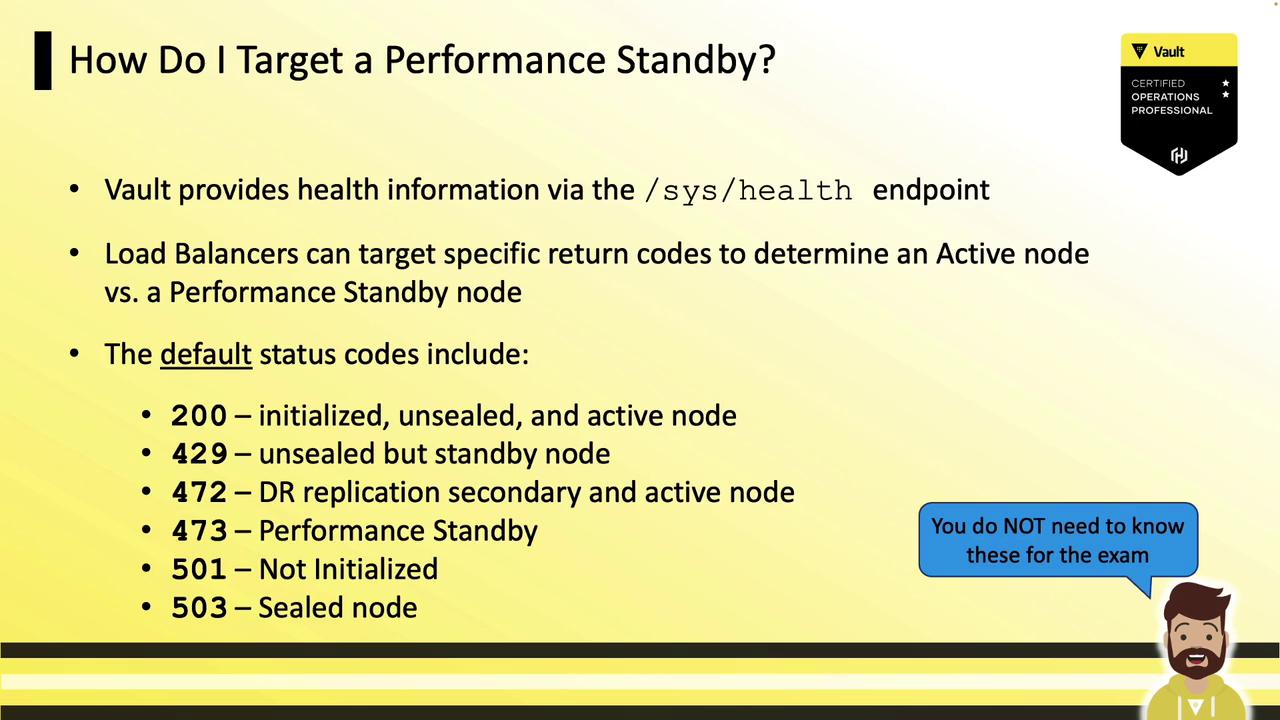
- Use health checks to differentiate between active (writes+reads) and performance standby (reads only).
Defining a Read
A read is any Vault operation that does not result in a storage write. Examples include:- Key/Value Secrets Engine: fetching secrets
- Transit Secrets Engine: encrypt/decrypt without persisting data
- SSH Signing: signing client keys without storage
Consistency and Eventual Replication
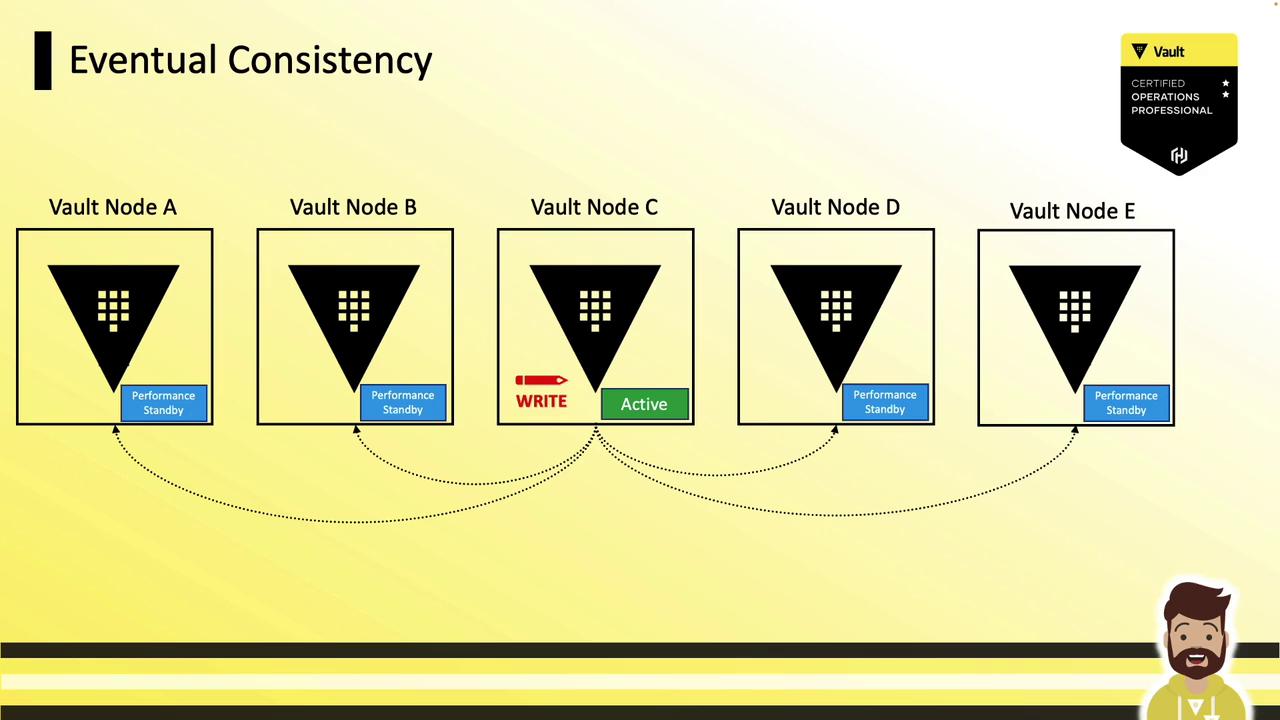
When using Integrated Storage, replication to performance standbys is eventual. After a write:- Active node commits locally.
- Changes replicate asynchronously to standby nodes.
- Standbys serve fresh data only after replication completes.
A client reading immediately from a performance standby might see stale data or receive an error until replication finishes.
Health Checks and Targeting Standbys
Use Vault’s health endpoint and a load balancer to route traffic: Endpoint:| Status Code | Meaning |
|---|---|
| 200 | Active (initialized & unsealed) |
| 473 | Performance standby (reads only) |
| 501/503 | Uninitialized or sealed |