Azure Queue Storage
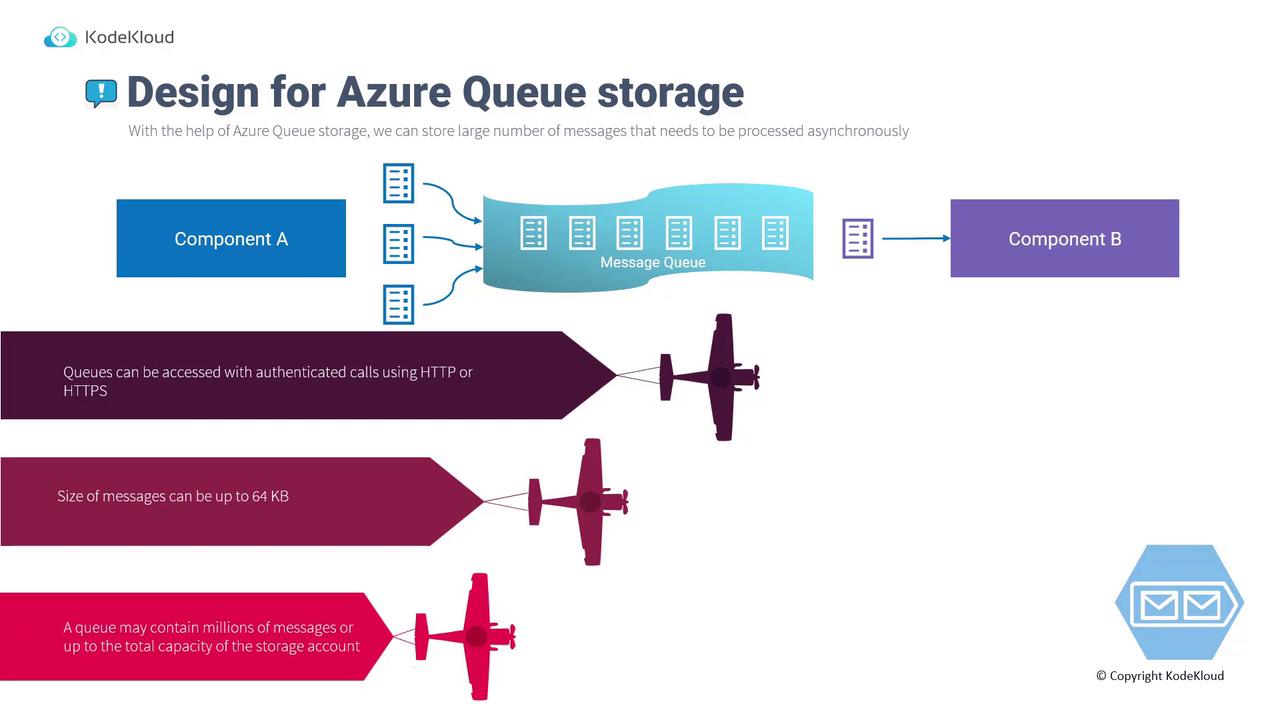
Azure Queue Storage, a component of Azure Storage, is designed to store large volumes of messages that are processed asynchronously. These messages are securely accessed from anywhere over HTTPS, making it ideal for scalable applications. With support for millions of messages (limited only by the storage account capacity), Queue Storage ensures high reliability, guaranteed message delivery, and transactional support. Consider the following scenario for a photo sharing application:- Component A: A mobile application that uploads pictures.
- Component B: A web API that processes these pictures.
- Increased reliability
- Guaranteed message delivery
- Transactional support
Azure Service Bus
Azure Service Bus is a fully managed enterprise message broker engineered for more complex messaging scenarios. It supports two distinct models:- Service Bus Queues: Function similarly to Azure Queues but are built on a dedicated messaging infrastructure, supporting multiple communication protocols and complex data contracts.
- Service Bus Topics (Publish/Subscribe Model): Enable a single message to be delivered to multiple subscribers concurrently, allowing multiple processing tasks to be triggered from one event.
Service Bus Queues
Service Bus Queues provide an enterprise-grade messaging solution. In these queues, messages are temporarily stored until the receiving component is ready to process them. The workflow mirrors that of Azure Queue Storage: Component A sends a message that Component B later processes.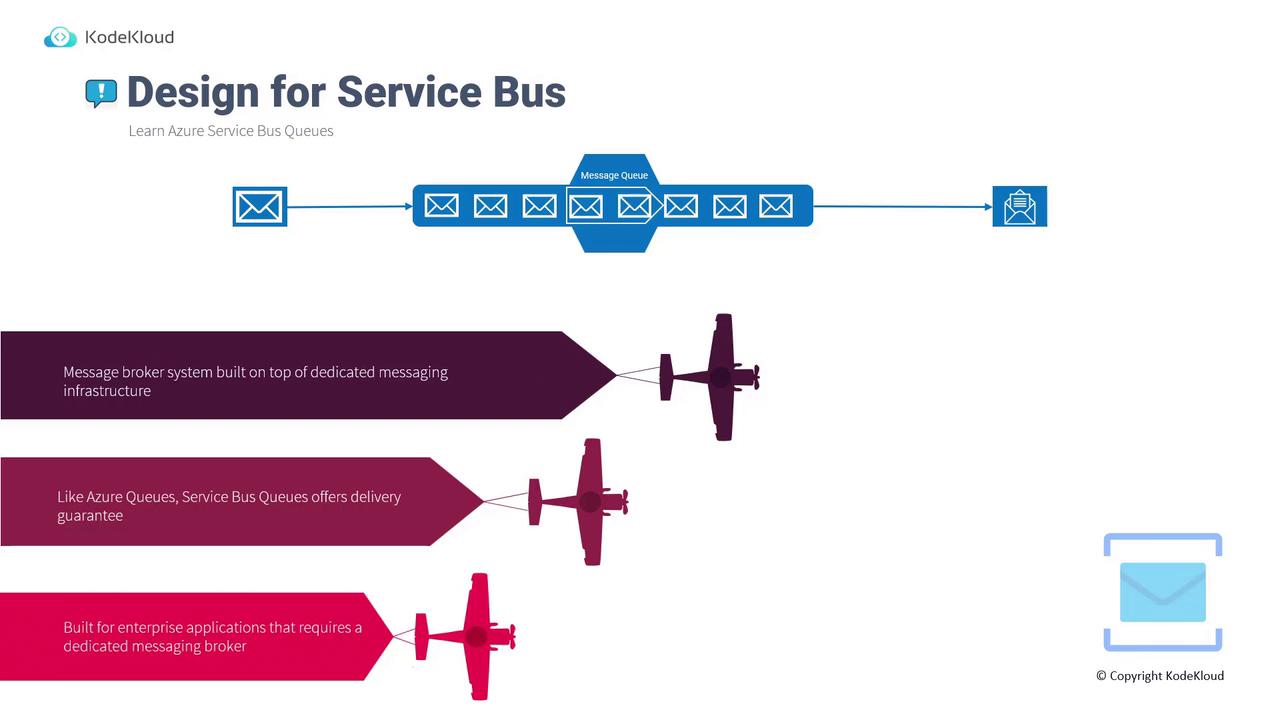
Service Bus Topics (Publish/Subscribe Model)
Service Bus Topics extend the basic queuing model to support the publish/subscribe paradigm. In this model, when a message is sent to a topic, it notifies multiple subscribers at the same time. For instance, in a music sharing application, when a user listens to a song:- One subscription might update the user’s listening history.
- A different subscription could update an artist’s playlist.
- A third subscription might add the song to a list of favorites.
Choosing the Right Messaging Service
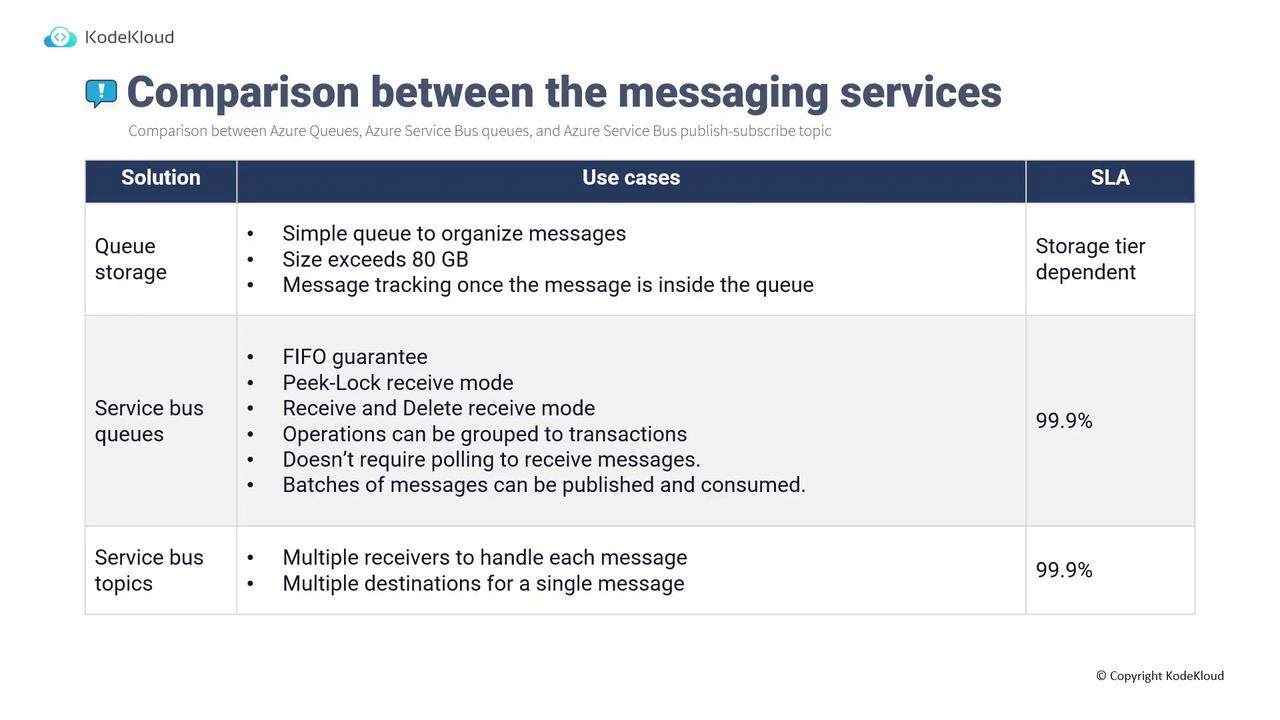
When selecting the appropriate messaging service in Azure, consider the following guidelines:| Service | Key Features | Use Case | SLA |
|---|---|---|---|
| Azure Queue Storage | Supports simple queuing, large storage sizes (up to the storage account capacity), secure access over HTTPS. | Straightforward message organization for asynchronous processing. | Varies (dependent on storage tier: GRS, LRS, RA-GRS) |
| Service Bus Queues | FIFO guarantee, peek lock and receive-delete modes, ability to process message batches without continuous polling. | Enterprise applications requiring advanced messaging features and protocols. | 99.9% |
| Service Bus Topics | Publish/subscribe model allowing one message to trigger multiple subscribers. | Scenarios where a single event must initiate various processing tasks. | 99.9% |
When deciding on a messaging service, ensure that the selected option aligns with your application’s complexity and the required level of delivery guarantees.