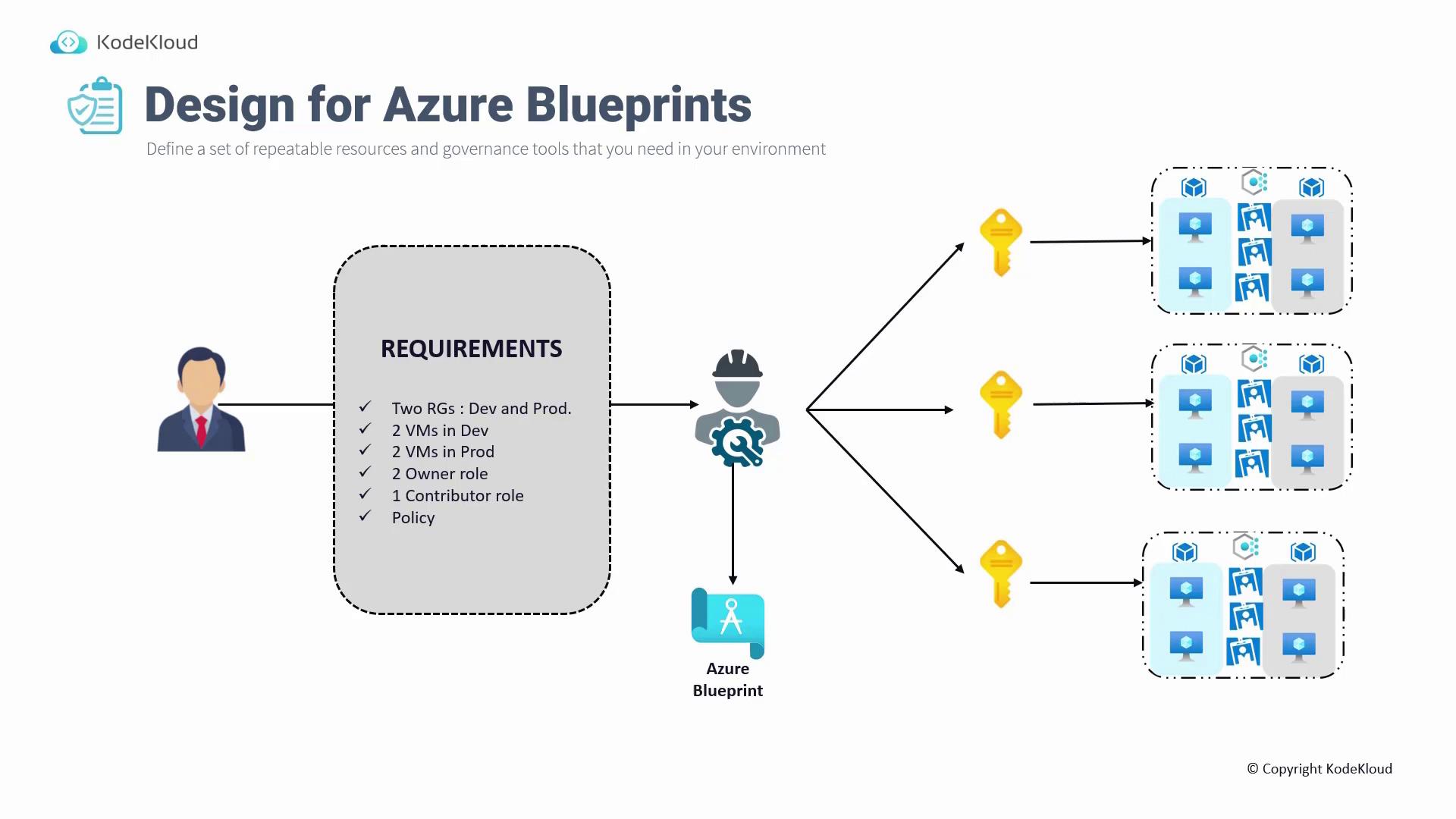
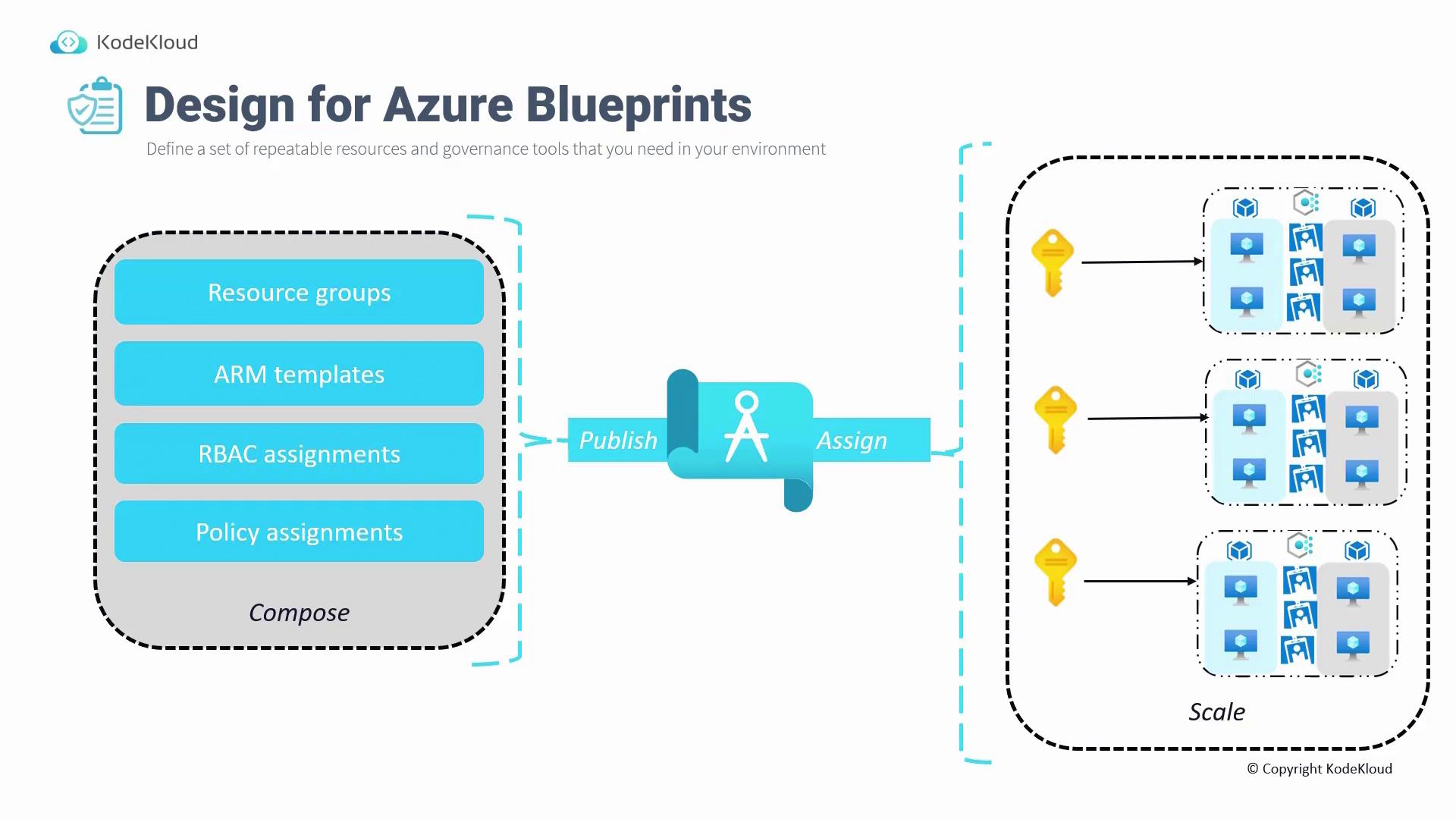
To use Azure Blueprints, follow these steps:
- Compose the blueprint: Include components such as resource groups, ARM templates (for resource creation), RBAC assignments, and policy assignments.
- Publish the blueprint.
- Assign the published blueprint to the desired subscription.
- Scale the blueprint across multiple subscriptions or redeploy the entire environment from scratch using the stored blueprint in the Azure portal.
Understanding Azure Landing Zones
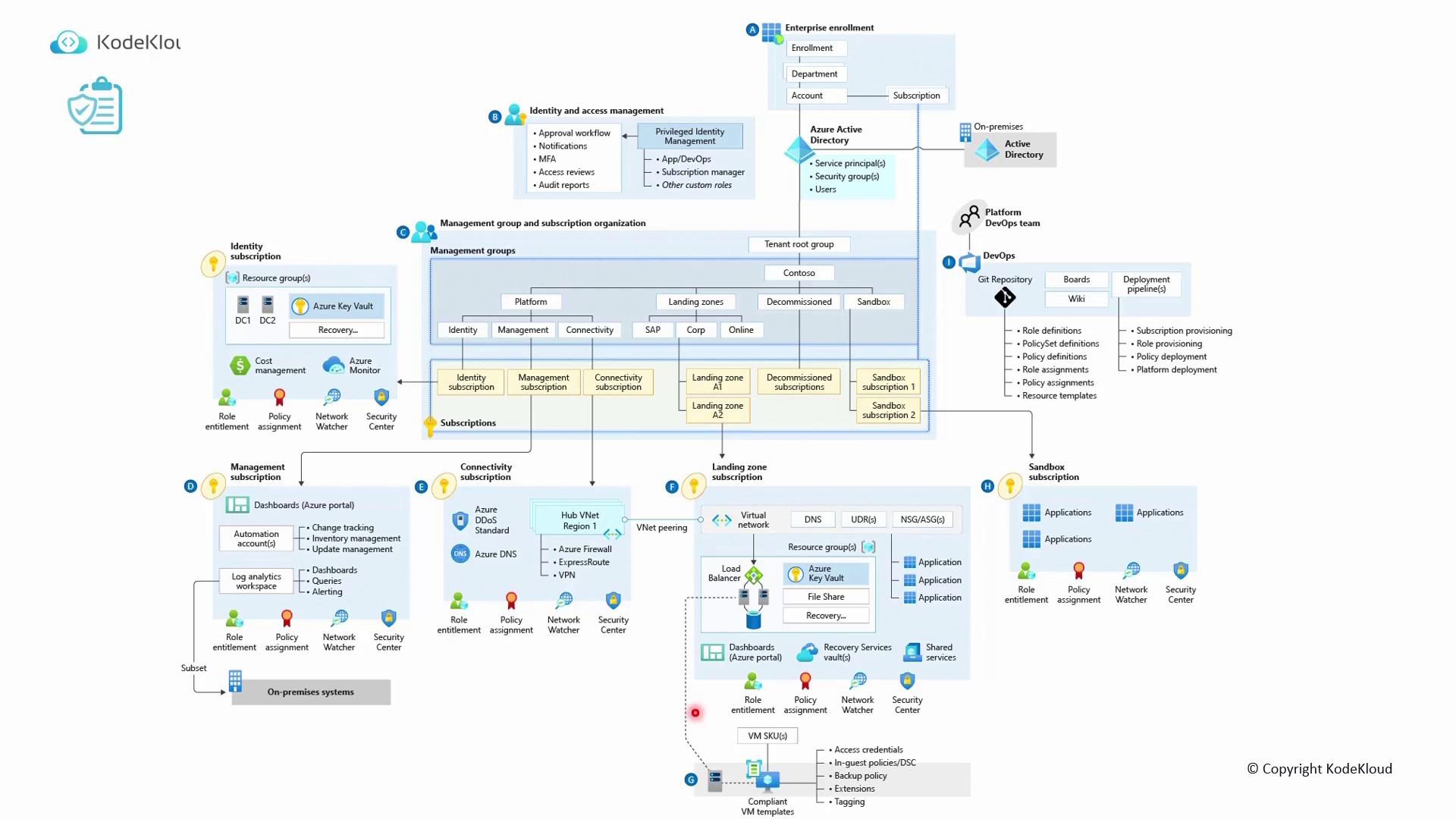
In addition to Blueprints, it’s important to understand Azure Landing Zones. A landing zone is part of the design for subscriptions and leverages best practices from designing management groups, subscriptions, resource groups, policies, and RBAC. This approach creates an environment that can effectively host your workloads. A basic landing zone might include:- A root management group.
- A set of policies (such as Contoso policies).
- Different management groups for platforms, decommissioning, and sandbox environments.
| Component | Purpose | Example Services/Details |
|---|---|---|
| Networking Subscription | Provides shared networking services | Azure DNS, DDoS protection |
| Identity Subscription | Contains identity and access management resources | Domain controllers, Key Vault |
| Management Subscription | Houses logging and automation services | Log Analytics, Automation Accounts, Dashboards |
| Connectivity Subscription | Manages connectivity-related services | Azure DNS, DDoS |
| Hub Connectivity Subscription | Hosts shared network security services | Azure Firewall, ExpressRoute, VPN |
| Landing Zone Subscription | Hosts the virtual network and its associated peering | Virtual Networks, Subnets, Peering configurations |