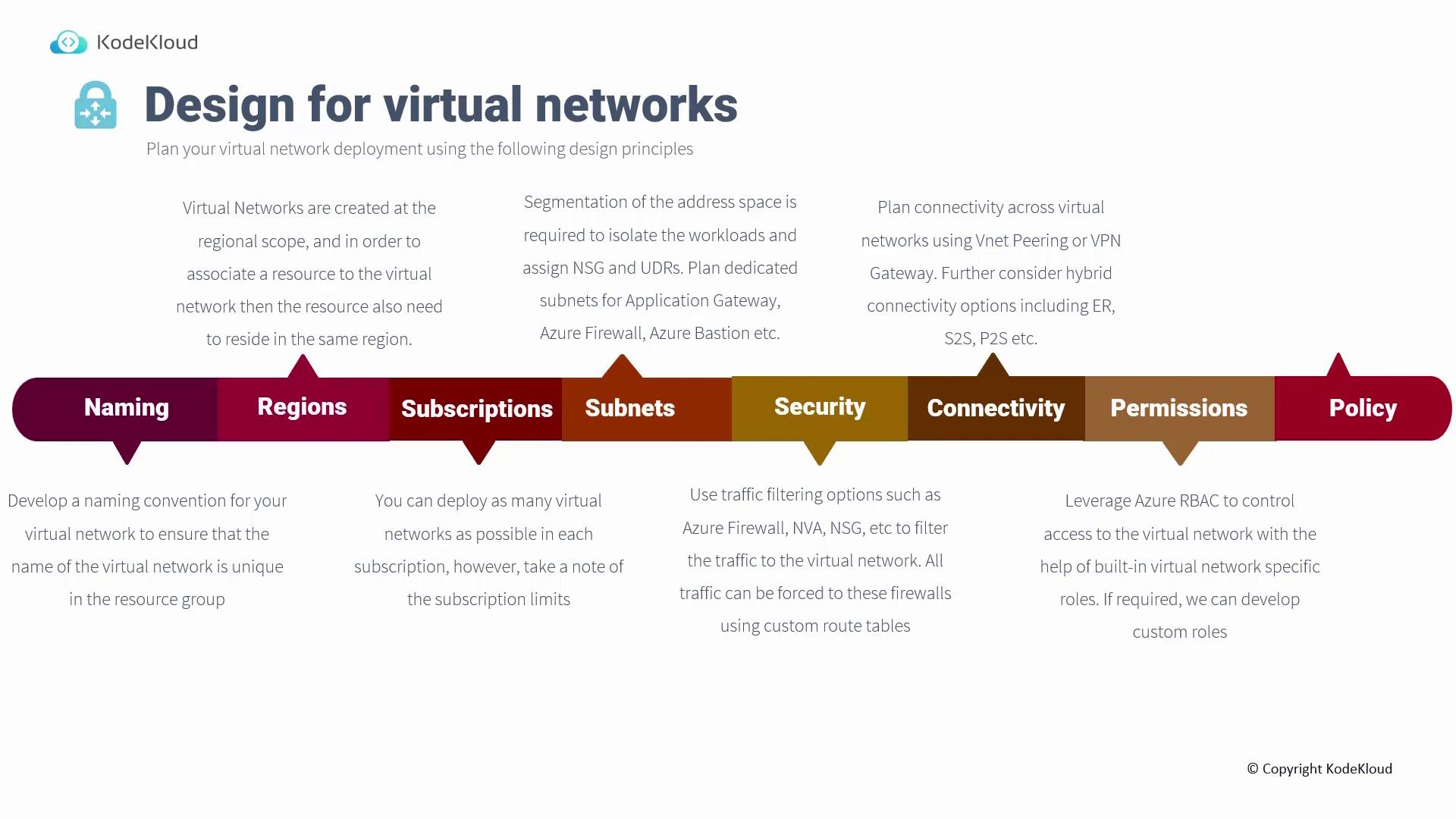
- Naming
- Region
- Subscription
- Subnets
- Security
- Connectivity
- Permissions and Policy
Naming
Establishing a consistent naming convention is crucial for all resources, especially virtual networks. For example, you might name a resource group using the following format: RG-[ResourceFunction]-[Region]-[Identifier] This structured naming approach simplifies resource management, making it clear what each resource is used for—particularly when managing multiple virtual networks within a single resource group.Region
Virtual networks are scoped to a specific region, meaning both the network and its associated resources must reside in the same location. For instance, if you plan to deploy a Virtual Machine in West US, the corresponding virtual network must also be located in West US. Attempting to use a virtual network from East US for West US resources is not supported.Subscription
While you can deploy several virtual networks within a single subscription, it’s important to be aware of the limits enforced by Microsoft. These limits include both hard constraints and soft limits that can sometimes be increased through a support request with appropriate business justification. Always check the Microsoft limits page to ensure your design remains within these guidelines.Subnets
Subnets allow you to partition an address space, enabling you to isolate workloads effectively. Proper subnet segmentation lets you assign Network Security Groups (NSGs), implement user-defined routes (UDRs), and control inter-workload communication. It is critical to plan your subnet allocation carefully. For example, using a /24 subnet for your virtual network without reserving space can prevent you from deploying essential services like Application Gateway, Azure Firewall, or Azure Bastion, all of which require dedicated subnets.Plan your subnet ranges in advance to avoid conflicts and ensure sufficient space is reserved for all necessary services.
Security
To safeguard your network traffic, consider leveraging multiple security options:- Azure Firewall or Third-Party Network Virtual Appliances (NVAs): Solutions from vendors such as Palo Alto or Fortinet can enhance security.
- Network Security Groups (NSGs): Utilize this native firewall feature to control both inbound and outbound traffic.
- User-Defined Routes (UDRs): These routes can steer traffic through your preferred security appliances to enforce robust security protocols.
Connectivity
When designing connectivity, ensure that the address spaces of virtual networks intended for peering do not overlap. Additionally, if you plan to extend your infrastructure to on-premises environments using ExpressRoute or VPN connections, remember that a dedicated subnet is required for the gateway. This careful planning is vital for establishing seamless and secure connectivity between environments.Permissions and Policy
Managing access to virtual networks is streamlined with Azure Role-Based Access Control (RBAC). Built-in roles like Virtual Network Contributor or Reader enforce the principle of least privilege, ensuring users have only the access they need. If necessary, custom roles can be created to meet specific requirements. Azure Policy further enhances network management by providing built-in policies for DDoS protection, flow logs, diagnostic settings, and more. These policies help ensure your virtual network aligns with your operational and security standards.