

VMs vs. Containers
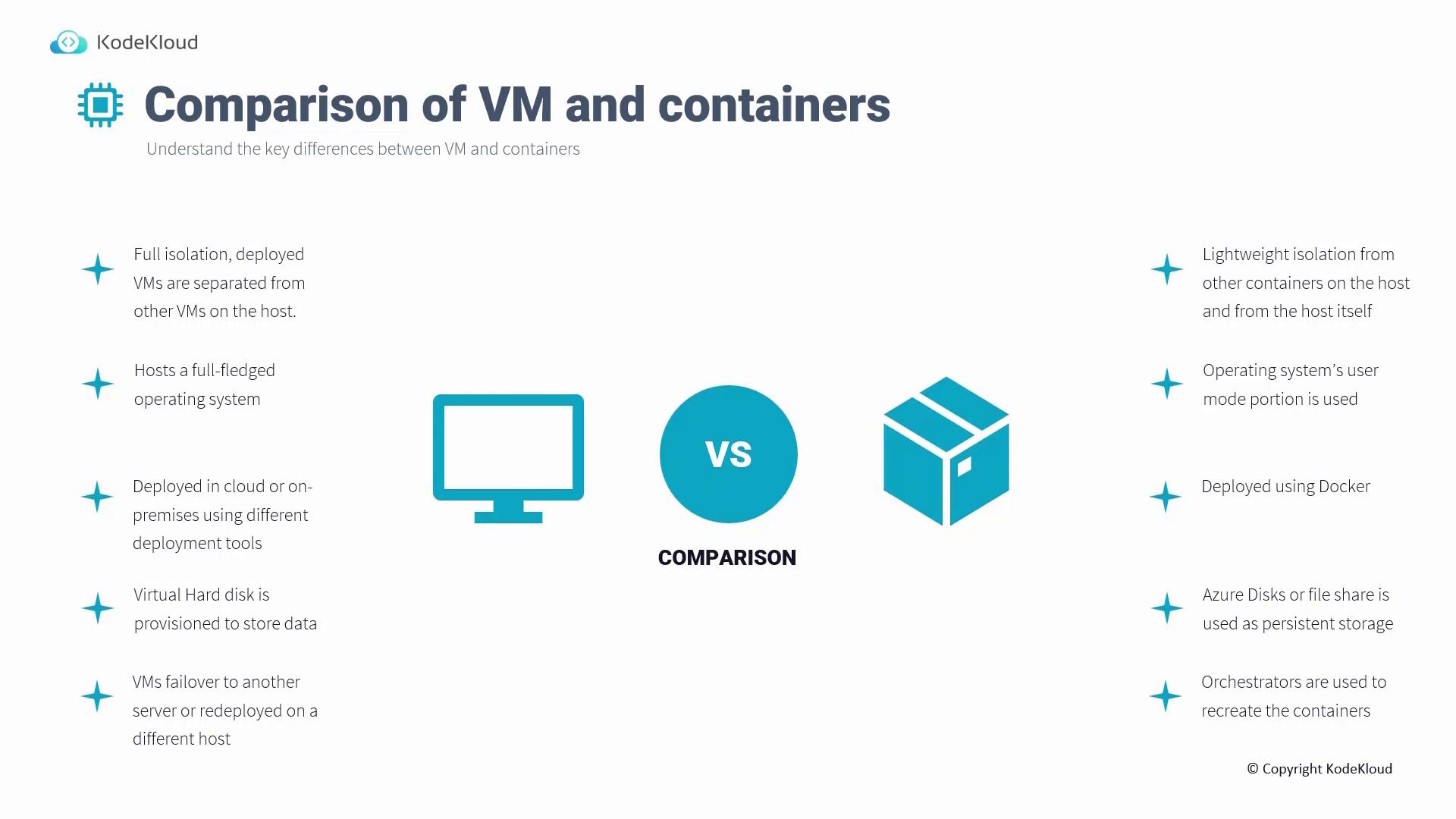
Isolation
-
Virtual Machines (VMs):
VMs provide complete isolation, allocating a dedicated environment for each instance on a host. Communication between VMs requires explicit network configuration. -
Containers:
Containers offer lightweight isolation, sharing the host operating system while keeping applications separated from each other.
Operating System
-
VMs:
VMs run full-fledged operating systems. For example, you install an OS such as Windows or Linux by downloading the ISO image, turning the VM into an independent computer-like environment. -
Containers:
Containers run on the host’s operating system user mode. They include only the libraries and binaries essential for the application, making them significantly more lightweight.
Deployment
-
VMs:
VMs can be deployed virtually anywhere—in cloud environments or on-premises—with various deployment tools at your disposal. -
Containers:
Containers are primarily deployed using Docker, although other third-party tools and solutions exist. Docker remains one of the leading platforms for container deployment.
Storage
-
VMs:
VMs typically utilize virtual hard disks (like VHD or VHDX, depending on the hypervisor) to ensure persistent storage of data. -
Containers:
Containers are ephemeral by design; once a container is deleted, its storage is removed as well. To maintain data persistence, external storage options like Azure Disk or File Share can be used.
Failover and Redeployment
- VMs:
In catastrophic events, VMs have the capability to fail over to another server or be redeployed on a different host, ensuring continuous service availability.
- Containers:
Containers do not support native failover redeployment. In scenarios of failure, container orchestrators like Kubernetes are implemented to recreate the containers as needed.
When to Choose Azure Container Instances
Azure Container Instances are ideal when advanced container orchestration is not a requirement. They are perfect for deploying containers quickly without the hassle of managing complex infrastructure or networking.-
Quick Deployment:
ACI enables you to deploy a single container in under a minute, eliminating the need for intricate infrastructure management. -
Container Images:
ACI supports Docker images from sources such as Docker Hub, private registries, or Azure Container Registry. This compatibility allows you to continue leveraging your existing Docker images seamlessly.
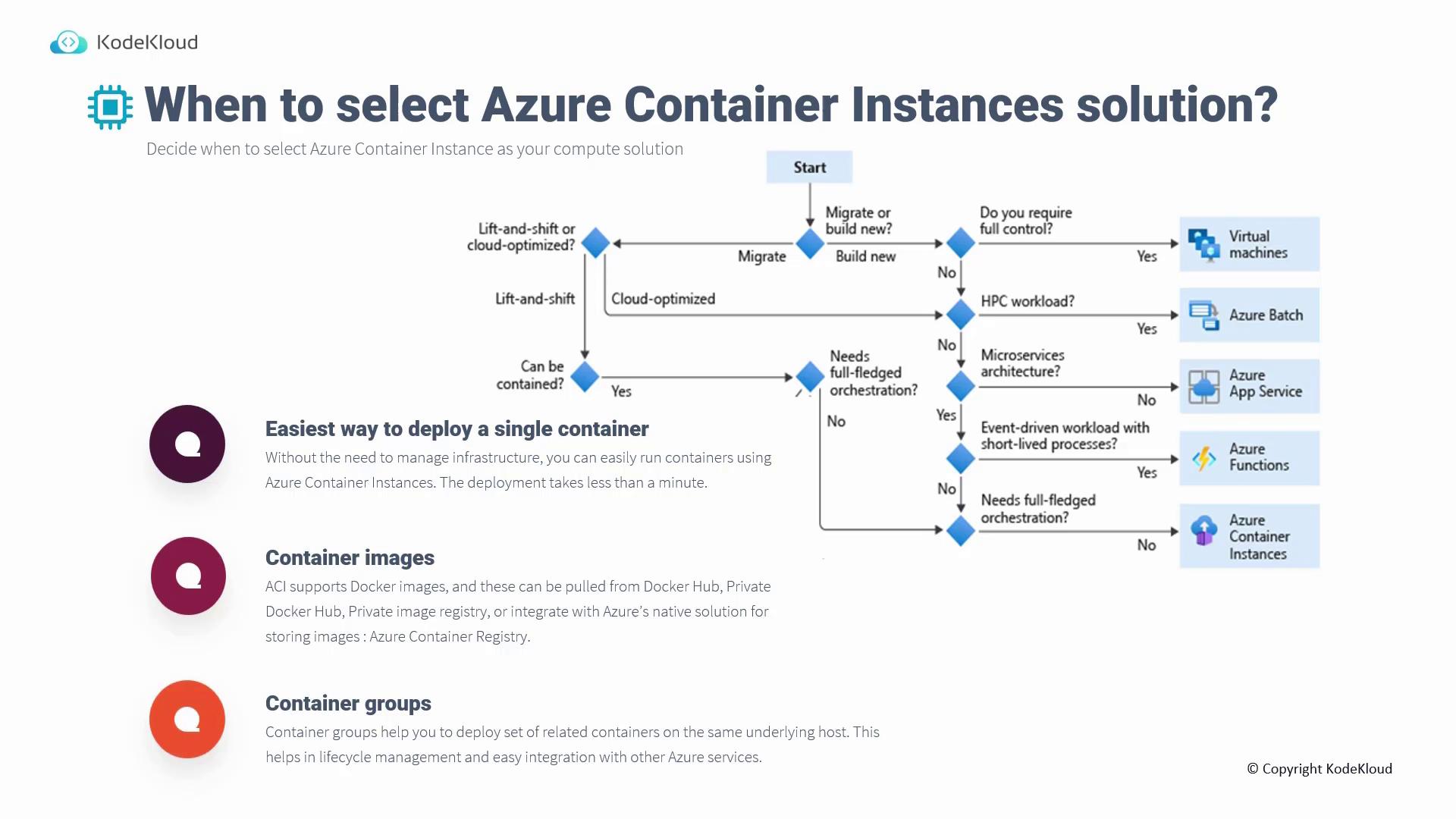
For rapid deployments without the overhead of managing underlying infrastructure, ACI is an excellent choice.
Container Groups
Container Groups are a key feature in ACI that allow you to deploy a set of related containers on the same host. Deploying related containers together reduces network latency, simplifies lifecycle management, and ensures seamless integration with other Azure services. Note that Container Groups must currently be configured using ARM templates instead of the Azure portal.Considerations for Managing ACI Solutions
Pace of Deployment
ACI’s rapid deployment capabilities make it particularly suited for development and testing environments. Development teams can quickly package and test container images, making ACI a valuable tool for short-lived processes within various workflows.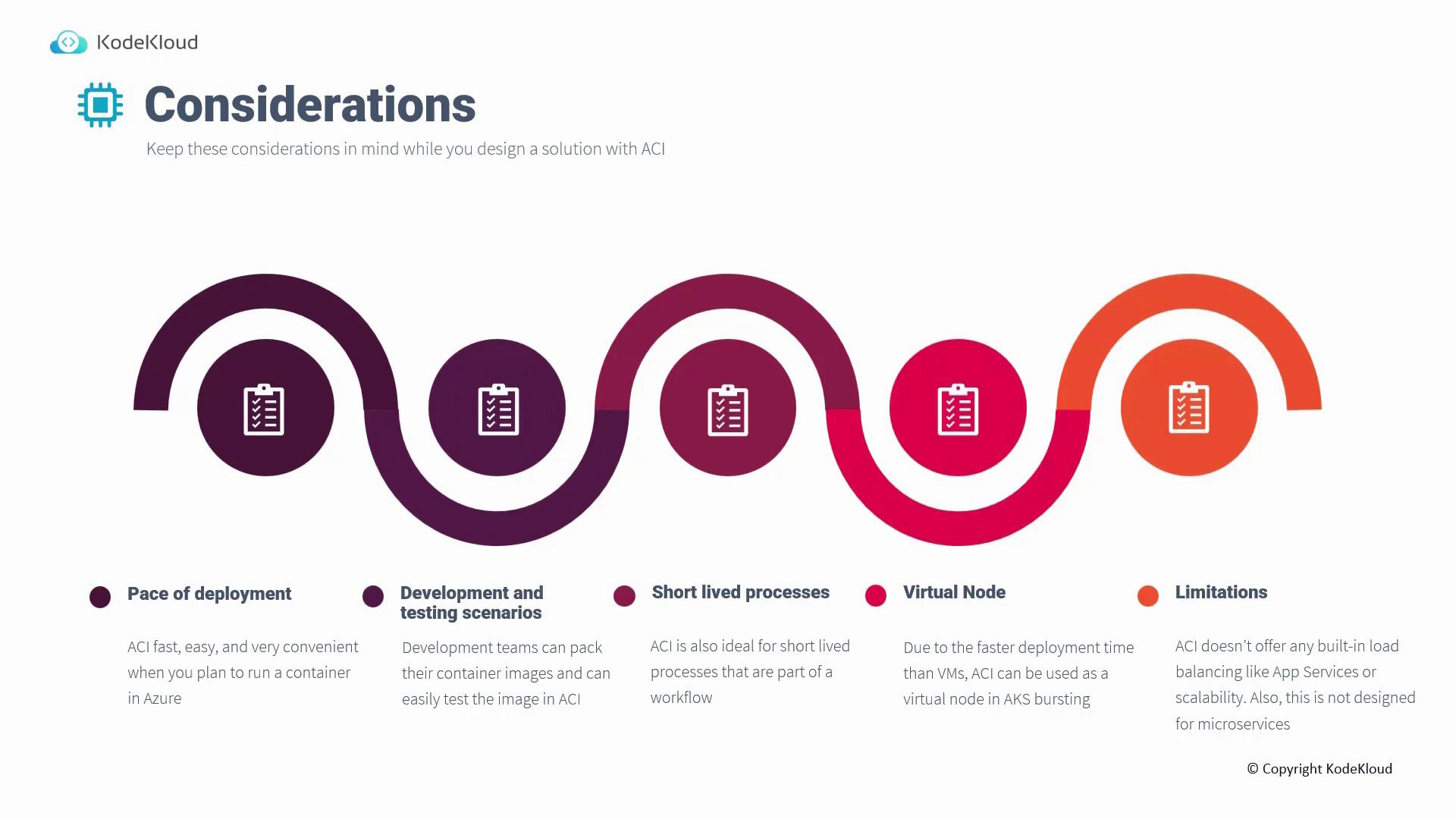
Use as a Virtual Node
Thanks to its speedy deployment, ACI can act as a virtual node within Azure Kubernetes Service (AKS) to support burst scaling. When increased demand forces the cluster autoscaler to add nodes, ACI quickly spins up additional container-hosting nodes—a much faster alternative to provisioning traditional VMs.Limitations
While ACI offers significant benefits in ease and speed, it does have some limitations:- ACI lacks built-in load balancing and advanced scalability features that are available in services like Azure App Services.
- It is not optimized for microservices architectures that require dynamic scaling and intricate inter-container communications.
ACI is best suited for straightforward container workloads. For microservices and highly dynamic scaling scenarios, consider alternative solutions such as Azure Kubernetes Service.