

Overview and Key Features
Operating at Layer 4 (Transport Layer) of the OSI model, Azure Load Balancer manages both TCP and UDP traffic. It is optimized for Azure Virtual Machines and Virtual Machine Scale Sets, providing reliable and scalable traffic distribution. Azure Load Balancer is available in two SKUs:- Basic SKU: A cost-effective option designed for smaller or less complex workloads, suitable for development and testing.
- Standard SKU: A robust solution that offers advanced features including higher scale, enhanced diagnostics, a 99.99% SLA, improved network security, and multi-zone support.
Load Balancer SKUs
The key differences between the Basic and Standard SKUs are summarized in the table below:| Characteristic | Basic SKU | Standard SKU |
|---|---|---|
| Backend Pool Size | Up to 300 instances | Up to 1,000 instances |
| Health Probes | Supports TCP and HTTP probes | Supports TCP, HTTP, and HTTPS probes (HTTP/HTTPS evaluate response codes) |
| Redundancy Options | No built-in redundancy options | Multiple redundant availability options available |
| Frontend Connections | Supports multiple frontends for inbound traffic only | Supports both inbound and outbound connections |
| Security Posture | Open by default (optional NSG configuration) | Closed by default; requires explicit NSG rules to allow traffic |
| SLA | No SLA provided | 99.99% SLA |
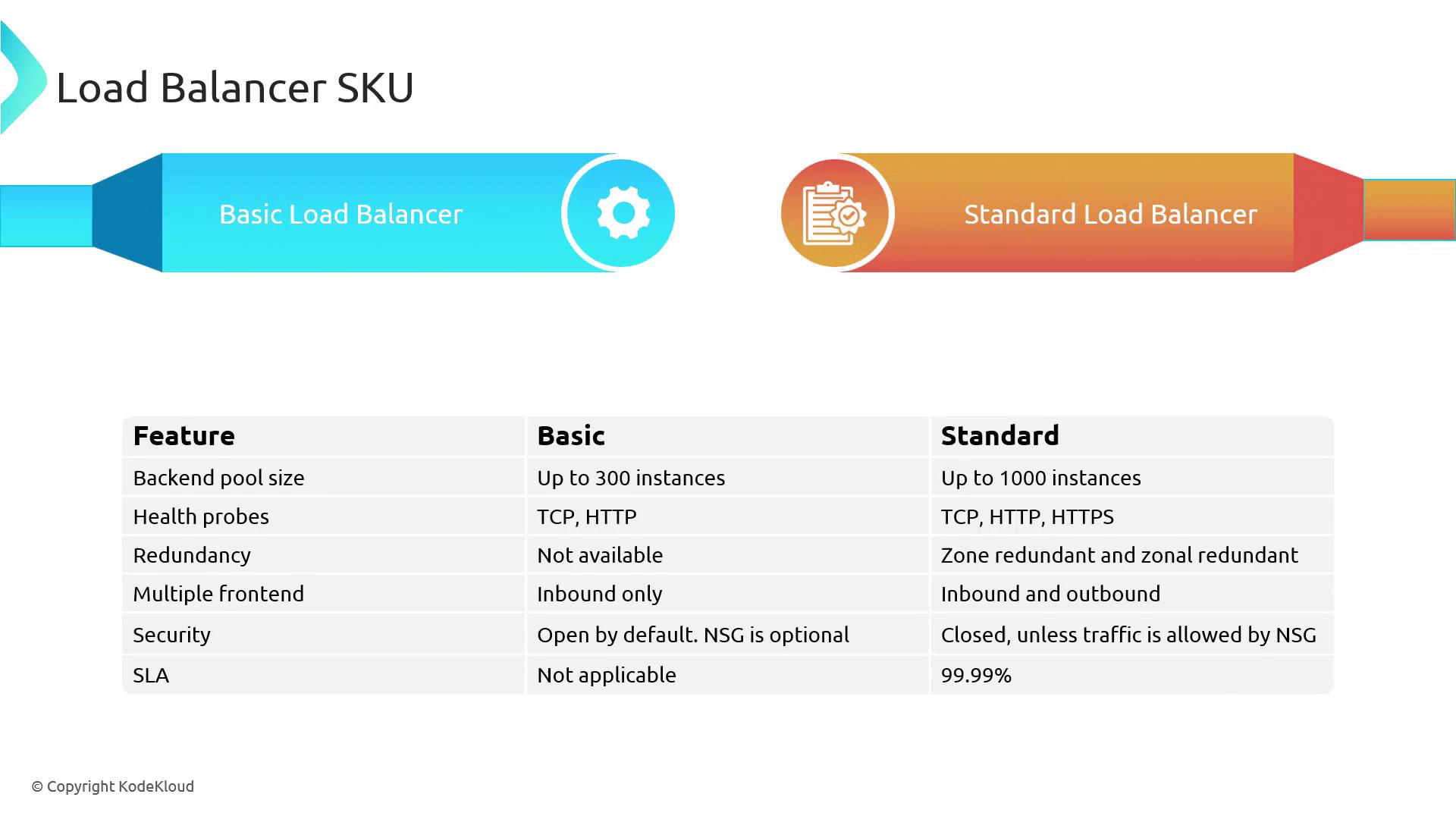
When selecting a SKU, consider your workload’s requirements for performance, security, and availability. The Standard SKU is better suited for production environments with stringent SLA needs.
Public and Internal Load Balancers
Azure Load Balancer is offered in two main configurations: public and internal. Each configuration caters to different network scenarios and workload requirements.Public Load Balancer
The Public Load Balancer is designed for applications that require direct Internet connectivity. It is ideal for scenarios where client requests from the Internet need to be evenly distributed among multiple servers. For instance, a virtual network with several web servers in a web subnet can use a public load balancer to handle incoming HTTP requests on port 80, thereby ensuring minimal impact in the event of a server failure.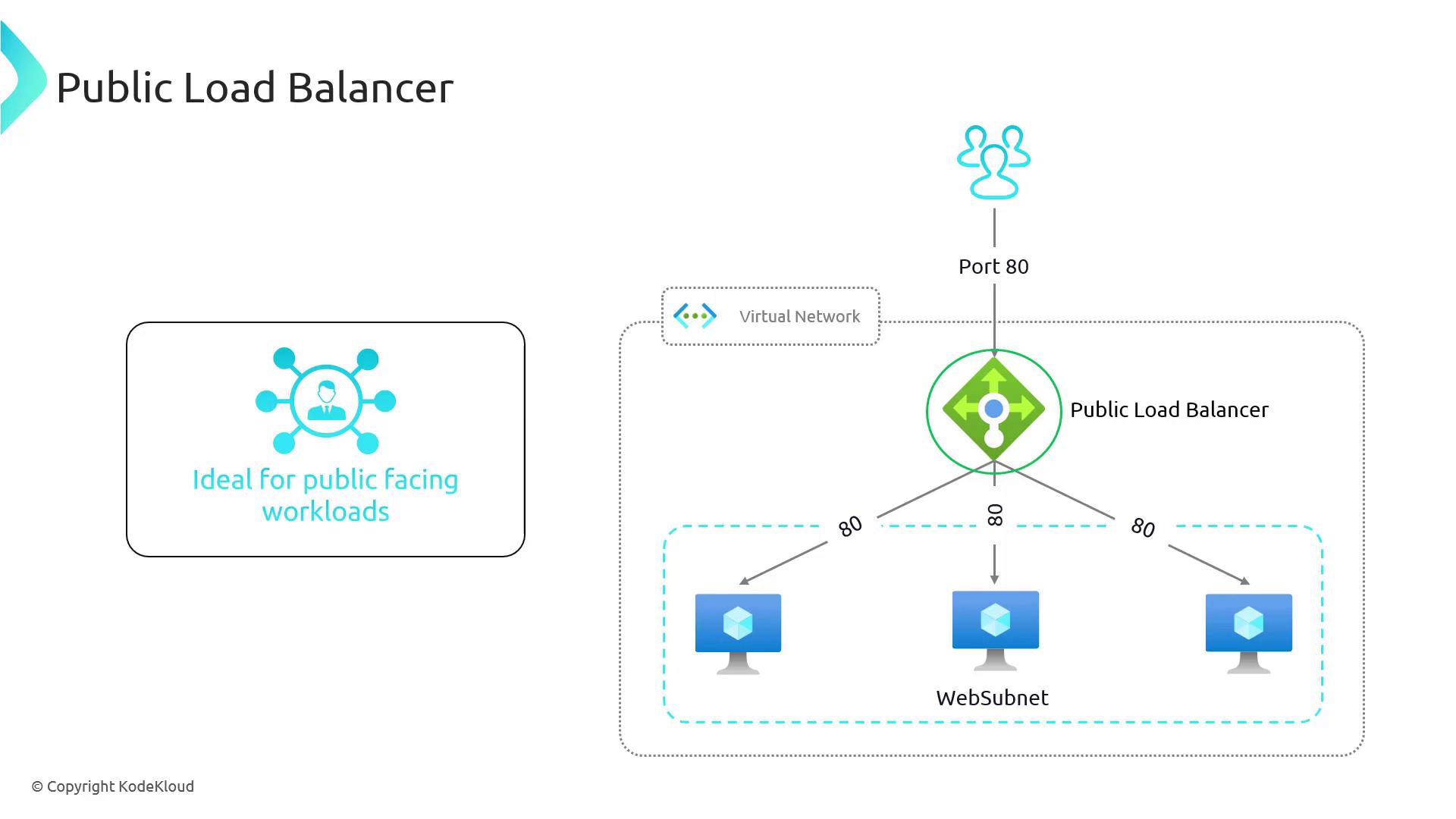
Internal Load Balancer
For services that do not need exposure to the Internet, the Internal Load Balancer is the optimal choice. It efficiently routes traffic within your Azure Virtual Network, making it perfect for internal workloads such as database communications or inter-service communication within multi-tier applications. Consider a scenario where web servers need to communicate with a backend database cluster located in a separate data subnet. An internal load balancer can distribute database requests among multiple database servers, enhancing both performance and security.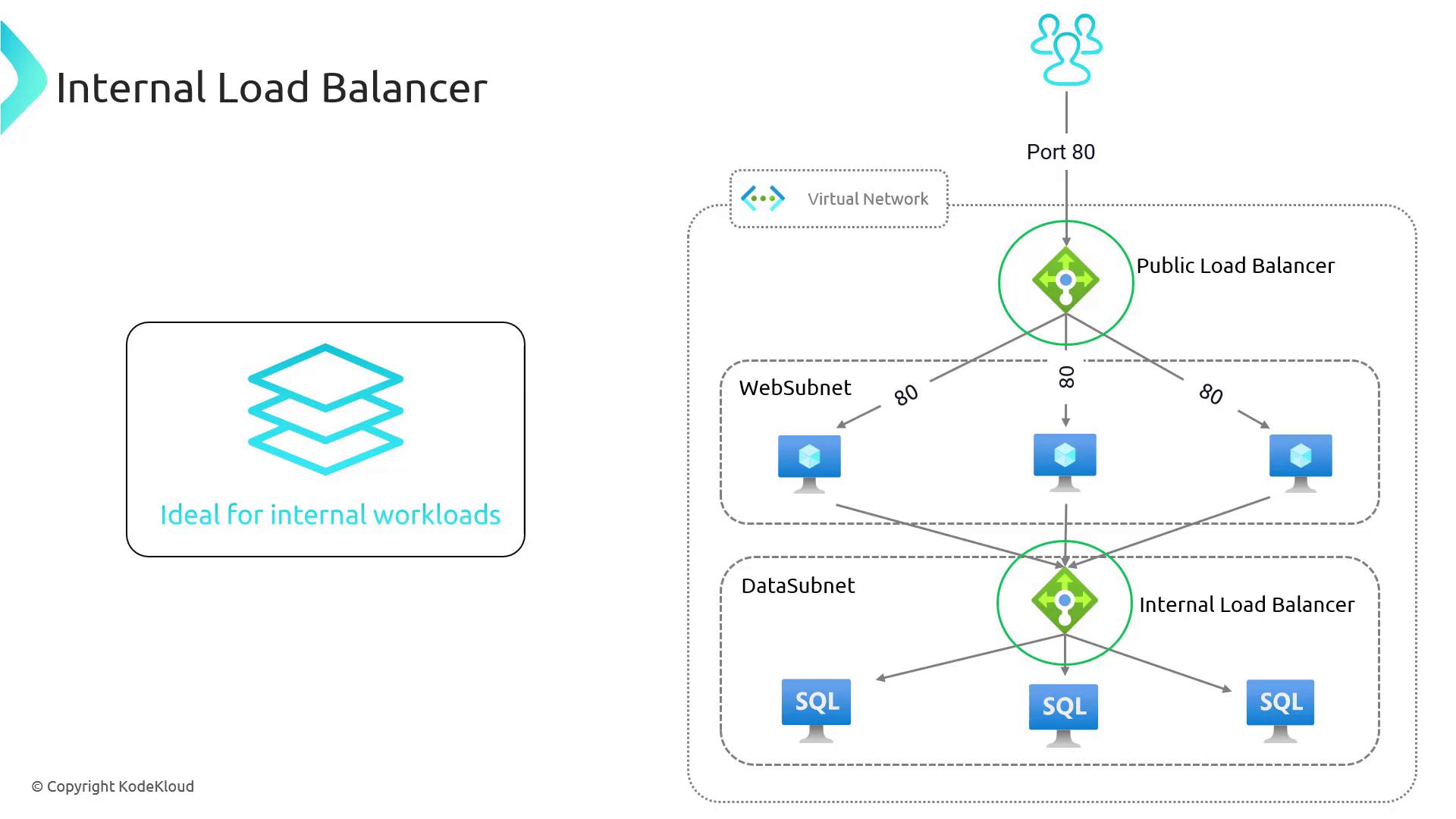
Configuring Azure Load Balancer Rules
After understanding the types and features of Azure Load Balancer, configuring load balancing rules is the next step. These rules determine how incoming traffic is distributed among backend servers and encompass parameters such as frontend IP configuration, backend pool assignments, load balancing rules, and health probes. Implementing these rules correctly ensures that your Azure Load Balancer maximizes performance, reliability, and scalability. In this lesson, we delve deeper into rule configuration, empowering you to optimize your Azure infrastructure for seamless application delivery.For detailed instructions on configuring your load balancing rules, refer to the official Azure Load Balancer documentation.