

Hot Tier
The Hot Tier is best suited for data that is frequently accessed and demands high availability. Although the storage cost is higher, it significantly reduces access costs, making it an ideal choice for transactional files, logs, or any data that is regularly read or modified.Cool Tier
The Cool Tier targets data that is accessed less frequently but still requires a reasonable retrieval speed. It offers lower storage costs compared to the Hot Tier, albeit at slightly higher access costs. This tier is particularly well-suited for data stored for at least 30 days, including monthly financial reports or backups that are only occasionally retrieved.Archive Tier
The Archive Tier is designed for data that is rarely accessed and for which longer retrieval times (several hours) are acceptable. With the lowest storage costs and the highest access fees, this tier is perfect for storing raw data such as old legal documents or historical records that do not require frequent modifications or rapid access.Pricing Overview
Below is an overview summarizing the cost differences among the storage tiers: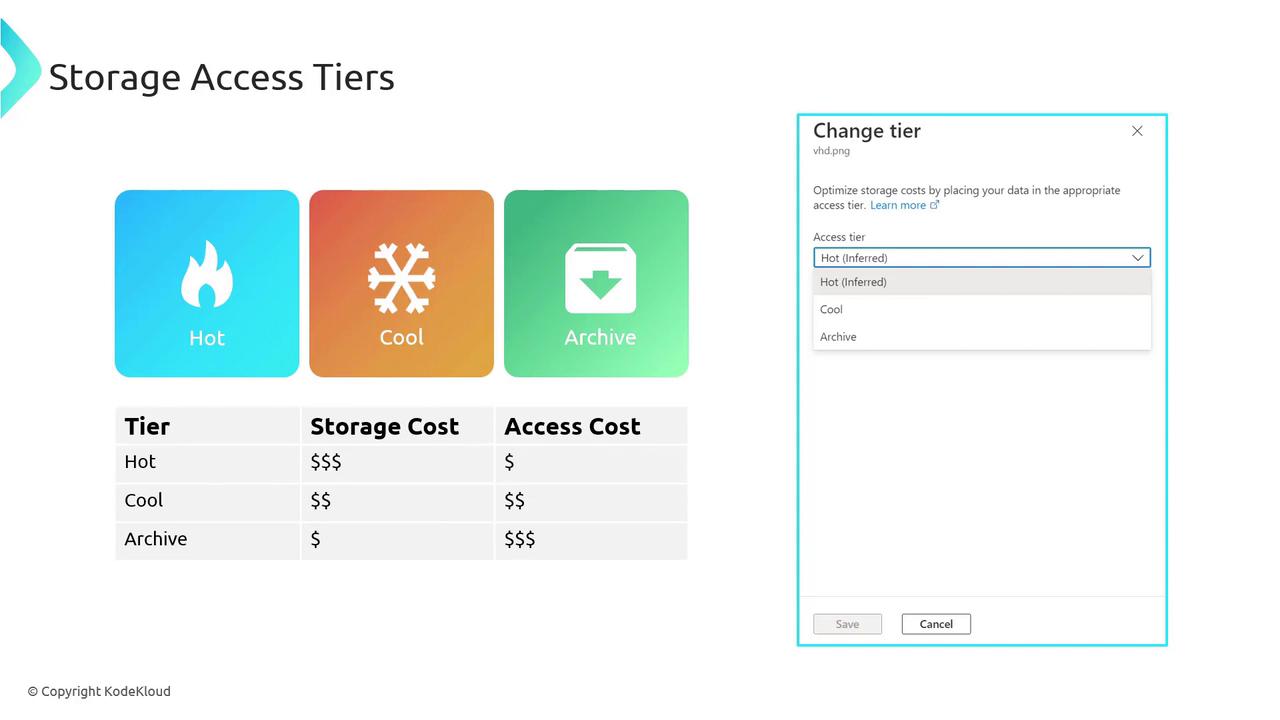
- Hot Storage: Highest storage cost with lower access expense.
- Cool Storage: Lower storage cost compared to Hot, with increased access expense.
- Archive Storage: Lowest storage cost paired with the highest access fee.
- Data that is regularly accessed, like transactional logs or real-time data streams, performs best on the Hot Tier.
- Infrequently accessed data—such as periodic backups or monthly financial reports—fits well with the Cool Tier.
- Long-term archival data, required for compliance or historical reference and accessed very rarely, is ideally stored in the Archive Tier.
Configuring Storage Tiers in the Azure Portal
When you create an Azure storage account, you can select the default access tier—Hot or Cool—at the account level. The Archive (and Cold) options are configurable only at the object level. Upon logging into the Azure Portal, the storage account overview displays the default access tier (for example, Hot). Selecting this option allows you to navigate to a configuration blade where you can change the default tier to Cool if necessary.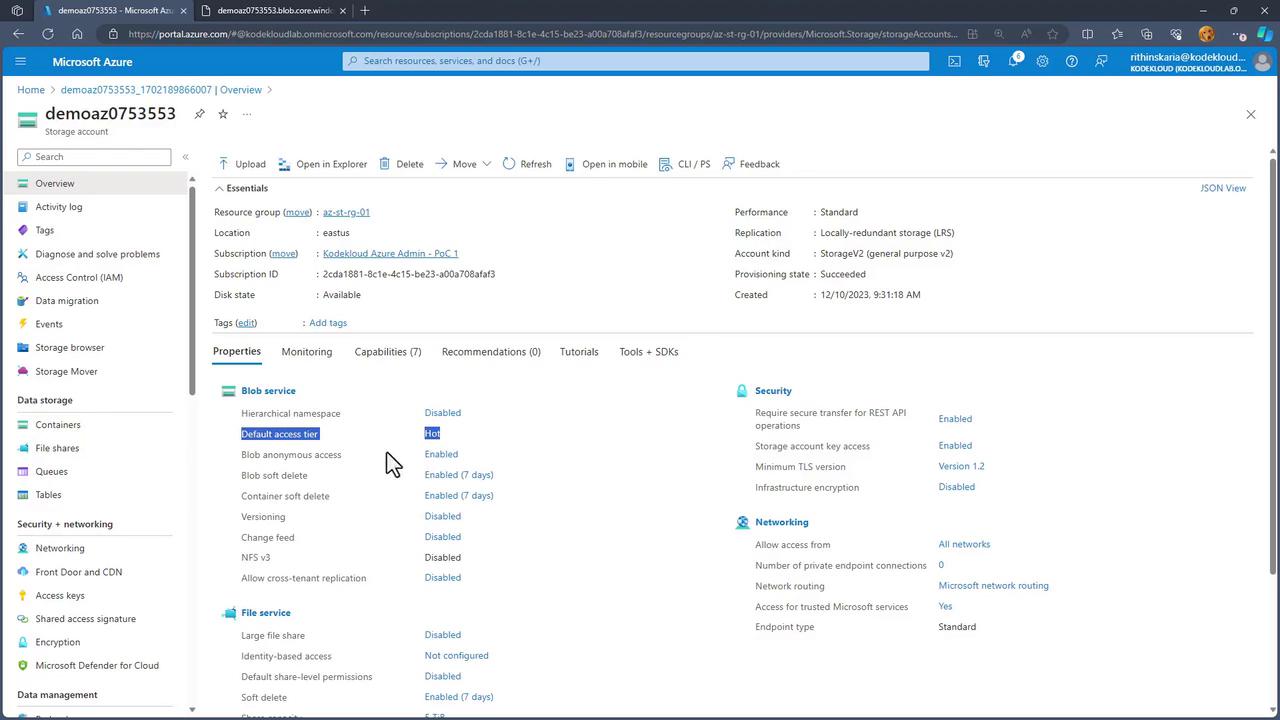
Cold Tier
The Cold option provides an additional level of cost reduction for data that is not expected to be accessed for 90 days or longer. It offers even lower capacity costs compared to the Cool Tier.While some Azure Portal interfaces display a “Cold” option for object-level tiering, the primary officially supported access tiers in Azure Storage remain Hot, Cool, and Archive. Users should verify the latest Azure documentation to ensure compatibility with their storage account configuration.