

Packaging Your Application
After building your application and uploading your code to a source repository, the next step is packaging it for deployment. Consider the following examples:-
Java Application:
The application is compiled into a JAR, EAR, or WAR file. In our demo, the Java application is packaged asapp.jar. You can run it using: -
Python Application:
Package using tools likedistutilsto create a compressed file that can be installed with pip: -
Ruby Application:
Package into a gem file for distribution:
For a consolidated view, here are the packaging commands for different types of applications:
Overcoming Manual Setup Challenges
After packaging, running the application on a host often requires additional setup tasks such as:- Installing the required application platform (e.g., Apache Tomcat for Java or the Python interpreter).
- Installing and configuring additional dependencies.
- Modifying configuration files and setting up system services.
- Starting the application services.
Leveraging Docker for Automation
To eliminate these risks, all instructions and dependencies are encapsulated into a Docker image using a Dockerfile. This approach not only streamlines the deployment process but also ensures consistency across environments. Use the following commands to build and run your Docker image:Understanding the Build Pipeline
The entire process from committing code, building a Docker image, testing it, releasing it on Docker Hub, and deploying it in production constitutes the build pipeline. Automation tools such as Jenkins or Bamboo drive continuous integration and continuous delivery (or deployment). The following image illustrates a typical build pipeline that includes stages like source code management, build, test, release, and deploy. It also highlights the use of industry-standard tools like Docker, Jenkins, and Kubernetes.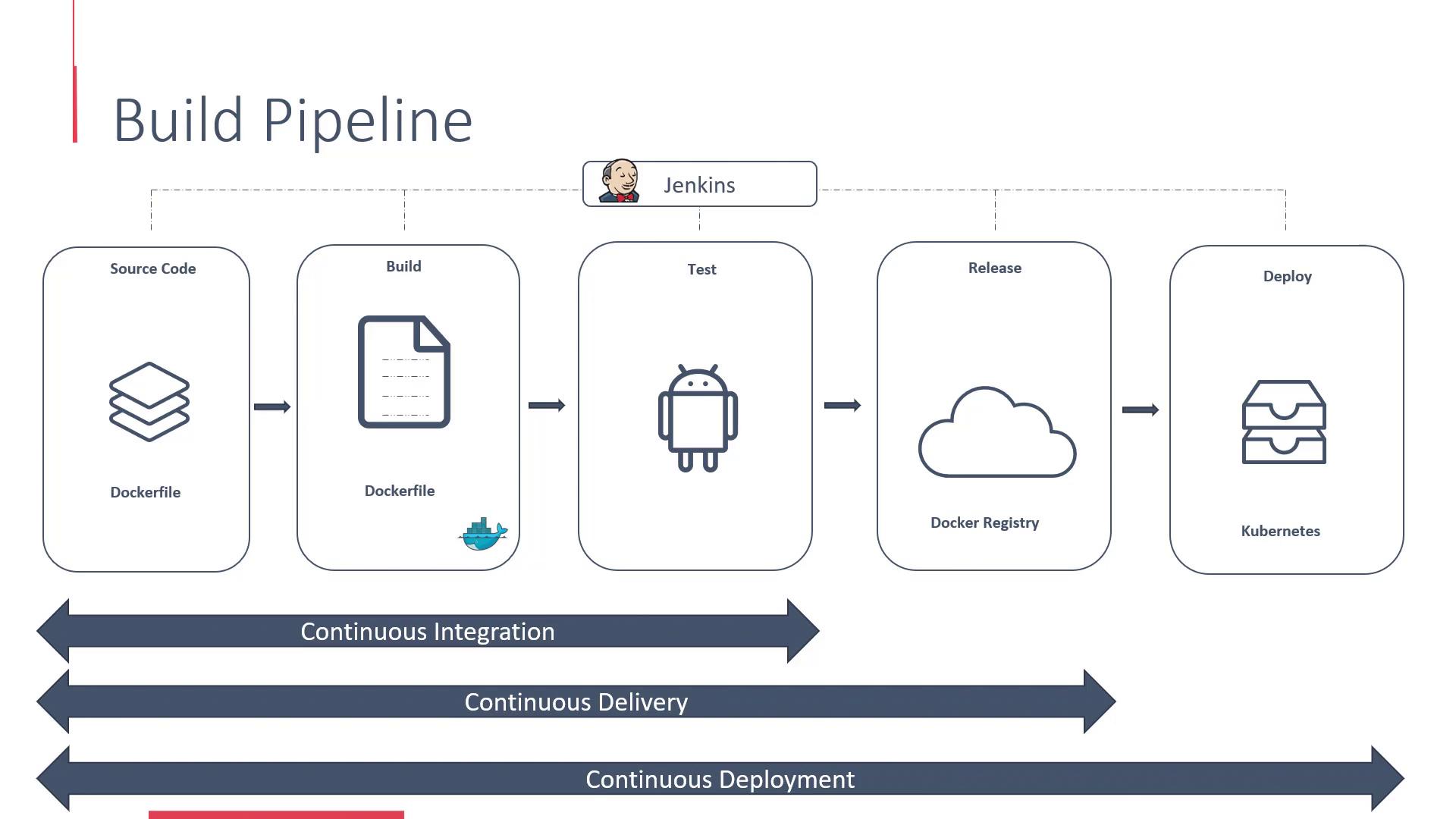
CI/CD Pipeline Demo
Let’s move on to a practical demo where we add a Dockerfile to our application and configure a simple CI/CD pipeline. This demo, based on the course GitLab CI/CD: Architecting, Deploying, and Optimizing Pipelines, will walk you through the key stages:- Source Code Management
- Automated Builds
- Testing
- Release
- Deployment
Explore additional resources such as Kubernetes Documentation and Docker Hub for further insights into containerization and orchestration.