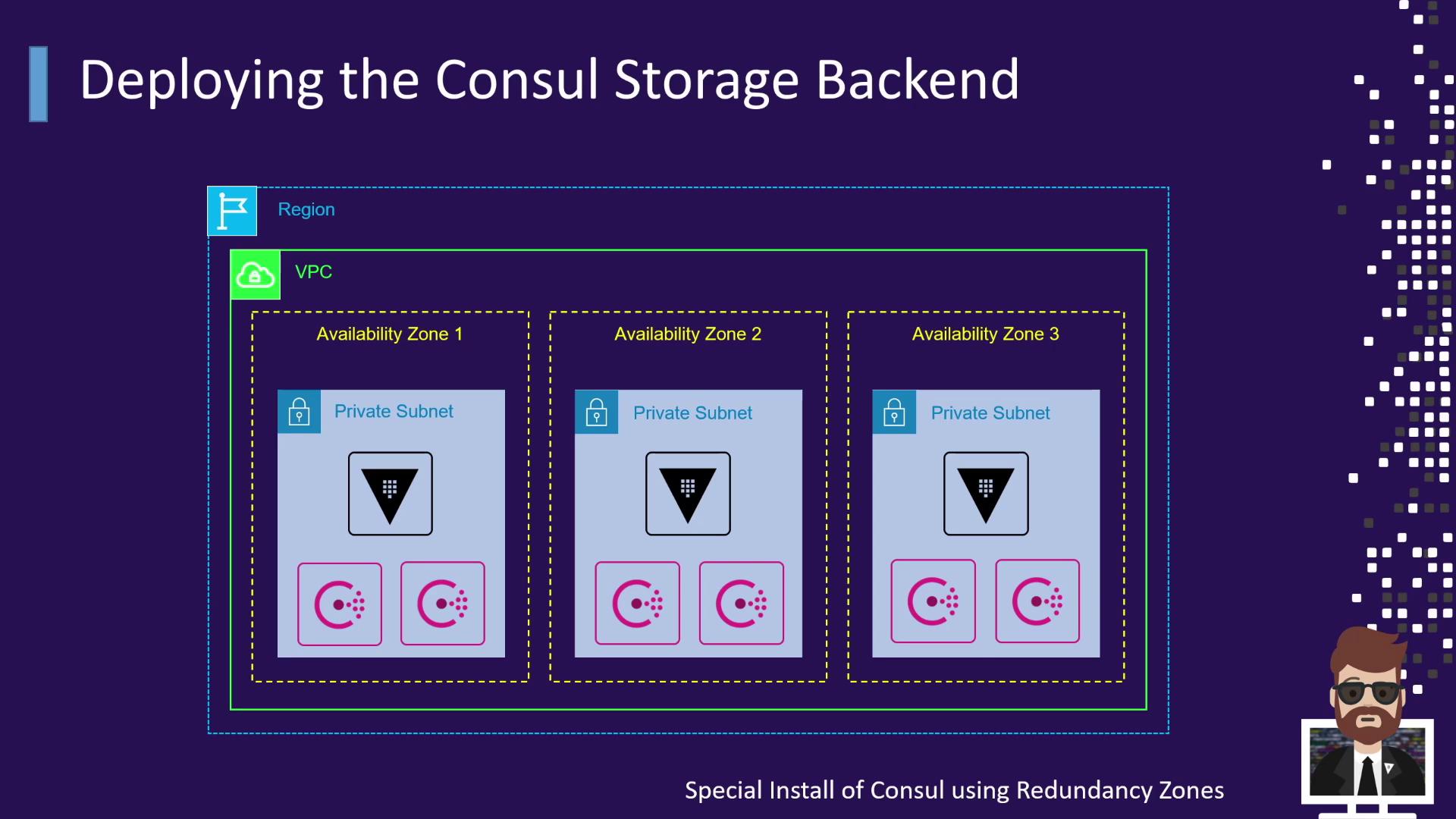
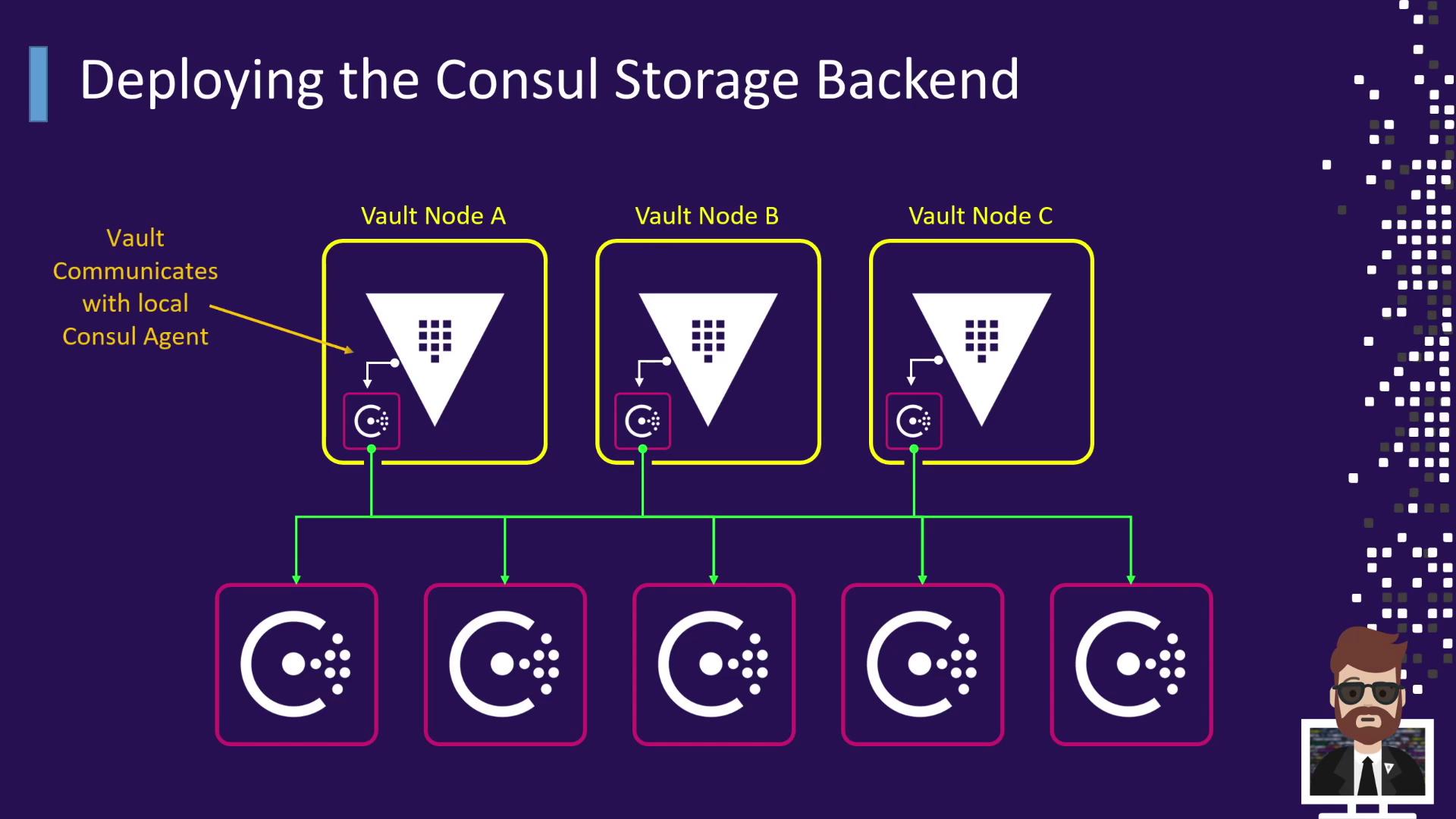
This guide explains how to configure HashiCorp Vault to use Consul as its storage backend for reliable data management.
In this guide, you’ll learn how to set up HashiCorp Vault to use Consul as its storage backend. Consul delivers a durable, highly available key–value store that scales independently, ensuring Vault’s data is stored reliably across clusters.
Consul offers robust features that enhance Vault’s resilience and scalability:
Feature
Benefit
Details
Durable KV Storage
High availability
Replicates data across 3–5 voting members for automatic failover.
Independent Scaling
Flexible capacity management
Scale Consul CPU and memory separately from Vault instances.
Built-in Integration
Service discovery & health
Vault registers itself in Consul for health checks and topology.
Automated Snapshots
Simplified backups
Create snapshots for backup and upgrades with minimal downtime.
Enterprise Support
Official HashiCorp support
Fully supported as a Vault backend in enterprise environments.
Running a dedicated Consul cluster adds maintenance overhead—setup, ACLs, upgrades, and monitoring. However, with proper automation, it operates with minimal intervention.
To prevent resource contention and maintain performance, host Vault storage on a dedicated Consul cluster. Do not co-locate service discovery or mesh workloads on the same cluster.