

- Enabling the TOTP engine in Vault
- Creating an AWS IAM user and setting up a virtual MFA device
- Registering the TOTP key in Vault
- Generating and applying TOTP codes for AWS sign-in
1. Enable the TOTP secrets engine
Start by enabling the TOTP engine at thetotp/ path in Vault:
totp/ entry appears in the output.
Be sure you’re authenticated as a Vault user with permission to enable secrets engines.
2. Create an AWS IAM user and assign a virtual MFA device
2.1 Create a new IAM user
- In the AWS IAM console, click Users → Add user.
- Enter TOTP as the username.
- Enable Programmatic access and AWS Management Console access.
- Attach the necessary policies (e.g., AdministratorAccess).
- Review and create the user.
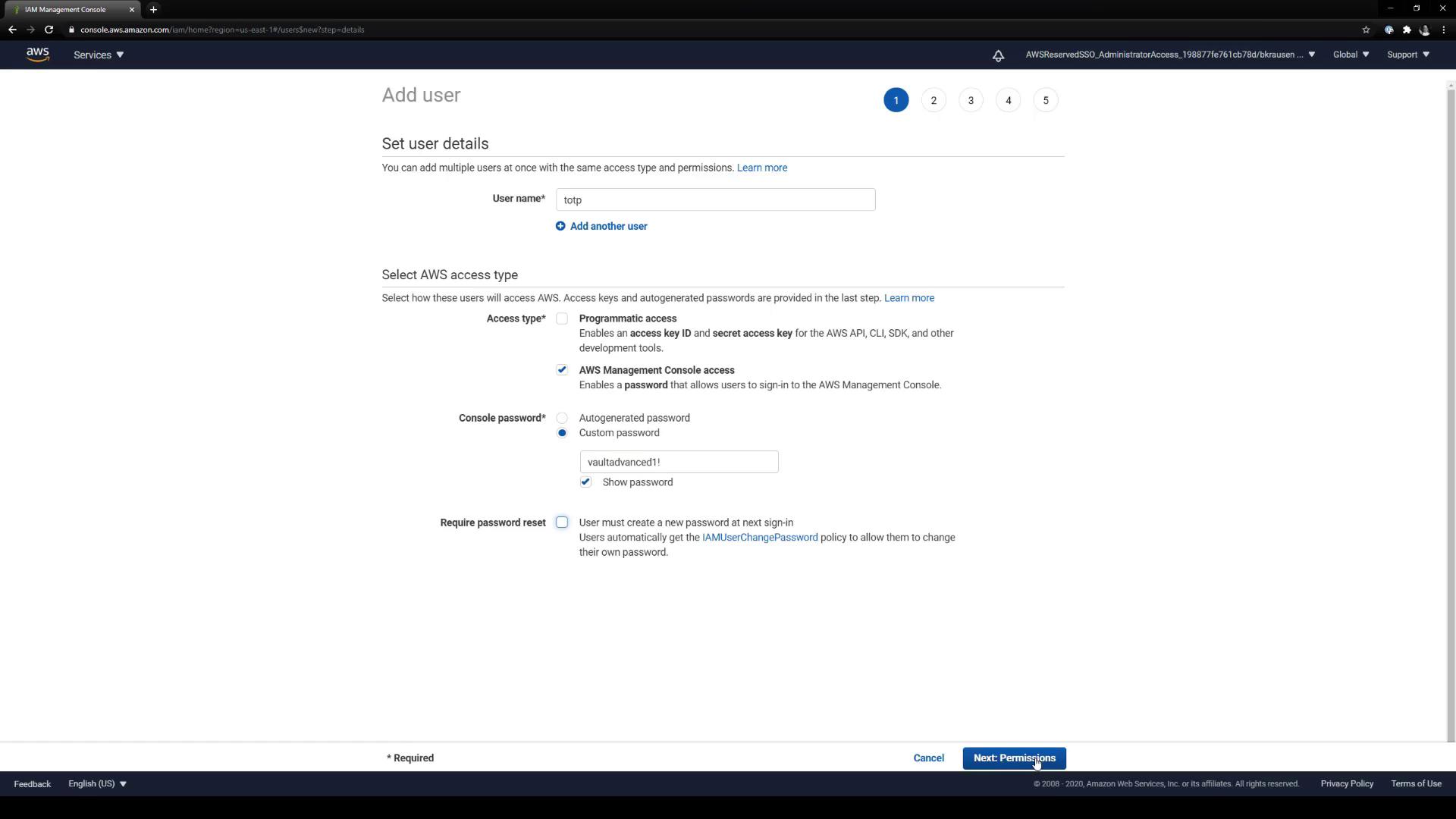
2.2 Open MFA settings
- In IAM, go to Users and select TOTP.
- Under Security credentials, locate MFA device: None assigned and click Manage.
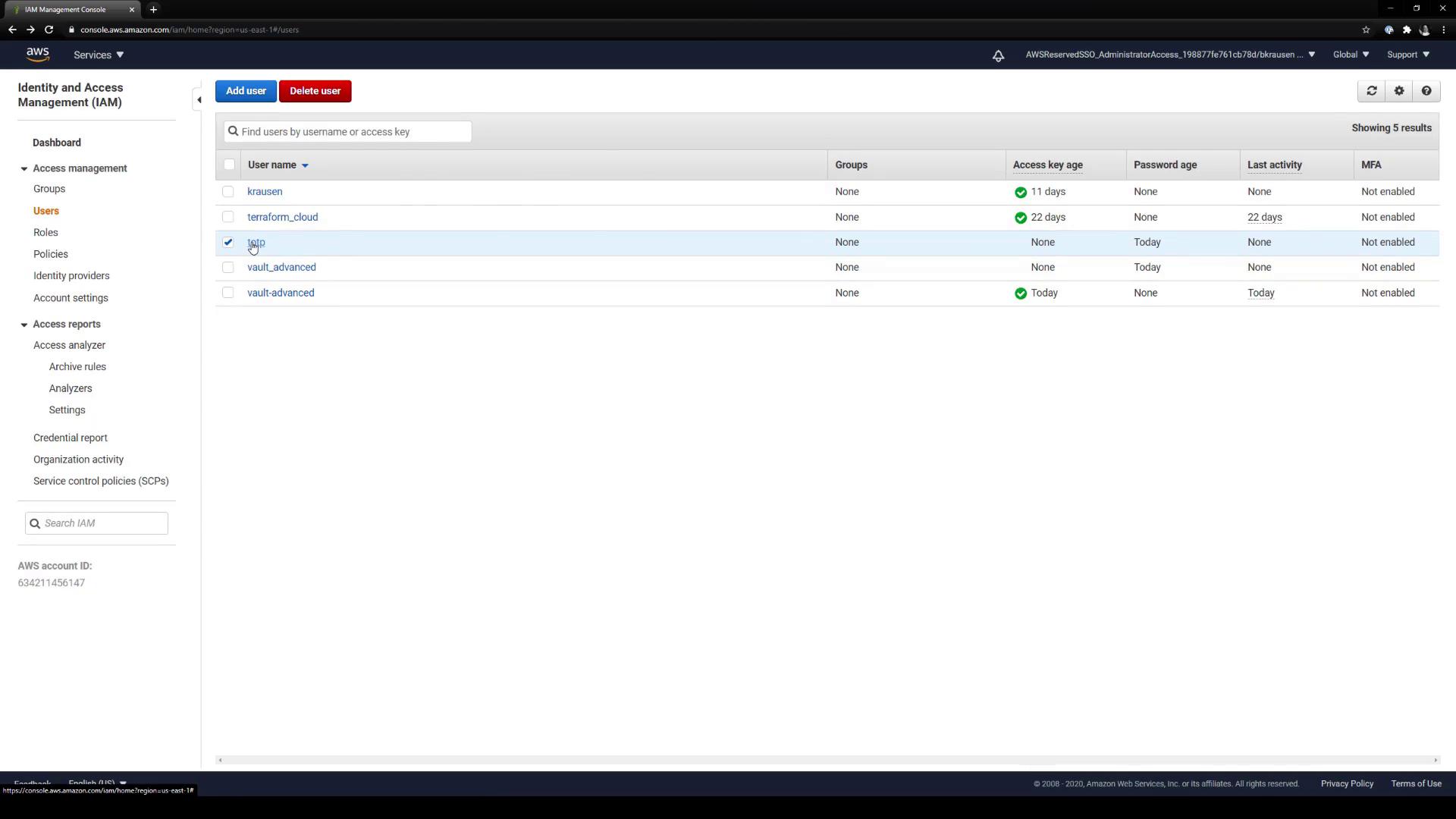
2.3 Select Virtual MFA
In the Manage MFA popup, choose Virtual MFA device and click Continue.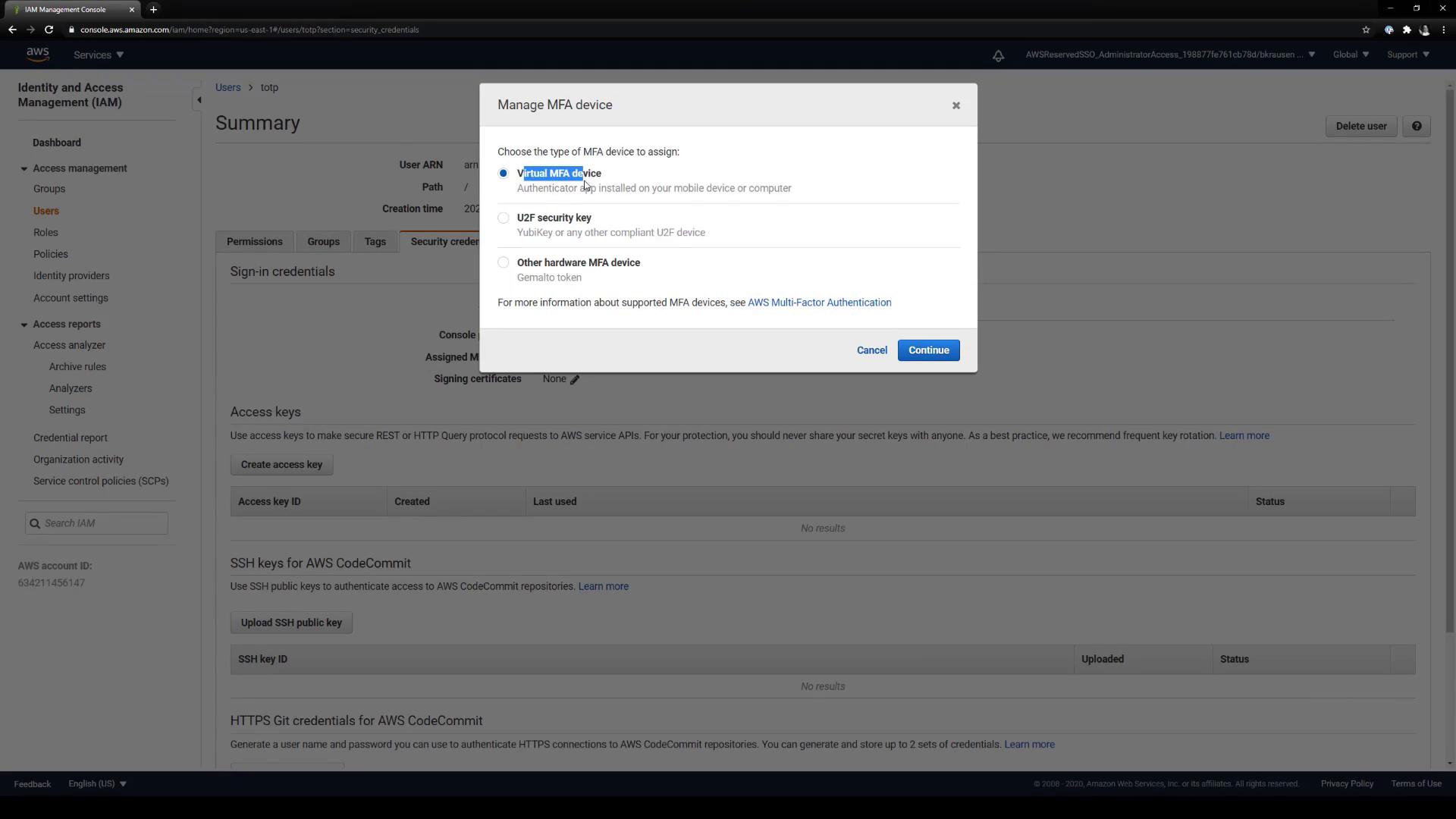
2.4 Copy the QR code or Base32 secret
AWS displays both a QR code and a Base32-encoded secret. You need the underlyingotpauth:// URL and the secret string to configure Vault.
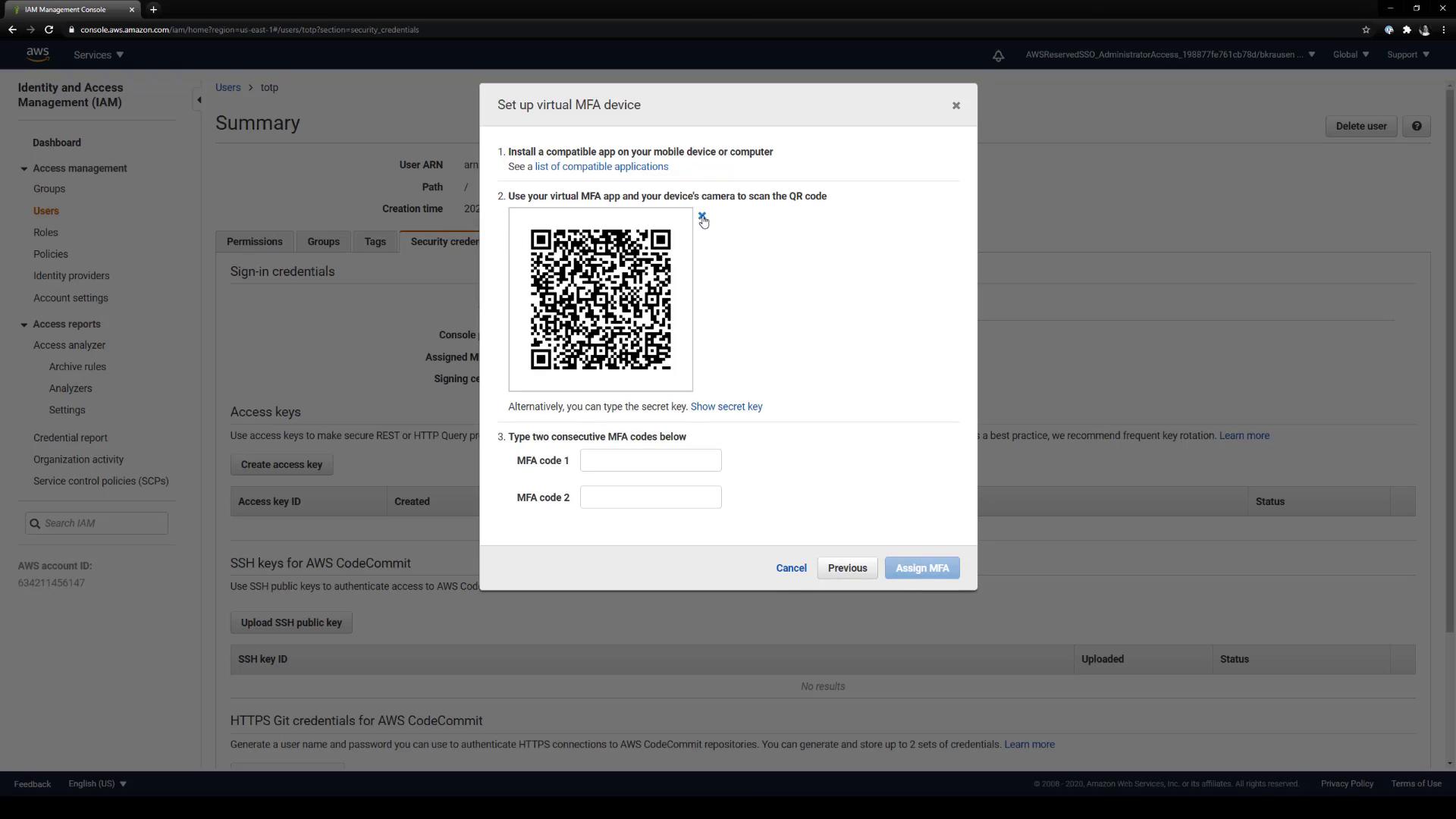
Keep the Base32 secret private. Anyone with this secret can generate valid MFA codes for your AWS account.
3. Register the TOTP key in Vault
With your<ACCOUNT_ID> and <SECRET>, write the TOTP key into Vault:
4. Generate and use TOTP codes
Use Vault to generate the current 6-digit code:| Action | Command |
|---|---|
| Generate current TOTP code | vault read -field=code totp/code/aws |
| Verify code during AWS MFA assignment | Enter two consecutive codes from Vault |
| Sign in to AWS with Vault-generated MFA | Provide code in the AWS console MFA prompt |
4.1 Complete AWS MFA setup
In the AWS console’s Virtual MFA setup, enter two consecutive codes from the previous command to finalize the association.4.2 Sign in to AWS with Vault MFA
When prompted for MFA at AWS login:- Enter your TOTP username and password.
-
Run:
- Supply the returned code in the MFA field.
Congratulations! You’ve successfully configured Vault’s TOTP secrets engine as a virtual MFA device for an AWS IAM user. This centralizes MFA management in Vault and eliminates the need for individual authenticator apps or hardware tokens.