

Vault’s built-in engines
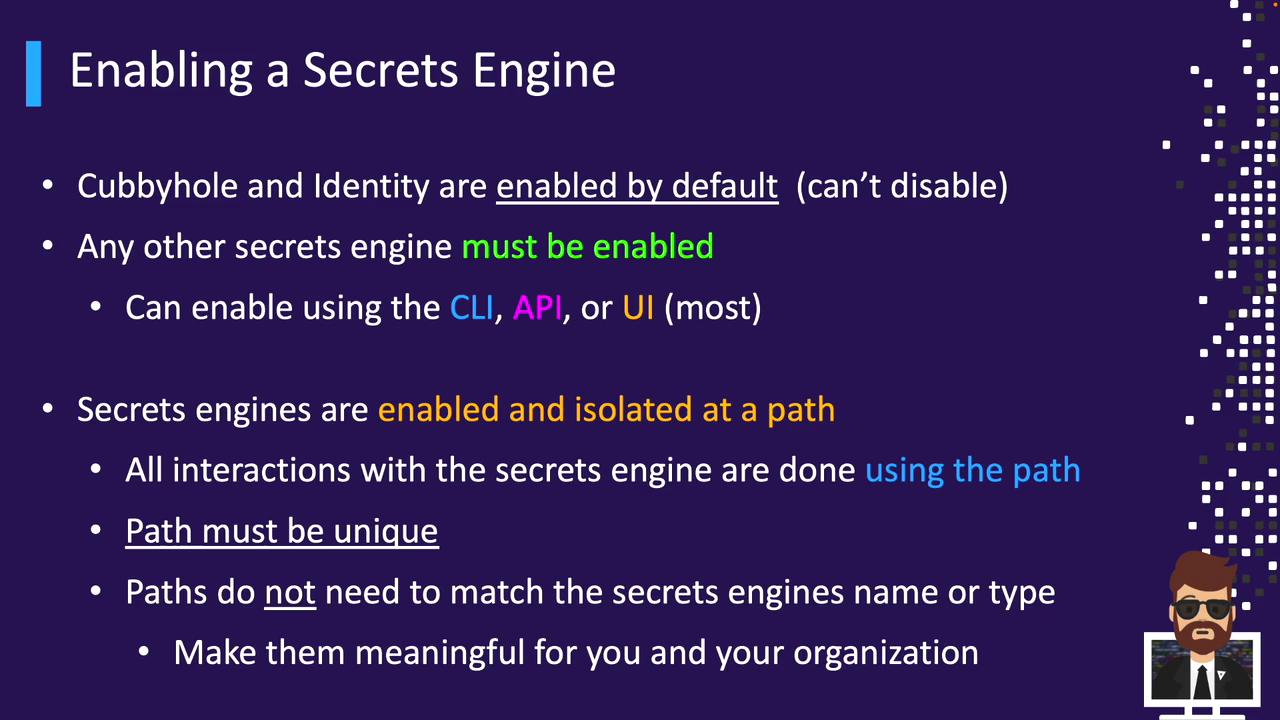
cubbyhole and identity are always enabled and cannot be removed.- CLI
- API
- UI
Mounting a Secrets Engine
When you enable a Secrets Engine, you assign it a path that isolates all its operations—reads, writes, and configuration. Paths must be unique (avoid reserved prefixes likesys/ or auth/) but don’t have to match the engine’s type name.
Examples:
Operator vs. Client Responsibilities
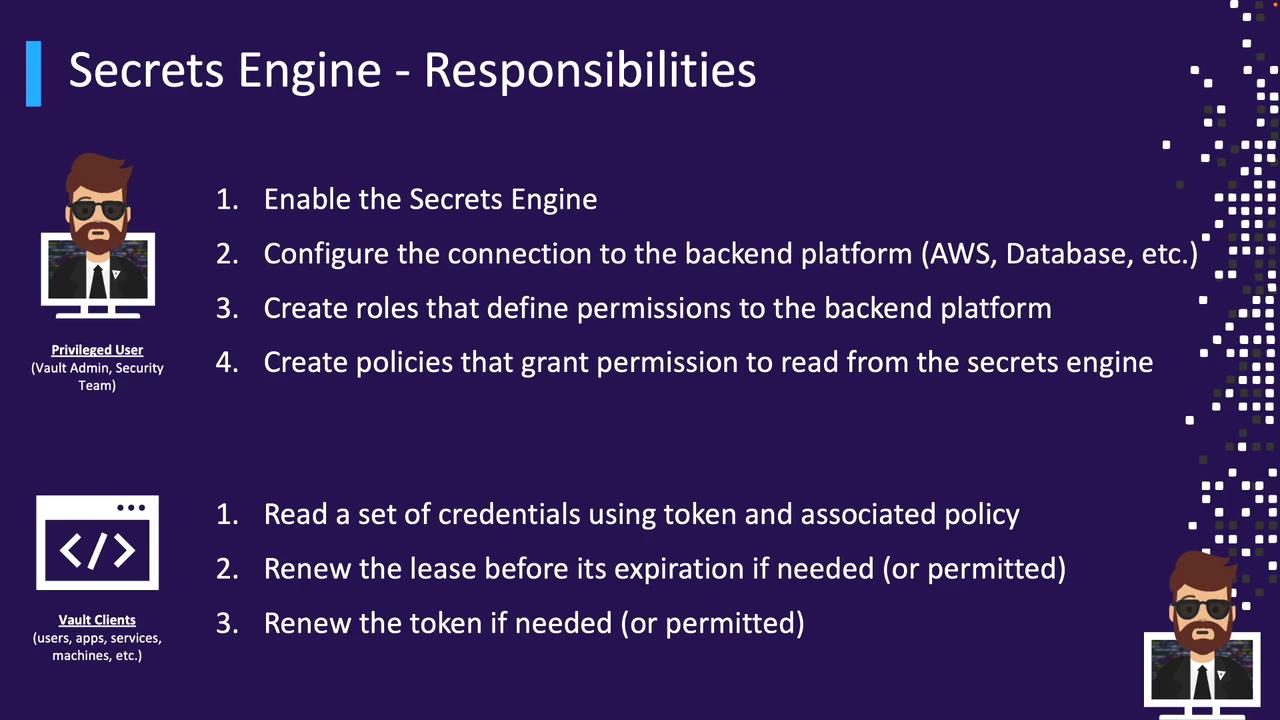
Operators (Vault administrators or privileged users) perform these steps for each engine:- Enable the Secrets Engine at a chosen path
- Configure backend connectivity (e.g., AWS credentials, Kubernetes service account token)
- Create roles that define backend permissions
- Write Vault policies granting clients access to those roles
- Read credentials using their Vault token and attached policies
- Renew leases before expiration (if allowed)
- Renew their token (if allowed)
Managing Secrets Engines with the CLI
Vault provides thevault secrets command group to administer engines:
| Command | Description |
|---|---|
vault secrets enable | Enable a new engine at a specified mount path |
vault secrets disable | Disable and remove an existing engine |
vault secrets list | List enabled engines with mount paths and metadata |
vault secrets move | Change an engine’s mount path |
vault secrets tune | Adjust engine parameters (e.g., default lease TTL) |
Enabling and Disabling
Mounting an engine registers its configuration in storage. Disabling and then re-enabling the same path resets its settings:Disabling a Secrets Engine removes all configuration data under that mount. Re-enabling creates a fresh configuration.
Tuning Engine Parameters
Configure defaults such as lease TTLs:Listing Engines
- Mount paths don’t have to match engine types (e.g.,
azure/above is an AWS engine) - Use
-detailedfor extended metadata, especially for KV v2
Example: Enabling KV v2
-path=cloud-kvsets a custom mount point (defaults to engine name)-descriptionadds context in listingskv-v2specifies the engine version
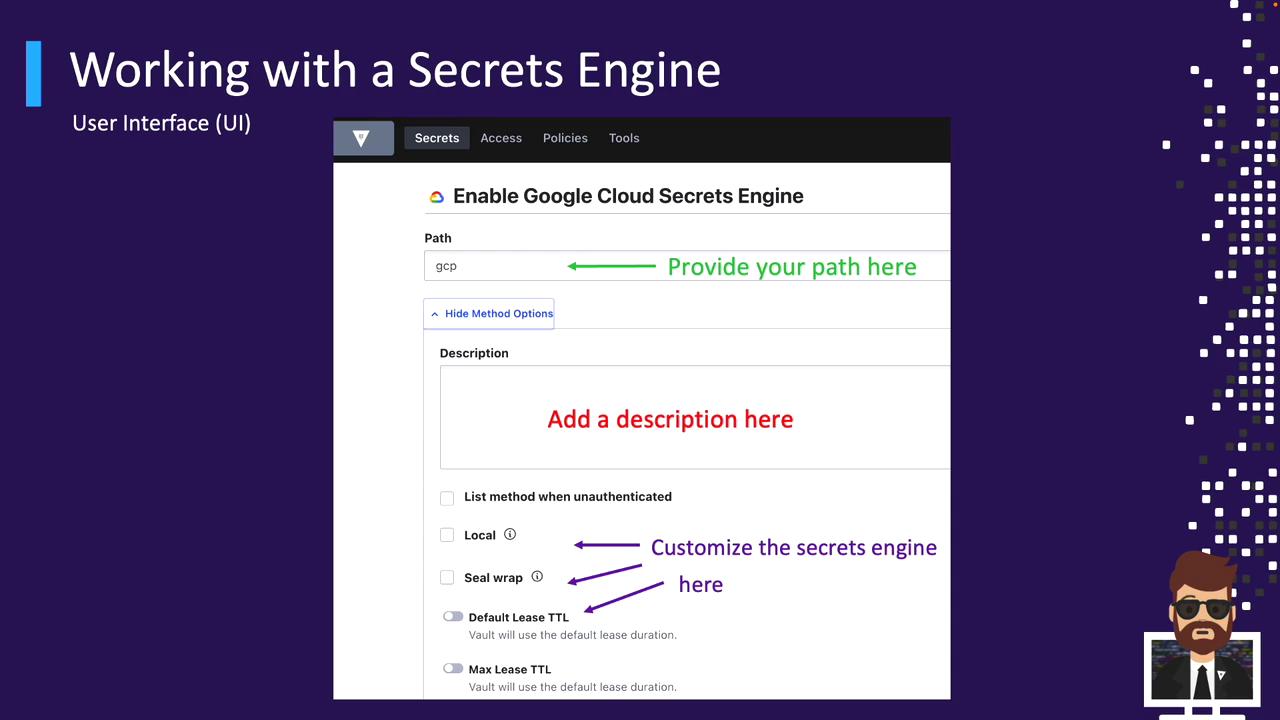
Enabling via the UI
- Navigate to Secrets → Enable new engine in the top-right corner.
- Select the Secrets Engine type you need (note: not all appear here).

- Fill in Path, Description, and any engine-specific settings (e.g., TTLs, replication, seal wrap).
Next Steps
In upcoming sections, we’ll explore popular Secrets Engines in depth—demonstrating how to:- Enable and configure each engine
- Define roles and generate dynamic credentials
- Consume and rotate secrets in applications