In this guide, we’ll leverage GitLab’s Auto DevOps to set up a staging environment and execute a canary release into production. By the end, you’ll have a pipeline that automatically deploys to staging and promotes to production manually, with incremental rollouts.
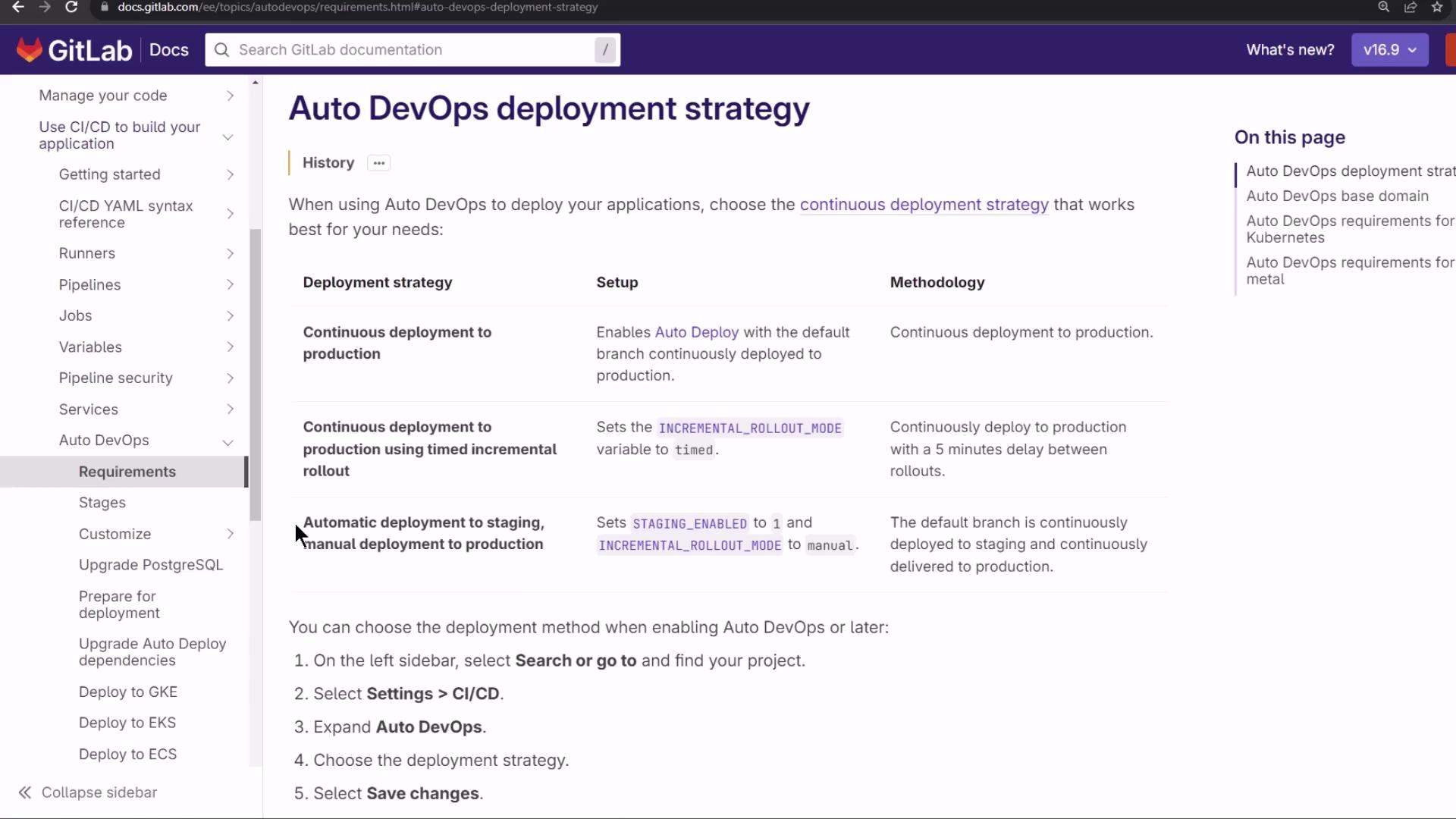
GitLab Auto DevOps Deployment Strategy GitLab Auto DevOps offers multiple deployment workflows. In this lesson, we use:
Automatic deployment to staging
Manual approval for production
By default, staging_enabled is set to 1 and INCREMENTAL_ROLLOUT_MODE is manual. This means every commit goes to staging automatically, while production requires a manual trigger.
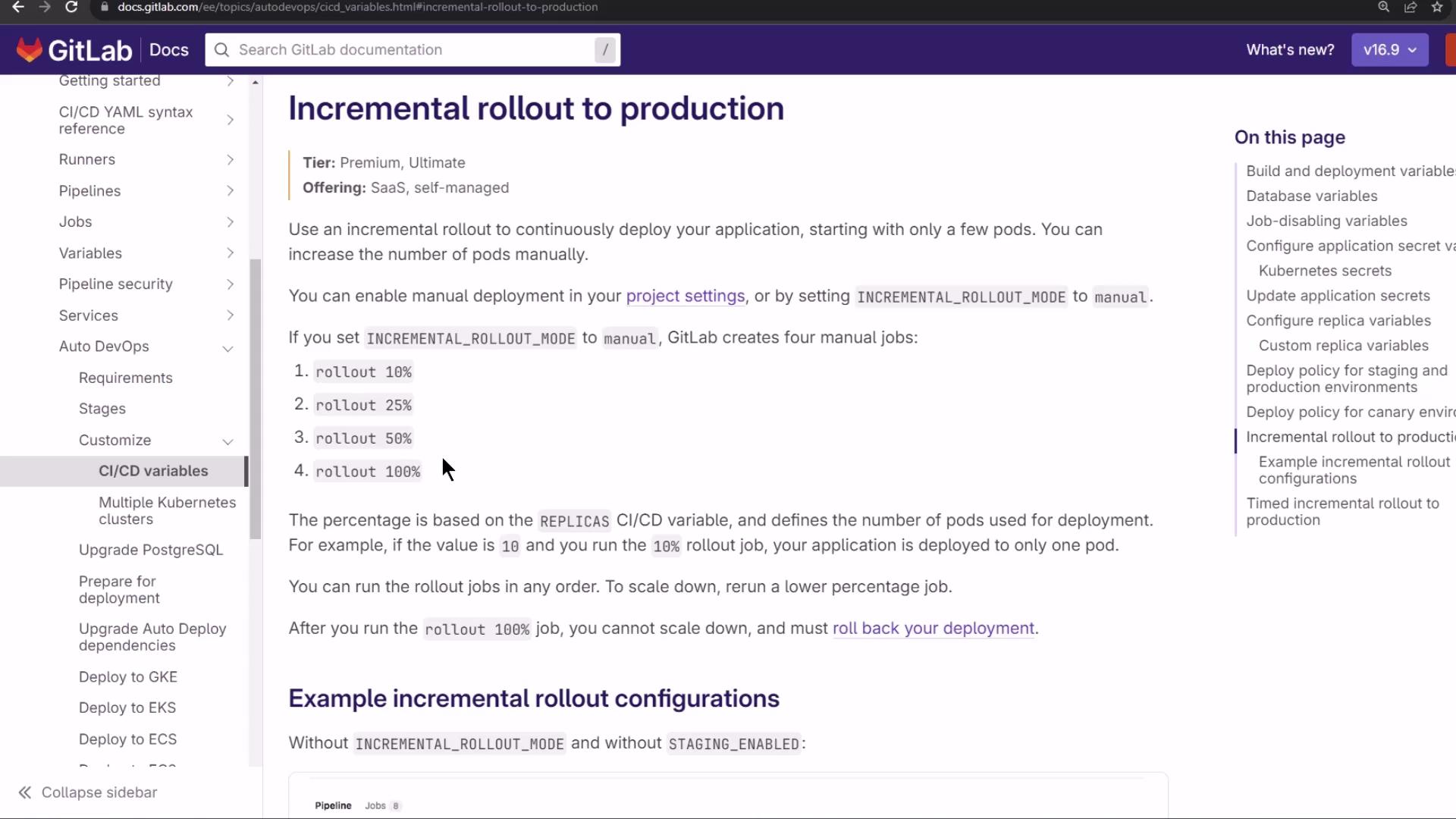
Canary (Incremental) Rollout With a canary strategy, new releases go to a small subset of pods in steps. Monitor each phase before proceeding.
Rollout example with 10 replicas :
10% → 1 new pod
25% → 3 new pods
50% → 5 new pods
100% → all pods updated
If any phase fails, you can roll back completely before proceeding.
Demo: Configuring Auto DevOps
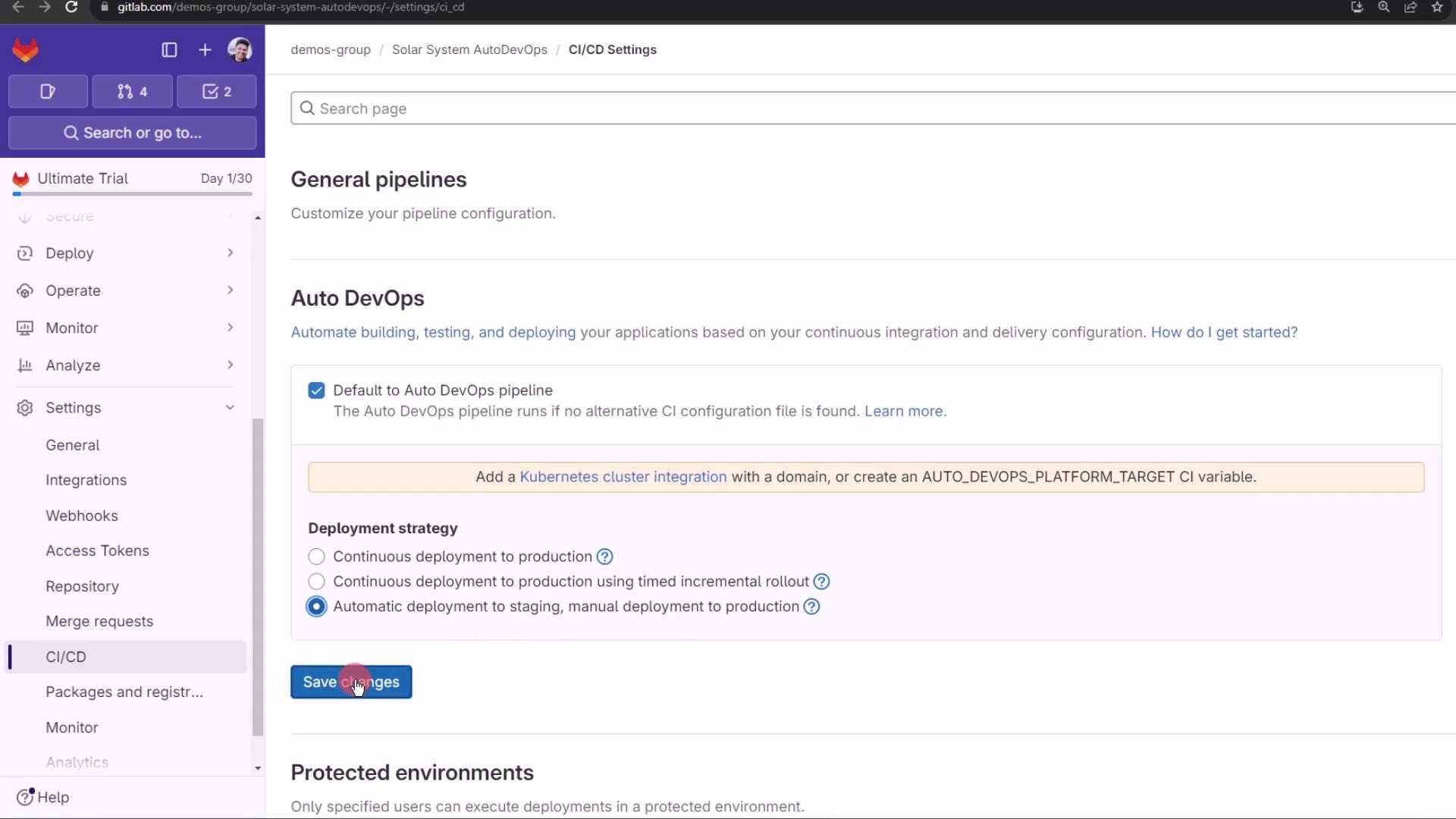
Go to Settings > CI/CD in your project.
Under Auto DevOps , choose Automatic deployment to staging and manual to production .
Click Save changes .
No pipeline runs until you push new code. Next, create a feature branch and observe the behavior.
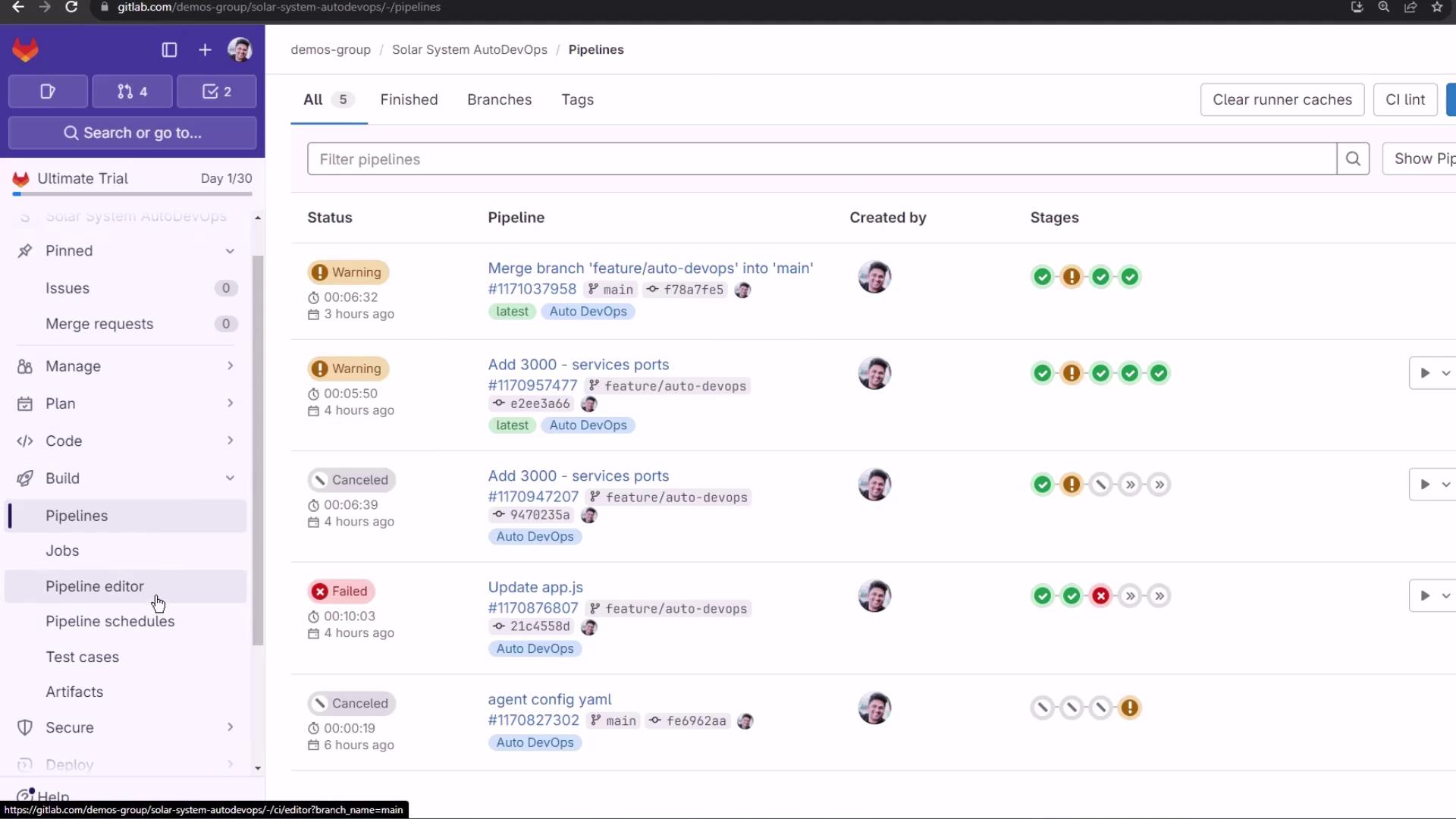
Viewing Pipelines and Environments After pushing, navigate to CI/CD > Pipelines to see your jobs:
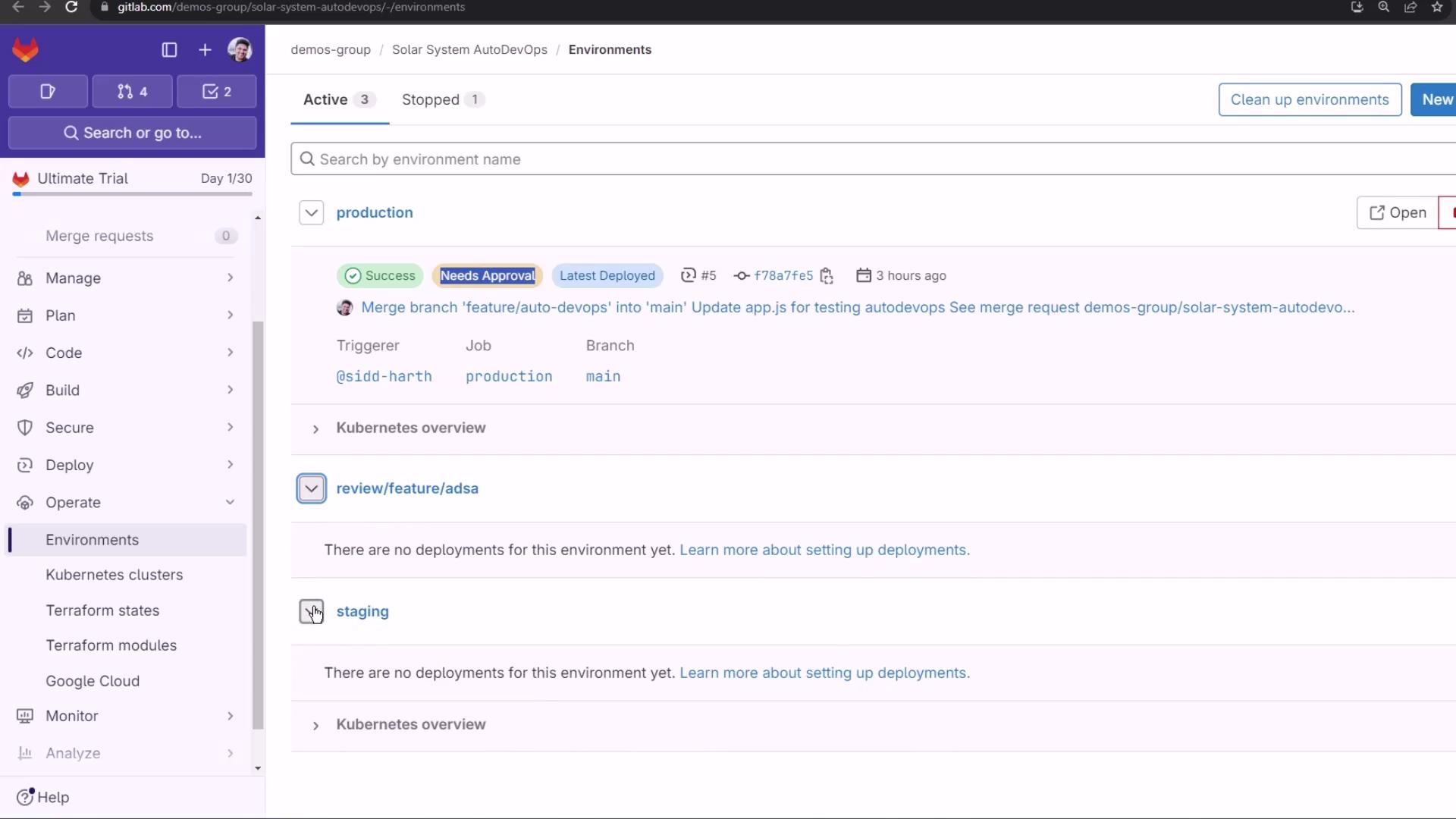
Protected branches (like main) block automatic production deployment. Under Operations > Environments , you’ll notice that production requires manual approval:
Making Code Changes Create a branch named feature/canary-deployment and update these files:
index.html
Switch to a static background
Remove the spinning keyframes
<!-- index.html --> < link rel = "stylesheet" href = "https://cdnjs.cloudflare.com/ajax/libs/font-awesome/4.7.0/css/font-awesome.min.css" > < style > #planetImage { background : url ( 'https://gitlab.com/sidd-harth/solar-system/-/raw/main/images/saturn.png' ) center no-repeat ; background-size : cover ; position : static ; width : 50 vw ; height : 50 vw ; /* animation: spin 25s linear infinite; */ } @keyframes spin { 100% { transform : rotate ( 360 deg ); } } body { display : flex ; align-items : center ; justify-content : center ; background : url ( 'images/static-background.png' ); } </ style >
app.js
Comment out an extra console.log
Preserve existing Express & Mongoose setup
// app.js const path = require ( 'path' ); const express = require ( 'express' ); const mongoose = require ( 'mongoose' ); const bodyParser = require ( 'body-parser' ); const cors = require ( 'cors' ); const app = express (); app . use ( bodyParser . json ()); app . use ( express . static ( path . join ( __dirname , '/' ))); app . use ( cors ()); mongoose . connect ( process . env . MONGO_URI , { user: process . env . MONGO_USERNAME , pass: process . env . MONGO_PASSWORD , useNewUrlParser: true , useUnifiedTopology: true }, function ( err ) { if ( err ) { console . log ( "error!! " + err ); } else { // console.log("MongoDB Connection Successful"); } }); // Define schema and routes...
app-test.js Enhance test logs for clarity:
// app-test.js const mongoose = require ( 'mongoose' ); const server = require ( '../app' ); const chai = require ( 'chai' ); const chaiHttp = require ( 'chai-http' ); chai . should (); chai . use ( chaiHttp ); describe ( 'Planets API Suite' , () => { describe ( 'Fetching Planet Details' , () => { it ( 'should fetch a planet named Mercury' , ( done ) => { const payload = { id: 1 }; chai . request ( server ) . post ( '/planet' ) . send ( payload ) . end (( err , res ) => { res . should . have . status ( 200 ); res . body . should . have . property ( 'id' ). eql ( 1 ); res . body . should . have . property ( 'name' ). eql ( 'Mercury' ); done (); }); }); it ( 'should fetch a planet named Venus' , ( done ) => { const payload = { id: 2 }; chai . request ( server ) . post ( '/planet' ) . send ( payload ) . end (( err , res ) => { res . should . have . status ( 200 ); res . body . should . have . property ( 'id' ). eql ( 2 ); done (); }); }); }); });
Commit and push to trigger Auto DevOps.
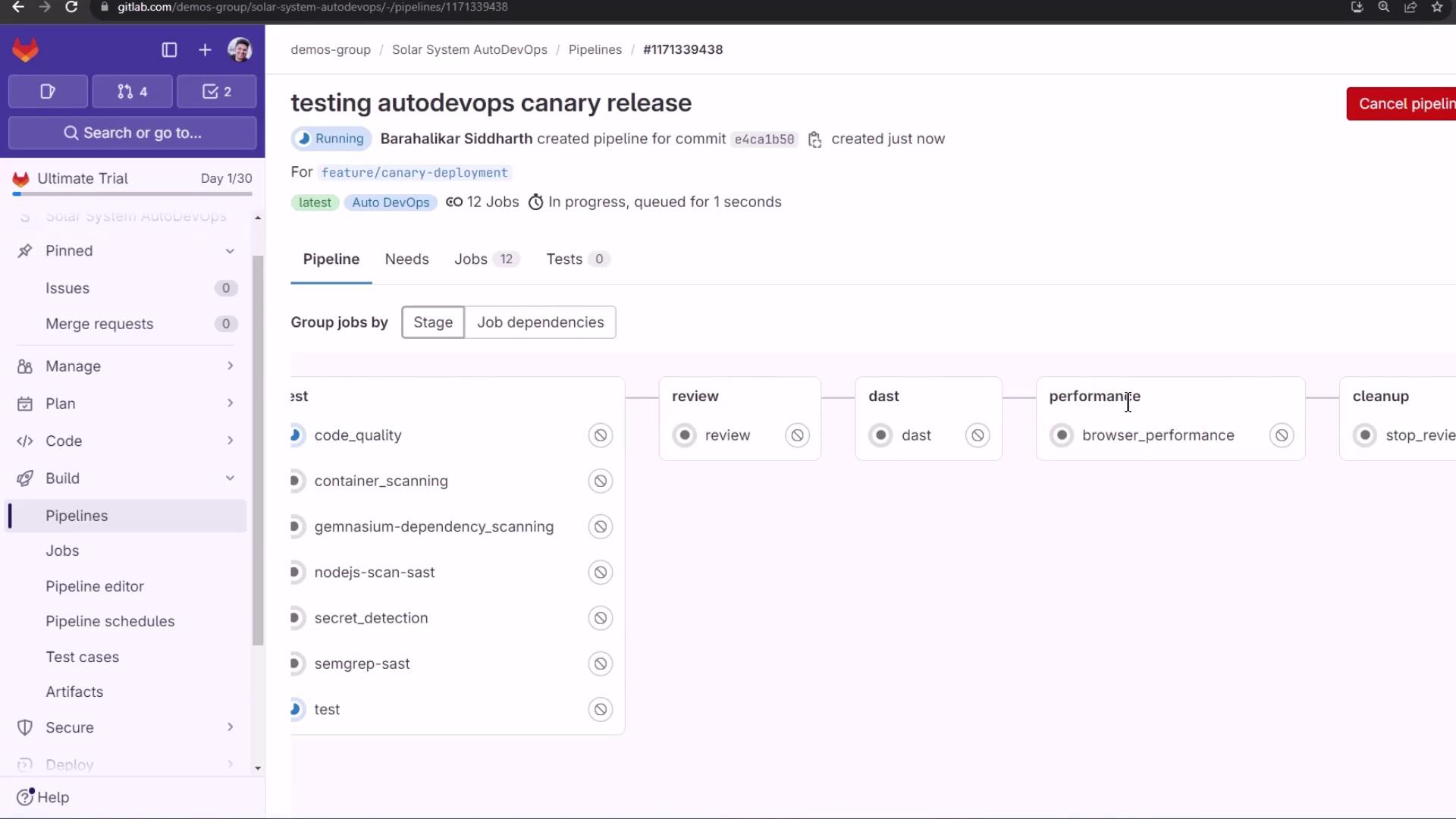
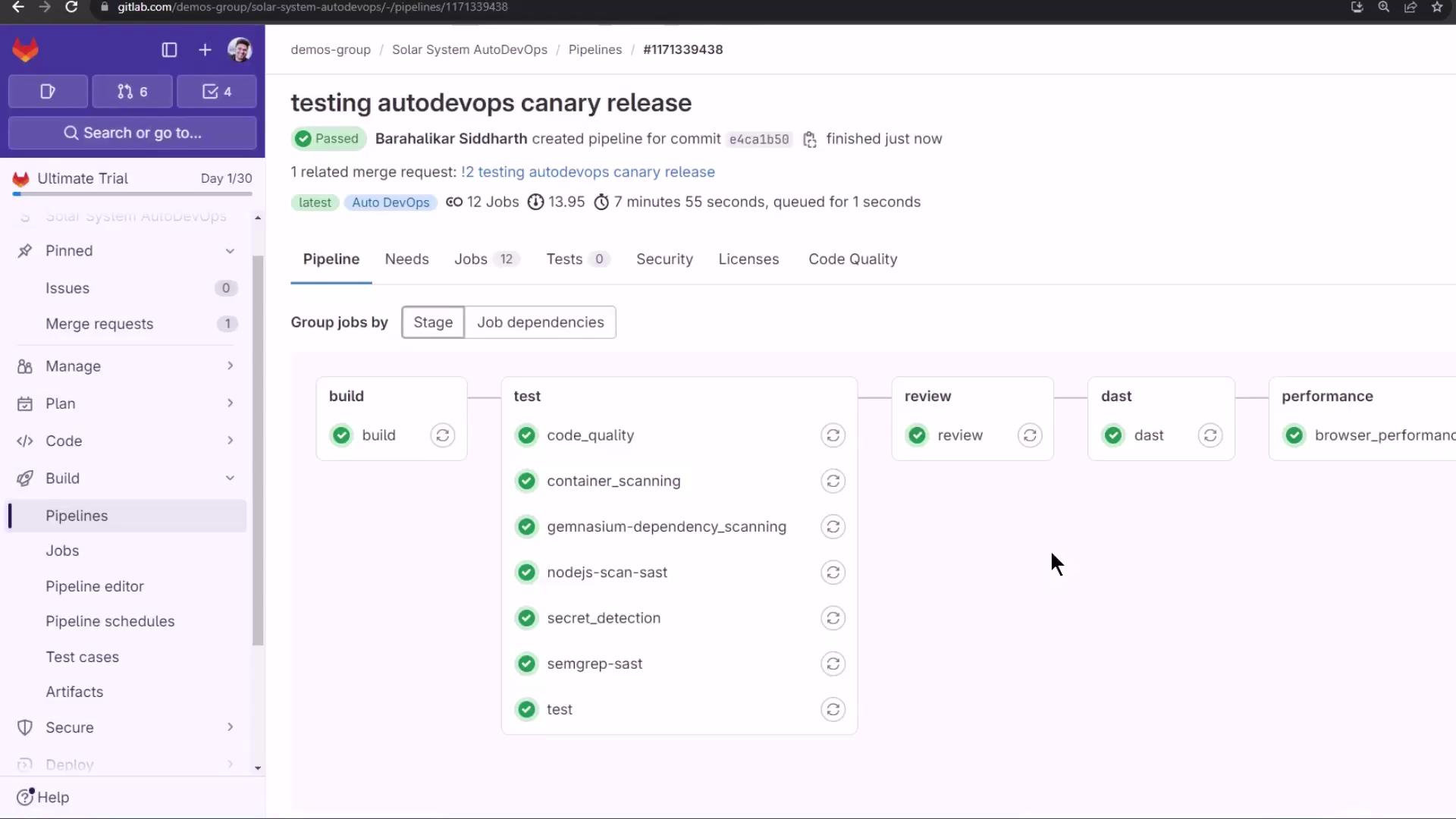
Observing the CI/CD Pipeline The merge request or branch push triggers these stages:
Stage Purpose build Build Docker image test Run unit and integration tests review Deploy to a dynamic review environment dast Perform Dynamic Application Security Testing (DAST) performance Execute performance and load tests cleanup Tear down review resources
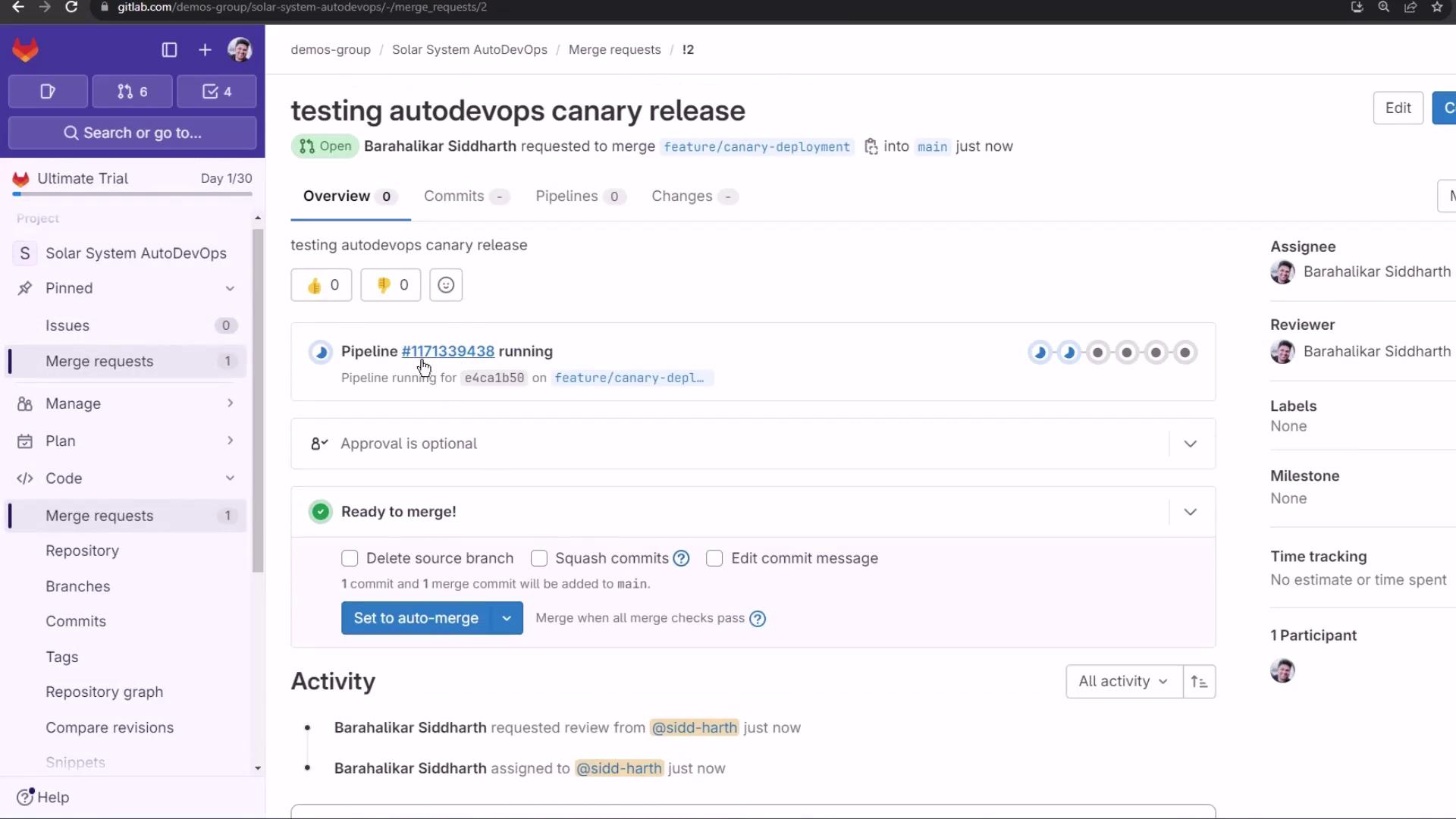
Create a Merge Request; Auto DevOps reuses the same pipeline:
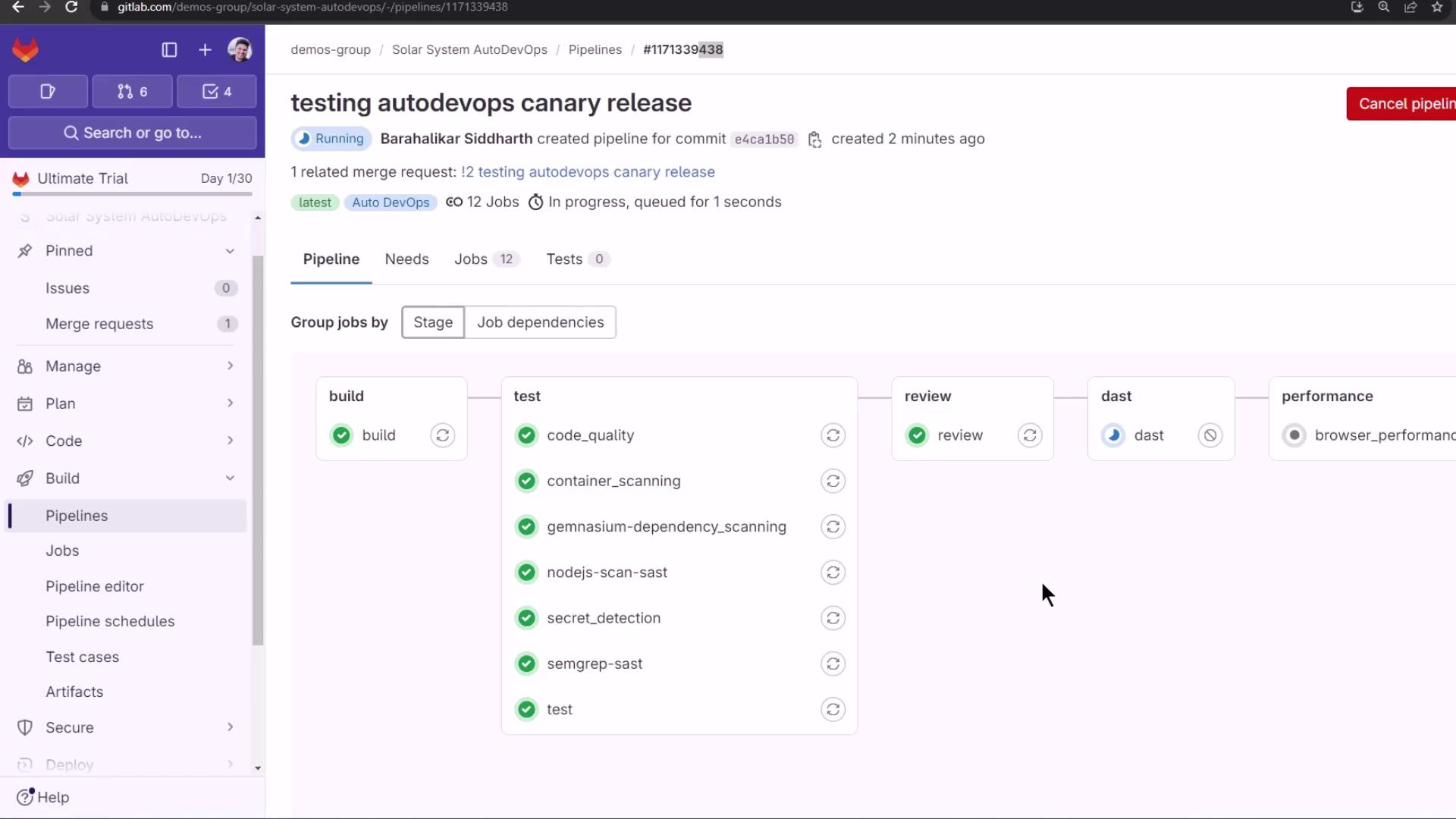
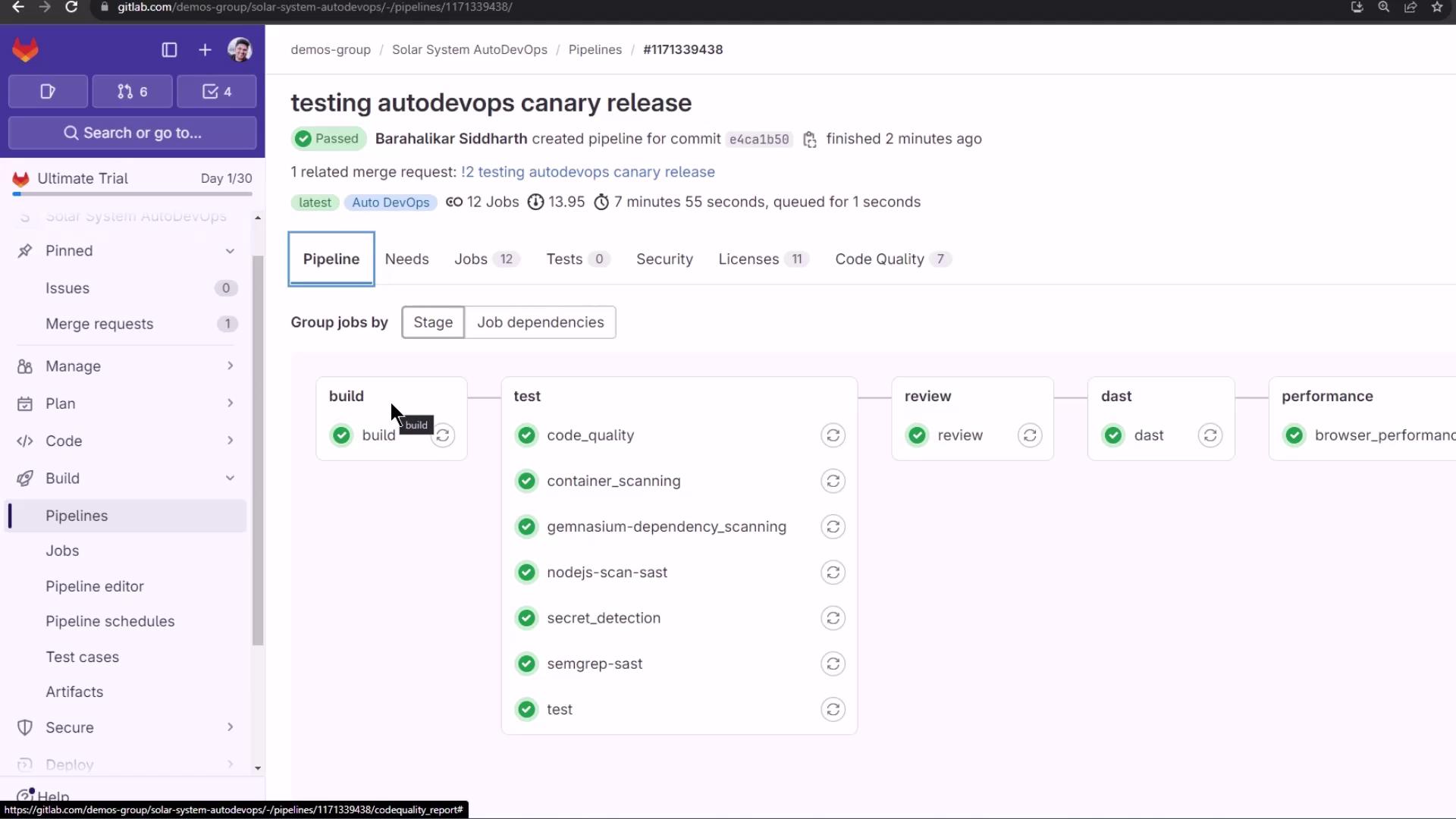
The MR pipeline kicks off with 12+ jobs:
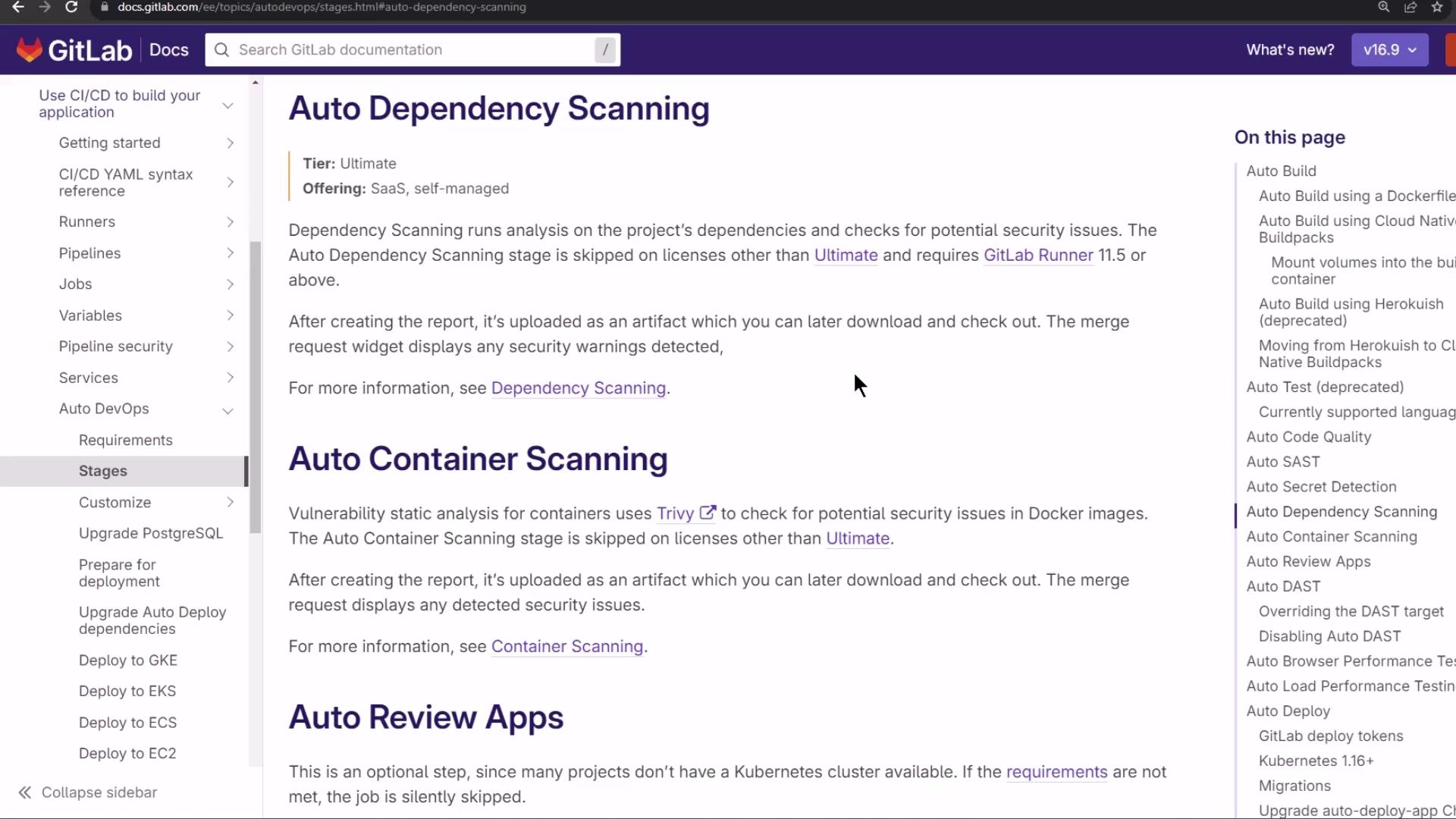
Dependency & Container Scanning With an Ultimate license, Auto DevOps includes Dependency Scanning and Container Scanning :
Example dependency scan logs:
$ git remote set-url origin ${ CI_REPOSITORY_URL } $ analyzer run [Gemnasium] v4.10.5 using schema model 15 Cannot auto-remediate: package-lock.json Uploading artifacts: gl-sbom- * .cdx.json (CycloneDX format )
Sample snippet from the CycloneDX SBOM artifact:
{ "bomFormat" : "CycloneDX" , "specVersion" : "1.4" , "metadata" : { "timestamp" : "2024-02-09T18:13:38Z" }, "tools" : [{ "vendor" : "GitLab" , "name" : "Gemnasium" , "version" : "4.10.5" }], "components" : [ { "name" : "@babel/core" , "version" : "7.22.20" , "type" : "library" }, { "name" : "@babel/code-frame" , "version" : "7.22.13" , "type" : "library" } ] }
When all tests pass, the pipeline pauses at review stop :
Dynamic Application Security Testing (DAST) DAST runs OWASP ZAP against the review URL:
$ export DAST_WEBSITE= $( cat environment_url.txt ) $ zap-cli quick-scan --self-contained -r report.html $DAST_WEBSITE
Example DAST output:
PASS: Application Error Disclosure [90222] WARN: Content Security Policy (CSP) Header Not Set [10938] x 3 SKIP: Big Redirect Detected [10044] ...
Review the report.html artifact. The live review environment now shows a static background:
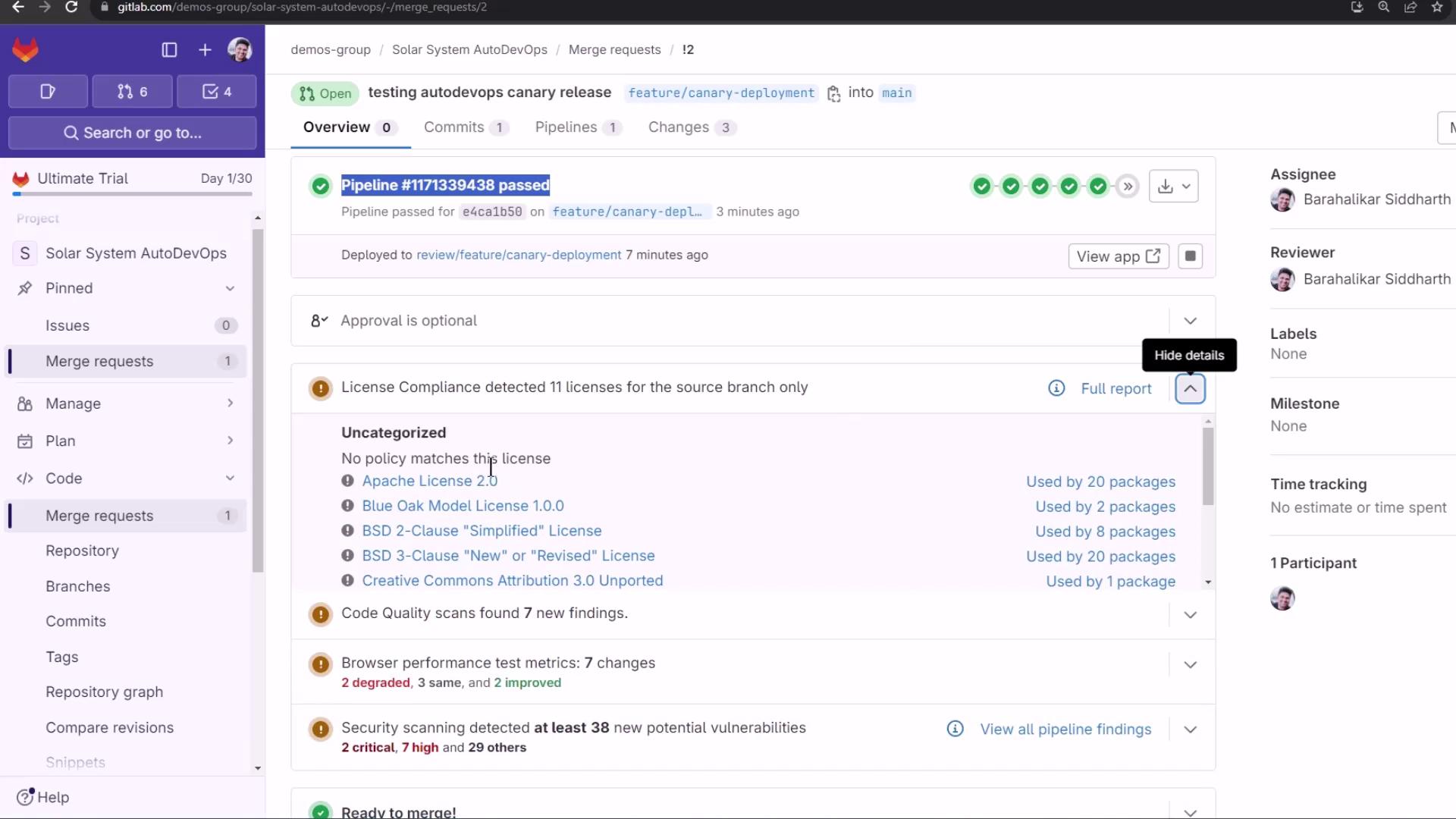
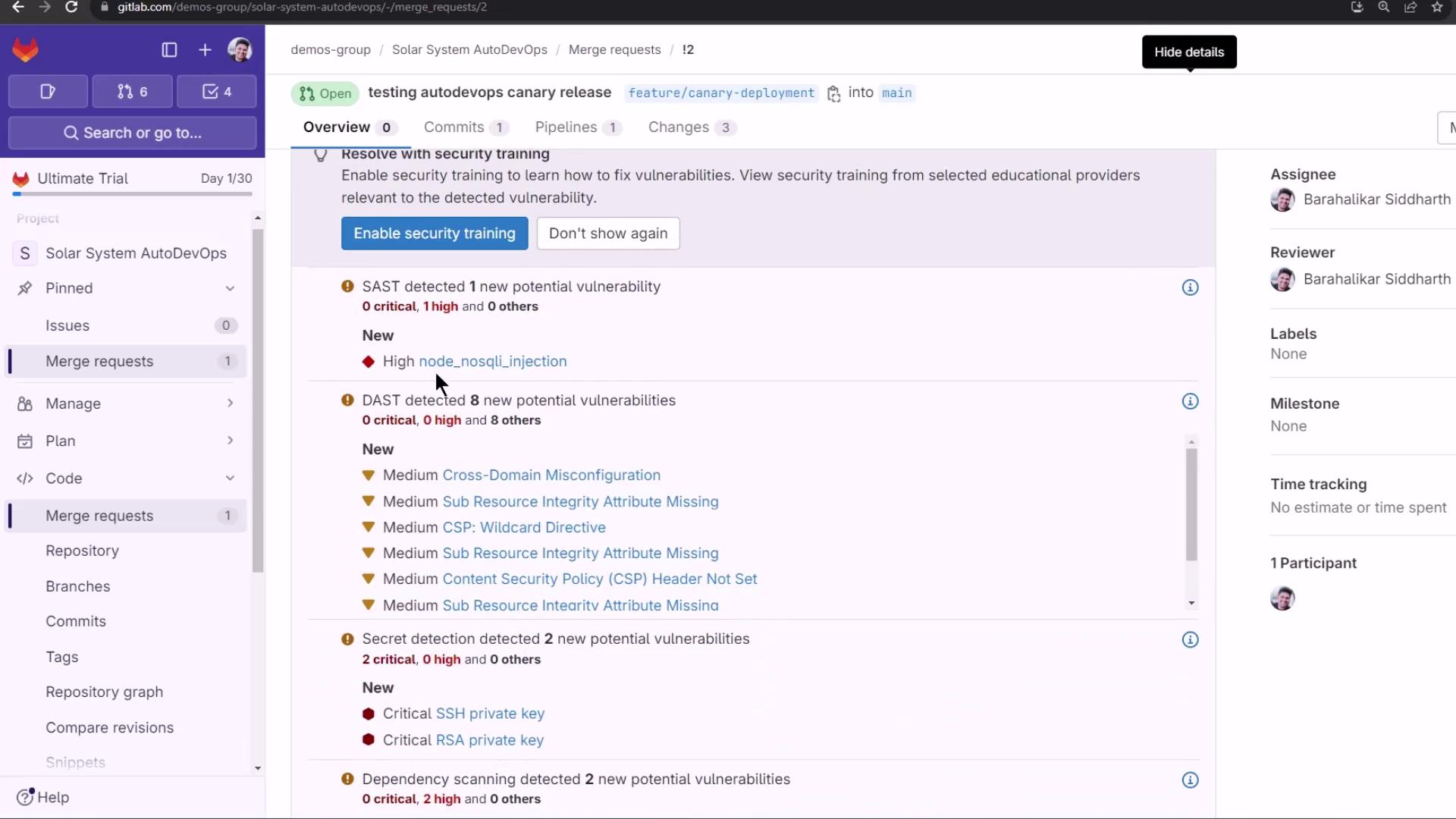
Merge Request Overview & Reports On the MR page, GitLab surfaces:
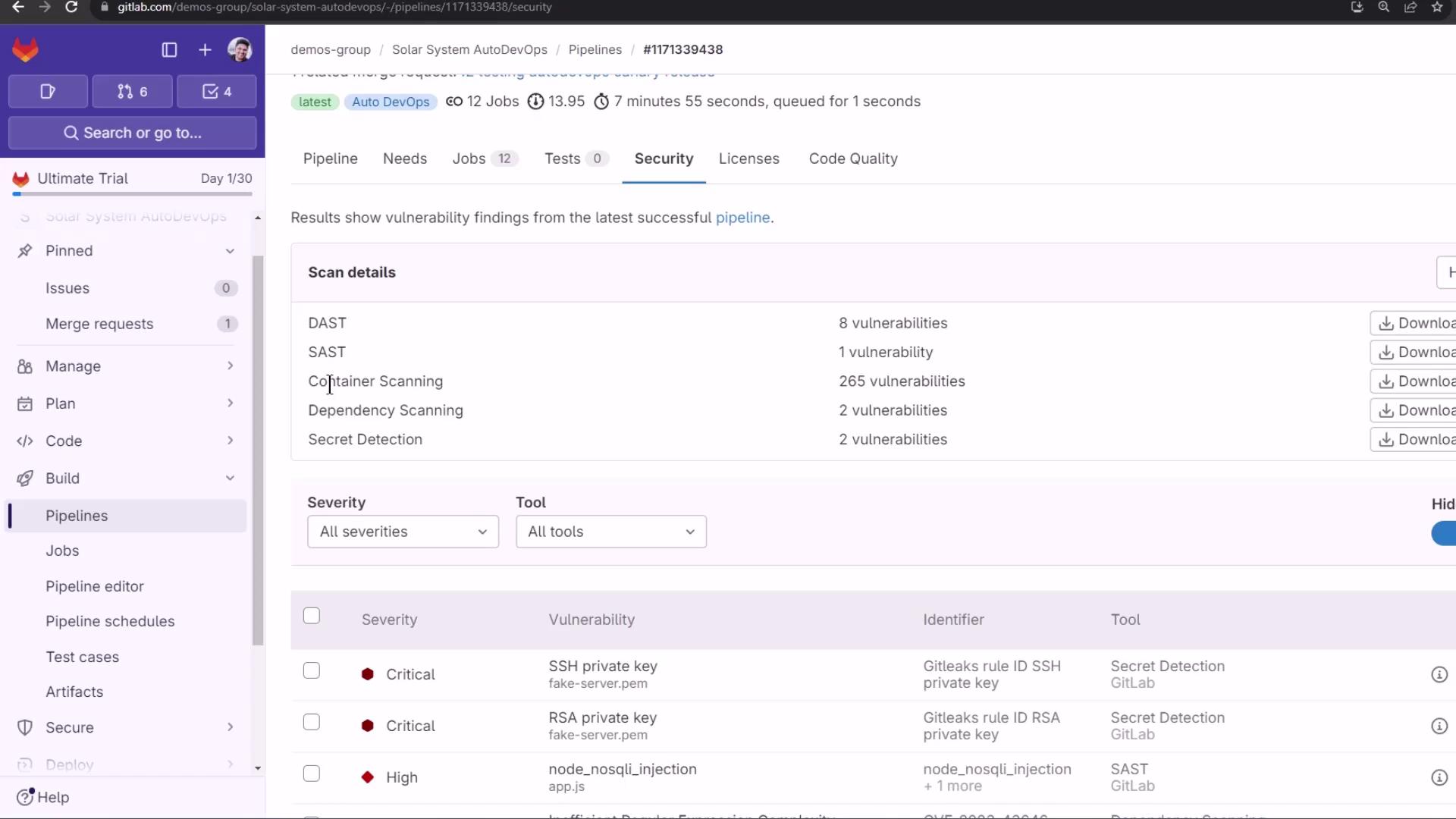
License Compliance : e.g., Apache—20 packagesCode Quality : Degradations and improvementsSecurity Scans : SAST, DAST, Dependency Scanning, Container Scanning, Secret Detection
Detected vulnerabilities:
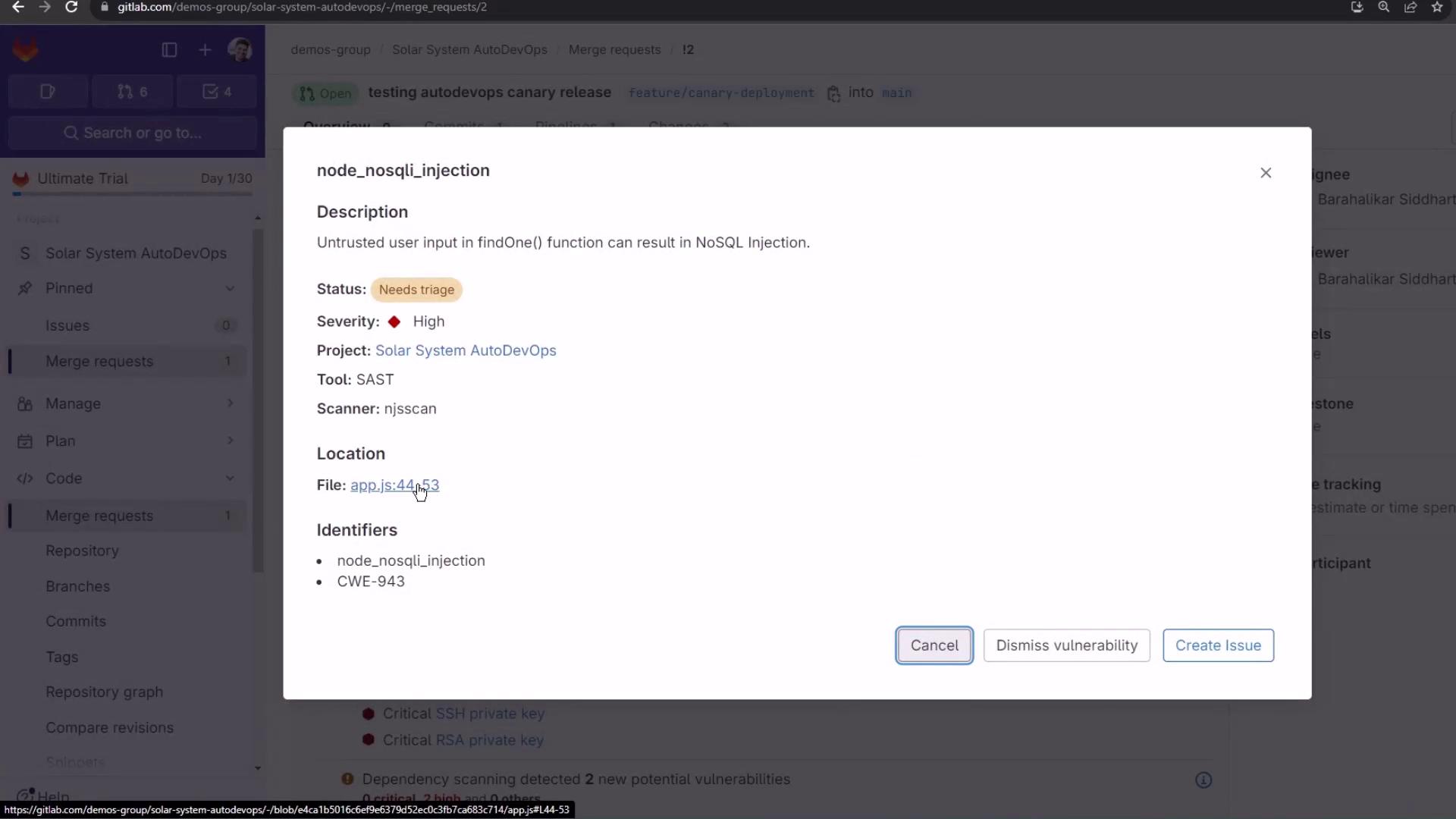
SAST flags a NoSQL injection:
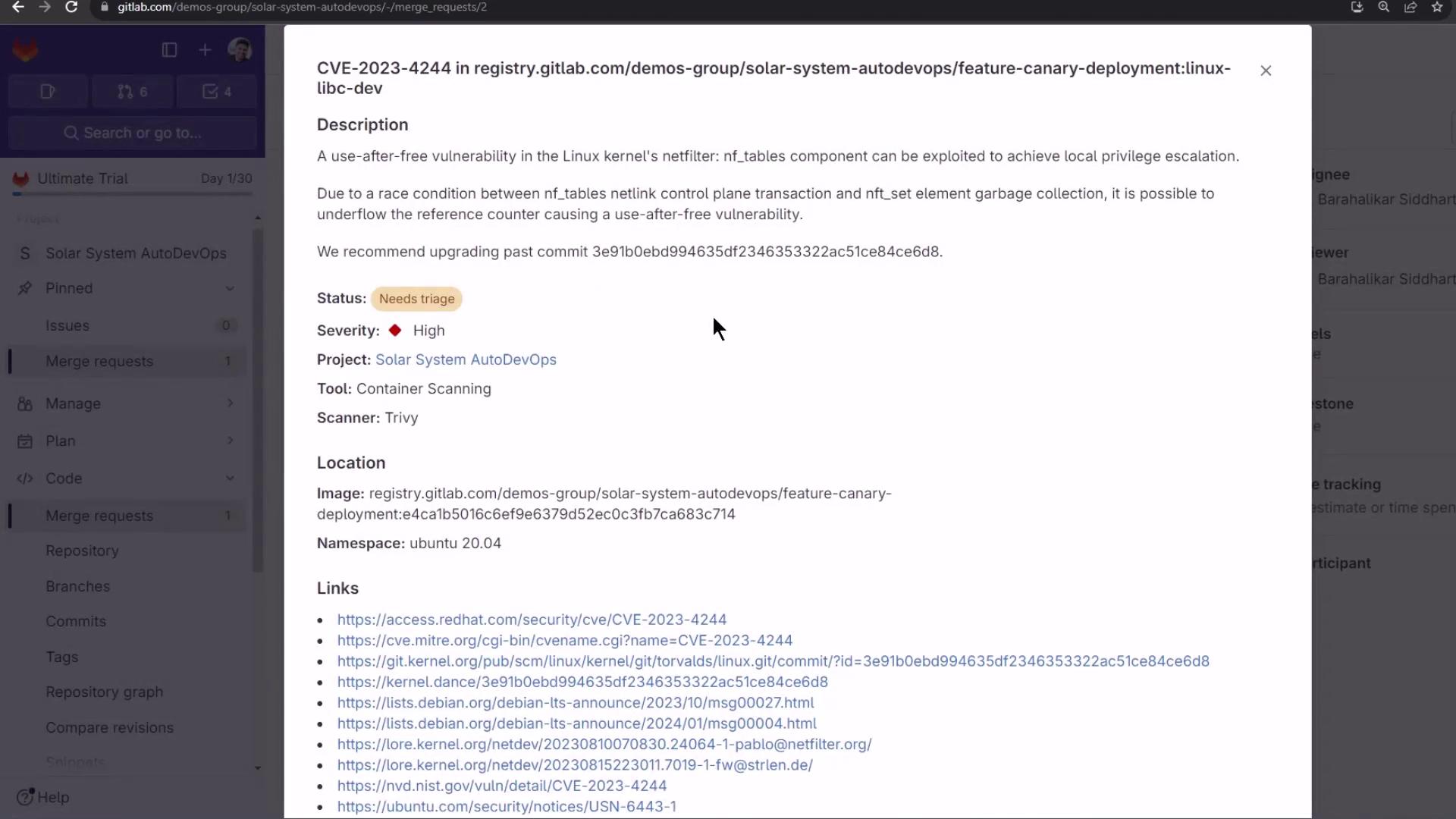
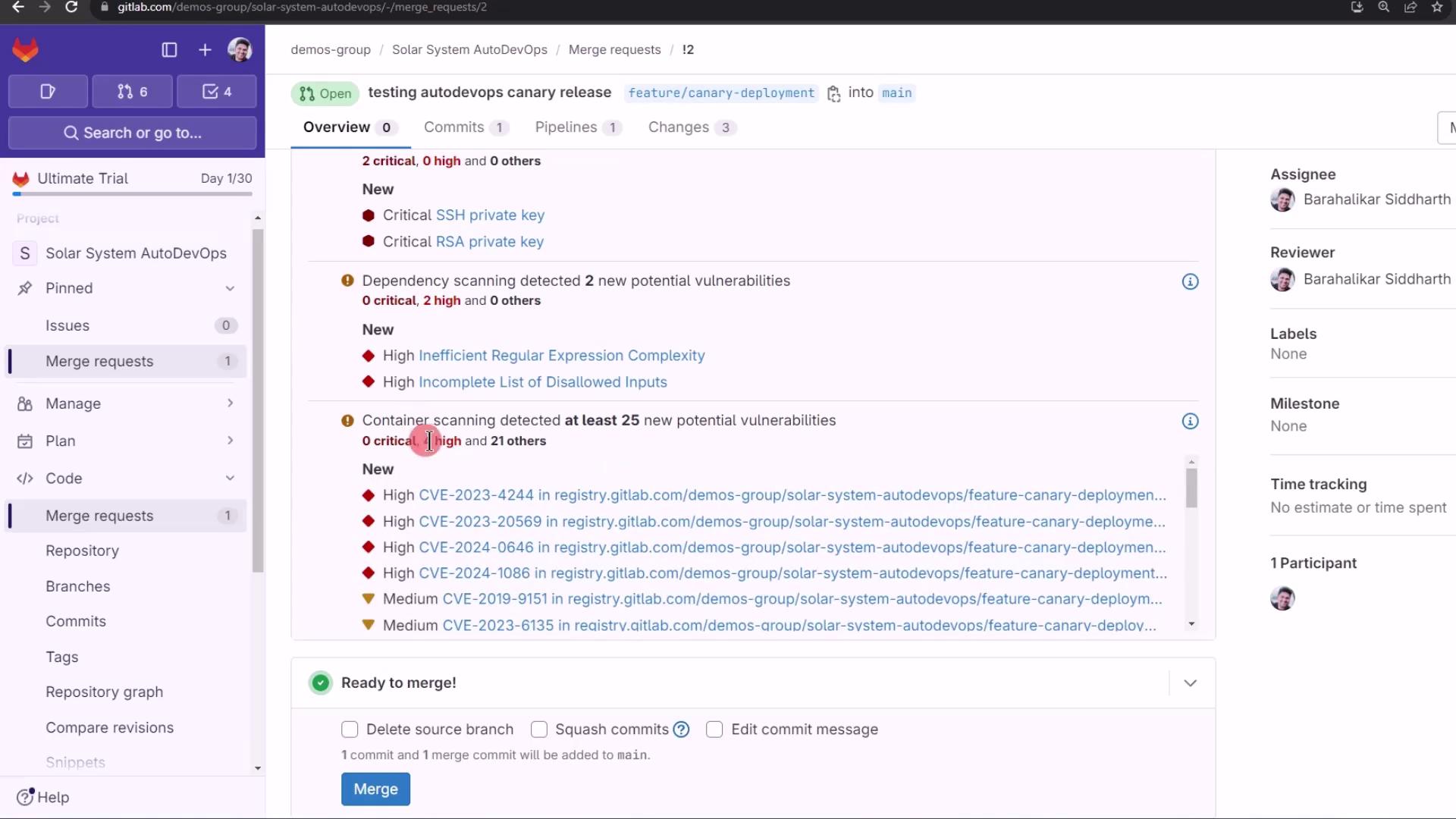
Container Scanning reveals OS-level CVEs:
Merge ready, despite detected issues:
The Security Dashboard aggregates all findings:
Finally, merge into the protected main branch. Watch the canary jobs promote your release in staged percentages, requiring manual approval at each step.
Links and References