

| Runner Type | Tag Example | Availability |
|---|---|---|
| Linux | saas-linux-medium-amd64 | Stable |
| GPU | saas-gpu-medium | Stable |
| Windows | shared-windows | Beta |
| macOS | saas-macos-medium-m1 | Beta |
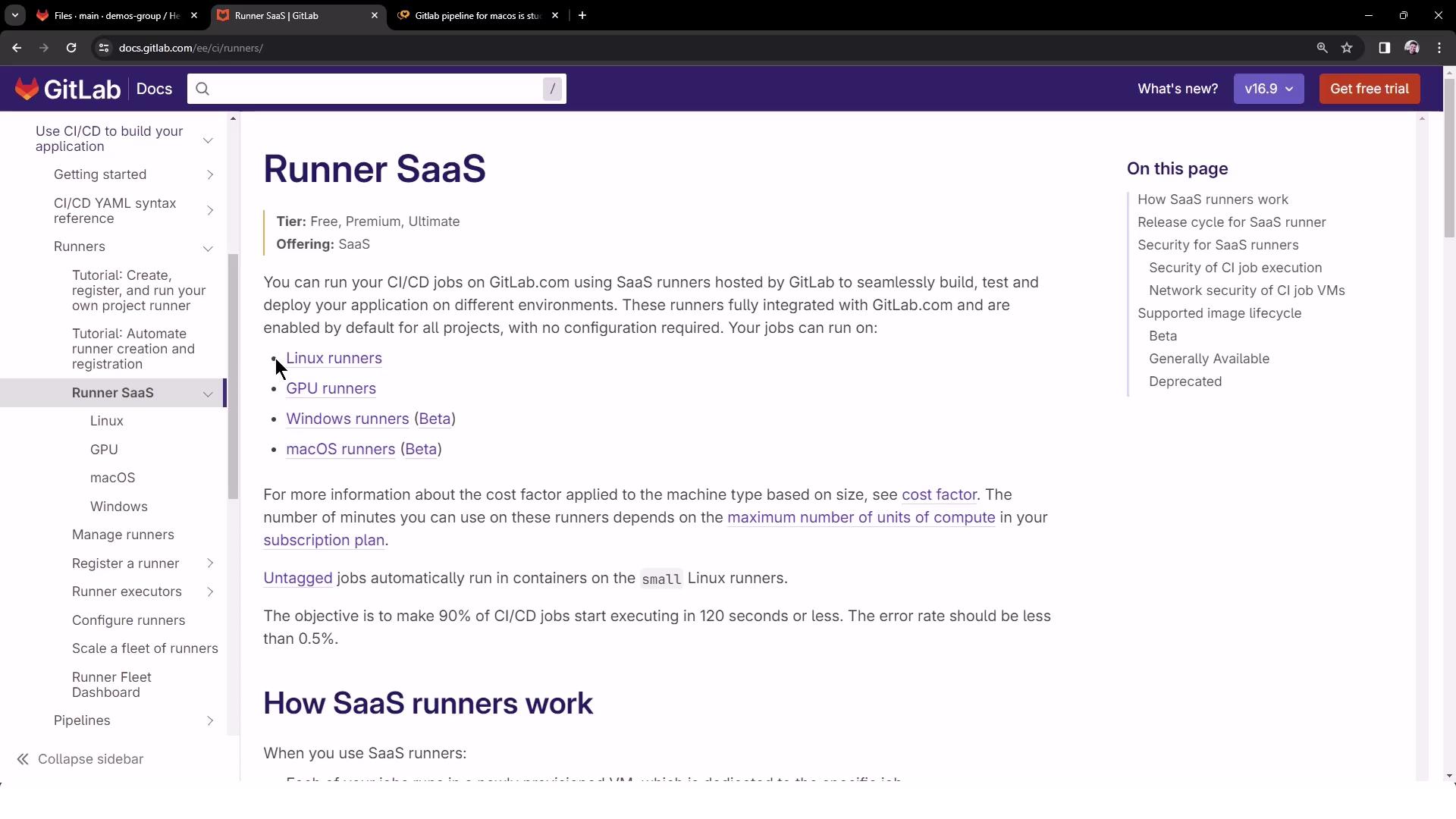
Windows and macOS shared runners are currently in beta and may have limited capacity. Linux runners run on Google Container-Optimized OS VMs with predefined machine specs.
Shared Runner Specifications
GitLab provides detailed specs for each runner type: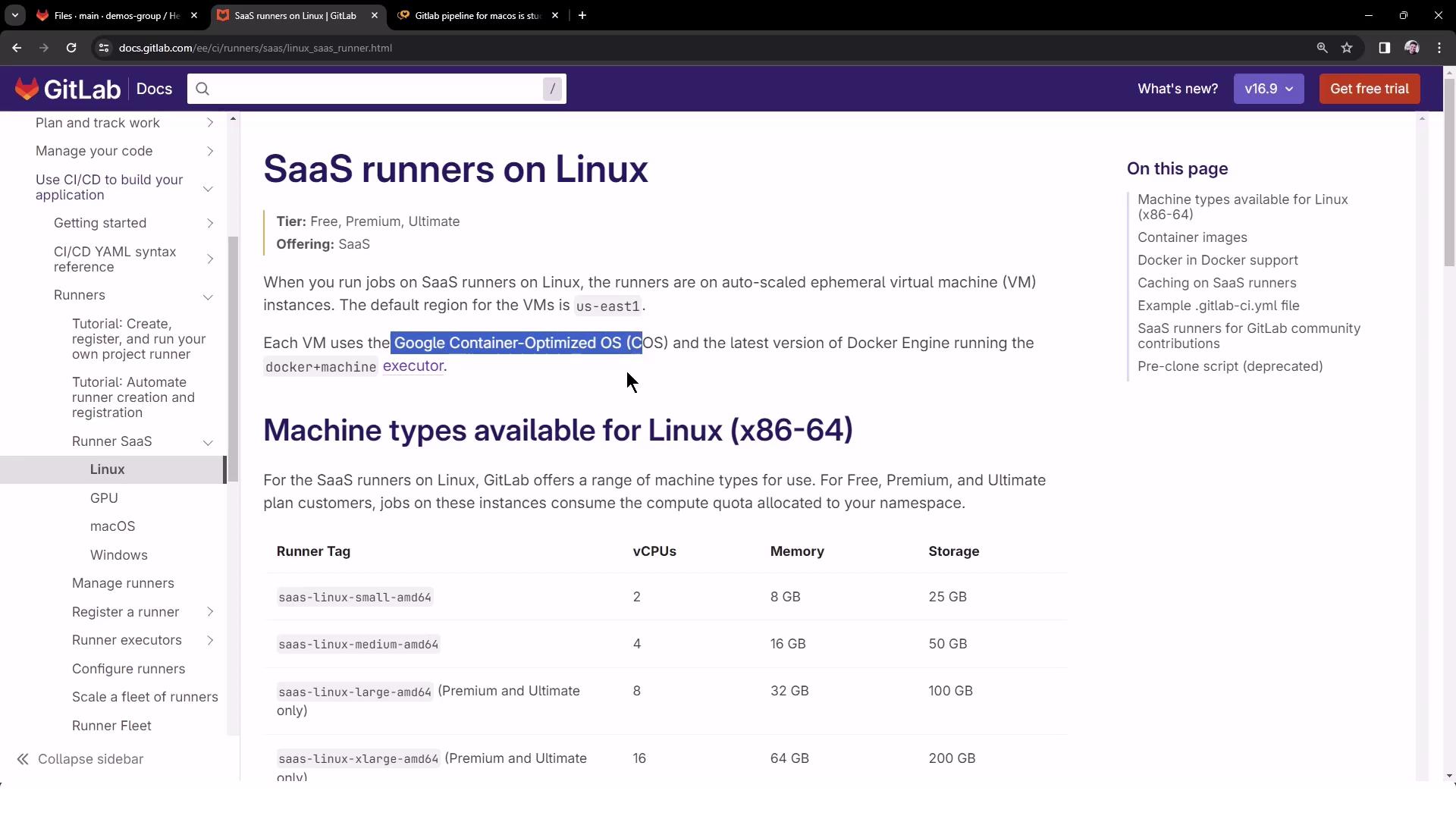
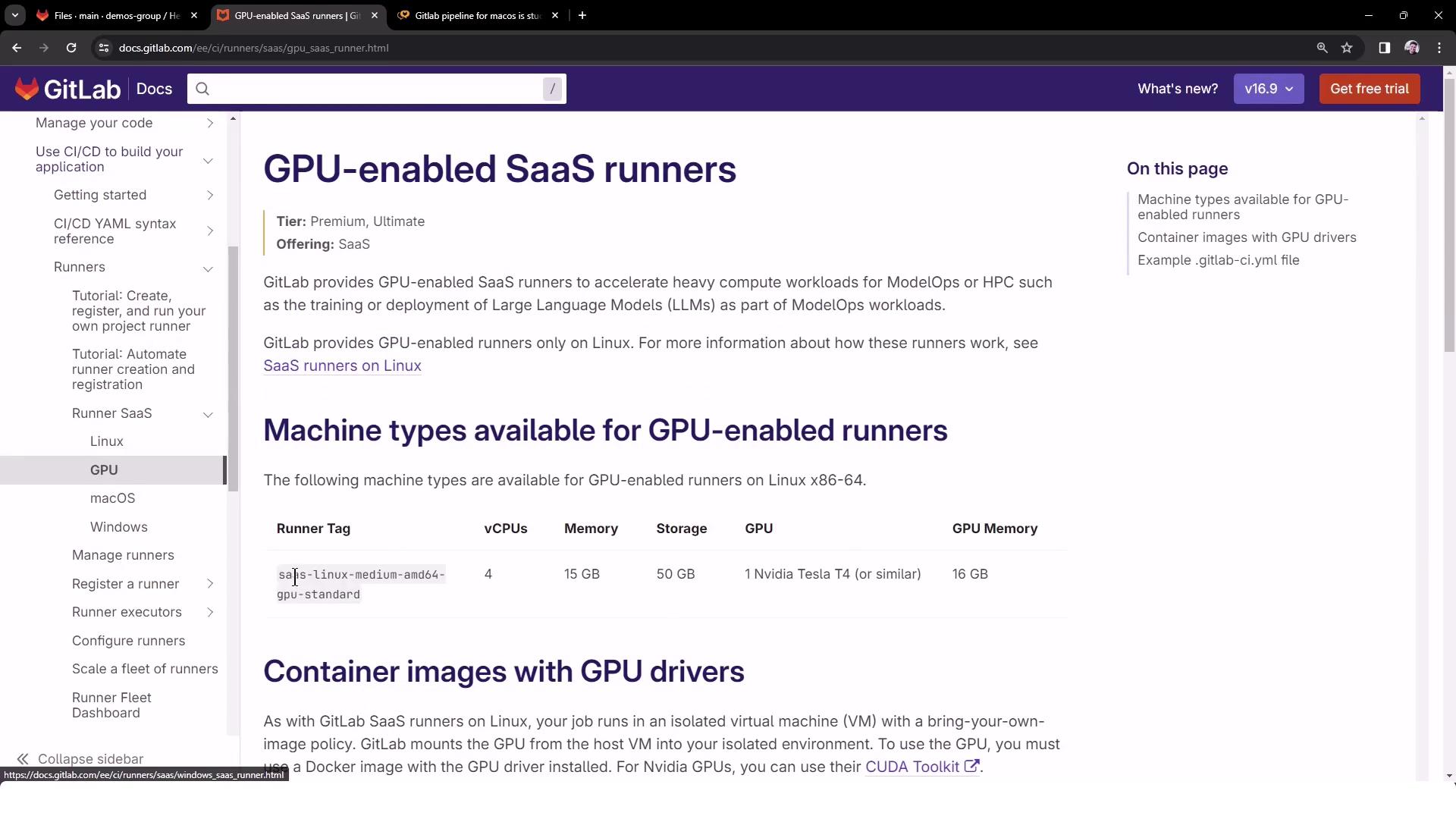
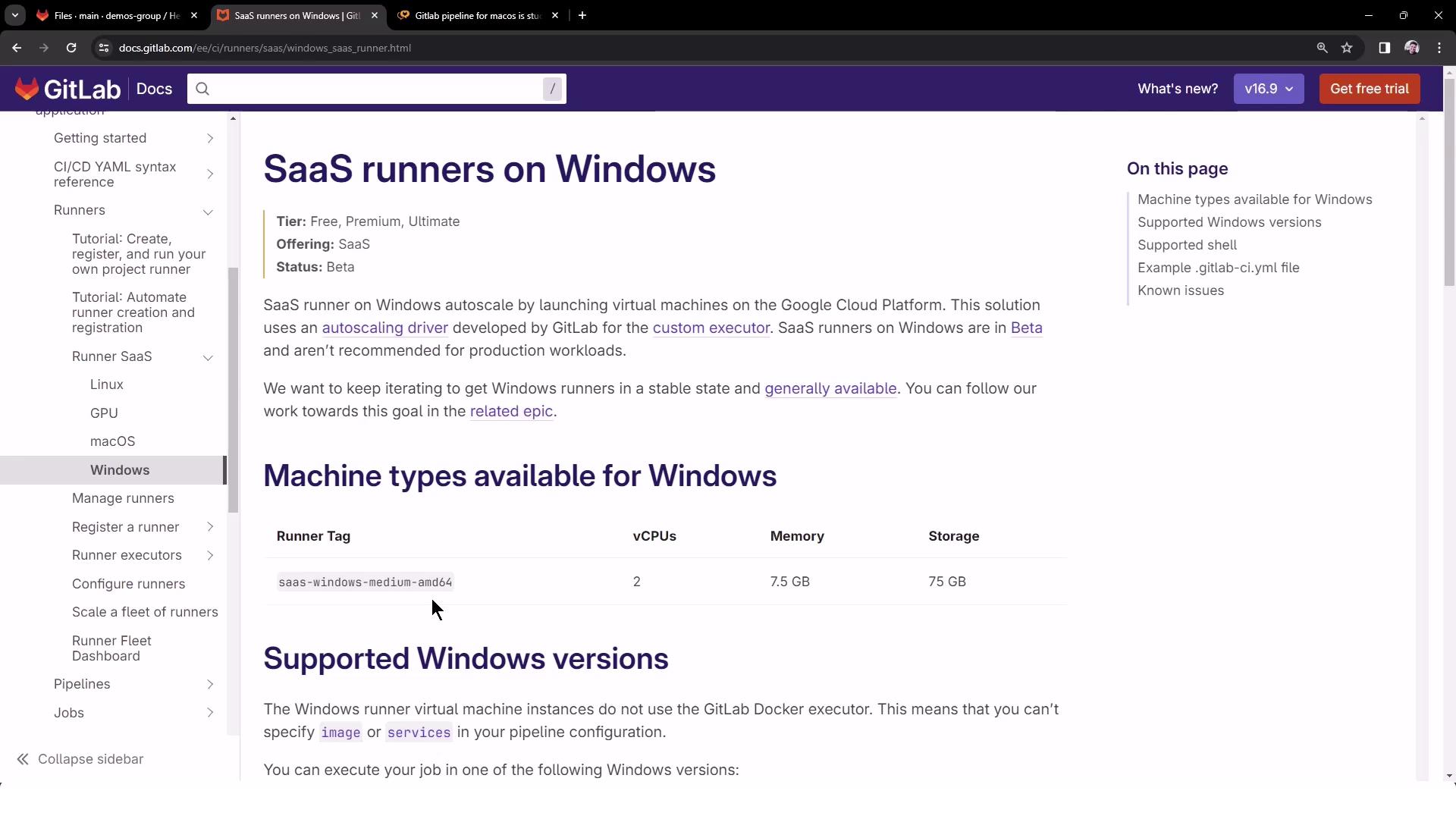
Configuring .gitlab-ci.yml
To target these shared runners, add tags in your pipeline definition. Create or update .gitlab-ci.yml at the project root:
The
tags keyword ensures each job is picked up by the corresponding shared runner. To see all available shared runners, go to Settings → CI/CD → Runners.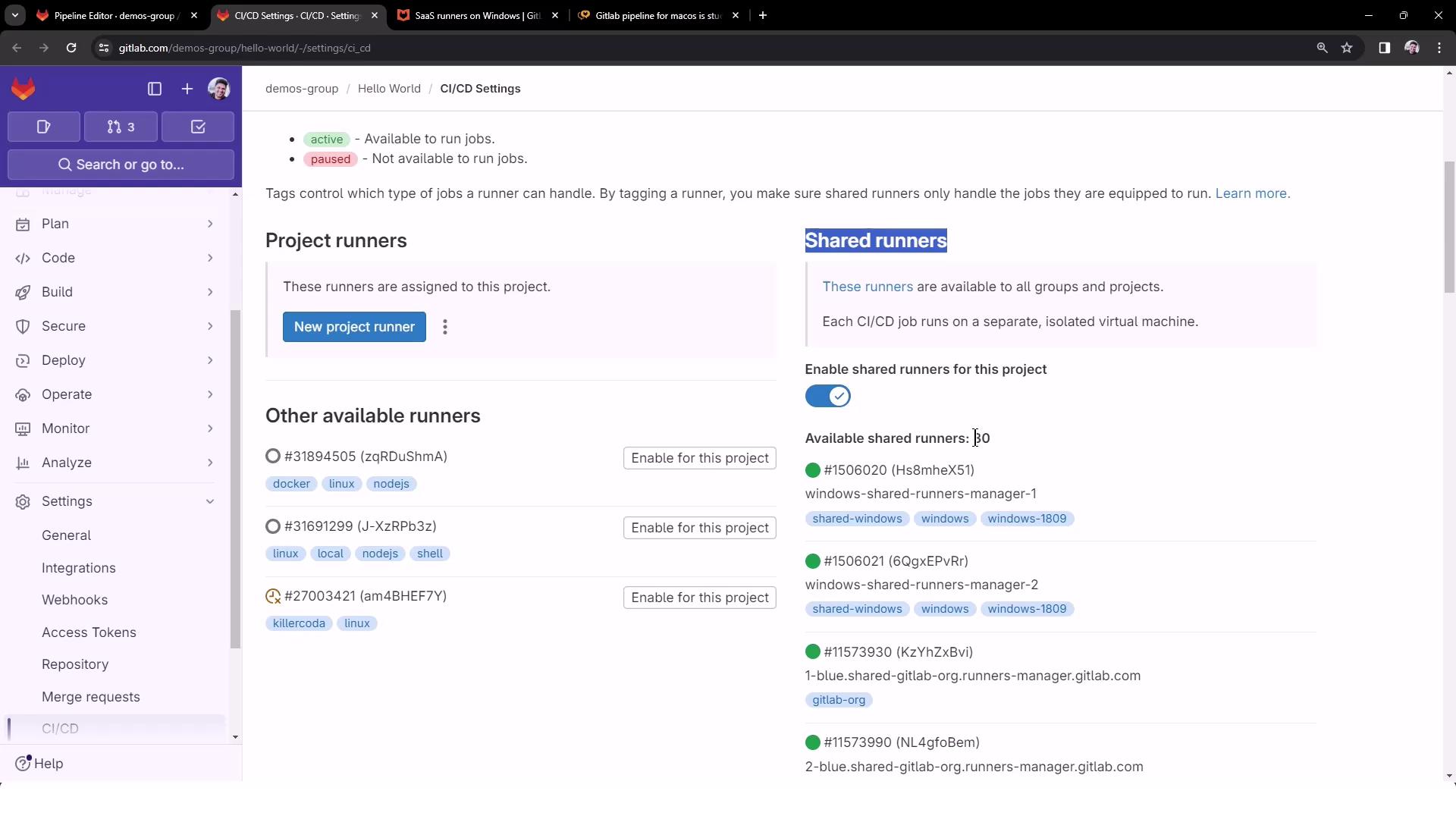
Triggering the Pipeline
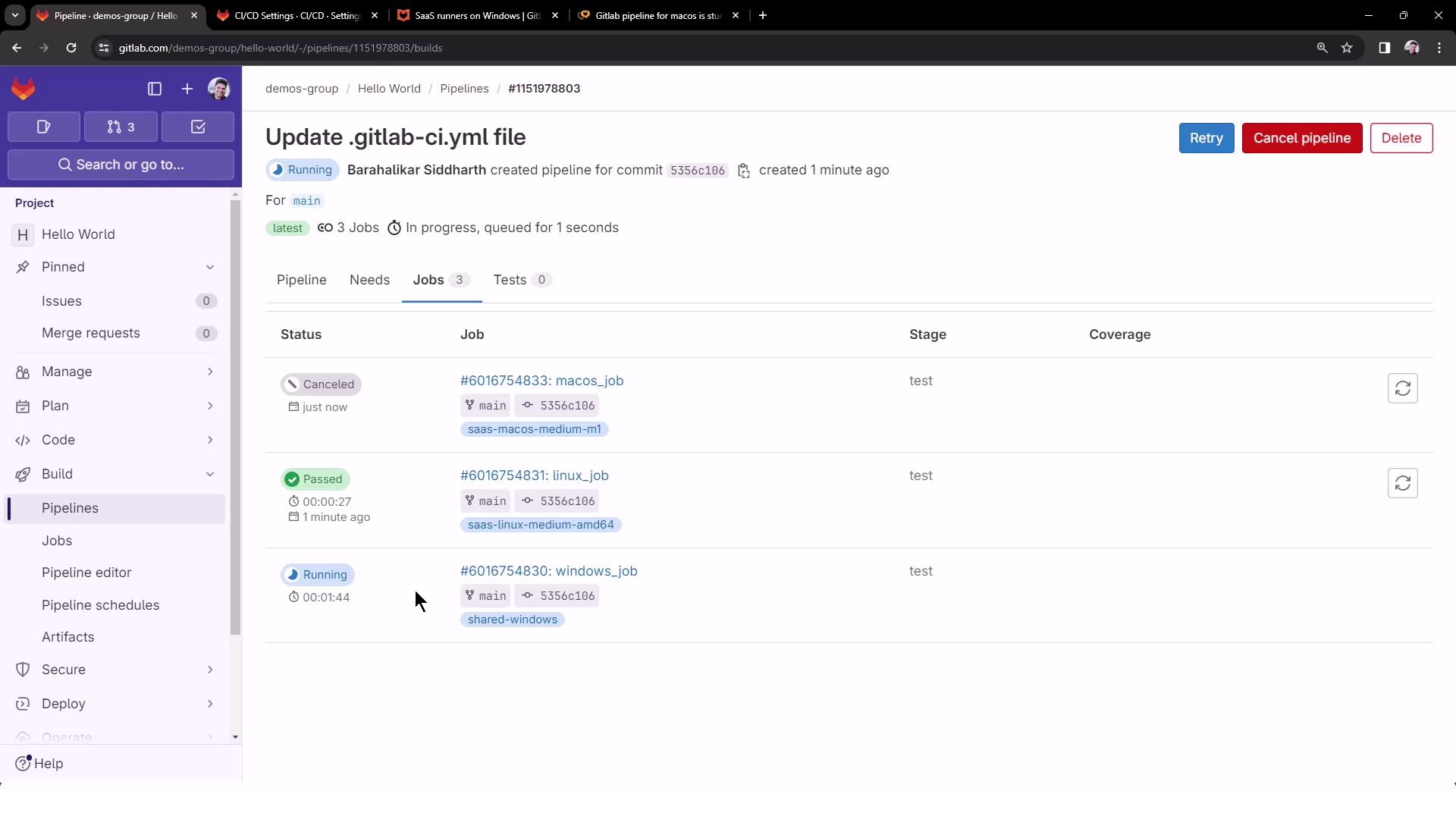
Commit your changes to the default branch (e.g.,main) to launch the pipeline. You should see three jobs queued in parallel:
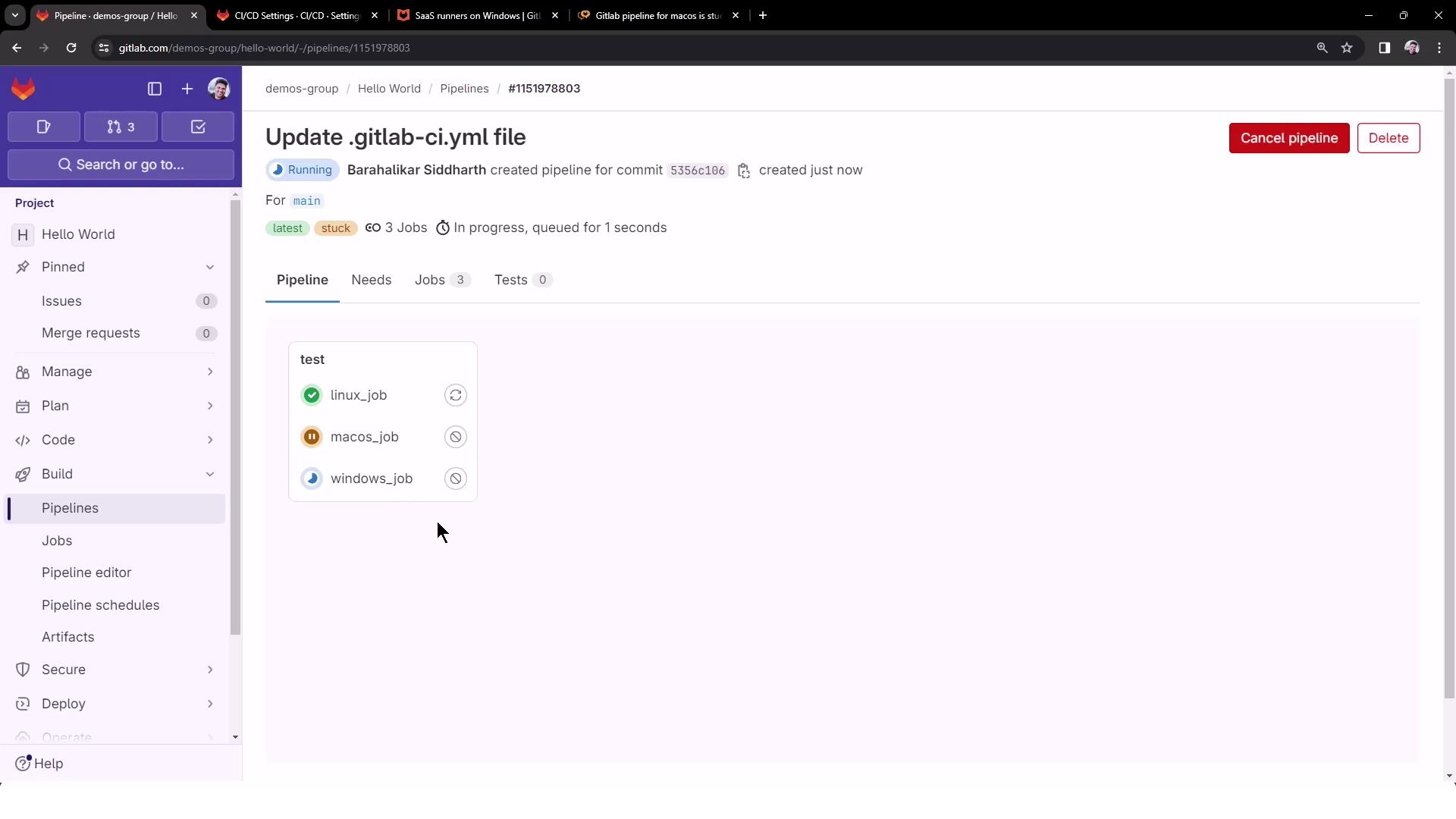
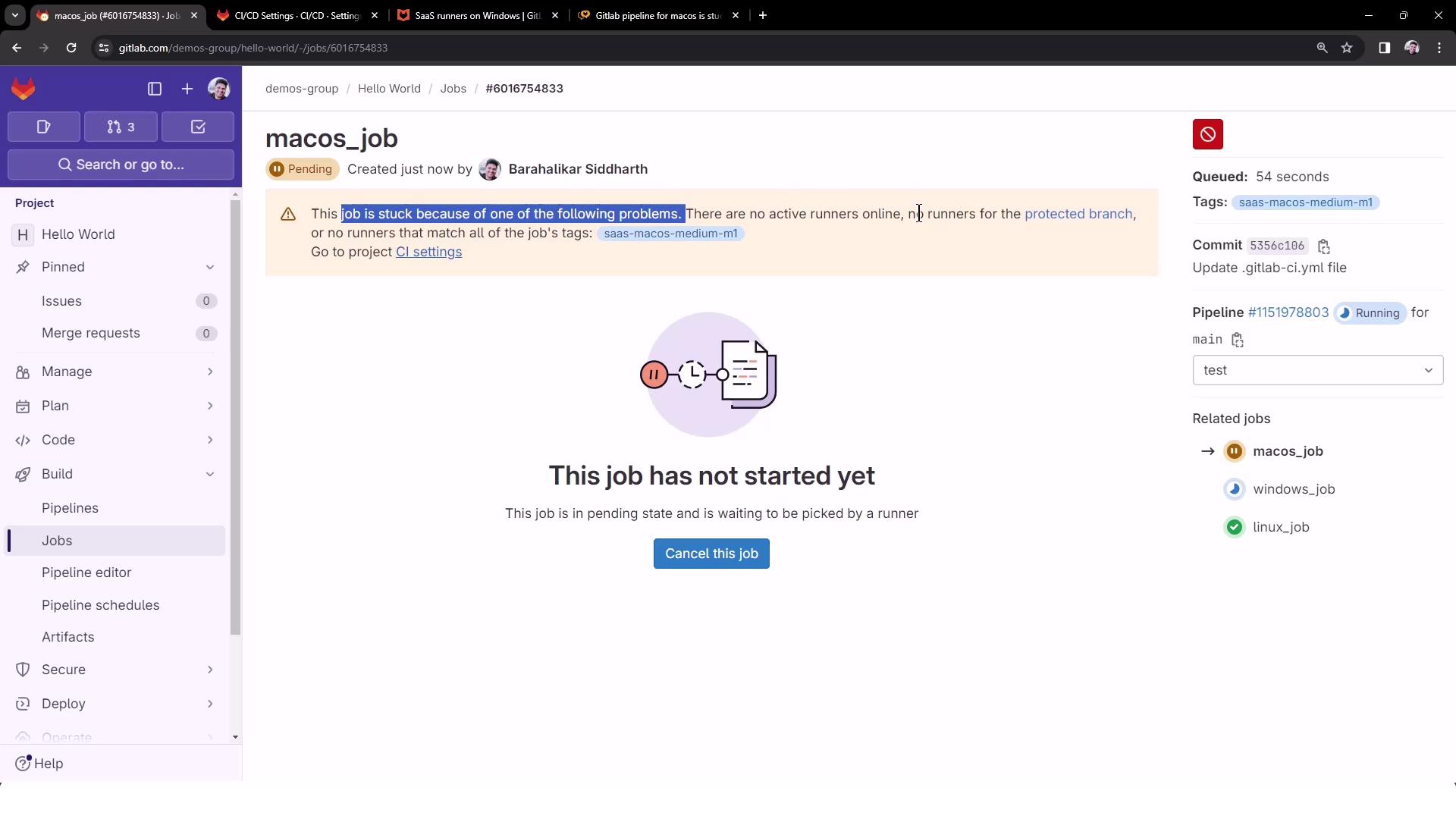
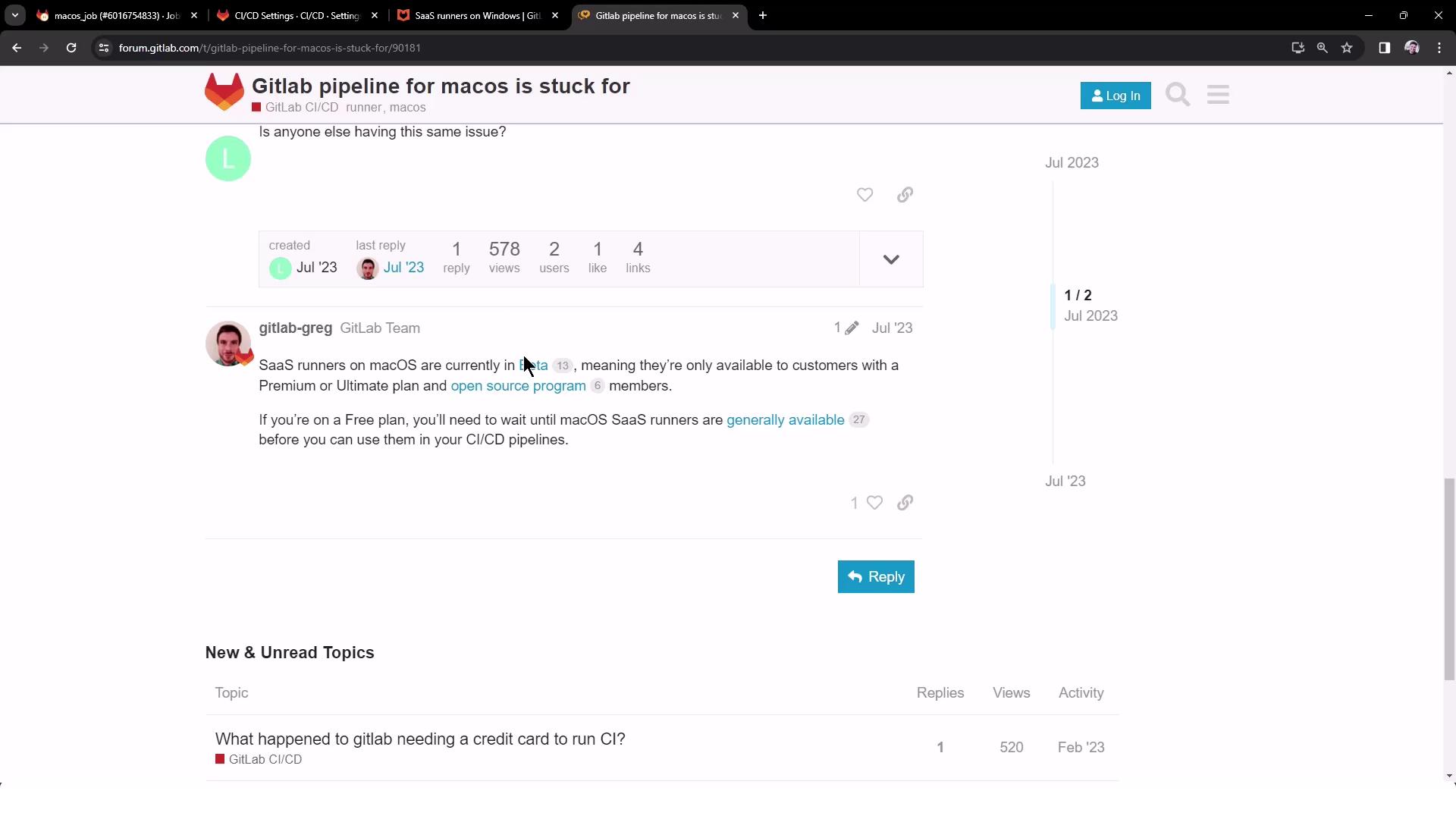
The macOS job may remain pending if there are no active runners. SaaS macOS runners are in beta and reserved for Premium/Ultimate plans.
Viewing Job Logs
Linux Job Logs
The Linux job runs on a medium VM using the Docker+machine executor:Windows Job Logs
The Windows job spins up a custom VM executor and then runs your commands: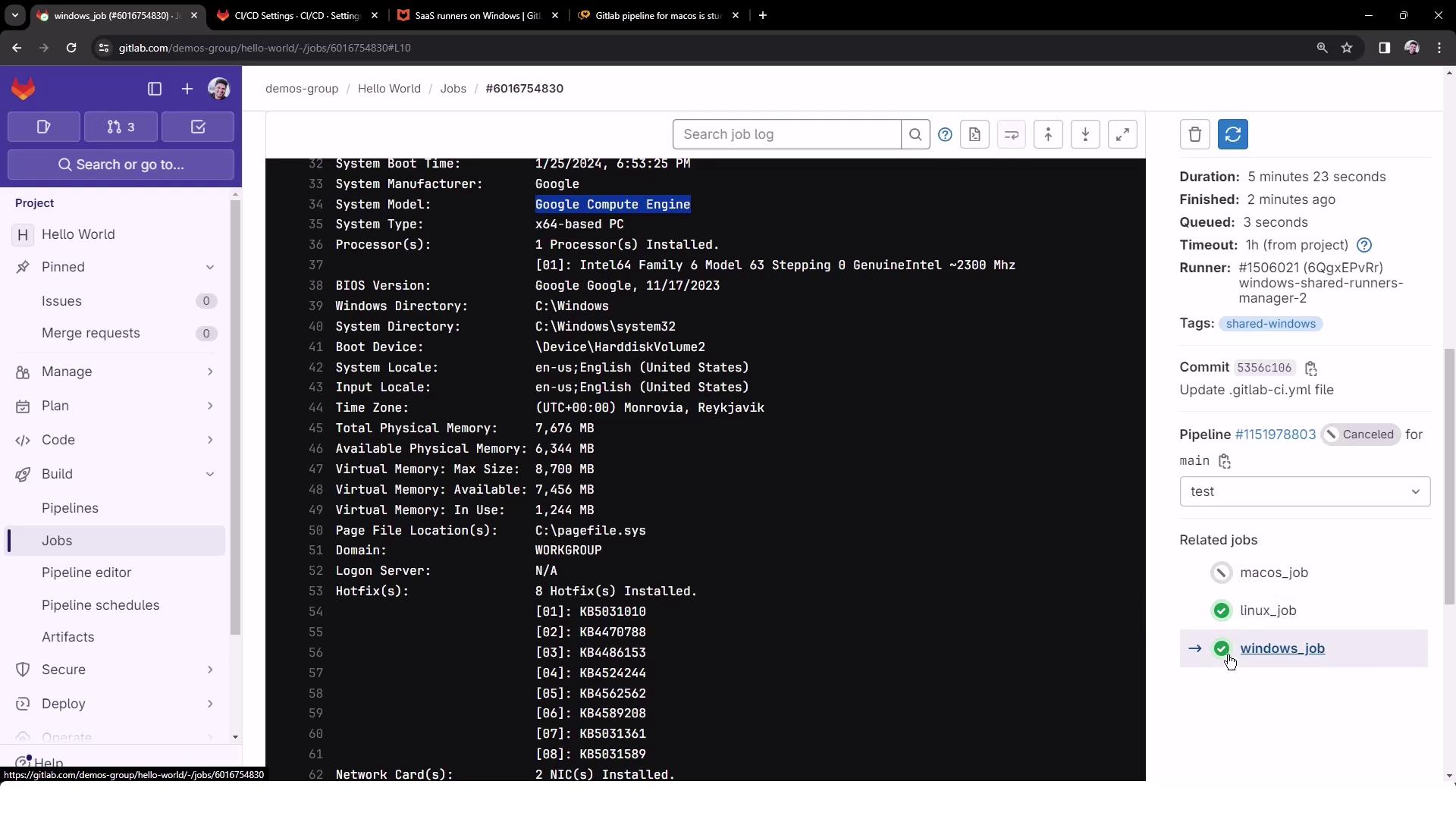
Conclusion
By applying runner tags in your.gitlab-ci.yml, you can precisely target GitLab’s shared runner environments for Linux, GPU, Windows, and macOS. This setup streamlines cross-platform CI/CD workflows and offloads infrastructure maintenance to GitLab.