resource_group.
Basic Workflow Example
The example below runsdeploy-job on the main branch. Without a resource group, multiple pipelines could execute the deploy concurrently.
Enforcing Mutual Exclusion with Resource Groups
Add theresource_group keyword to ensure that jobs sharing the same group never overlap:
deploy-to-production at the same time, only one job obtains the production resource. The others wait in line.
Process Modes
Resource groups support three modes for dequeuing waiting jobs:| Process Mode | Description |
|---|---|
| unordered | Default; any waiting job may start next (no guarantee) |
| oldest_first | Jobs run in the order they were queued |
| newest_first | The most recently queued job starts first |
Example: Build and Deploy Across Three Pipelines
This configuration triggers three successive pipelines. Each pipeline queues itsdeploy job against production:
- unordered: Any of deploy-1, deploy-2, or deploy-3 may run first; others wait.
- oldest_first: deploy-1 → deploy-2 → deploy-3.
- newest_first: deploy-3 → deploy-2 → deploy-1.
Demo: Simulating Long-Running Deployments
Add a sleep command to observe the queuing behavior in the GitLab UI:- Commit to
mainto trigger the first pipeline. - Manually schedule a second pipeline on
main.
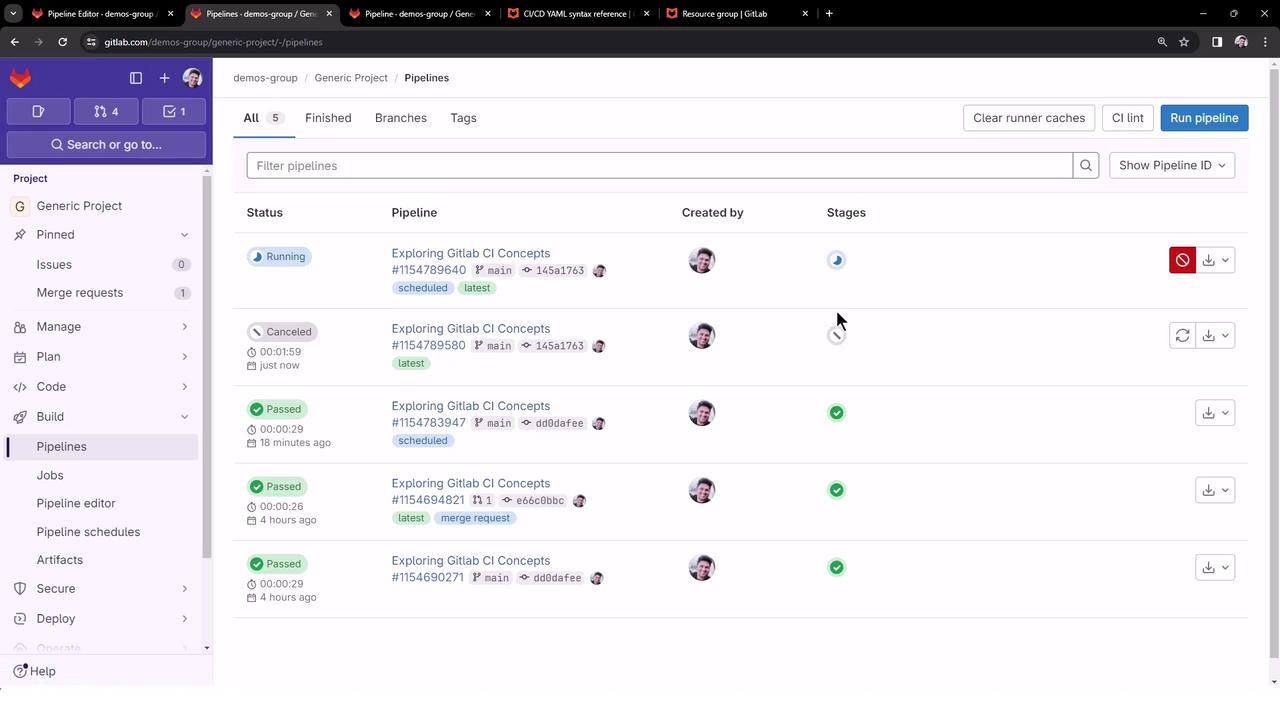
The GitLab UI pipelines list shows each pipeline’s status, name, and project navigation options.
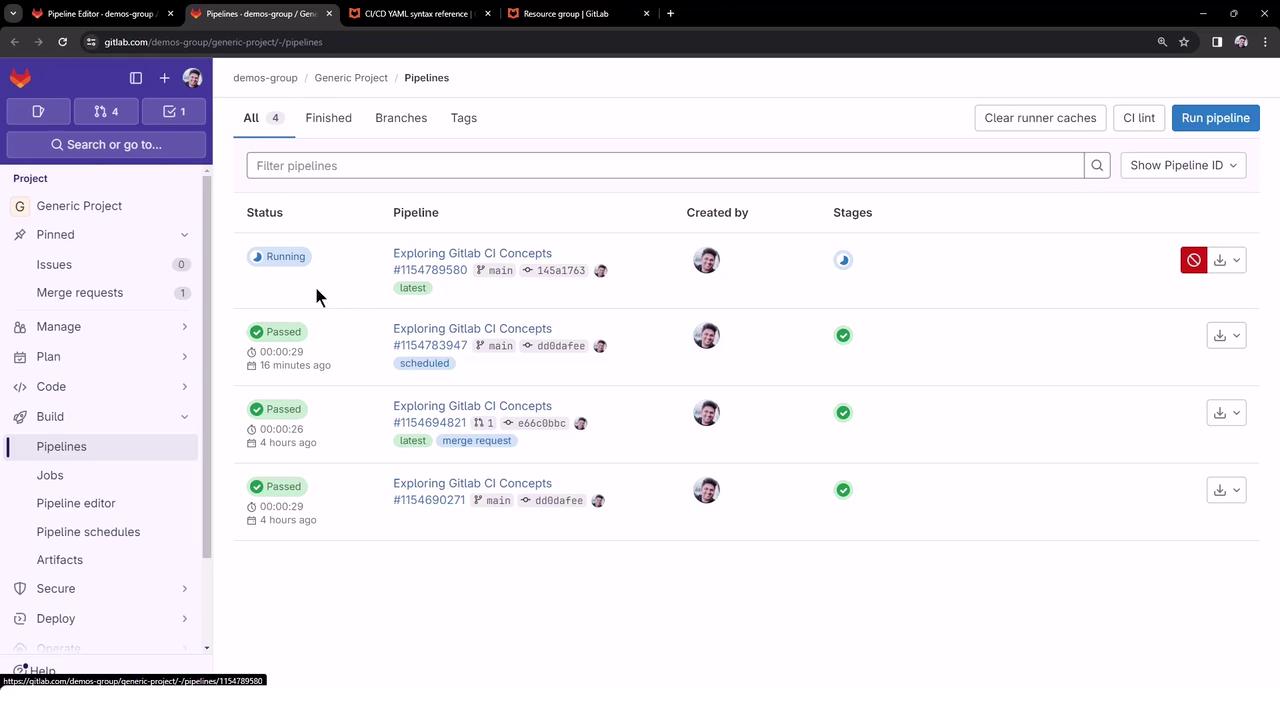
Since the production resource is occupied by the first deploy-job, the second deploy-job remains queued and waiting.
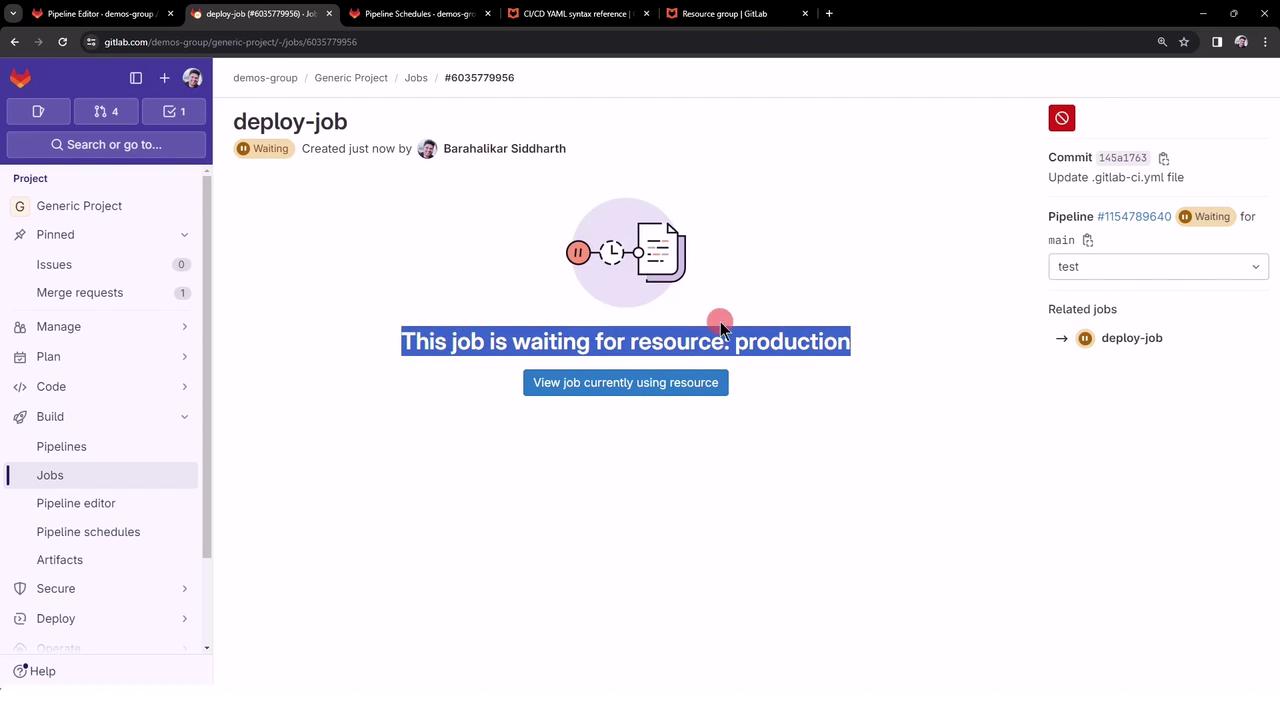
- Cancel the first pipeline (or just its deploy-job) to free the resource.
Once the first deploy-job is canceled and the production resource is freed, the queued deploy-job automatically starts.