

- Billing Dashboard
- Cost Explorer
- Cost and Usage Report (CUR)
- AWS Budgets
Billing Dashboard
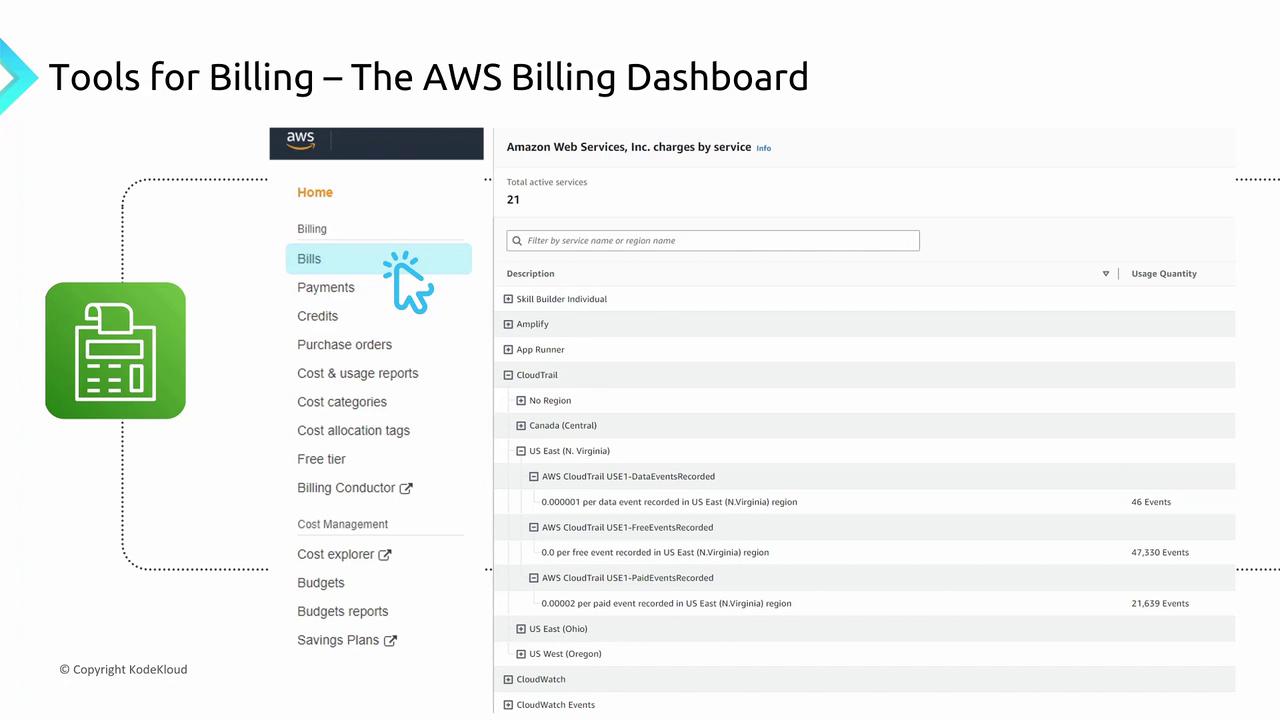
The Billing Dashboard—sometimes humorously referred to as “the bill”—provides an at-a-glance overview of your AWS costs. It displays vital information such as the total number of active AWS accounts, active service count, and overall spending. This tool offers a concise summary of your billing data. Clicking on the “Bills” section within the dashboard will present a detailed breakdown by service and region. Although the breakdown isn’t extremely granular, it efficiently highlights key trends. For instance, you can quickly see if you used services like App Runner, Amplify, or CloudTrail across various regions.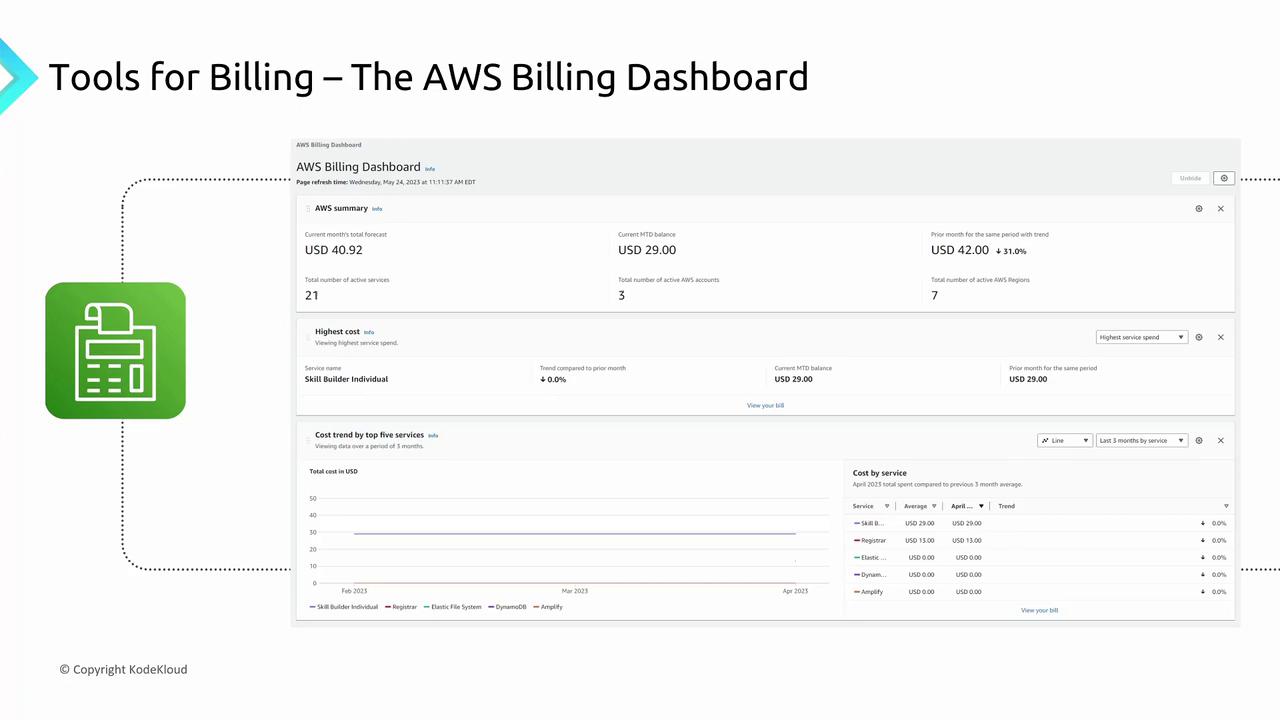
Cost Explorer
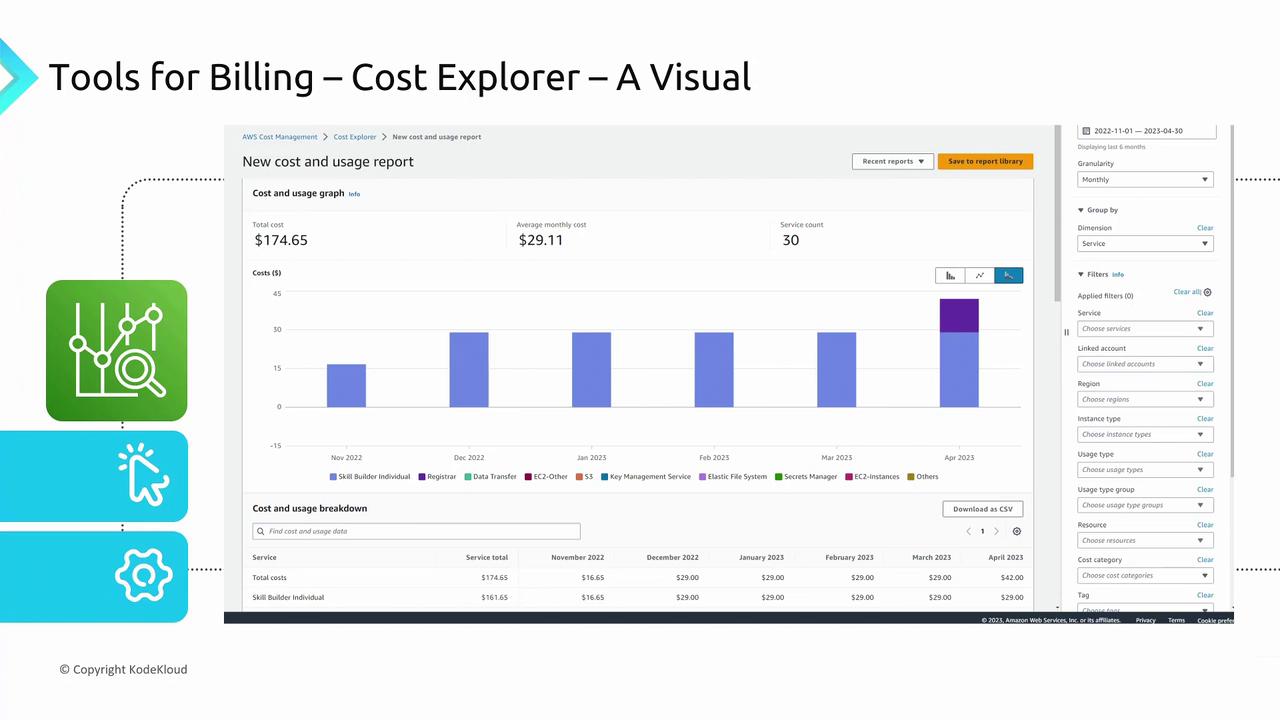
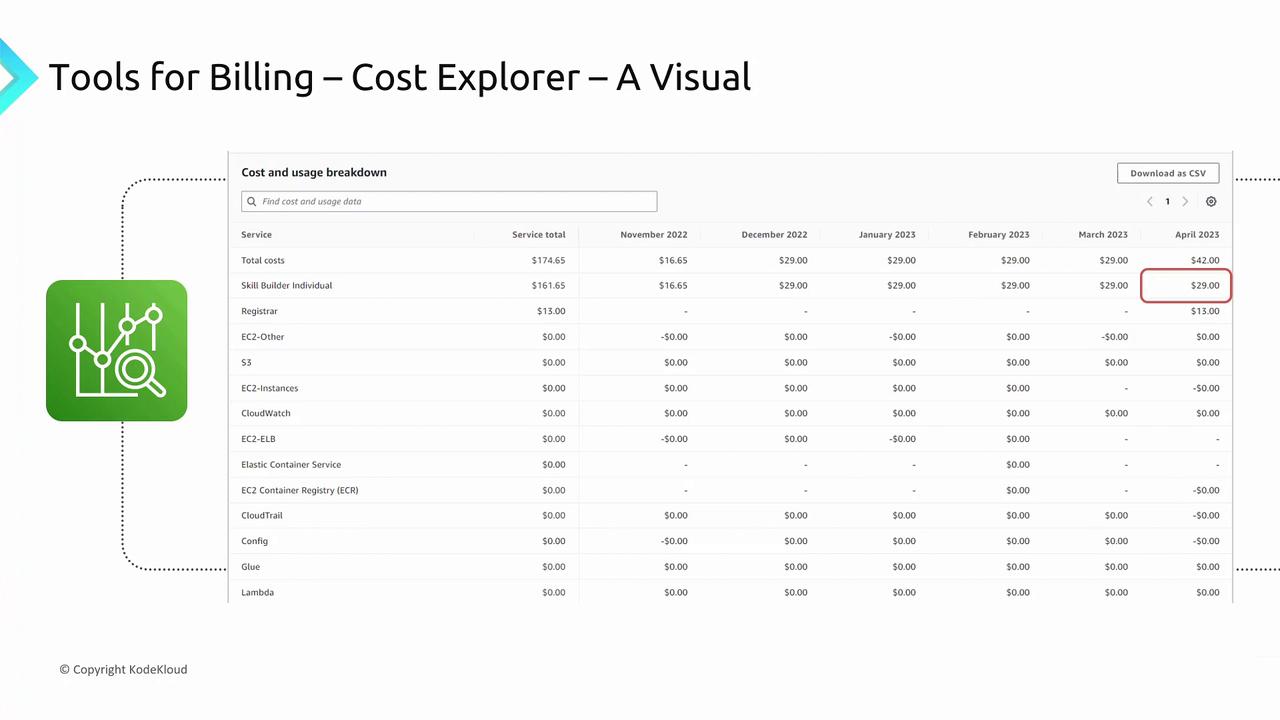
Cost Explorer offers a dynamic, visual representation of your AWS spending. It enables you to customize your view by filtering based on services, accounts, regions, or usage types. For example, you might focus exclusively on EC2 costs or isolate expenses for a specific project. This tool provides multiple charting options—including bar graphs, pie charts, and line graphs—to display historical spend data and forecast future costs. You can right-click on any chart element to drill down into detailed service usage statistics, such as spending on Secrets Manager, Elastic File System, or Key Management Services.If you have a Free Tier account, many of the displayed values might be minimal. Keep this in mind when analyzing the charts.
Cost and Usage Report (CUR)
The Cost and Usage Report (CUR) delivers an exceptionally detailed view of your AWS spending. When a CUR is created, it automatically runs on a scheduled basis, exporting a comprehensive spreadsheet report into an S3 bucket of your choice. This report captures every charge on your account, including even the nuances of free tier usage. This CSV report is indispensable if you need to integrate billing data with third-party systems or perform deep-dive, custom cost analyses. Even though the level of detail can seem overwhelming, it remains the definitive tool for obtaining the most extensive billing information.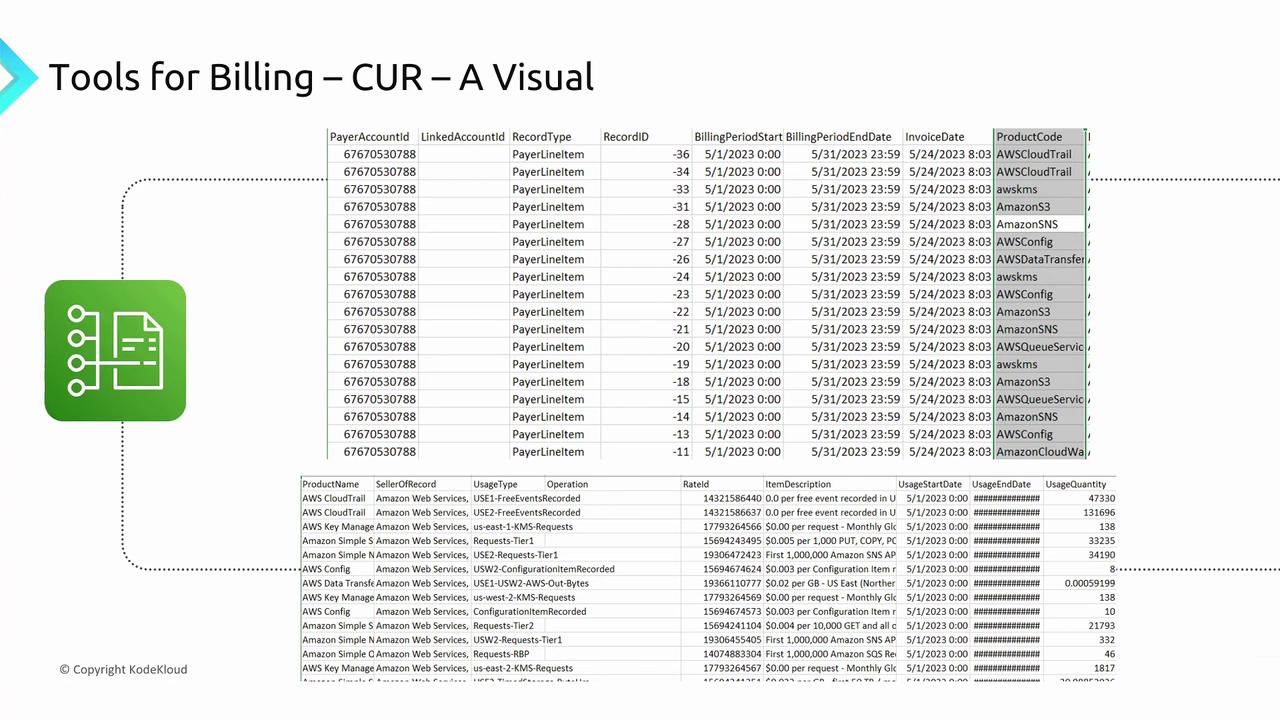
AWS Budgets
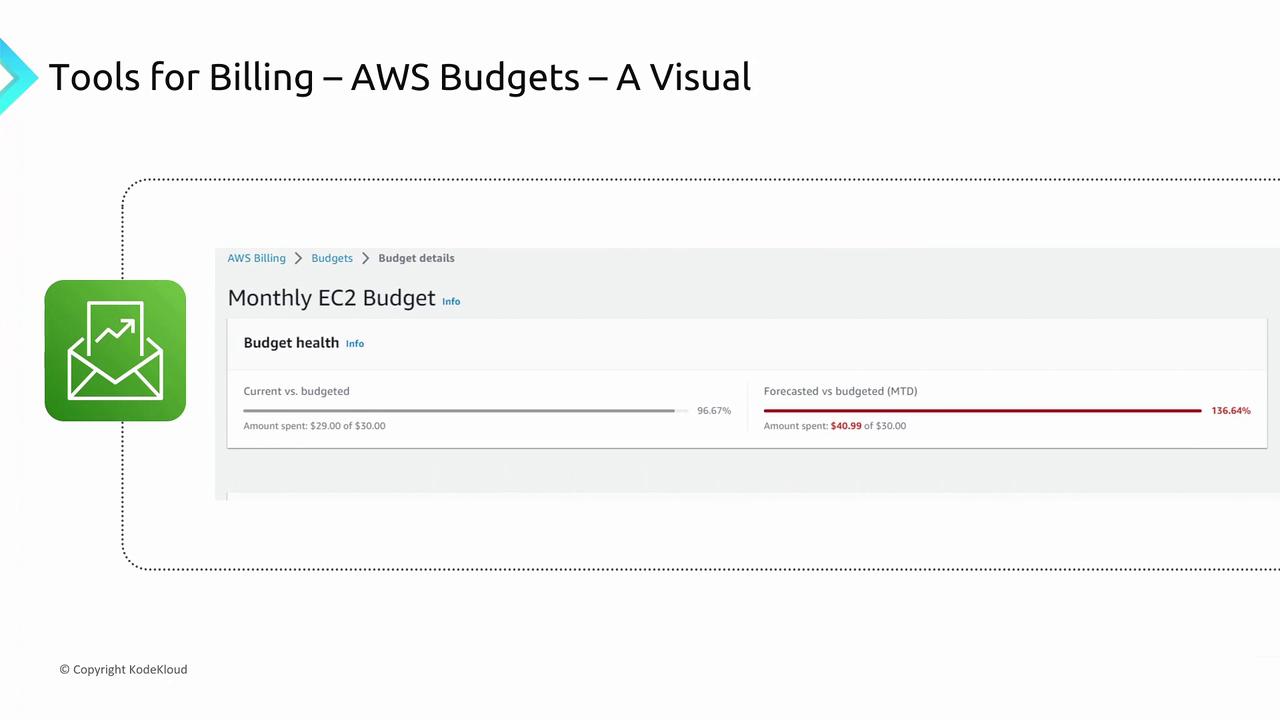
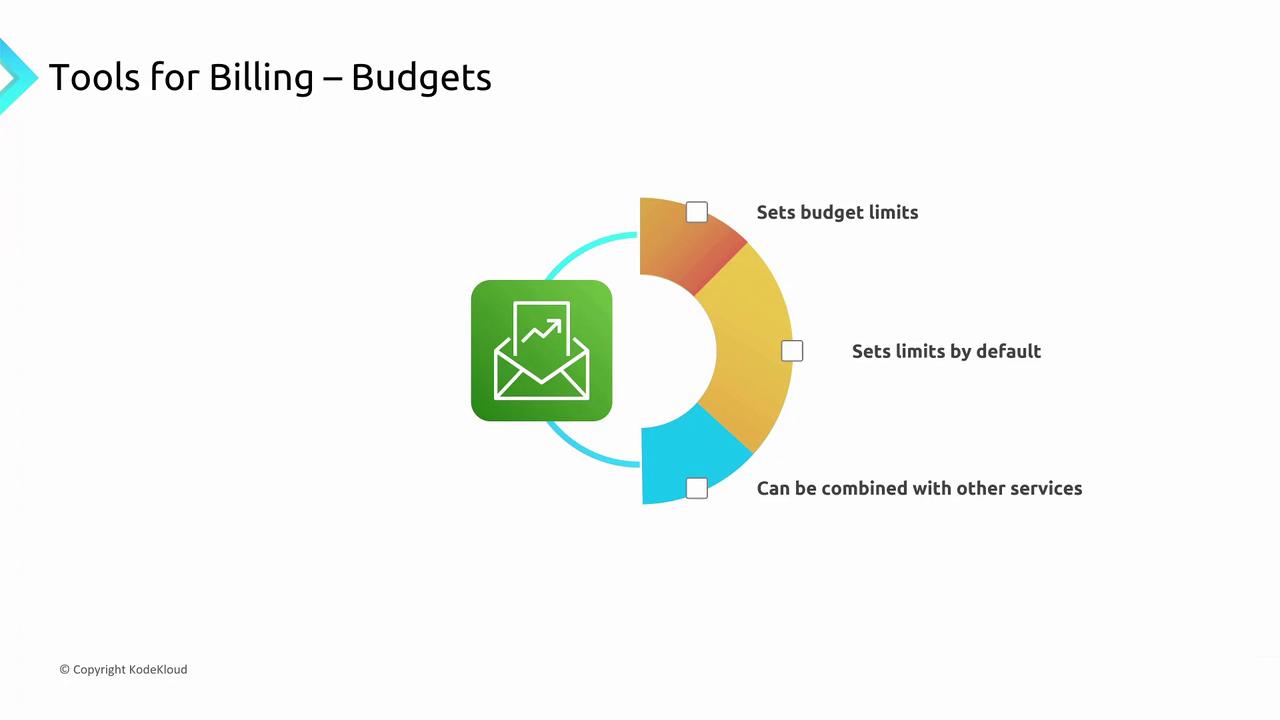
AWS Budgets takes cost management a step further by allowing you to set specific spending limits and receive alerts when expenditures approach or exceed your predefined thresholds. With AWS Budgets, you can target specific services (such as EC2 or EBS), individual accounts, or even your overall AWS spending. For example, you can configure a budget to alert you once spending reaches 80% of your set limit and even trigger automated actions to halt further deployments. This proactive monitoring helps maintain fiscal responsibility and prevents unexpected cost overruns.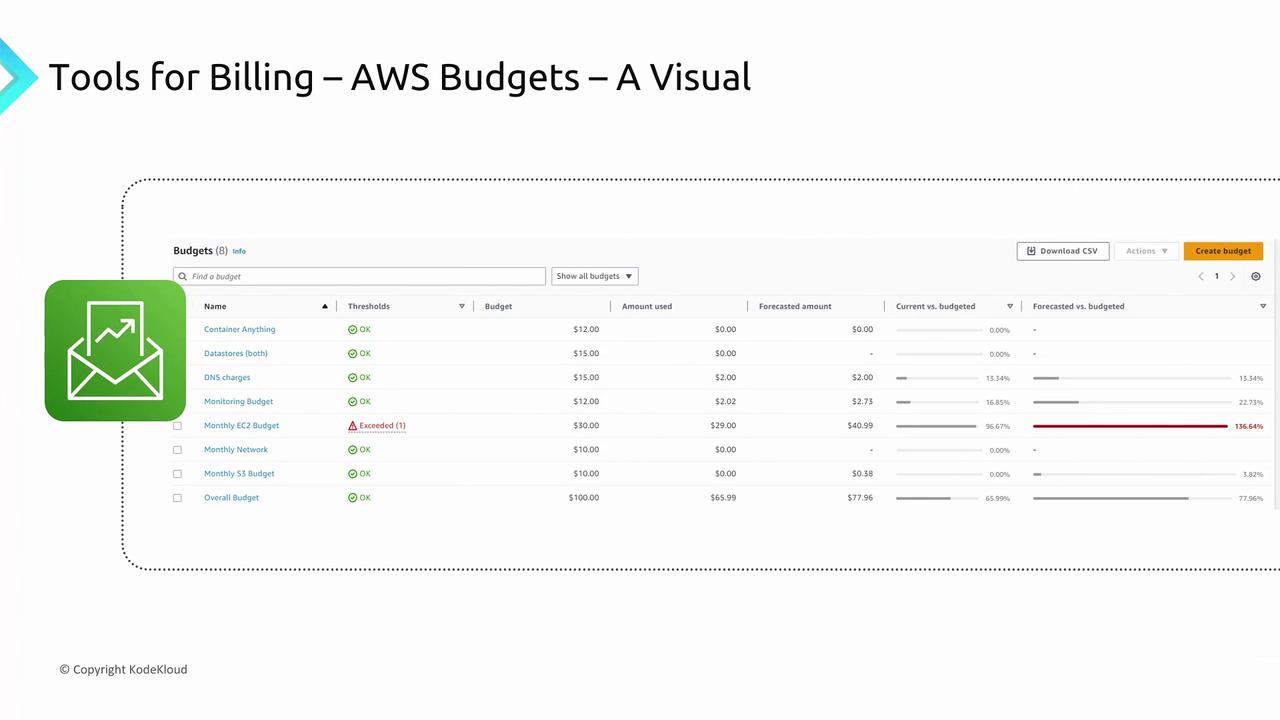
Summary
Understanding and leveraging AWS billing tools is crucial to optimizing your cloud spending. Here’s a quick recap of each tool’s key function:- Billing Dashboard: Provides a concise, high-level summary of your AWS account spending and service usage by region.
- Cost Explorer: Offers interactive visualizations for historical cost analysis and future cost forecasting.
- Cost and Usage Report (CUR): Generates detailed CSV reports, ideal for deep analytical insights and third-party integrations.
- AWS Budgets: Enables proactive spending management through custom alerts and automated actions when set thresholds are exceeded.