

man:x:6:12:man:/var/cache/man:/usr/sbin/nologin
lp:x:7:7:lp:/var/spool/lpd:/usr/sbin/nologin
mail:x:8:8:mail:/var/mail:/usr/sbin/nologin
news:x:9:9:news:/var/spool/news:/usr/sbin/nologin
uucp:x:10:10:uucp:/var/spool/uucp:/usr/sbin/nologin
proxy:x:13:13:proxy:/bin:/usr/sbin/nologin
www-data:x:33:33:www-data:/var/www:/usr/sbin/nologin
backup:x:34:34:backup:/var/backups:/usr/sbin/nologin
list:x:38:38:Mailing List Manager:/var/list:/usr/sbin/nologin
irc:x:39:39:ircd:/run/ircd:/usr/sbin/nologin
_apt:x:42:65534:65534:nonexistent:/usr/sbin/nologin
nobody:x:65534:65534:nobody:/usr/sbin/nologin
systemd-network:x:998:998:systemd Network Management:/usr/sbin/nologin
systemd-timesync:x:997:997:systemd Time Synchronization:/usr/sbin/nologin
dhcpd:x:100:65534:DHCP Client Daemon,,,:/usr/lib/dhcpcd:/bin/false
messagebus:x:101:102:nonexistent:/usr/sbin/nologin
systemd-resolve:x:992:992:systemd Resolver:/usr/sbin/nologin
pollinate:x:102:1:/var/cache/pollinate:/bin/false
polkitd:x:991:991:User for polkitd:/usr/sbin/nologin
syslog:x:103:104:nonexistent:/usr/sbin/nologin
uuidd:x:104:104:nonexistent:/var/uuid:/usr/sbin/nologin
tcpdump:x:105:107:nonexistent:/usr/sbin/nologin
tss:x:106:108:TPM software stack,,/var/lib/tpm:/bin/false
landscape:x:107:109:/var/lib/landscape:/usr/sbin/nologin
fwupd-refresh:x:989:989:Firmware update daemon:/var/lib/fwupd:/usr/sbin/nologin
usbmux:x:108:46:usbmux daemon,,/var/lib/usbmux:/usr/sbin/nologin
sshd:x:109:65534:/run/sshd:/usr/sbin/nologin
jeremy:x:1000:1000:Jeremy Morgan:/home/jeremy:/bin/bash
jeremy@kodekloud:~$
Managing user accounts and groups individually across hundreds of servers can be challenging—even when using automation tools like Chef, Ansible, or Puppet. To simplify this, you can use a centralized LDAP (Lightweight Directory Access Protocol) server as the primary source for account data. This approach enables you to add, remove, or modify user and group information centrally; those updates then propagate automatically to all Linux clients configured to use LDAP.
For better understanding, the remainder of this guide walks you through a practical exercise to implement this setup.
Initial Verification of Local Users
Before integrating LDAP, confirm that certain user accounts (such as john and jane) are not present locally:Setting Up an LDAP Server Using LXC Containers
In production environments, the LDAP server might be hosted on dedicated hardware or cloud platforms (such as Microsoft Azure or Windows Server). For this exercise, we will use a pre-configured LDAP server housed within an LXC container. LXC containers offer a lightweight virtualization approach, similar to Docker, but run full operating systems.Step 1: Initialize LXD
First, initialize LXD, the hypervisor managing your LXC containers:Step 2: Confirm the LDAP Server Archive
A pre-configured LDAP server has been archived as ldap-server.tar.xz. Confirm its existence:Step 3: Import and Start the Container
Import the container image:Configuring the Linux System to Use LDAP for Account Management
To enable your Linux system to query LDAP for user and group information, you must install the package libnss-ldapd. This package enhances the Name Service Switch (NSS), allowing the system to retrieve data from sources such as LDAP.Installing libnss-ldapd
Run the following commands to update your package lists and install libnss-ldapd:When prompted for the NSLCD URL, replace the default “ldap://127.0.0.1/” with the actual IP address of your LDAP server (e.g., “ldap://10.0.142.218/”) and ensure you include the trailing slash.
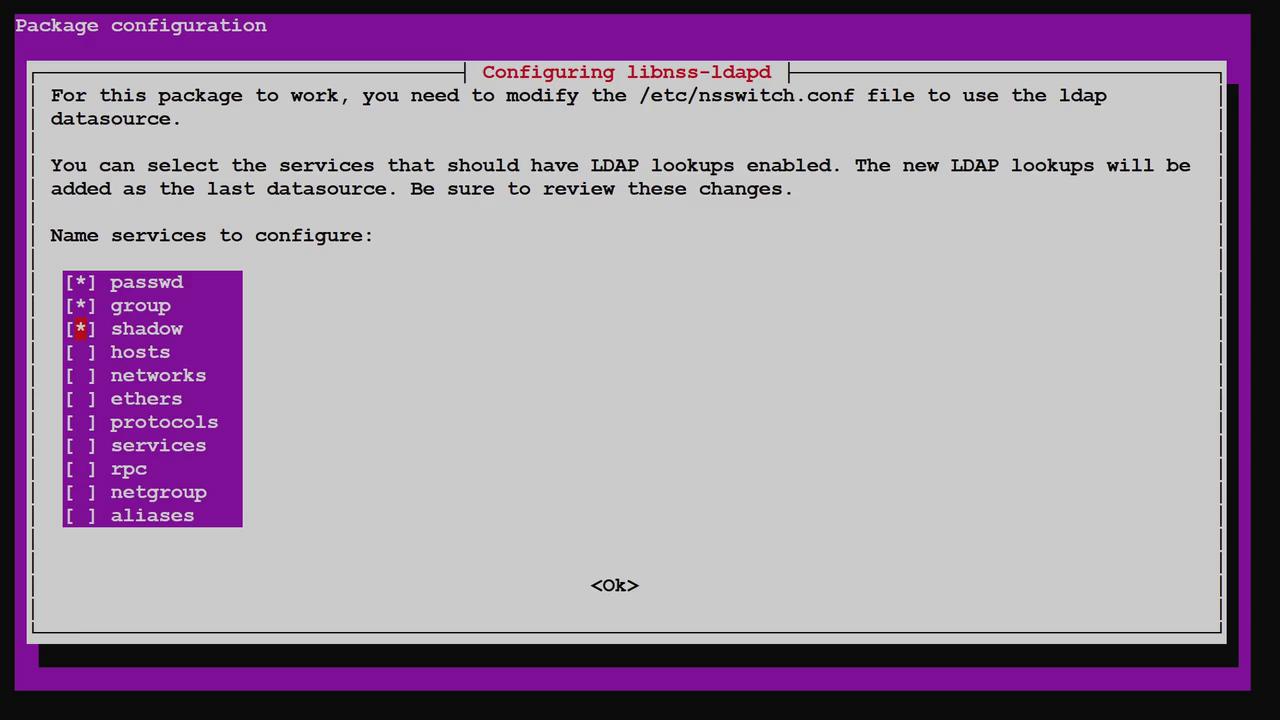
Verifying /etc/nsswitch.conf
The updated /etc/nsswitch.conf file should now include LDAP as a source for passwd, group, and shadow data:Testing LDAP Integration
Initially, local test commands confirmed that the accounts for John and Jane were absent:Automating Home Directory Creation with PAM
Manually creating home directories for every LDAP user is not scalable, especially across many servers. Instead, Pluggable Authentication Modules (PAM) can automatically create a user’s home directory upon login if it does not exist. To enable this automation, update your PAM configuration by executing: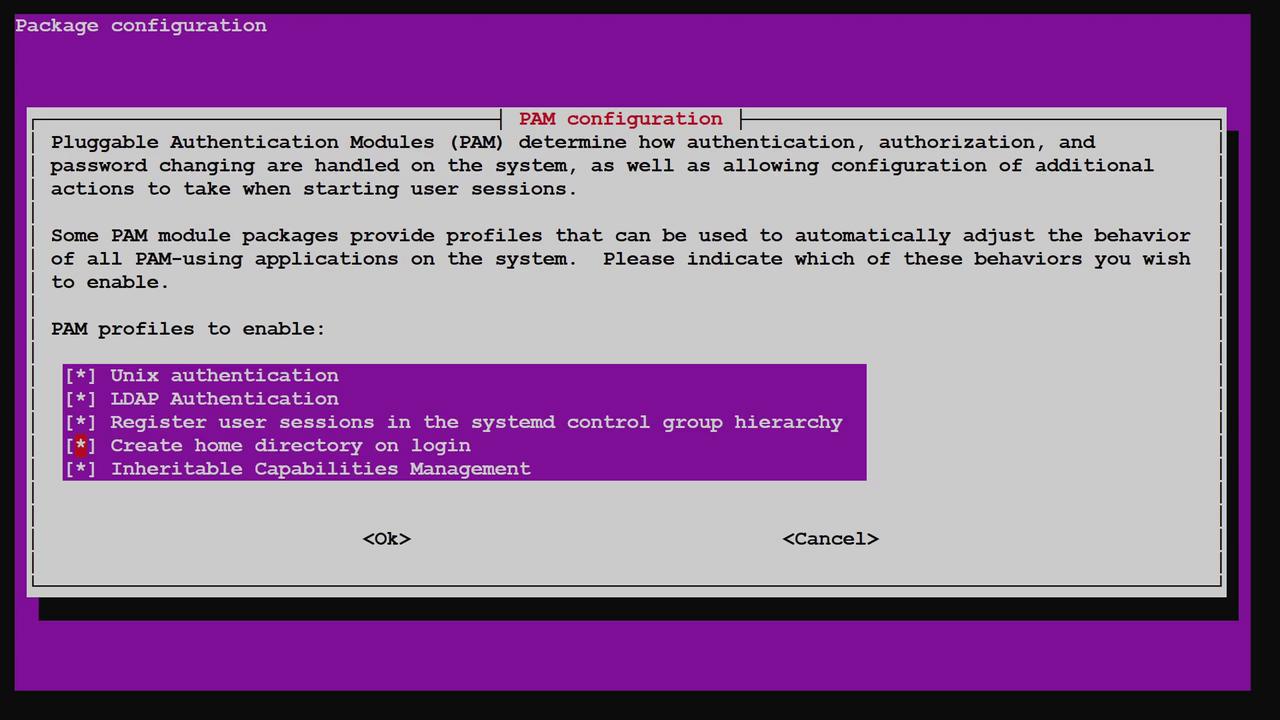
Summary
By configuring your Linux system to leverage an LDAP server for user and group accounts, you centralize account management. This setup automatically retrieves and updates user data—including creating home directories on first login via PAM—thereby eliminating the need to manage accounts across every individual server. This guide demonstrated how to:- Set up and start an LDAP server in an LXC container
- Install and configure libnss-ldapd to integrate LDAP lookups
- Verify that user and group information is correctly fetched from LDAP
- Use PAM to automatically create home directories on user login