

Hostname Resolution with the Local Hosts File
Imagine two computers on the same network, Computer A and Computer B, with IP addresses 192.168.1.10 and 192.168.1.11 respectively. To test connectivity, you can run a ping command using the IP address:/etc/hosts file mapping the IP address to the alias:
/etc/hosts file is the definitive source of hostname-to-IP mappings for that system. The system does not verify whether system B’s actual hostname matches the alias you defined. In fact, you can misdirect traffic by associating an unrelated name with the same IP address:
ping, ssh, or curl—first checks the local /etc/hosts file for IP address mappings. This process of translating a hostname to an IP address is known as name resolution.
Transitioning to Centralized DNS
In smaller networks, managing host entries with individual/etc/hosts files might be sufficient:
/etc/resolv.conf file:
Local
/etc/hosts entries remain effective for names that do not need to be shared network-wide. They take precedence over DNS records as configured in /etc/nsswitch.conf:Public DNS Resolution and Domain Hierarchy
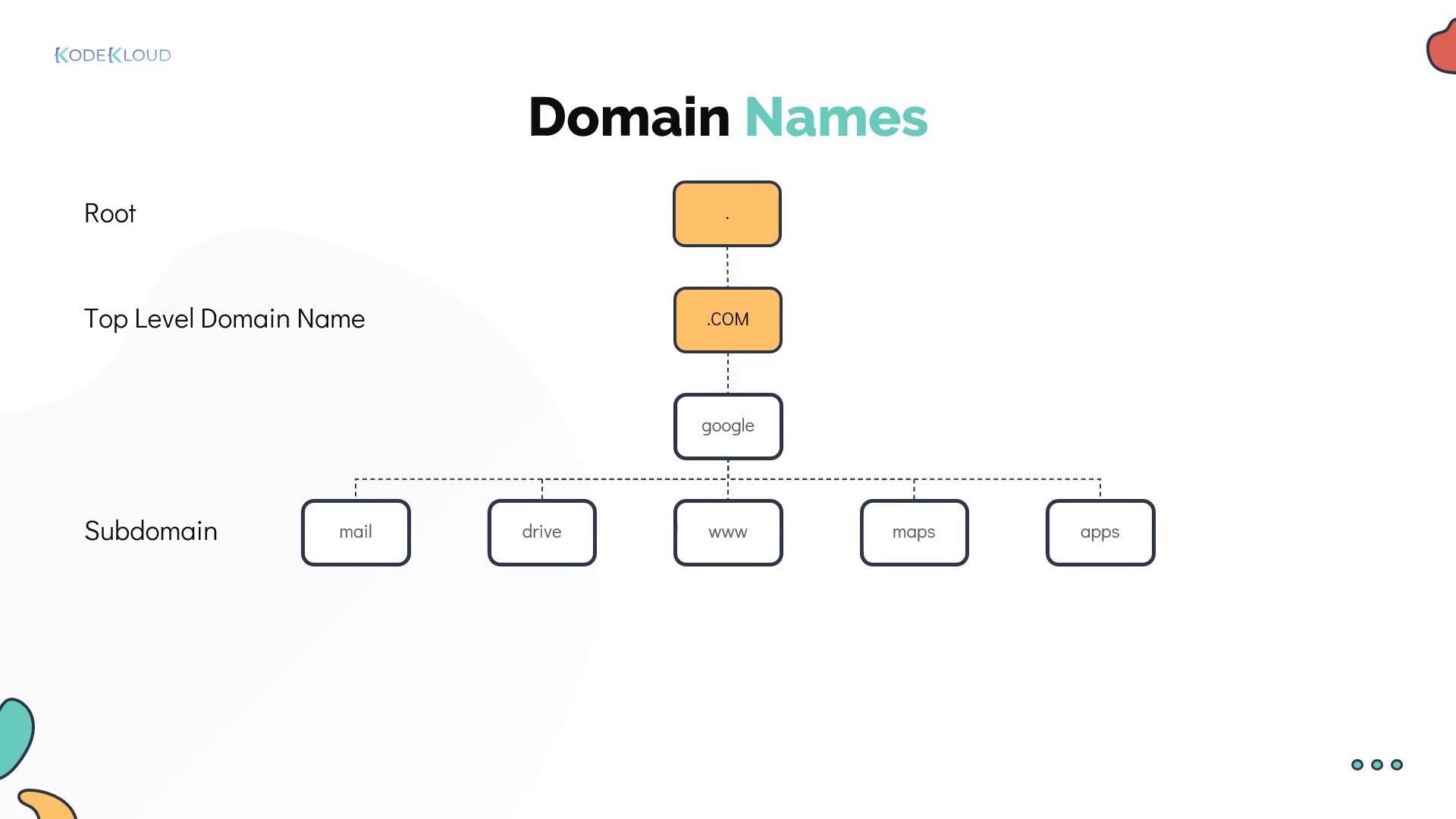
When pinging external sites like www.facebook.com, you’ll notice the inclusion of top-level domains (TLDs), such as .com. Public DNS relies on fully qualified domain names (FQDNs) structured hierarchically. For example, consider Google. Its domain hierarchy is organized as follows:- The root (denoted by a dot)
- Top-Level Domain (.com, .net, .org, etc.)
- Subdomains (e.g., maps.google.com, mail.google.com)
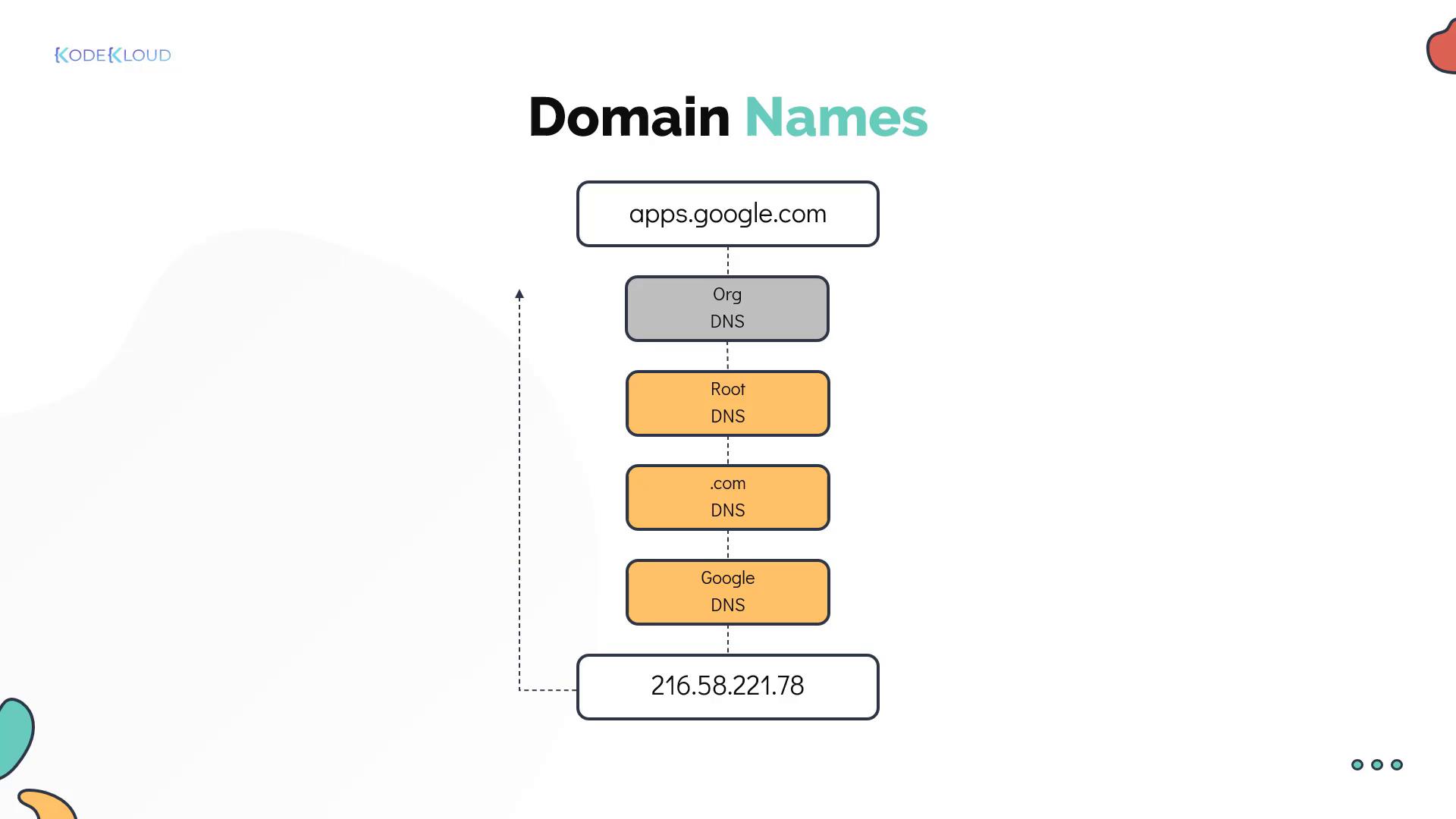
- A root DNS server directs the request to a DNS server responsible for the .com domain.
- The .com DNS server forwards the request to Google’s DNS server.
- Google’s DNS server returns the IP address for the service.
Internal Domain Resolution and Search Domains
Organizations often implement an internal hierarchical structure similar to public DNS. For instance, a company might use the domain mycompany.com with various subdomains for different services:- External website: www.mycompany.com
- Email server: mail.mycompany.com
- Storage: drive.mycompany.com
- Payroll: pay.mycompany.com
- Human Resources: hr.mycompany.com
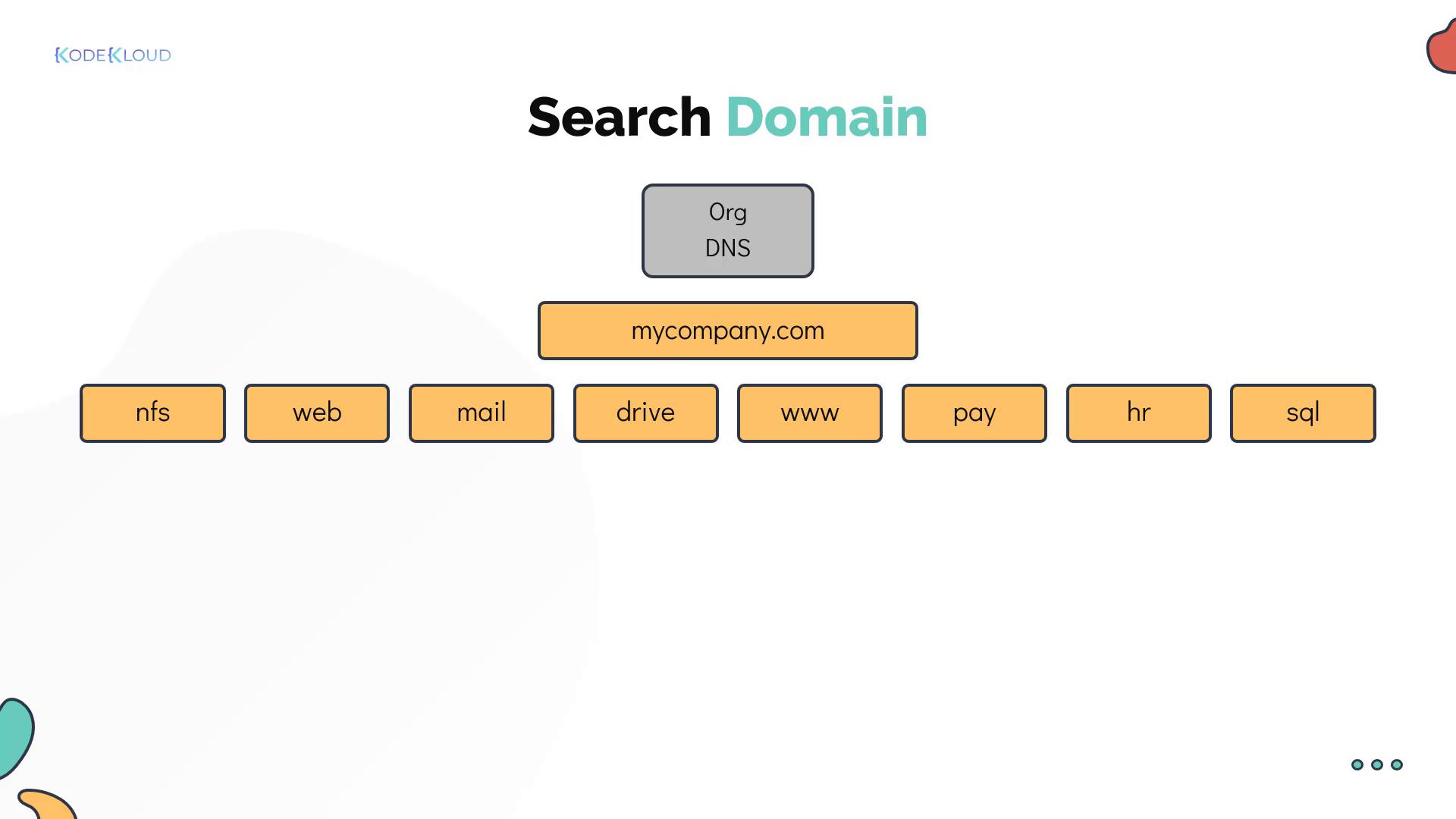
/etc/resolv.conf file. This allows short names (e.g., “web”) to automatically be expanded to their fully qualified domain names (e.g., “web.mycompany.com”). For example:
DNS Record Types and Diagnostic Tools
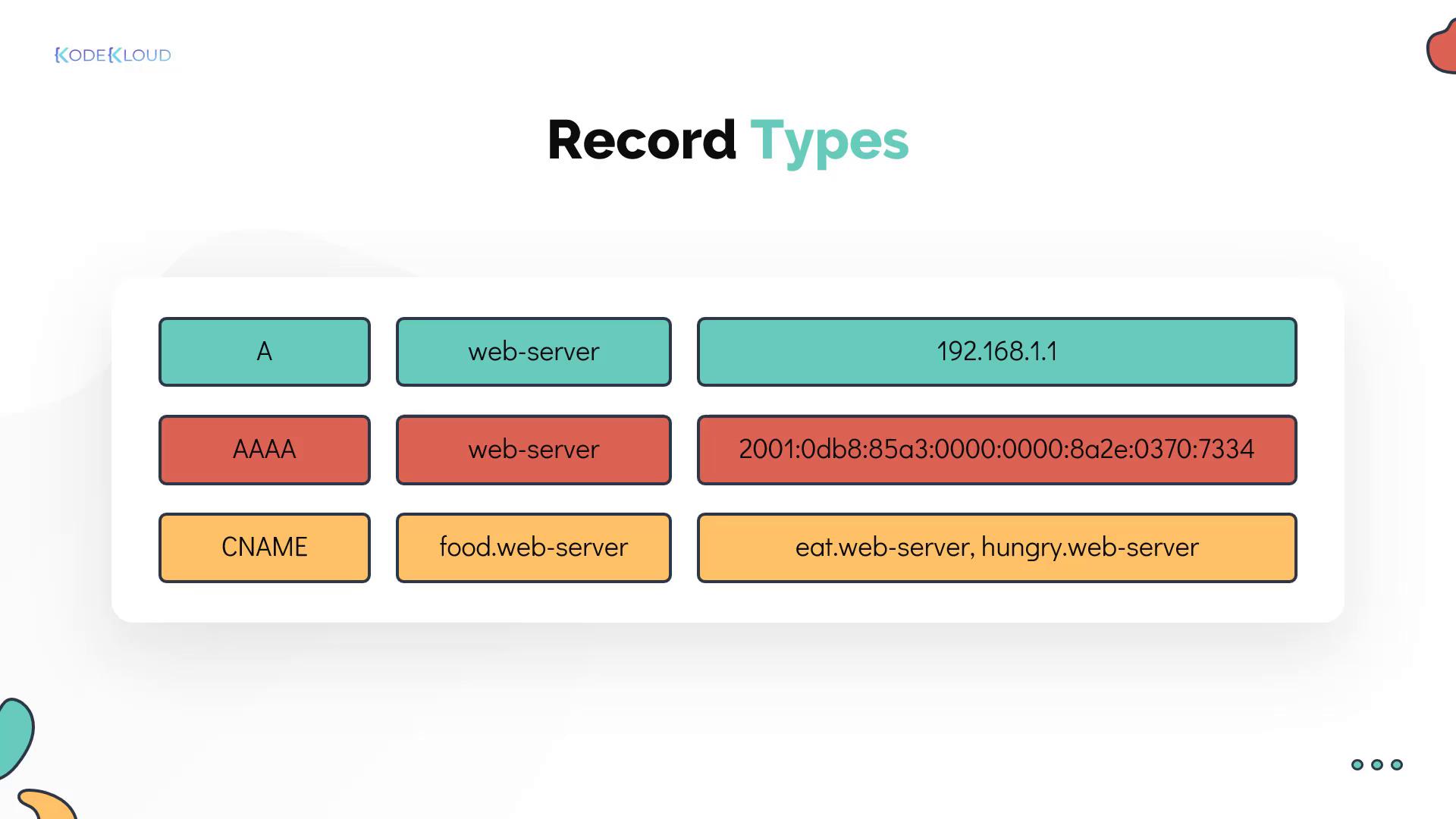
DNS servers store various types of records. The most common include:- A records: Map hostnames to IPv4 addresses.
- AAAA records: Map hostnames to IPv6 addresses.
- CNAME records: Create an alias that maps one hostname to another. This is useful when a service is accessible by multiple names.
/etc/hosts entries, you can use diagnostic tools such as nslookup and dig. For example, the nslookup command directly queries your DNS server:
dig provides detailed output of the DNS records: