This article explains Linux runlevels and systemd targets, detailing how to configure system boot modes and change default operational settings.
Bob noticed something unusual with Dave’s laptop.“Dave, why is it that after the boot process your system goes directly to the Command Line Interface? Mine always loads up the graphical interface,” Bob asked.Dave explained, “That’s because I have specifically set up my system to boot into non-graphical mode.” In Linux, the system can operate in several modes, known as runlevels. You might be familiar with the graphical mode; however, runlevels allow for various operational modes beyond just the GUI.To determine the current runlevel of a Linux system, use the runlevel command. For example, on Dave’s laptop, the output is:
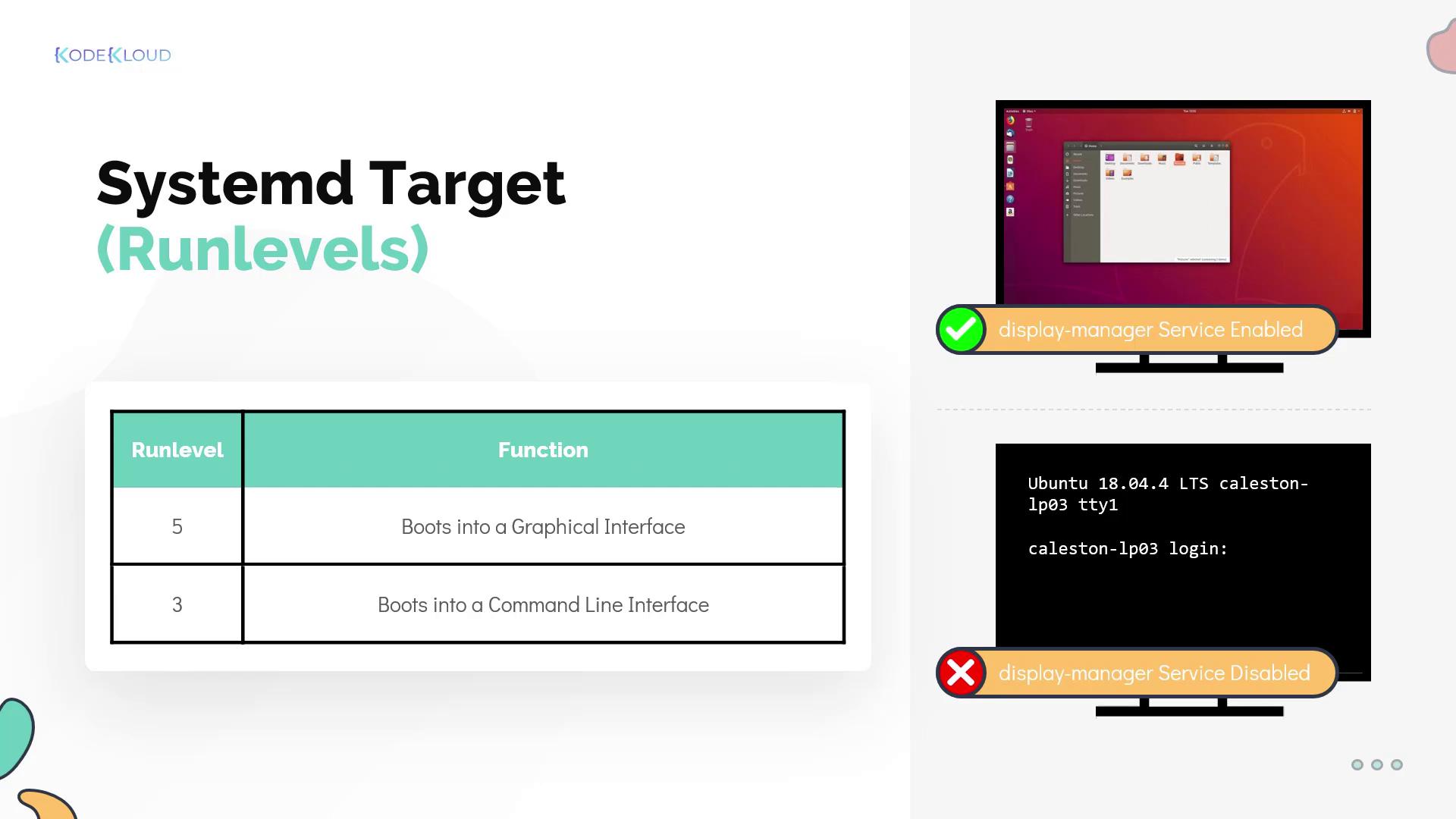
This output indicates that Dave’s system is running at runlevel 3, which is non-graphical mode. In contrast, Bob’s laptop is configured to run at runlevel 5, which provides a graphical user interface.The boot process utilizes the runlevel setting by having the init process check the current runlevel and start only those services required for that mode. For instance, graphical mode (runlevel 5) needs a display manager service to start the GUI, whereas this service is unnecessary in non-graphical mode.
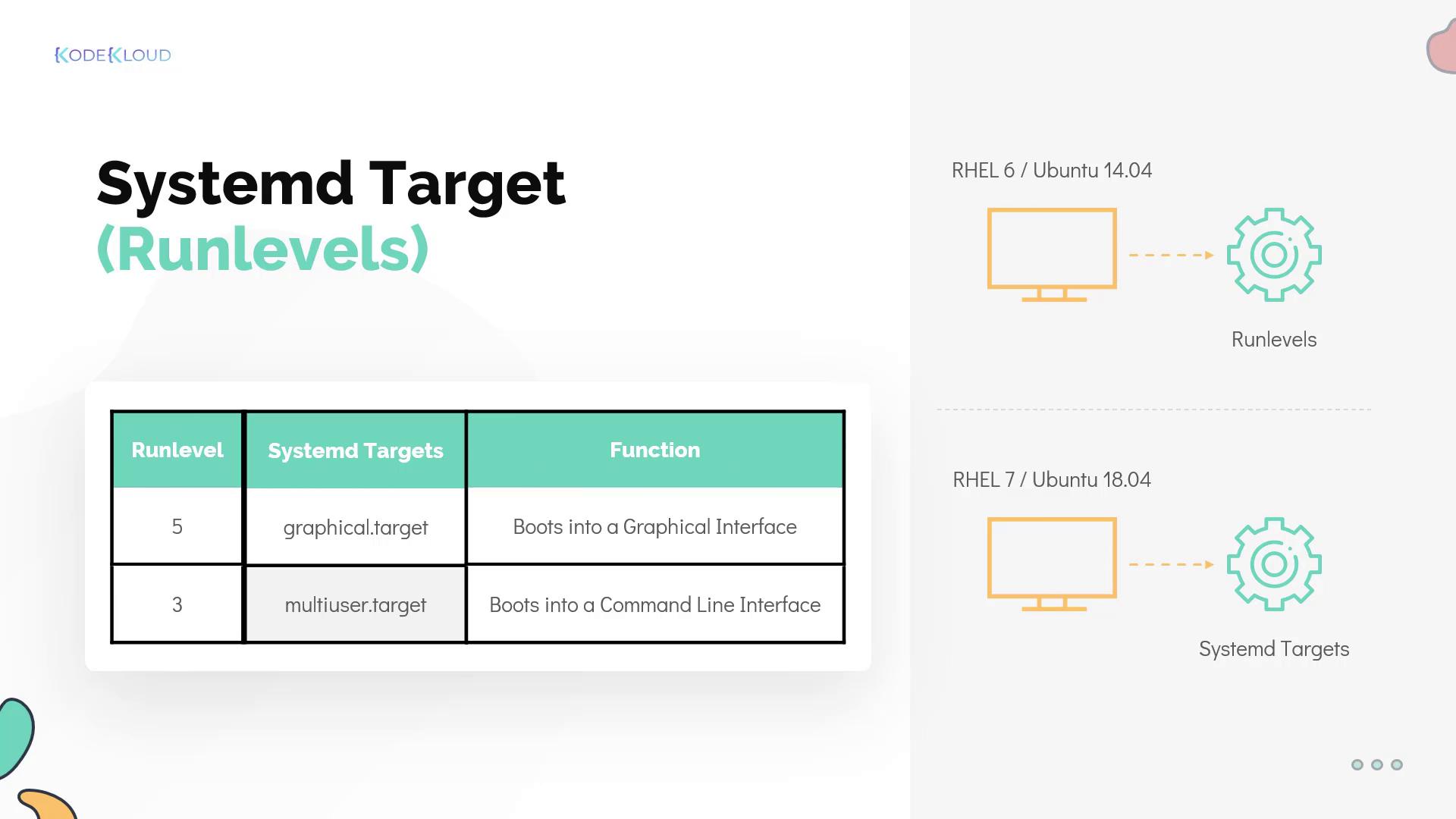
In modern Linux distributions like Ubuntu 18.04, the system uses systemd as the init process. Under systemd, traditional runlevels are represented as targets:
In this context:
Runlevel 5 corresponds to the graphical target.
Runlevel 3 corresponds to the multi-user target.
While additional runlevels (or targets) exist, these two are the most commonly used. For a detailed list of available runlevels/targets, refer to the official systemd documentation.
If your system boots into a command line interface by default, it’s likely configured to use the multi-user target.
To view the current default systemd target, execute the following command, which reads the file located at /etc/systemd/system/default.target:
Copy
Ask AI
$ systemctl get-defaultgraphical.target$ ls -ltr /etc/systemd/system/default.target
In this example, the default.target file is a symbolic link to the graphical.target unit file located in the /lib/systemd/system/ directory.If you wish to change the default target, use the systemctl set-default command followed by your desired target. For instance, to switch from graphical mode (runlevel 5) to multi-user mode (runlevel 3), run: