This article explores adding or removing Linux capabilities on Kubernetes pods and explains restrictions on certain operations even when running as root.
In this lesson, we explore how to add or remove Linux capabilities on Kubernetes pods and understand why certain operations, like changing the system date, can be restricted even when running as root.Earlier, in our Seccomp lecture, we observed that even when a container runs with Seccomp set to unconfined, modifying the system date is prohibited. This behavior extends to Kubernetes pods as well. By default, Kubernetes pods do not utilize Seccomp, and a container—even running as root (UID 0)—may still be restricted from performing certain operations.
When running containers with Docker, the default security settings include restrictions that prevent operations such as modifying the system clock, unless explicitly permitted by adjusting capabilities.
The example below demonstrates the restricted behavior using Docker:
Copy
Ask AI
docker run -it --rm --security-opt seccomp=unconfined docker/whalesay /bin/sh# date -s '19 APR 2012 22:00:00'date: cannot set date: Operation not permittedThu Apr 19 22:00:00 UTC 2012kubectl run --rm -it ubuntu-sleeper --image=ubuntu -- bash
Even though the container runs as the root user (UID 0), the attempt to change the date fails. This behavior helps us understand how Linux processes operate under different privilege levels.
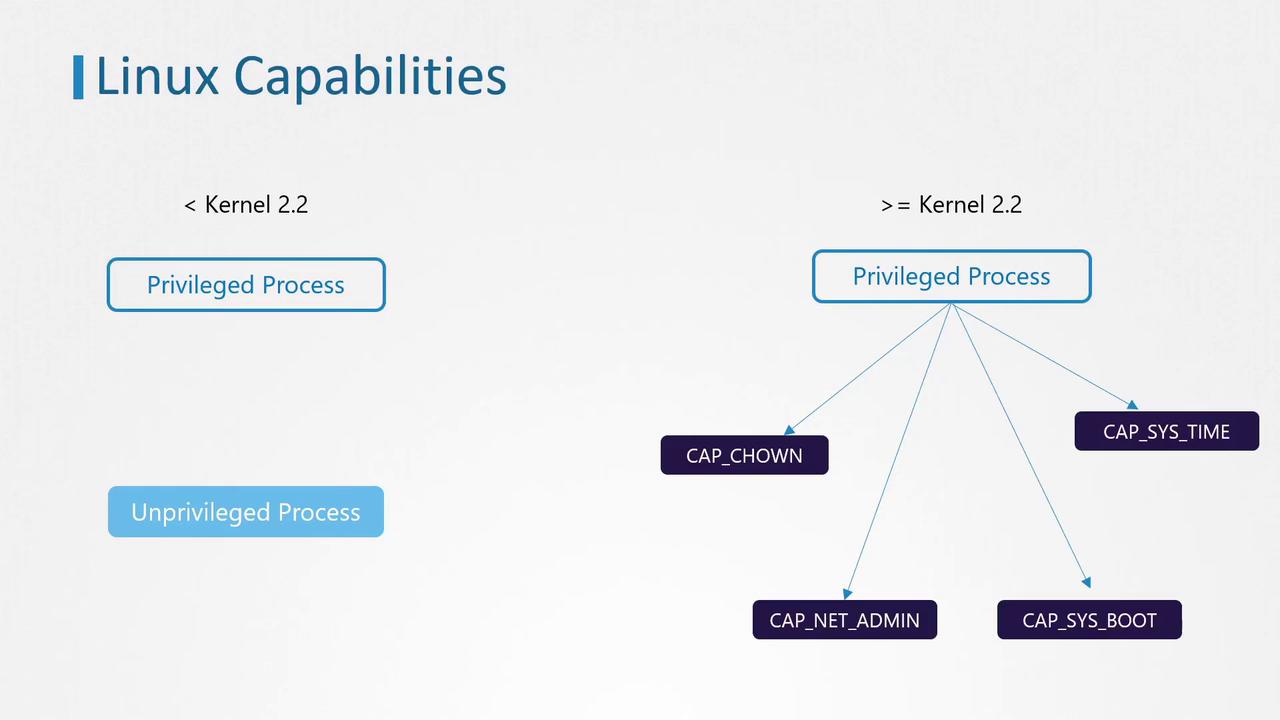
Before Linux kernel 2.2, processes were classified into:
Privileged processes: Run by the root user (UID 0) and bypass many kernel permission checks.
Unprivileged processes: Run by non-root users and are subject to various kernel restrictions.
Starting with Linux kernel 2.2, the traditional superuser privileges were broken down into individual units called capabilities. This allows administrators to grant only specific privileges to processes, even if they run as the root user.Some examples of these capabilities include:
CAP_CHOWN: Allows changing file ownership.
CAP_NET_ADMIN: Permits operations like modifying network interface configurations, managing routing tables, and binding processes to specific addresses.
CAP_SYS_BOOT: Enables a process to reboot the system.
CAP_SYS_TIME: Permits setting or adjusting the system clock.
For a comprehensive list of capabilities, consult the official Linux documentation.
Returning to our Ubuntu sleeper pod example, attempting to change the date from within the container resulted in:
Copy
Ask AI
kubectl run --rm -it ubuntu-sleeper --image=ubuntu -- bashroot@ubuntu-sleeper:# date -s '19 APR 2012 22:00:00'date: cannot set date: Operation not permittedThu Apr 19 22:00:00 UTC 2012root@ubuntu-sleeper:#
This failure occurs because containers, even when running as root, are started with a limited set of capabilities. Docker, the container runtime, initiates containers with only 14 capabilities by default. Without the specific capability CAP_SYS_TIME required to modify the system clock, the operation is prohibited.
Add a Capability: Update the container manifest under the security context by including the required capability (e.g., CAP_SYS_TIME) in the capabilities array. With this configuration, the container will be permitted to adjust the system clock.
Remove a Capability: Use the drop field with an array of capabilities to be removed. For example, if you remove CAP_CHOWN, the chown command will no longer function within the container.
Modifying container capabilities can expose the host system to security risks. Always ensure that only the necessary capabilities are granted and follow the principle of least privilege.
Understanding how Linux capabilities function is crucial for effectively managing security in Kubernetes pods. Experiment with modifying capabilities to gain hands-on experience, and refer to the official documentation for more detailed information.For more insights and detailed documentation on Kubernetes and container security, consider exploring these resources: