

Kubernetes Resource Classification
Kubernetes resources fall into two distinct groups:- Namespaced resources (e.g., pods, replica sets, jobs, deployments, services, secrets)
- Cluster-scoped resources (e.g., nodes, persistent volumes, certificate signing requests, namespaces)
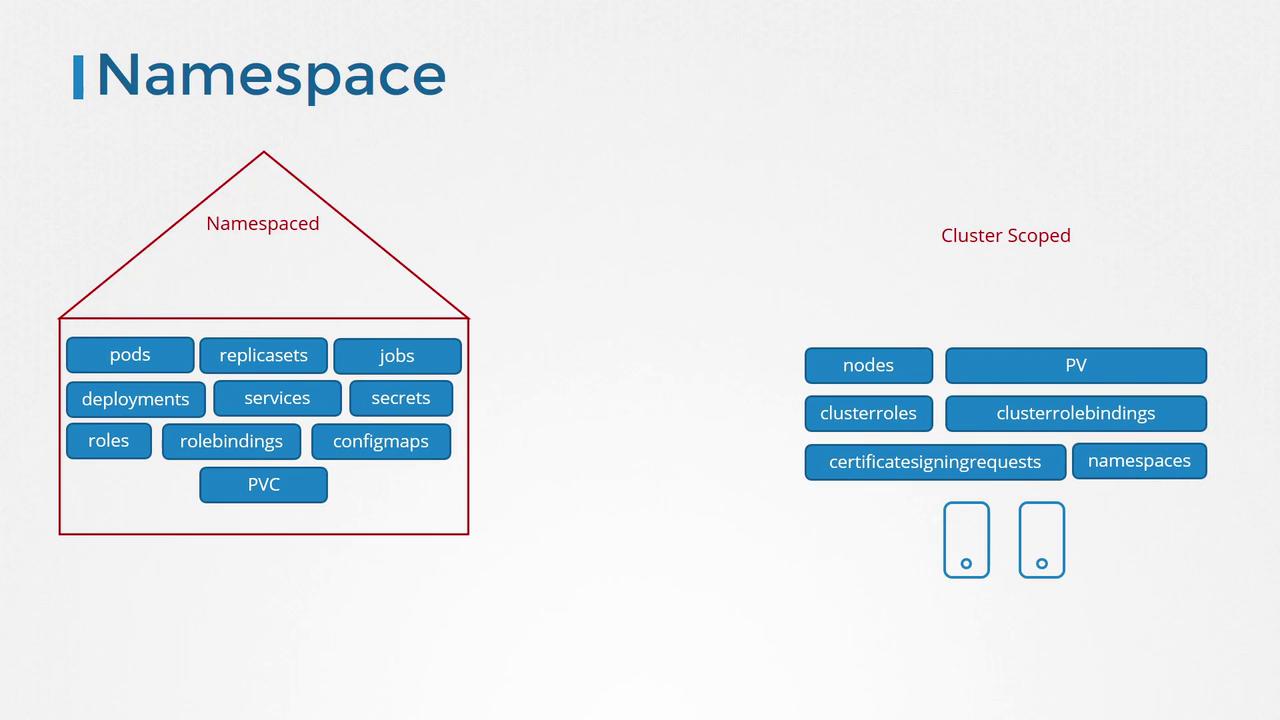
For namespaced resources, roles and role bindings are used. However, when you need to grant permissions for cluster-wide resources such as nodes or persistent volumes, you should use cluster roles and cluster role bindings.
Use Case: Granting Cluster-Wide Permissions
Imagine you need to create a cluster role that allows a user to view, create, or delete nodes across the entire cluster. Similarly, you might need a storage administrator role to manage persistent volumes and persistent volume claims. The diagram below outlines a conceptual overview of these roles: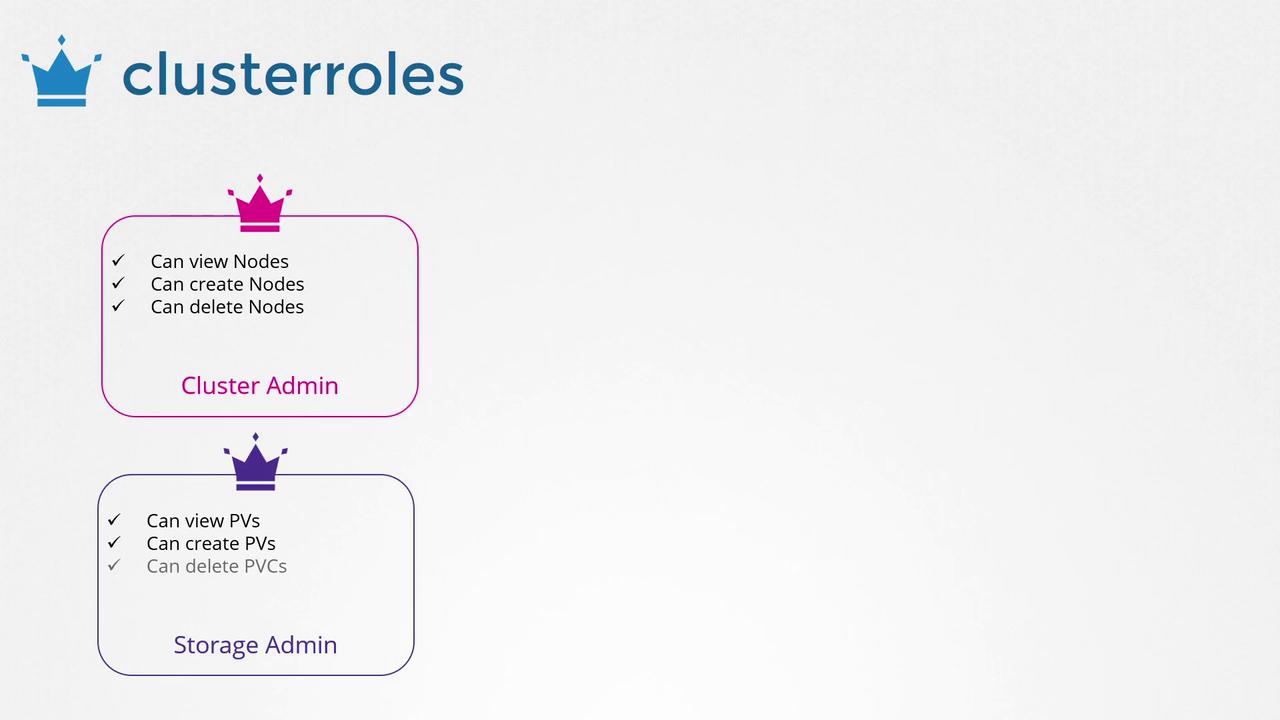
Defining a Cluster Role
Below is an example YAML file that defines a cluster role. Save the file ascluster-admin-role.yaml:
Binding the Cluster Role to a User
After creating the cluster role, you must create a cluster role binding to associate the user with this role. This binding grants the specified permissions across the cluster. Save the following configuration ascluster-admin-role-binding.yaml:
While cluster roles are primarily intended for cluster-scoped resources, they can also be used to grant permissions for namespaced resources. When applied in this context, the permissions extend across all namespaces, unlike a namespaced role that restricts access to a specific namespace.