Understanding Traffic Flow
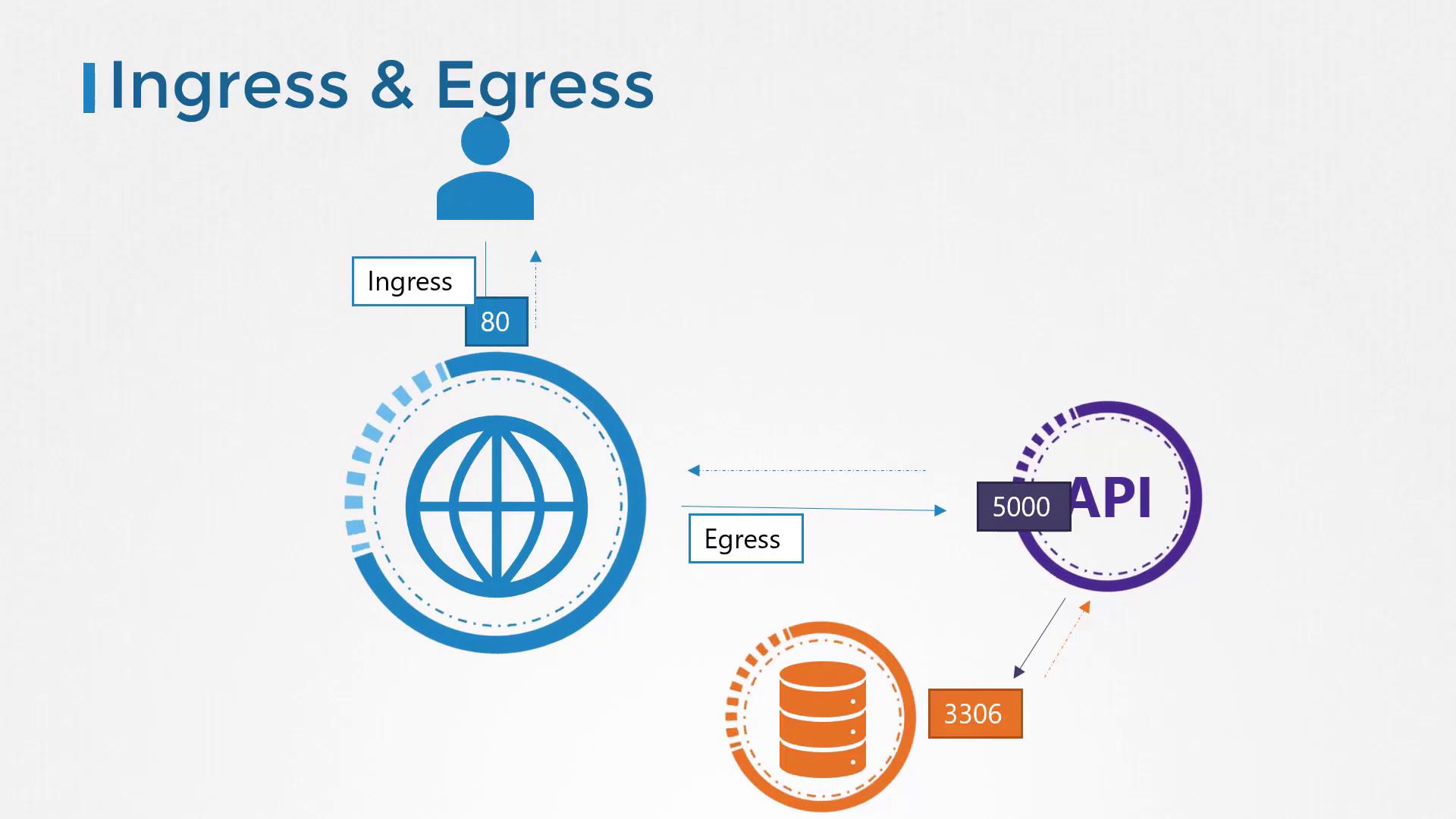
Let’s begin with a simple example that illustrates the traffic flow between a web application and its associated database server. In this scenario, we have the following components:- A web server that delivers the frontend to users.
- An API server that handles backend processing.
- A database server that stores application data.
- A user sends a request to the web server on port 80.
- The web server forwards the request to the API server on port 5000.
- The API server queries the database server on port 3306 and then returns the response back to the user.
- Ingress: Incoming traffic (e.g., user requests to the web server).
- Egress: Outgoing traffic (e.g., web server calling the API server).
Note that when defining ingress and egress traffic, we focus solely on the direction in which the traffic originates. The response traffic (typically represented by dotted lines in diagrams) is not considered in these definitions.
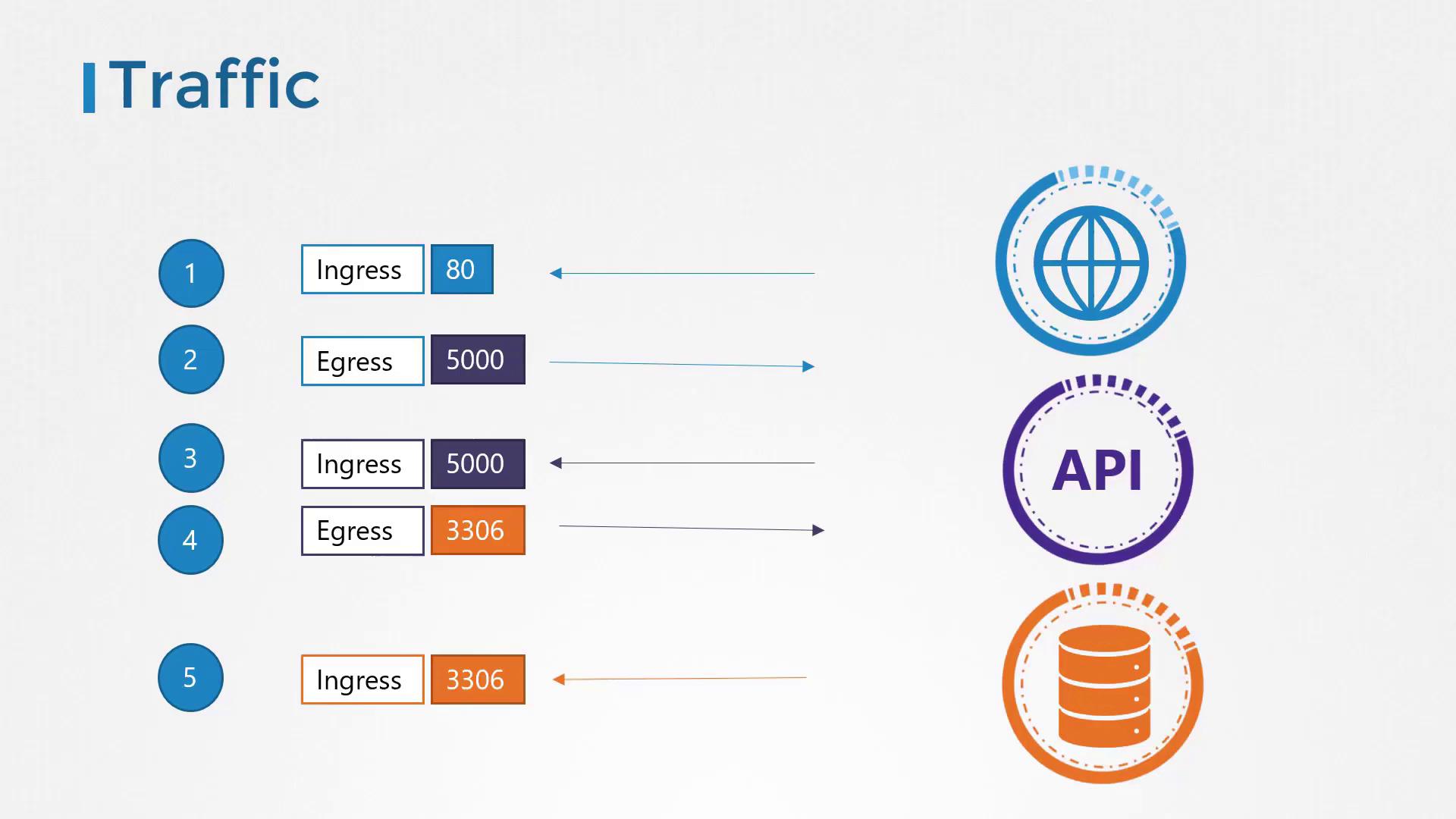
Traffic Details for Each Component
-
API Server:
- Receives ingress traffic from the web server on port 5000.
- Sends out egress traffic to the database server on port 3306.
-
Database Server:
- Only receives ingress traffic on port 3306 from the API server.
- Ingress rule on the web server to accept HTTP traffic on port 80.
- Egress rule on the web server to allow traffic to the API server on port 5000.
- Ingress rule on the API server to accept traffic on port 5000.
- Egress rule on the API server to allow traffic to the database server on port 3306.
- Ingress rule on the database server to accept traffic on port 3306.
Network Security in Kubernetes
In a Kubernetes cluster, nodes host a set of pods and services, each assigned an IP address. One of the key prerequisites for Kubernetes networking is that pods can communicate with one another without needing additional configuration such as custom routes. Typically, all pods reside on a shared virtual private network spanning across multiple nodes, and by default, a Kubernetes cluster allows unrestricted communication between pods through their IP addresses, pod names, or associated services. This is due to a default “allow all” rule that permits traffic between any pods or services within the cluster.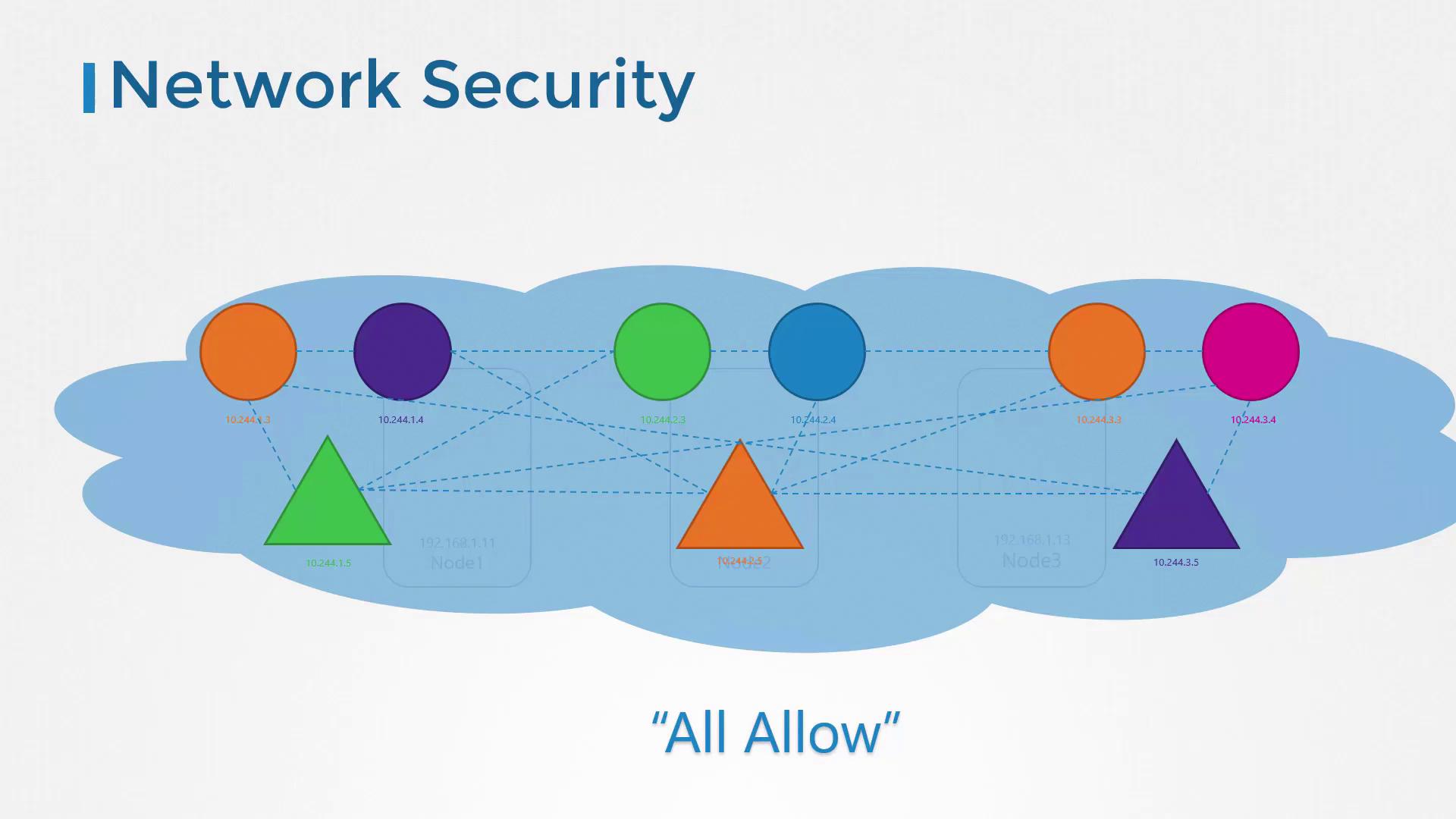
Applying Network Policies
In our example, each component—the web server, the API server, and the database server—is deployed as a separate pod with its own service to manage both intra-cluster and external communications. Under default settings, these pods can communicate freely. However, consider a scenario where security requirements dictate that the frontend web server should not directly access the database server. In this case, you can implement a network policy to restrict such traffic so that the database server only accepts traffic from the API server. A network policy in Kubernetes is an object that defines how pods communicate with each other. By adding labels and selectors to pods, similar to associating pods with services or replica sets, you create targeted rules. For example, you might label the database pod and define a policy permitting only ingress traffic on port 3306 coming from the API pod.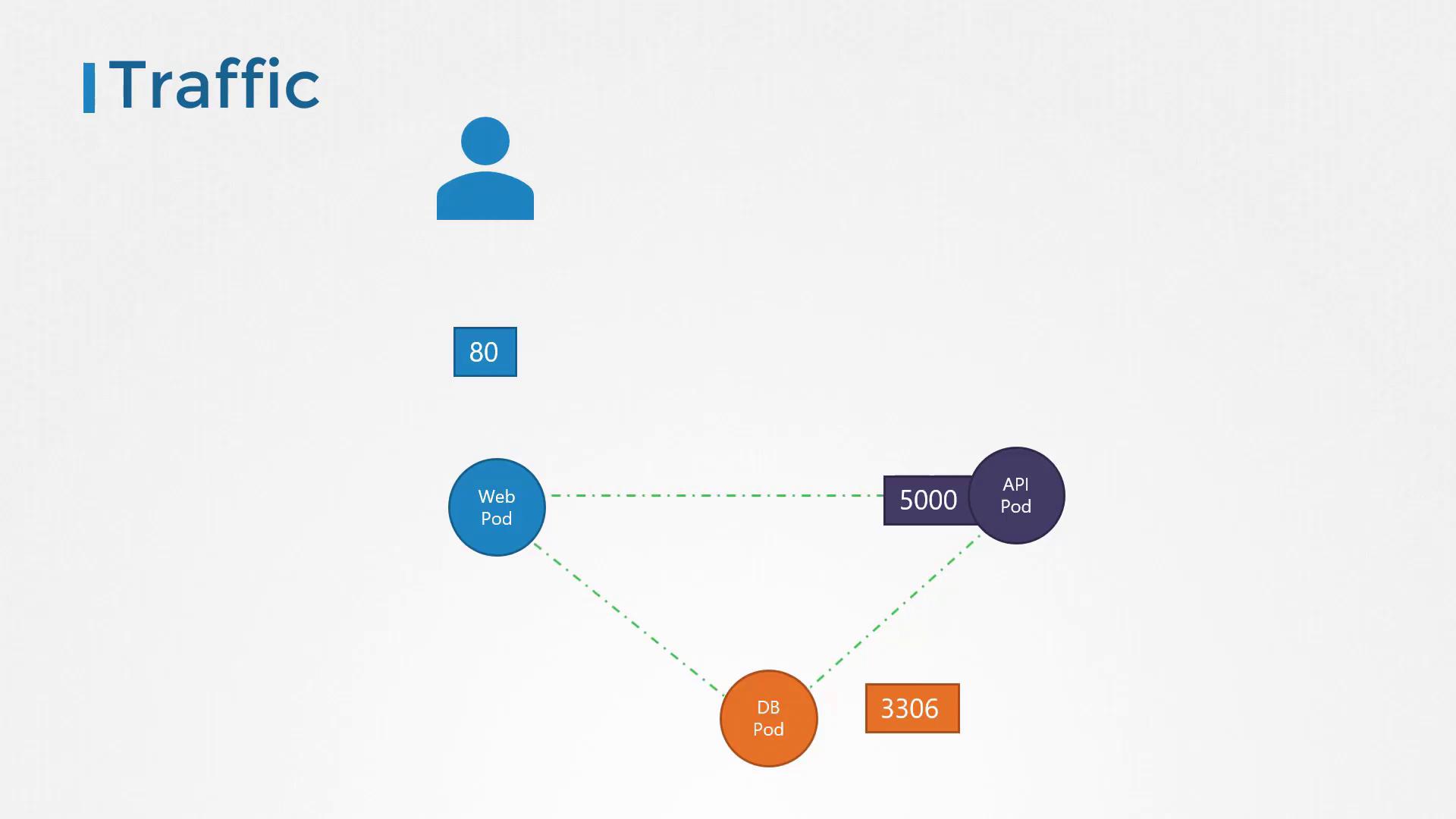
- The policy applies to pods labeled with
role: db. - Only ingress traffic is restricted, as specified by the
policyTypesfield. (Egress traffic from the pod is not limited.) - The ingress rule allows traffic exclusively from pods labeled with
name: api-podon TCP port 3306.
policyTypes. Without this specification, the pod’s corresponding traffic is not isolated.
To apply this policy, run the following command:
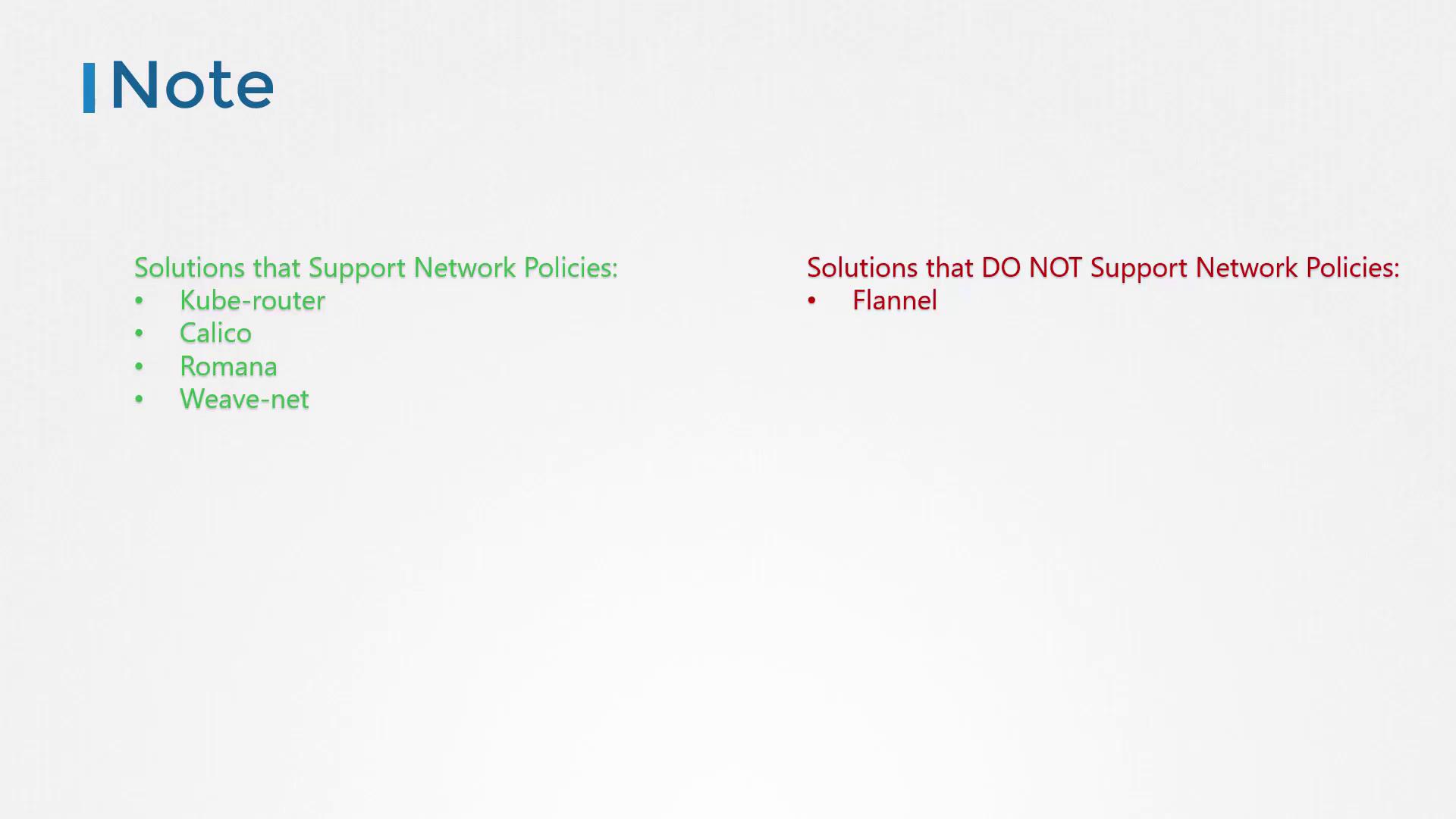
Keep in mind that network policies are enforced only by network solutions that support them. Network solutions such as Kube-router, Calico, Romana, and Weave Net support network policies, whereas Flannel does not. If you are using a solution that doesn’t support policies, you may still create them without any error, but they won’t be enforced.