This article explores integrating OPA with Kubernetes using the Gatekeeper approach for enhanced policy enforcement and governance.
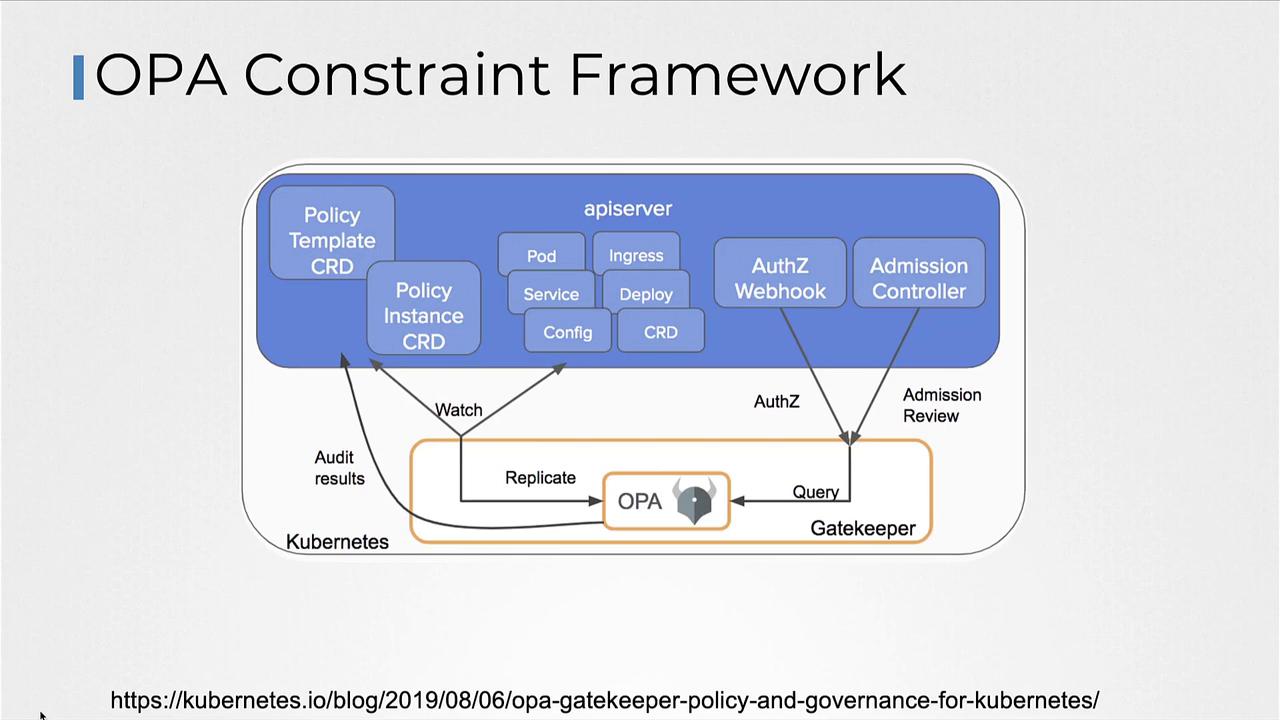
In this article, we explore the integration of OPA (Open Policy Agent) with Kubernetes using the Gatekeeper approach. This method leverages the OPA Constraint Framework alongside Kubernetes admission controllers for enhanced policy enforcement and governance.
With the Gatekeeper approach, the admission controller collaborates with the OPA Constraint Framework by using CRD-based (Custom Resource Definition) policies. This facilitates easier policy sharing and builds trust across your Kubernetes environment.Before diving into the details of the OPA Constraint Framework, let’s review how to deploy OPA Gatekeeper in Kubernetes.
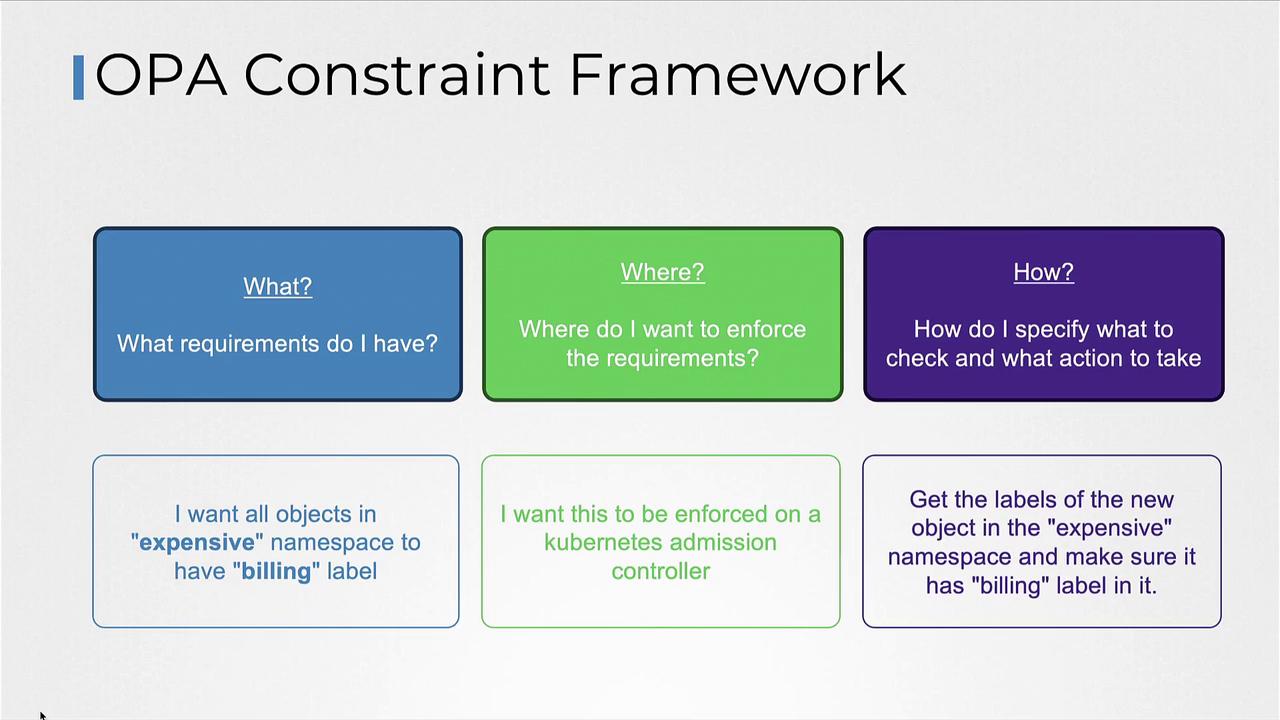
The OPA Constraint Framework allows you to declare policies that specify required conditions, enforce those conditions at the appropriate locations, and define the checks to be performed. For example, if you want all objects in a specific namespace (e.g., “example”) to include a “billing” label, the framework will enforce this rule via the Kubernetes admission controller.When a pod creation request is submitted, the admission controller follows these steps:
Retrieve the labels from the pod.
Verify if the required label (e.g., “billing”) is present.
Below is an example of Rego code that validates the presence of a required label (e.g., “billing”) on a pod. The code compares the provided labels with a hard-coded required label.
To support more dynamic scenarios—such as enforcing different labels based on the namespace—you can create a Constraint Template. This enables you to pass the required label as a parameter instead of hardcoding it.Below is an example Constraint Template that encapsulates the Rego code while exposing a parameter for the required label:
Copy
Ask AI
apiVersion: templates.gatekeeper.sh/v1kind: ConstraintTemplatemetadata: name: systemrequiredlabelsspec: crd: spec: names: kind: SystemRequiredLabel validation: # Schema for the 'parameters' field goes here targets: - target: admission.k8s.gatekeeper.sh rego: | package systemrequiredlabels import data.lib.helpers violation[{"msg": msg, "details": {"missing_labels": missing}}] { provided := {label | input.request.object.metadata.labels[label]} # Use the parameter passed in the constraint instead of hardcoding required := {label | label == input.parameters.labels[_]} missing = required - provided count(missing) > 0 msg = sprintf("you must provide labels: %v", [missing]) }
Once your Constraint Template is ready, define specific constraints to enforce policies for different namespaces. For instance:
Below is a quick reference table summarizing the key steps for integrating OPA with Kubernetes using Gatekeeper:
Step
Description
Example Command/Definition
Install OPA Gatekeeper
Deploy Gatekeeper components using Kubernetes manifests.
kubectl apply -f [Gatekeeper URL]
Verify Deployment
Check that all Gatekeeper components are running.
kubectl get all -n gatekeeper-system
Validate Labels with Rego
Use Rego code to compare provided and required labels.
See provided Rego examples
Create Constraint Template
Define a CRD that accepts dynamic parameters for labels.
Provided YAML for Constraint Template
Define Constraint Resources
Enforce policies on specific namespaces with parameters.
Provided YAML for require-billing-label and require-tech-label
Any object creation that violates the defined policies will trigger an error during the admission phase, preventing non-compliant objects from being admitted into the cluster.
With these steps in place, any new Kubernetes object that fails to meet the policy requirements will be rejected at admission time, ensuring continued compliance within your cluster.That concludes our exploration of integrating OPA with Kubernetes using Gatekeeper. Experiment with these policies in your environment to tailor enforcement to your specific needs.For further details on OPA and Kubernetes, consider visiting: