

- A web server serves the front-end to users,
- An API server handles backend logic and communication, and
- A database server stores persistent data.
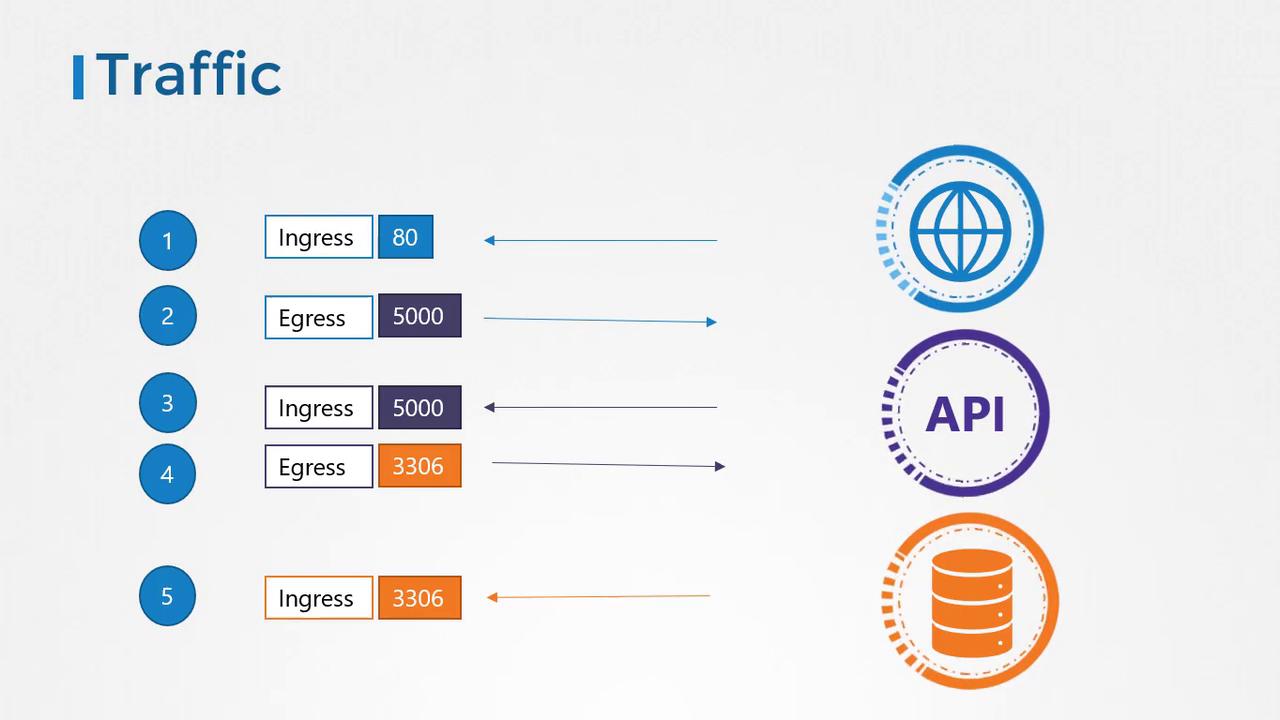
- A user sends a request to the web server on port 80.
- The web server forwards the request to the API server on port 5000.
- The API server retrieves the required data from the database server on port 3306 and sends the response back to the user.
- Ingress Traffic: Incoming traffic to a server (e.g., user requests reaching the web server).
- Egress Traffic: Outgoing traffic from a server (e.g., the web server forwarding a request to the API server).
| Component | Traffic Type | Port | Description |
|---|---|---|---|
| Web Server | Ingress | 80 | Accepts HTTP requests from users. |
| Web Server | Egress | 5000 | Forwards requests to the API server. |
| API Server | Ingress | 5000 | Receives traffic from the web server. |
| API Server | Egress | 3306 | Sends requests to the database server. |
| Database Server | Ingress | 3306 | Accepts traffic from the API server. |
Network Security in Kubernetes
In a Kubernetes cluster, nodes host Pods and services, with each node, Pod, and service possessing its own IP address. A core principle of Kubernetes networking is that Pods can communicate with one another without additional routing configurations. Typically, all Pods reside on a virtual private network, enabling direct communication using IP addresses, Pod names, or service definitions. By default, Kubernetes allows all intra-cluster communication with an “all-allow” rule. In our application deployment within Kubernetes:- The web server, API server, and database server each run in their own Pod.
- Services facilitate communication between these Pods and provide external access.
- Without additional restrictions, all Pods can freely communicate with one another.
What Are Network Policies?
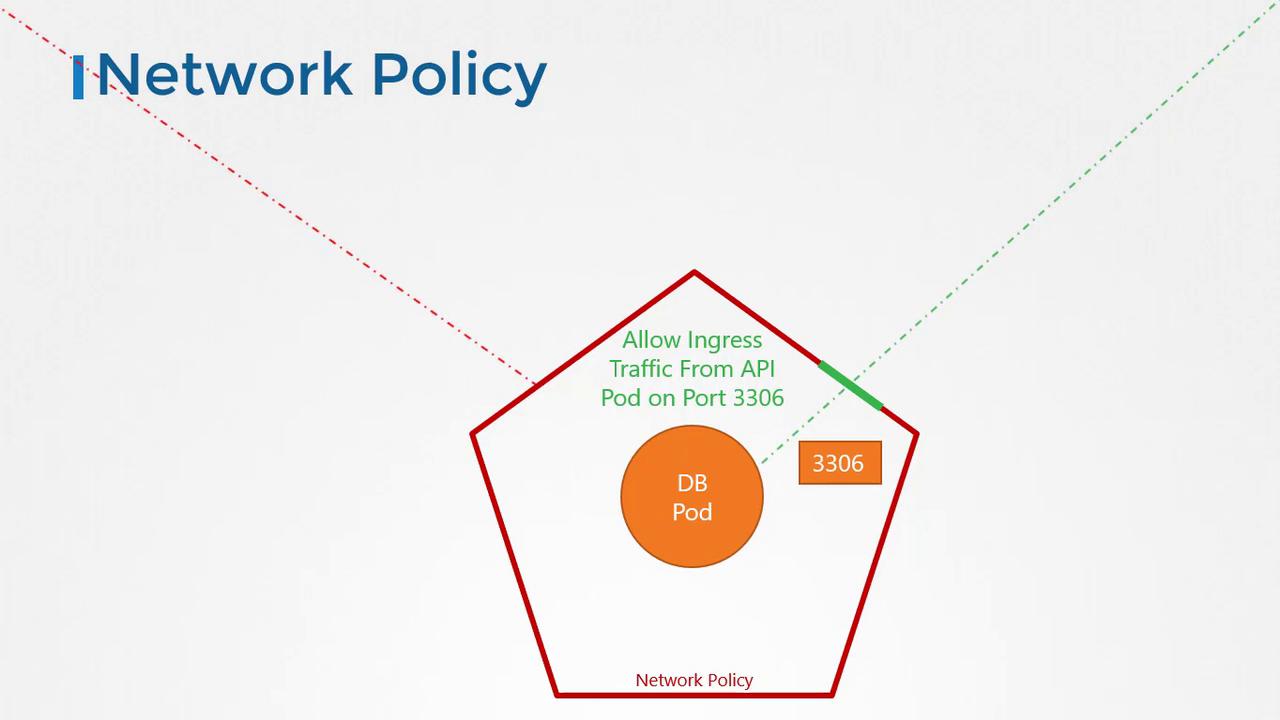
A network policy is a Kubernetes object that controls the traffic flow to and from Pods. Using labels and selectors, you can bind a network policy to one or more Pods, thereby restricting access to them. For example, you can set up a policy that only permits ingress traffic to the database Pod from the API Pod on port 3306.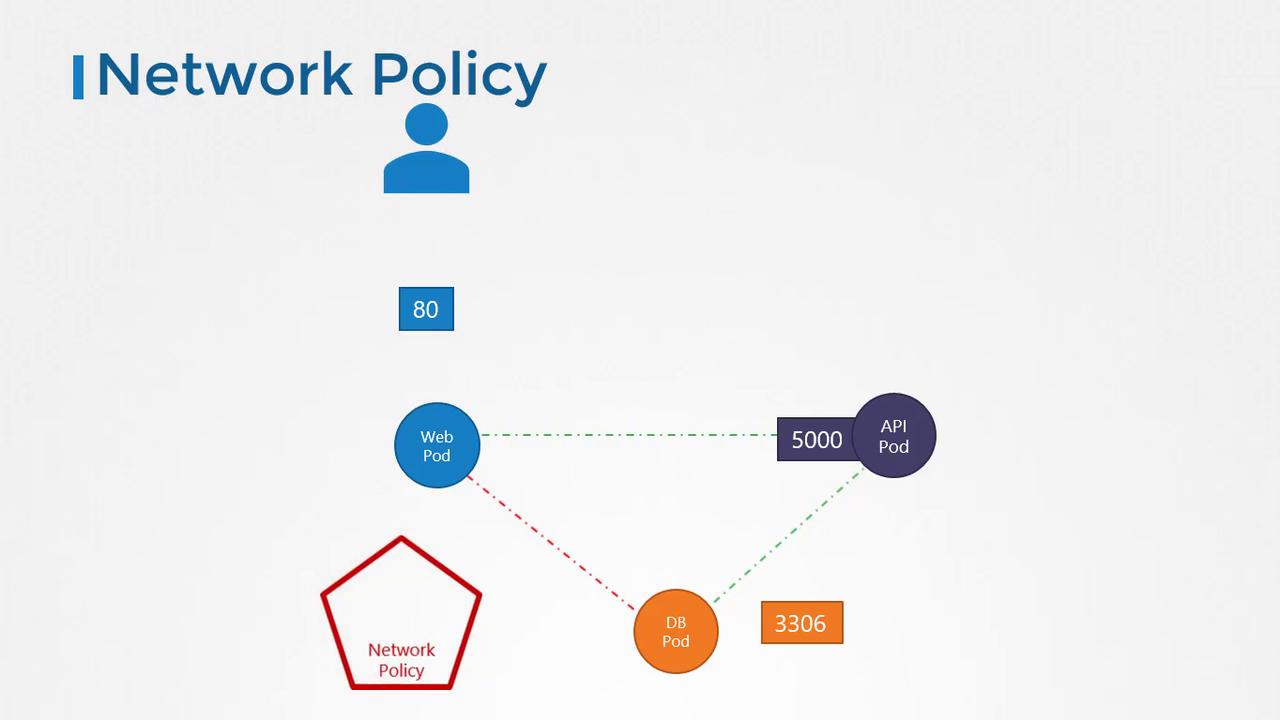
Creating a Network Policy
To enforce a network policy, you use labels and selectors, much like linking ReplicaSets or Services to Pods. In our example, we want to allow only ingress traffic to the database Pod from the API Pod on port 3306. Here is the complete YAML definition for our network policy:- The
podSelectortargets Pods labeled withrole: db. - The
policyTypesdeclaration specifies that this network policy controls ingress traffic. - The
ingressrule restricts access, allowing traffic only from Pods labeled withname: api-podon TCP port 3306.
To apply this network policy, run the appropriate
kubectl create command. Remember that network policies are enforced by the underlying network solution in your Kubernetes cluster.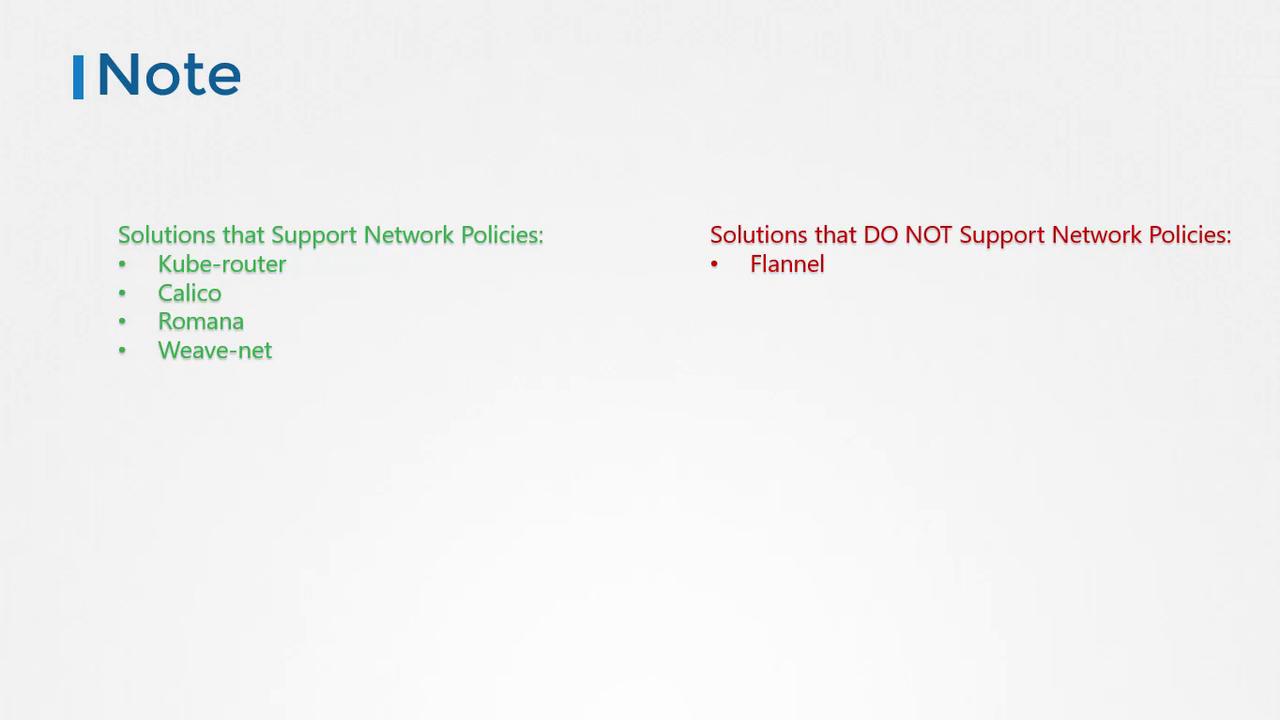
Even if your cluster’s network solution does not support network policies, you can define them. However, these policies will not be enforced unless supported.
Conclusion
This lesson provided an in-depth understanding of network policies in Kubernetes, covering:- Basic traffic flow between services.
- How ingress and egress rules are defined.
- The application of network policies to restrict communication between Pods.