Understanding the Kubernetes API
The Kubernetes API serves as the central interface for interacting with the cluster. Whether you use the kubectl command-line tool or make direct REST calls, every operation in the cluster is handled by the API server. For example, to check the cluster version, you can query the API server running on the master node (default port 6443) by appending the API version to the URL. Similarly, to list all the pods, you would send a request to/api/v1/pods.
Below is an example command that retrieves the Kubernetes version:
API Groups Overview
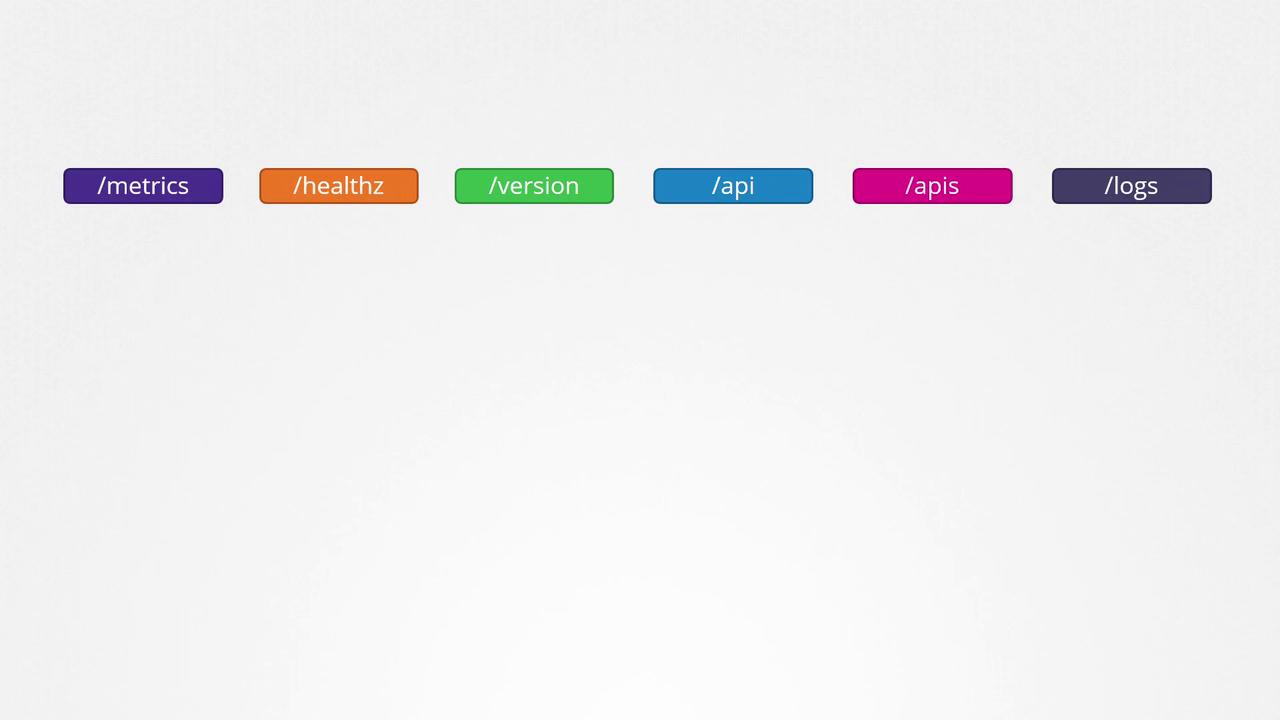
Kubernetes organizes its API functionalities into various groups, making it easier to manage and scale operations. These groups include endpoints for version information, metrics, health checks, logs, and more. For instance, while the/version API reveals the cluster version, the /metrics and /healthz endpoints help monitor your cluster’s health. The /logs endpoint can be integrated with third-party logging tools.
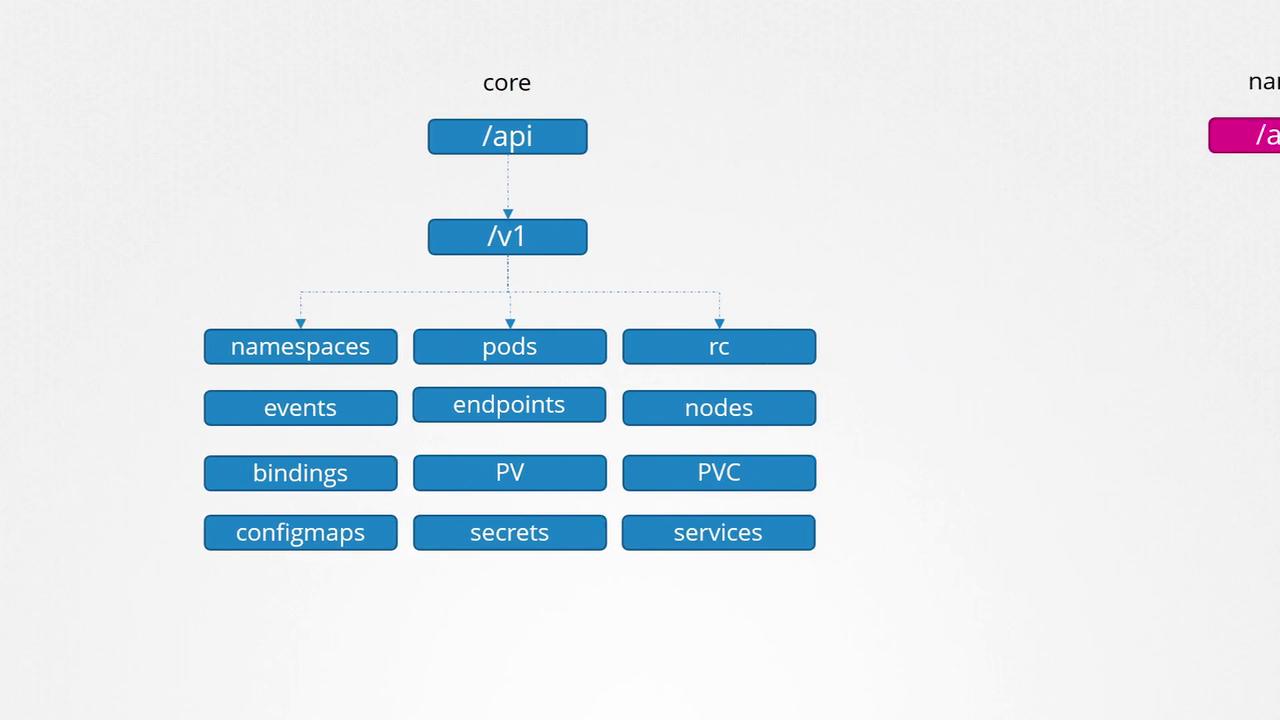
- Core API Group: Contains fundamental components such as namespaces, pods, replication controllers, events, endpoints, nodes, bindings, persistent volumes, persistent volume claims, config maps, secrets, and services.
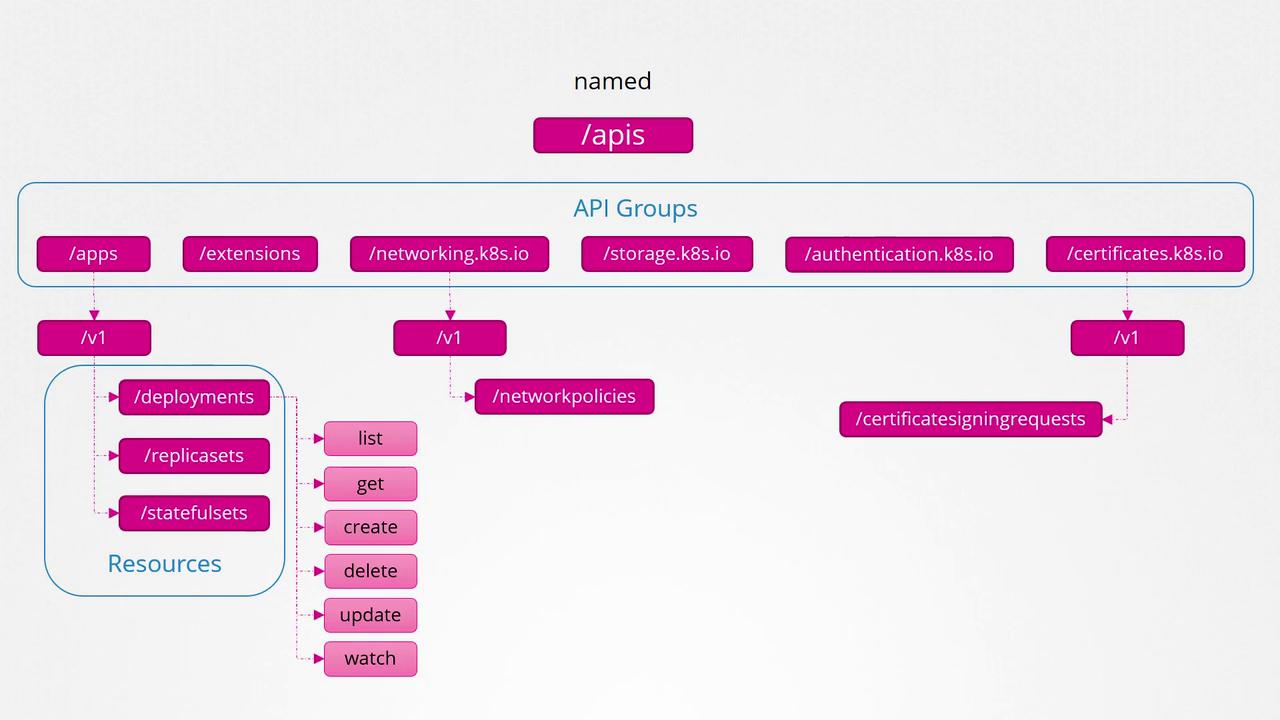
- Named API Groups: Organizes newer features into groups like apps, extensions, networking, storage, authentication, and authorization. For example, the “apps” group includes Deployments, ReplicaSets, and StatefulSets, while the “networking” group covers Network Policies. Other functionalities such as Certificate Signing Requests belong to different named groups.
Accessing the Kubernetes API
When making direct requests to the Kubernetes API using curl, you might face authentication restrictions. For example, executing the following command without proper certificates might lead to a Forbidden error:To access the API securely, include your certificate files in the curl command as follows:
kubectl proxy command. This command starts a local proxy service on port 8001, utilizing the credentials from your kubeconfig file to authenticate your requests—eliminating the need to explicitly specify certificates.
Start the proxy by running:
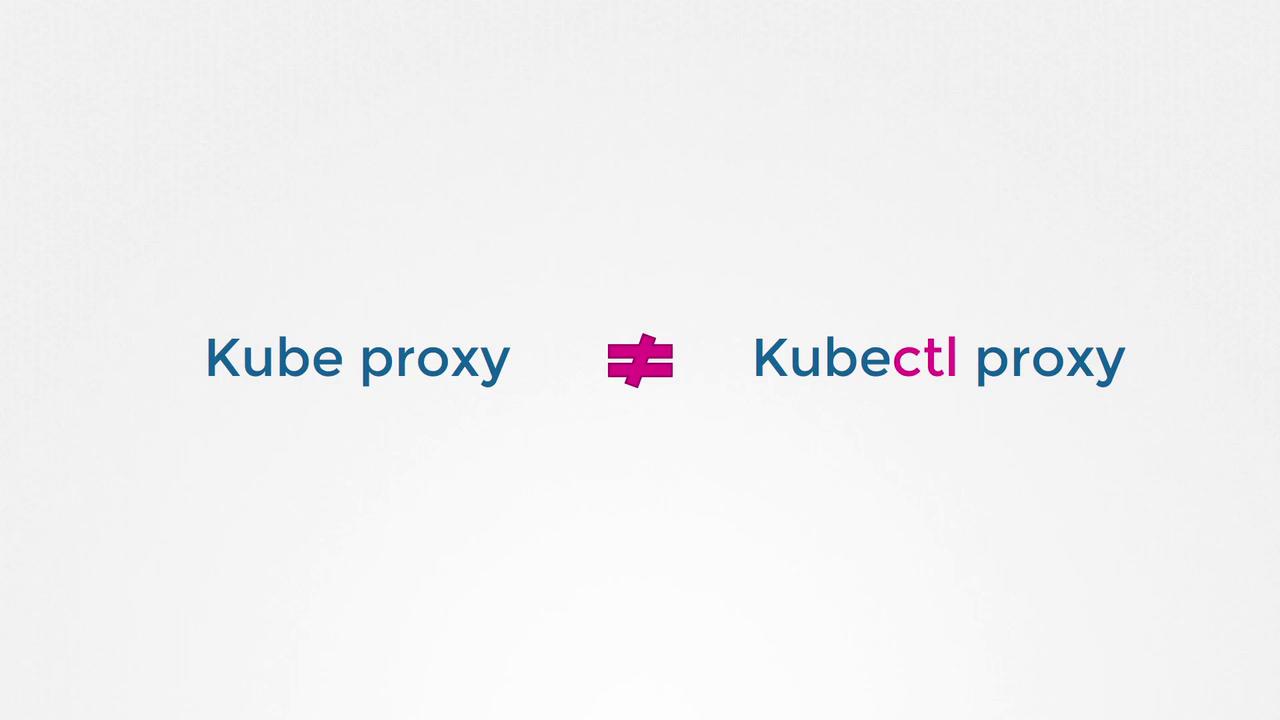
Do not confuse
kubectl proxy with kube-proxy. The kube-proxy manages networking and connectivity between pods across nodes, while kubectl proxy forwards API requests using your kubeconfig credentials.