This article explores Kubernetes controllers, focusing on replication controllers and ReplicaSets for managing application availability and scalability.
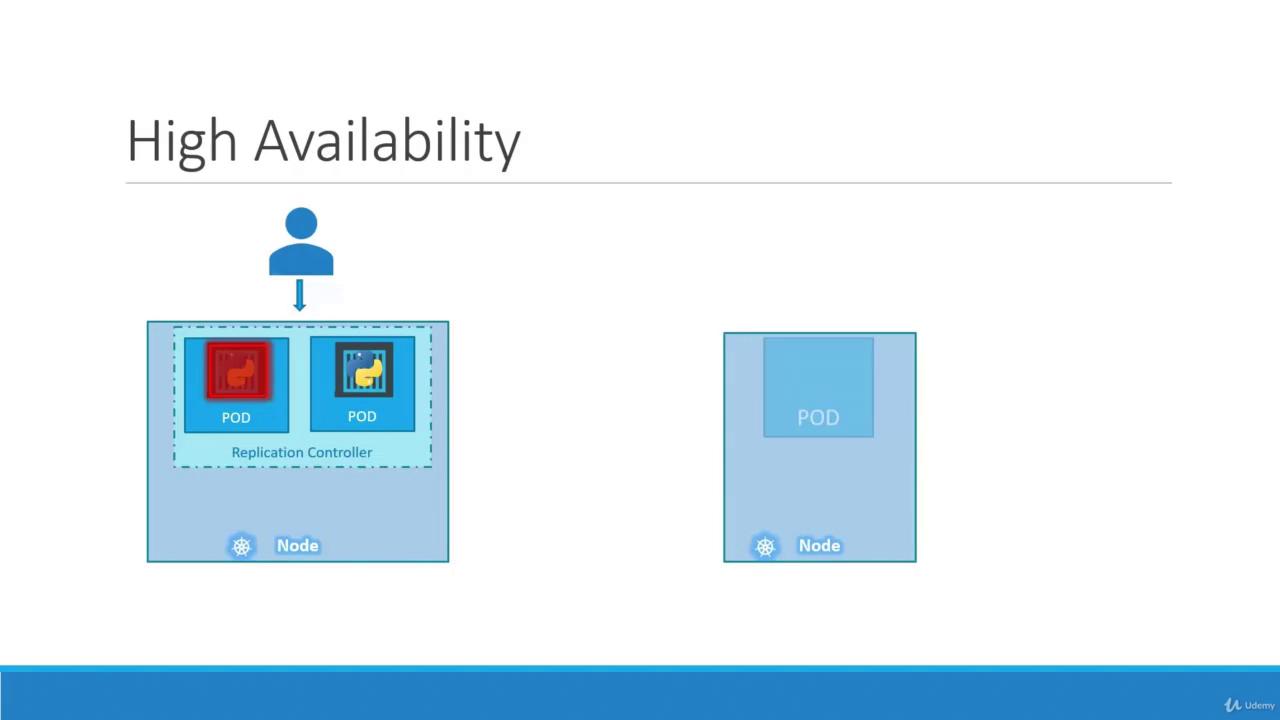
Hello and welcome to this Kubernetes controllers lesson. I’m Mumshad Mannambeth, and today we will explore how controllers manage your applications’ availability and scalability. Controllers are the brains behind Kubernetes—they monitor objects and respond to any change in the cluster. In this lesson, we will focus on the replication controller and its more advanced successor, the ReplicaSet.Imagine you have a single Pod running your application. If that Pod crashes, your users immediately lose access. To overcome this, you can run multiple instances (Pods) of the application. The replication controller ensures that a specified number of Pods are running at all times, providing high availability even during failures.Even when running a single Pod, a replication controller is beneficial because it automatically replaces a failed Pod, ensuring continuous availability. For instance, if one instance fails, another is promptly created to maintain the required Pod count.
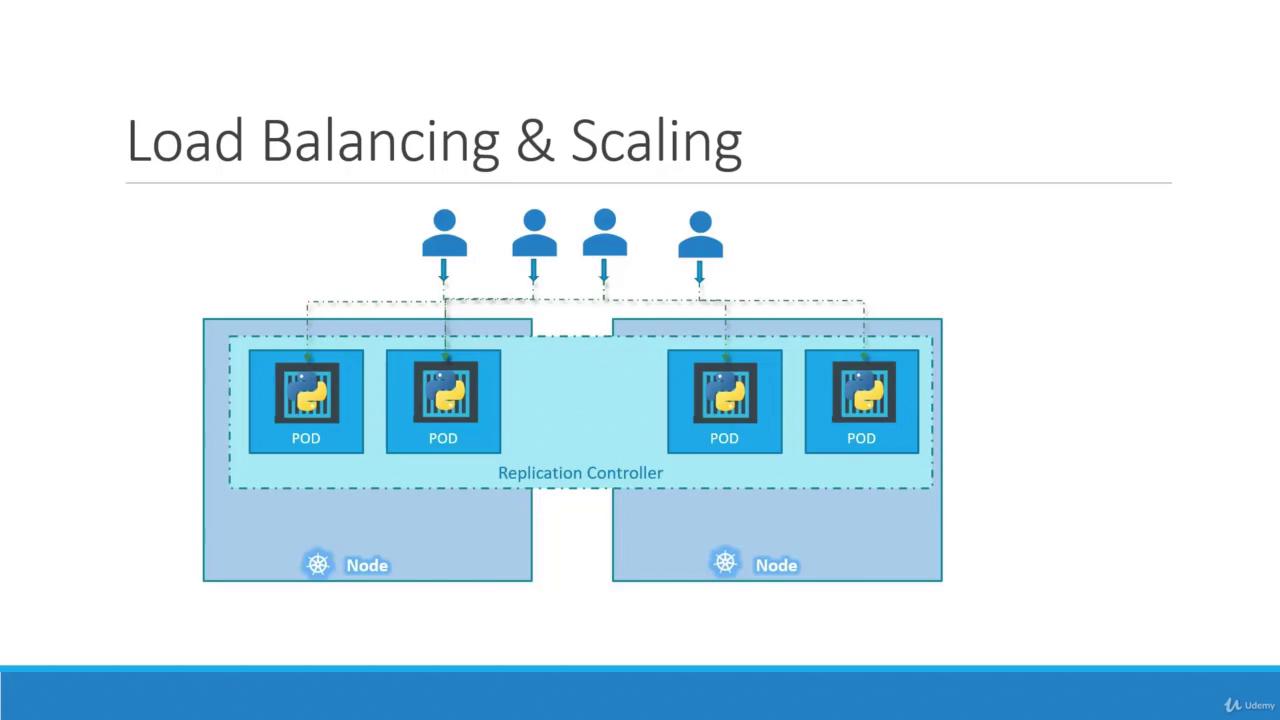
Another important use of the replication controller is load distribution. As user demand grows, additional Pods can be deployed under the controller’s management. If one node runs out of resources, Kubernetes schedules new Pods across other nodes. This efficiently balances the load and scales the application dynamically.
It’s important to understand the difference between a replication controller and a ReplicaSet. While both ensure the desired number of Pods are running, the replication controller is an older technology that is gradually being replaced by the more advanced ReplicaSet. In our examples and demos going forward, we will focus on ReplicaSets, though the core concepts apply to both.
Let’s start by creating a replication controller definition file named rc-definition.yaml. Every Kubernetes definition file comprises four main sections: API version, kind, metadata, and spec. For our replication controller:
apiVersion: Set to v1 because the Replication Controller is supported under this version.
kind: Set to ReplicationController.
metadata: Contains the name (myapp-rc) and labels (app and type) for identification.
spec: Defines the desired state, including the number of replicas and a Pod template.
Move the Pod definition (excluding the API version and kind) into the template section. Ensure the Pod details are indented correctly under template to nest them properly as the replication controller’s child.Below is the combined definition:
The ReplicaSet is the modern, recommended approach for ensuring a specified number of Pod replicas. In a ReplicaSet definition:
apiVersion: Use apps/v1 (instead of v1).
kind: Set to ReplicaSet.
metadata and template: Similar to the replication controller, but with an additional required field.
selector: The matchLabels selector identifies which Pods are managed by the ReplicaSet. This field is important because it allows the ReplicaSet to adopt existing Pods that match the provided labels.
Labels are key-value pairs assigned to Kubernetes objects that enable you to group and select resources. For example, if you deploy three instances of a front-end application as Pods, you can label them accordingly and create a ReplicaSet with a matching selector. This tells the ReplicaSet which Pods to monitor. Even if the Pods already exist, the ReplicaSet will only create new ones if an existing Pod dies, ensuring that the desired number is maintained.Below is a snippet showing matching labels in a ReplicaSet selector and the corresponding Pod metadata:
Copy
Ask AI
# In the ReplicaSet definitionselector: matchLabels: tier: front-end
Copy
Ask AI
# In the Pod metadatametadata: name: myapp-pod labels: tier: front-end
Ensure that the labels defined in the ReplicaSet’s selector exactly match those in the Pod template. Mismatches can lead to unexpected behavior where the ReplicaSet fails to manage the intended Pods.
Remember that when you use the scale command, the change only affects the running ReplicaSet. The original definition file will still show the previous replica count until you update it.
Below is a quick reference for essential Kubernetes commands used in this lesson:
Command
Description
kubectl create -f <definition-file>
Create an object from a file
kubectl get replicationcontroller
List all replication controllers
kubectl get replicaset
List all ReplicaSets
kubectl get pods
List all Pods
kubectl delete replicaset <name>
Delete a ReplicaSet by name
kubectl replace -f <definition-file>
Update an existing object using a definition
kubectl scale —replicas=<number>
Scale an object to the specified number
This concludes our lesson on replication controllers and ReplicaSets. These controllers ensure that your applications remain highly available, efficiently scaled, and properly load balanced within your Kubernetes cluster.