This guide explains how to encrypt secret data at rest in Kubernetes, covering creation, inspection, and configuration of encryption for sensitive information.
In this guide, you will learn how to encrypt secret data at rest in Kubernetes. Based on the official Kubernetes documentation, this tutorial walks you through the storage of secret objects, inspecting them in etcd, and configuring encryption at rest to secure sensitive data.In the beginning, launch a Kubernetes playground running a single-node cluster based on Kubernetes and ContainerD.
Kubernetes secrets help to store sensitive data such as passwords, tokens, or keys. There are multiple methods to create a secret object, including from files, literals, or environment variable files. Below are some examples:
Copy
Ask AI
# Create a new secret named "my-secret" from files in folder "bar"kubectl create secret generic my-secret --from-file=path/to/bar# Create a secret with specified keys from files rather than using disk filenames as keyskubectl create secret generic my-secret --from-file=ssh-privatekey=path/to/id_rsa --from-file=ssh-publickey=path/to/id_rsa.pub# Create a secret with literal key-value pairskubectl create secret generic my-secret --from-literal=key1=supersecret --from-literal=key2=topsecret# Create a secret using a combination of a file and a literal valuekubectl create secret generic my-secret --from-file=ssh-privatekey=path/to/id_rsa --from-literal=passphrase=topsecret# Create a secret from environment variable fileskubectl create secret generic my-secret --from-env-file=path/to/foo.env --from-env-file=path/to/bar.env
Additional options include:
—allow-missing-template-keys=true: Ignores errors in templates if fields or keys are missing.
—append-hash=false: Appends a hash of the secret to its name.
—dry-run: Specify “none”, “server”, or “client” to perform a dry run or see what object would be sent.
For this demonstration, a secret is created with a literal value:
If you decode the base64-encoded value, you will obtain the cleartext secret:
Copy
Ask AI
echo "c3VwZXJzZWNyZXQ=" | base64 --decode
Output:
Copy
Ask AI
supersecret
Because secrets are stored as base64 encoded plaintext, anyone with access to etcd can decode and view them. Avoid storing secret definition files in public repositories without further protection.
Next, examine how Kubernetes stores secrets in etcd, where the data is kept unencrypted by default. To inspect the stored secrets, use the etcdctl utility with API version 3.
Start by verifying that etcd is running on your cluster:
Copy
Ask AI
kubectl get pods -n kube-system
You should see an etcd pod (for example, “etcd-controlplane”).
Confirm the existence of the certificate file:
Copy
Ask AI
ls /etc/kubernetes/pki/etcd/ca.crt
If etcdctl is not installed, install it using:
Copy
Ask AI
apt-get install etcd-client
Set the ETCDCTL_API to version 3 and check the etcdctl version:
Copy
Ask AI
etcdctl
Retrieve and inspect your secret stored in etcd. Adjust the key path to match your secret (e.g., “my-secret”):
The output will display a hex dump showing the secret fields, including the cleartext value (“supersecret”), confirming that etcd stores the data unencrypted.
To secure secret data, enable encryption at rest in etcd. Begin by verifying whether encryption is already configured in your cluster. Check the Kube API server for the “encryption-provider-config” flag:
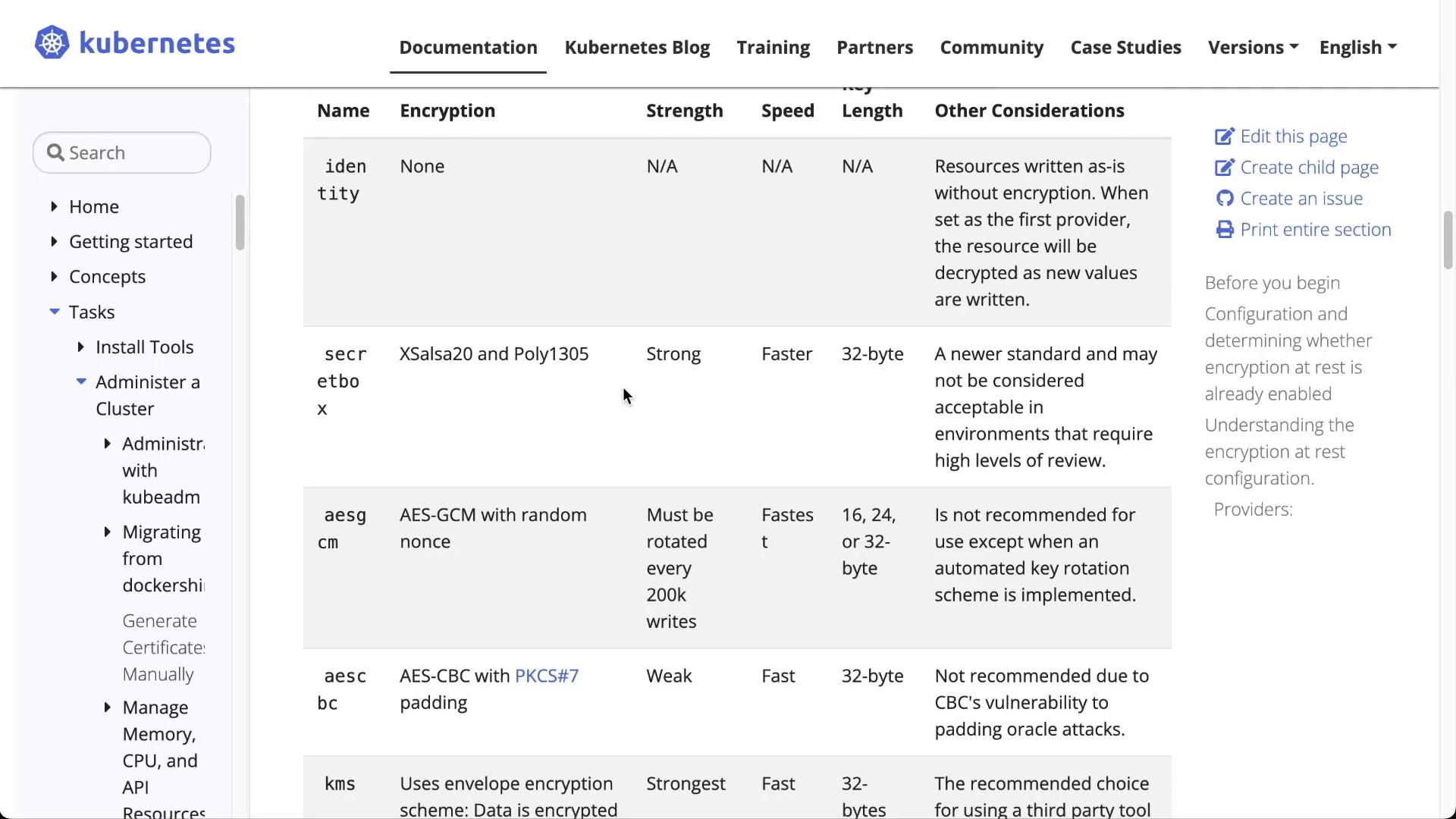
Create a YAML file (for example, enc.yaml) with the following content. This configuration specifies that secret objects will be encrypted using the AESCBC provider:
The output will confirm that the secret value (“topsecret”) is no longer plainly visible because it is now encrypted.
Note that secrets created before enabling encryption remain unencrypted until updated. To re-encrypt these, fetch and replace them without modifying the data:
Verify that secrets are stored in etcd as base64-encoded plaintext.
Enable encryption at rest by creating an encryption configuration file.
Update the kube-apiserver manifest to integrate the encryption config.
Confirm that new secrets are encrypted and secure in etcd.
Encrypting secret data at rest is essential for protecting sensitive information from unauthorized access. Remember that encryption applies only to future changes unless existing secrets are updated.Thank you for following this guide on encrypting Kubernetes secrets at rest!