This article explains cluster roles and bindings in Kubernetes for managing access to cluster-scoped resources.
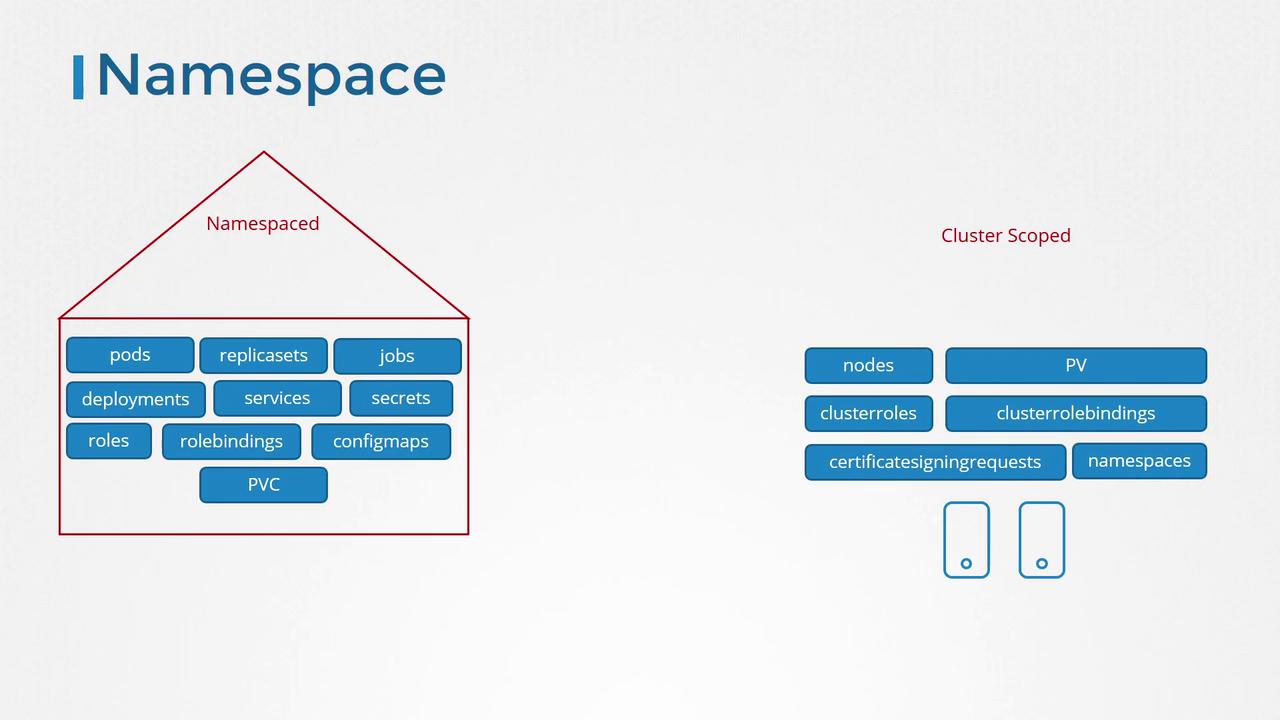
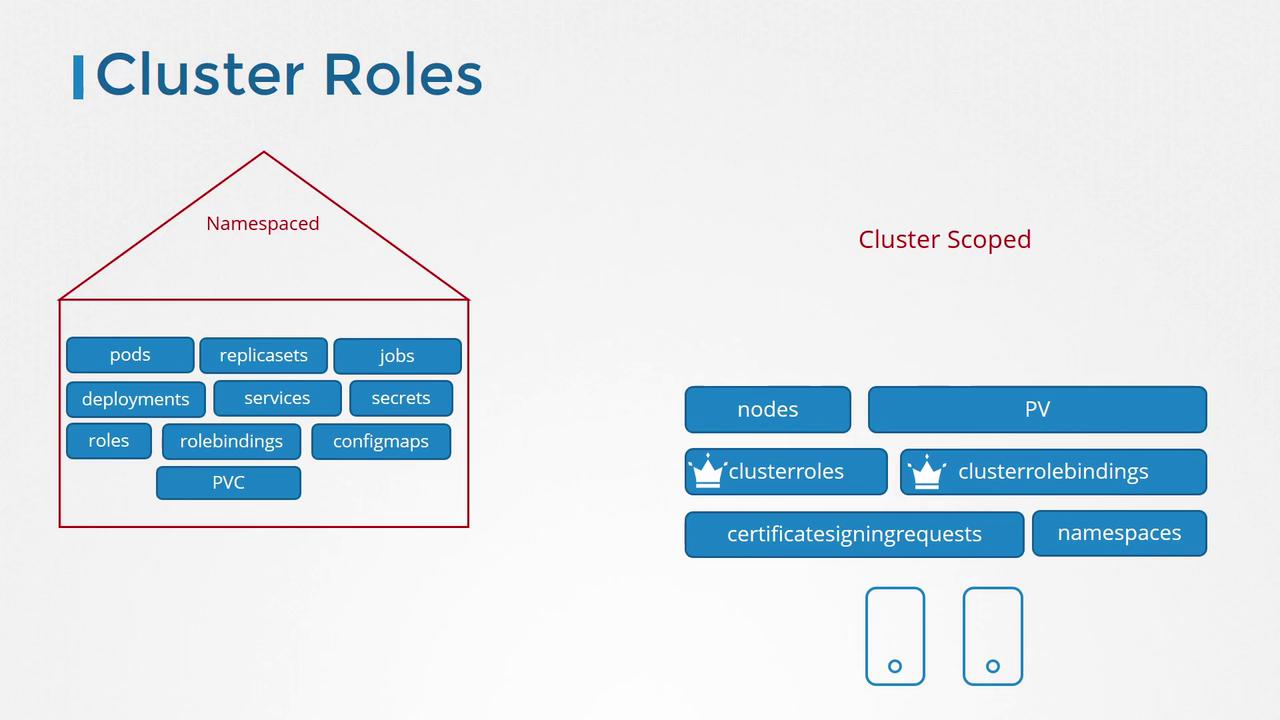
In earlier sections, we discussed namespaced resources and how roles and role bindings work within a specific namespace. By default, if you don’t explicitly specify a namespace, these resources are created in the default namespace. Namespaced resources include pods, replica sets, deployments, services, secrets, and more. In contrast, some Kubernetes objects such as nodes, persistent volumes, certificate signing requests, and namespaces are classified as cluster-scoped resources, meaning they exist across the entire cluster rather than within a single namespace.
To inspect the full list of available resources, you can run the following commands in your terminal:
Copy
Ask AI
kubectl api-resources --namespaced=true
Copy
Ask AI
kubectl api-resources --namespaced=false
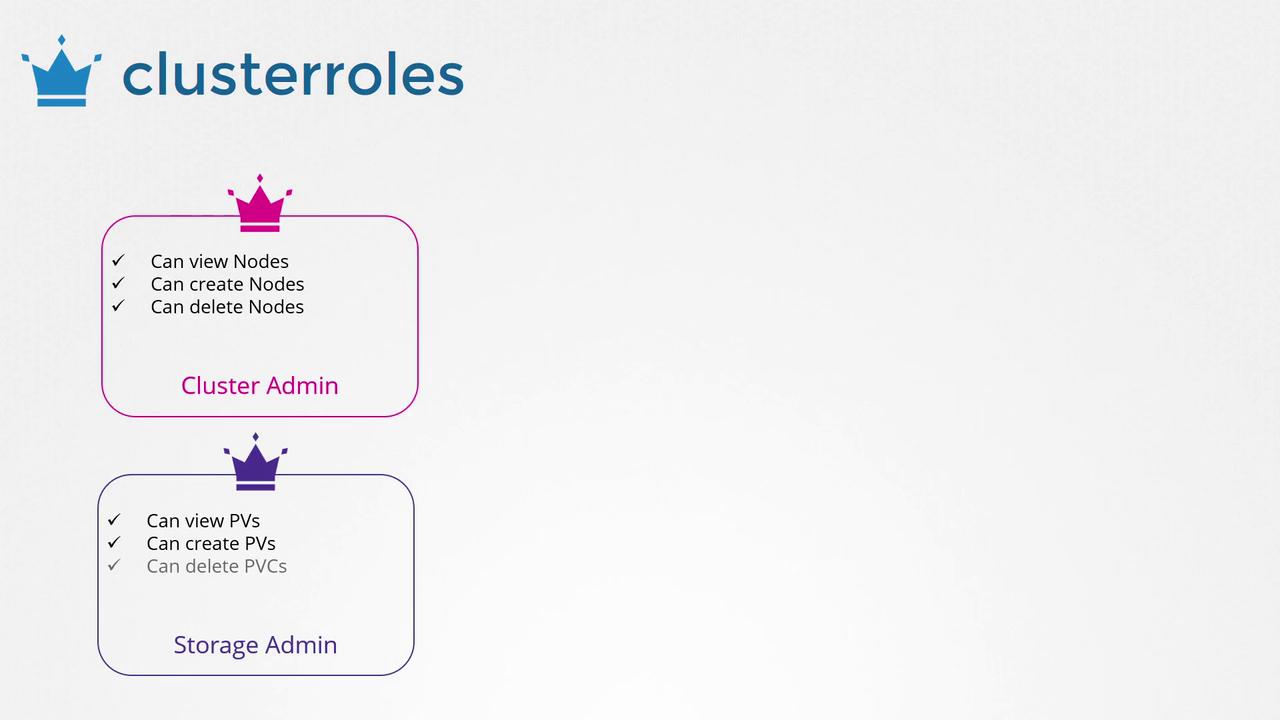
When managing access for namespaced resources, roles and role bindings are typically sufficient. However, for cluster-scoped resources such as nodes or persistent volumes, you need to configure cluster roles and cluster role bindings. For example, a cluster role can be created for a cluster administrator to view, create, or delete nodes, while a storage administrator might require a cluster role to manage persistent volumes and persistent volume claims.
To define a cluster role, create a ClusterRole definition file that specifies the rules for the resources you wish to manage. Consider the following example, which grants permissions for managing nodes:
This YAML file first defines the cluster role “cluster-administrator” with specific permissions for nodes. It then creates a ClusterRoleBinding that ties this role to the “cluster-admin” user. To apply these configurations to your cluster, run:
Copy
Ask AI
kubectl create -f <filename>.yaml
While cluster roles and bindings are mainly intended for cluster-scoped resources, they can also be used for namespaced resources. When a cluster role is applied to namespaced resources, the permissions are effective across all namespaces, unlike a namespaced role which restricts access to a specific namespace.
Kubernetes automatically generates several cluster roles during the cluster setup. In subsequent sections, we will dive deeper into these default roles and how you can leverage them.Good luck with your lesson!