

Understanding the Git Workflow
Consider a typical GitHub repository with a master (or main) branch accompanied by one or more working branches. When you commit changes (e.g., “change 01” and “change 02”) in a working branch, you then open a pull request (PR) to merge these changes into the master branch. However, merging PRs without review is prevented by branch protection, ensuring that every change undergoes the necessary validation.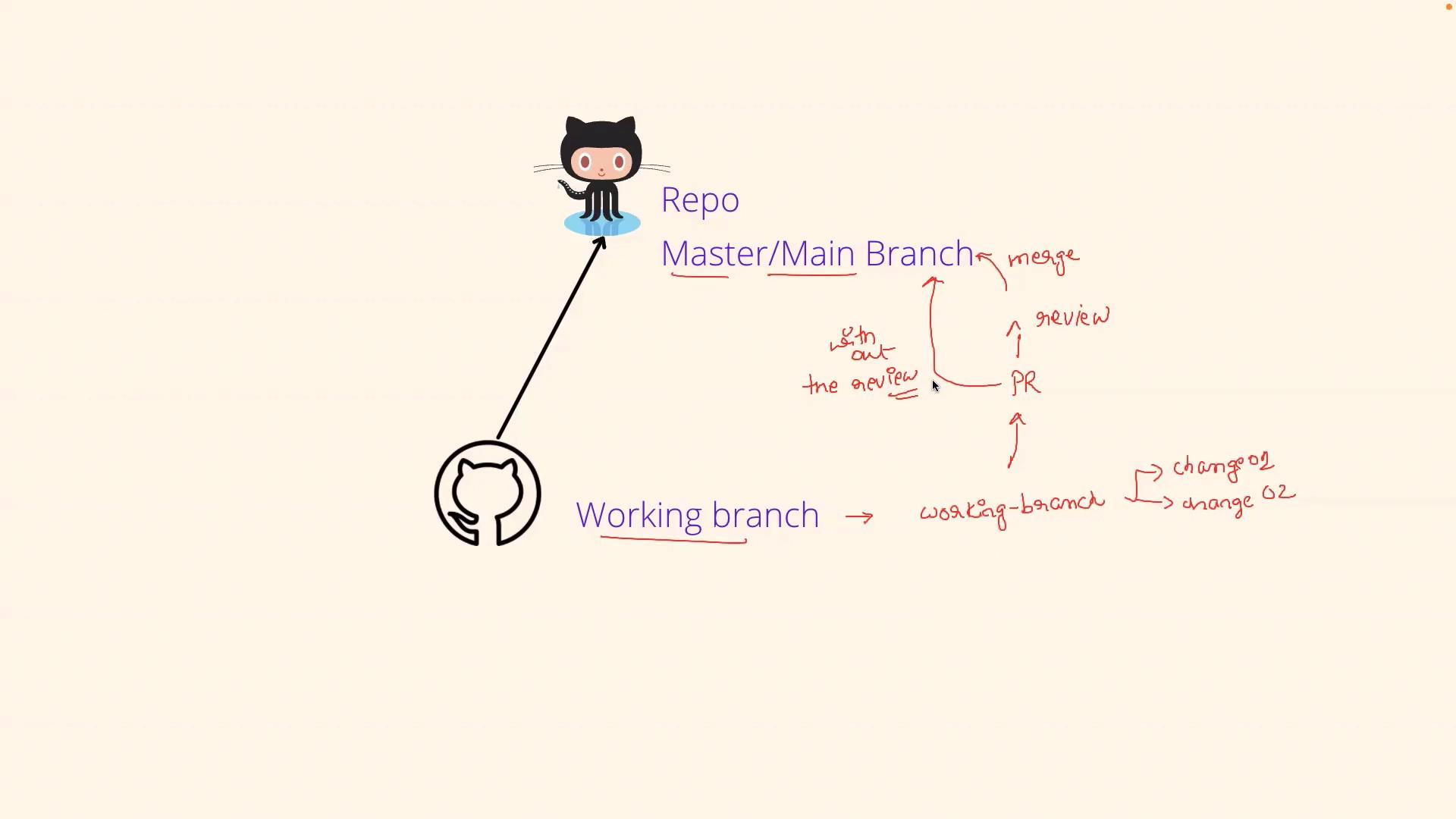
What is Branch Protection?
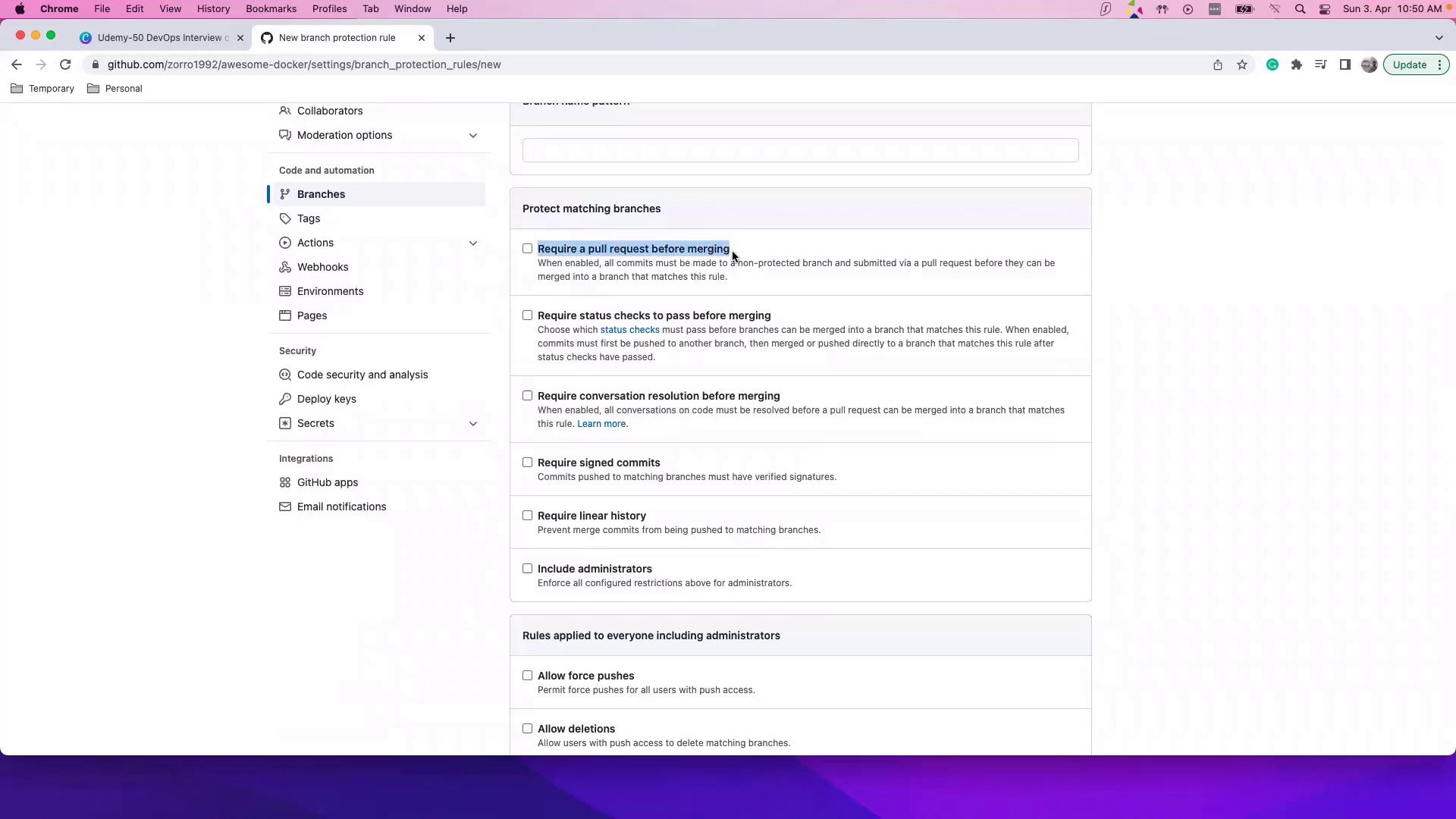
Branch protection is a mechanism that isn’t enabled by default. Organizations must actively configure branch protection rules to prevent direct merges that bypass the review process. Without these safeguards, users with write access could merge changes into the master branch without proper scrutiny—a practice most companies wish to avoid.Branch protection rules require that pull requests meet specific criteria—such as reviews and passing status checks—before they are merged. This ensures that only thoroughly vetted changes make it into your production code.
How to Enable Branch Protection
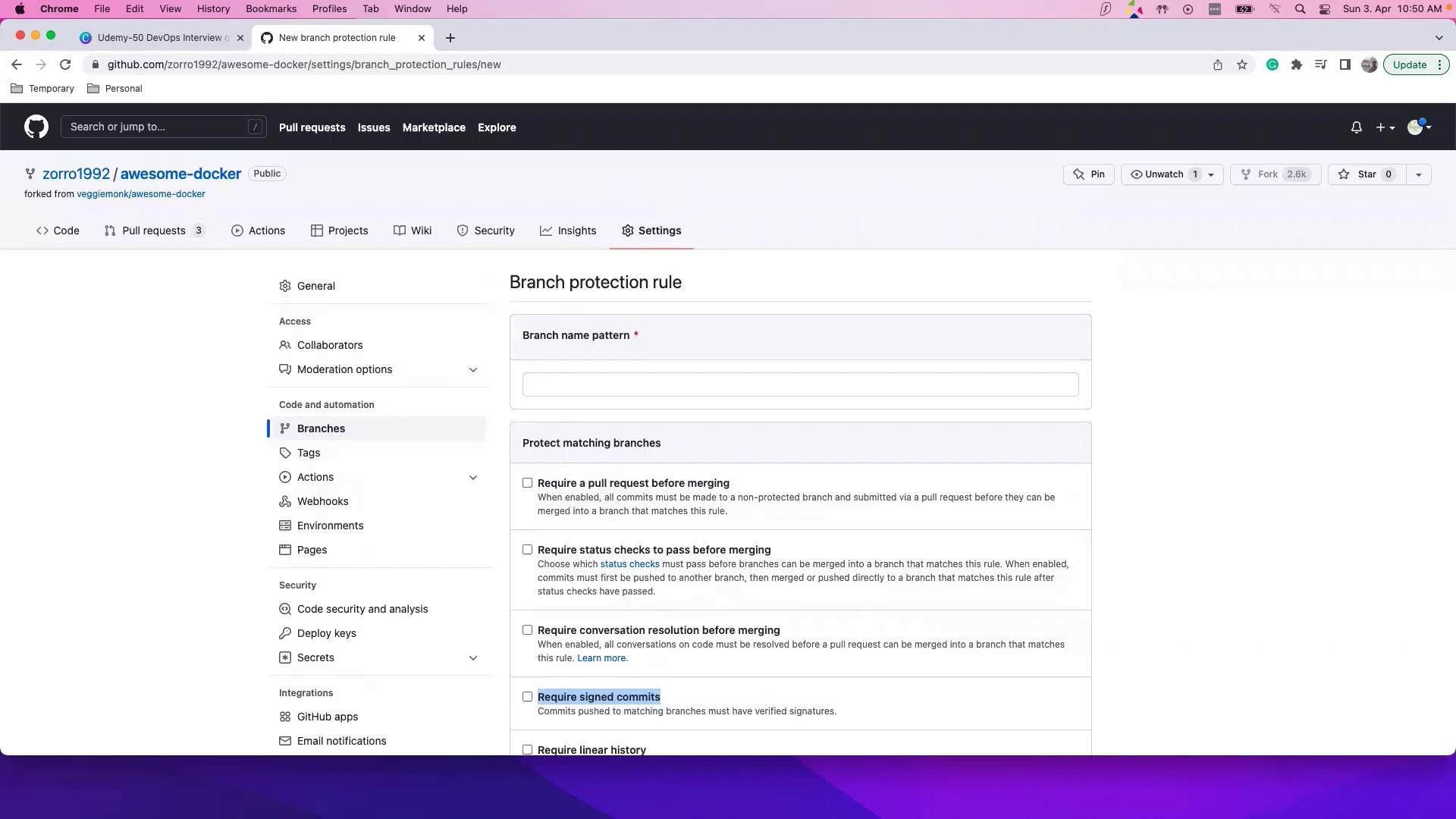
To activate branch protection, follow these steps:- Navigate to your repository’s Settings.
- Click on Branches.
- In the Branch Protection Rules section, click Add rule.
- Configure settings such as:
- Requiring pull request review before merging.
- Enforcing status checks.
- Requiring signed commits.
The Importance of Branch Protection
Ultimately, branch protection serves as a vital component of modern software development, enabling teams to collaborate safely and efficiently. During interviews or team discussions, you might explain that branch protection:- Prevents unauthorized or accidental changes to the master branch.
- Ensures that every pull request is rigorously reviewed and meets predefined quality criteria.
- Helps maintain the stability and reliability of the production environment.
Failing to implement branch protection can lead to security vulnerabilities and unstable code deployments. It is critical to enforce these rules as part of your development workflow.